
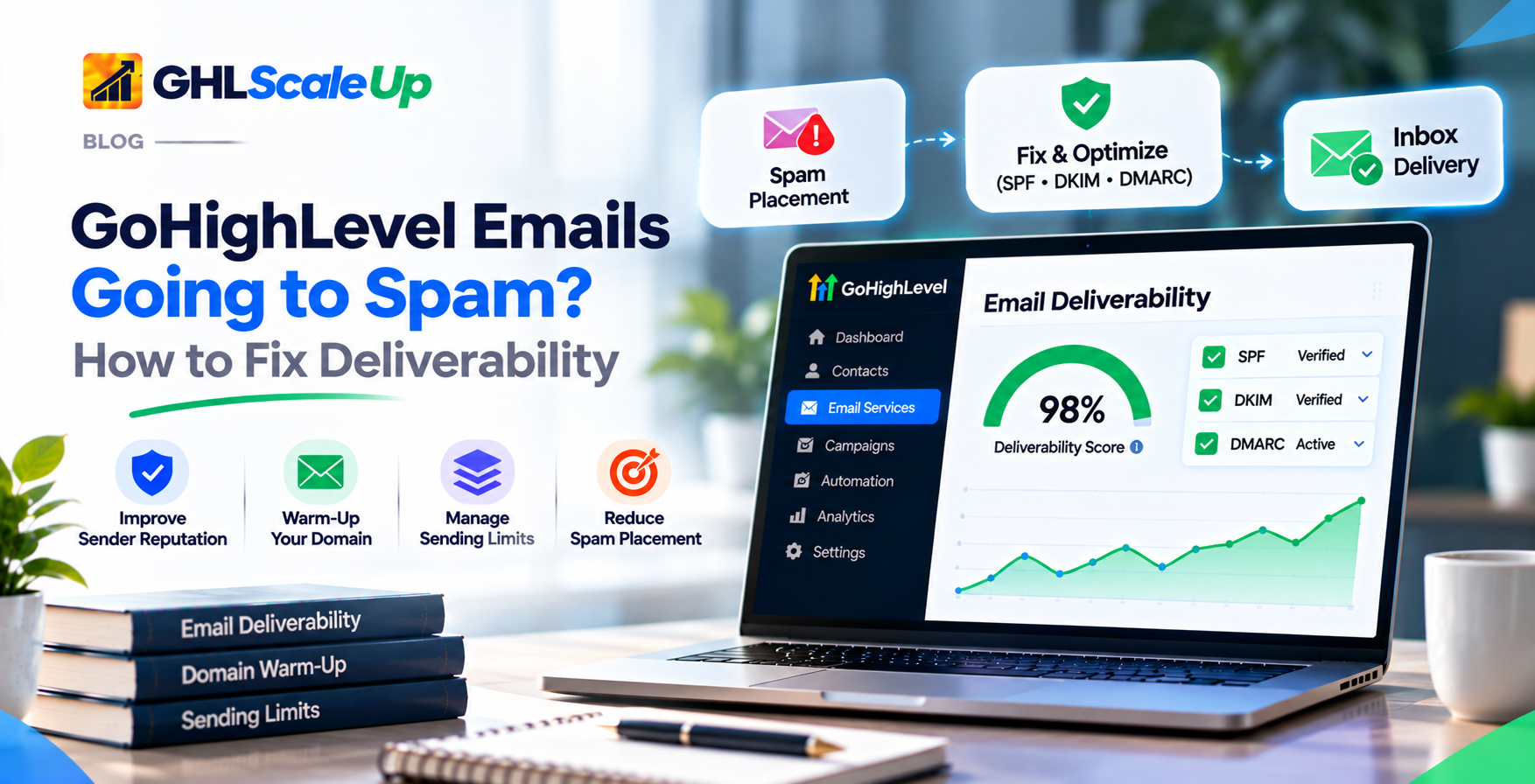
Why Are My GoHighLevel Emails Not Reaching the Inbox?
What is email deliverability, and how is it different from delivery?
Delivery means the recipient's mail server accepted your message. HighLevel defines Delivered as "successfully accepted by recipient servers" (Email Statistics). Deliverability is the bigger question of whether an accepted message reaches the inbox, goes to spam, or lands in another tab. A message can count as delivered and still never be seen. That distinction runs through the rest of this guide.
What do mailbox providers look at?
No provider publishes its full formula, and they do not all behave alike. The signals HighLevel's own guidance keeps coming back to are: whether the message is authenticated and the sender domain matches; the reputation of the sending domain and IP; spam complaints and bounces; whether contacts opted in and engage; sudden changes in volume; and content and links (HighLevel: Why Are My Emails Going To Spam?). Each section below takes one of these in turn.
What Exactly Is Happening to My GoHighLevel Emails?
Answer this first, because the fix depends on it. Follow the path for one affected message, not for your campaign as a whole.
| What you see | What it may mean | Check first | Next step |
|---|---|---|---|
| Contacts find emails in spam | Spam placement: reputation, authentication alignment, list quality, content or a recent volume change | Which providers (Gmail, Outlook, Yahoo)? One contact or many? Authentication results on a real message | Spam section below |
| Contacts never receive them | Not sent, failed, bounced or rejected | Status of that message; any limit or block banner; contact's address | Not-delivered section below |
| Used to reach inboxes, now spam | Volume increase, list change, more complaints or bounces, a change of domain or sending service | What changed in the last few weeks; complaint and bounce trend | Spam section, then reputation recovery |
| A new domain is not reaching inboxes | No sending history, too much too soon, setup or authentication incomplete | Verification and authentication (Planned link, not yet published: how to fix a sending domain that will not verify) if it will not verify); warm-up status; volume sent so far | Warm-up section |
| Delays or rejections after a large send | Throttling, a sending limit, a bounce block or provider rejection | Limit banner; bounce rate; error text on failed messages | Sending-limit section |
More than one of these can be true at once. A new domain can be blocked by a limit and also in spam for those messages that do go through.
Why Are My GoHighLevel Emails Going to Spam?
HighLevel's guidance lists several contributing causes. None of them works alone, and none is a switch. Providers weigh many signals together.
| Cause | How to recognize it | What to check | What to change |
|---|---|---|---|
| Authentication or alignment problems | Failures in a message's headers; From domain differs from the authenticated domain | Headers of a real message (see (Planned link, not yet published: how to set up and check SPF, DKIM and DMARC)) | Fix records; send from your own domain, not a free mailbox domain |
| Free-mail From address (Gmail, Yahoo, Outlook) | Spam placement even with correct setup | The From address | Send from a domain you own. HighLevel says providers route free-mail senders to spam because those domains' DMARC policies forbid others sending as them |
| Poor list health or no real consent | High bounces; low engagement; purchased or old lists | Source of contacts; bounce rate; inactivity | Remove hard bounces; suppress long-inactive contacts; use opt-in |
| Sudden volume or frequency spikes | Problems start right after a big send | Volume trend by week | Ramp gradually; see warm-up and limits |
| High complaints or bounces | Rising complaint or bounce rates | Statistics; Postmaster for Gmail | Stop sending to the unengaged; see recovery |
| Content and links | Problems tied to specific templates | Image-only layouts, shortened links, broken HTML, misleading subject lines | Plain, honest, balanced content. No single word decides |
| Missing unsubscribe | Complaints rise; bulk-sender rules failed | Visible footer link and List-Unsubscribe header | Add both. Google and Yahoo ask bulk senders for one-click unsubscribe |
| Role-based or dormant addresses | Bounces and traps | info@, admin@, sales@ and old addresses | Filter or validate before sending |
| Internal mail | Mail from and to the same domain flagged | Sender and recipient on the same domain | Avoid using campaigns for internal mail |
Can emails go to spam even when SPF, DKIM and DMARC pass?
Yes. HighLevel says authentication is "necessary but not sufficient." Passing proves you are who you say you are. It says nothing about whether recipients want your mail. A perfectly authenticated sender with a poor list will still be filtered.
Does a poor sender reputation cause emails to go to spam?
It is one of the biggest factors. HighLevel's low-reputation page compares domain reputation to a credit score built from sending practices, engagement and complaints, and says low reputation can lead Gmail, Outlook and Yahoo to block, defer or spam-folder messages. Reputation is covered fully below.
Can sending too many emails damage deliverability?
A sudden jump can. HighLevel lists volume or frequency spikes, especially from new or dormant domains, among the causes. The volume you can safely send depends on your sending history, not on what the platform lets you send. See the warm-up and sending-limit sections.
Do email content and links affect spam placement?
They can contribute. HighLevel lists promotional wording, image-heavy layouts, link shorteners, large attachments, broken HTML, and excessive capitals, punctuation or emoji. It also says the filters weigh many things. No word list guarantees either result. Test a real message instead of guessing (see monitoring).
Why do emails to opted-in contacts still go to spam?
This is the problem one agency owner described in a community thread: leads opt in, then the automated emails land in spam from a new dedicated domain. Consent is necessary but it is not the only signal. Likely contributors are a domain with no history, a sudden volume pattern, content, authentication alignment, and engagement on the first messages. I could not find a documented HighLevel fix for this specific case, so treat it as a diagnosis task: check warm-up status, authentication on a real message, and whether the first sends went to engaged contacts.
Why Are My GoHighLevel Emails Not Being Delivered?
This is a separate problem from spam placement. Here the message was never accepted, was refused, or was delayed. The status tells you which.
How do I check whether a GoHighLevel email was delivered?
HighLevel shows statistics in three places (Email Statistics, 9 February 2026): Marketing, Emails for email marketing; Automation, Workflows, then an email action and its Statistics panel for workflow emails; and Contacts, Bulk Actions for bulk sends. Most figures update in near real time. Clicks, unsubscribes and spam complaints can take a few minutes.
| Term | HighLevel's definition | What it tells you |
|---|---|---|
| Delivered | Successfully accepted by recipient servers | Accepted, not necessarily in the inbox |
| Soft bounce | Temporary issue, for example a full inbox | May be retried; watch for patterns |
| Hard bounce | Permanent failure, for example the address does not exist | Remove the address |
| Failed | Invalid emails, bad API keys | A problem on the sending side or with the address |
| Spam complaints | Marked as spam by the recipient | A direct reputation signal |
| Accepted and Rejected | SMTP-level acceptance outcome | Whether the recipient's server took the message |
| Sent | Not defined on the page; bulk stats show "Total Attempts", also undefined | Do not read it as delivered |
Two limits to know. First, HighLevel's page says only Mailgun gives full visibility into delivered, bounced, unsubscribed and spam-complaint metrics, and that other SMTP providers may report only opens and clicks. If you use custom SMTP, your provider's own logs matter more. Second, I did not find a HighLevel page describing an email log with per-message error text in the way a mail server log would, so use the statistics above and any error shown on the message itself.
What do hard and soft bounces mean?
A hard bounce is permanent: the address does not exist or cannot receive. A soft bounce is temporary: the mailbox is full or the server is busy. HighLevel says to remove hard-bounced contacts immediately, and says soft bounces may be retried automatically. Repeated bounces feed reputation and can trigger a bounce block.
Why do emails show as sent but never arrive?
The message was rejected or bounced, and the statistic is easier to miss than the 'sent' count. It was delivered to spam or another tab. Delivered still counts it as accepted. The domain is not verified. HighLevel's error list includes "Domain is not allowed to send: The domain is unverified and requires DNS configuration" (common unsuccessful email errors). See (Planned link, not yet published: how to fix a sending domain that will not verify). A limit or block stopped it (see below). The address has a typo or is role-based. You use custom SMTP, and HighLevel cannot see the outcome.
| Delivery issue | Possible cause | How to investigate | What to do |
|---|---|---|---|
| Sent but not received | Rejected, spam placement, typo | Message status; recipient's spam and other tabs | Fix the address or follow the status |
| Hard bounce | Invalid or nonexistent address | Bounce statistics and the contact's address | Remove the contact; validate the list |
| Soft bounce or delay | Full inbox, server busy, throttling | Whether it repeats across providers | Slow volume; watch the trend |
| Message blocked as spam-like | Content, behavior or reputation (HighLevel lists error texts such as 'the message was blocked because it was detected as spam') | The error text; the same message to other providers | Audit content, clean the list, reduce volume (HighLevel: Spam Filter Blocks) |
| 'Domain is not allowed to send' | Sending domain not verified | Dedicated Domain & IP page | (Planned link, not yet published: how to fix a sending domain that will not verify) |
| Campaign emails fail after a certain number | Daily limit reached | Banner and Sending Limit panel | See the sending-limit section |
| All outbound email disabled for a sub-account | Bounce block | Error text and bounce rate | See below |
| No delivery data for custom SMTP | Provider reports only opens and clicks | Provider's own logs | Contact the provider |
What does 'Email sending is blocked due to a high bounce rate' mean?
HighLevel's bounce-suspension page (17 September 2026) describes thresholds: 0 to 3% is the healthy range; at 3% a warning is sent; at 5% email sending is suspended for 12 hours. After the first block, a 3% warning and a 5% rate triggers a second 12-hour block, and after the second block a third trigger becomes a permanent suspension. Only outbound email is disabled. SMS, calls, workflows and calendars keep working. A permanent block shows "Email sending is blocked due to a high bounce rate."
HighLevel's suggested fixes: run contacts through its email verification service, clean the list, pause bulk and cold campaigns, and, for a permanent block, open a support ticket with the sub-account ID and a screenshot. Review is manual and approval is not guaranteed. A 13 August 2026 update raised the minimums for the separate bounce AUP lock to at least 500 sends and 25 bounces.
When to contact whom. HighLevel support for a permanent bounce block or a blacklisted dedicated IP. Your SMTP provider for anything on a custom SMTP setup: HighLevel says support for compliance and best practices not managed by the platform is limited there.
How Do I Improve Email Deliverability in GoHighLevel?
In order of effect, with the detail living in the sections shown.
- Get the foundation right. A verified sending domain you own, authenticated, and a sending service that fits your volume. See (Planned link, not yet published: the complete GoHighLevel email setup checklist), (Planned link, not yet published: step-by-step guide to connecting a sending domain) and (Planned link, not yet published: how to set up and check SPF, DKIM and DMARC).
- Fix the list. Send only to people who opted in. Turn on validation: HighLevel charges $2.50 per 1,000 checks, and offers verification at first send and a 90-day re-validation setting (Email Sending Guide).
- Control volume. Warm up where it applies, and send in batches. HighLevel suggests starting with 100 to 500 emails to your most engaged contacts and increasing gradually (Spam Filter Blocks).
- Use a sensible cadence. HighLevel's guidance: send daily to newly opted-in contacts for a short window; slow to weekly if there is no engagement after one to two weeks; stop sending if there is still none after more than two months of weekly sends.
- Make mail easy to leave. A visible unsubscribe link and the List-Unsubscribe header.
- Watch the numbers weekly. Bounces, complaints, delivery. See monitoring.
Skipping to content tweaks first is common and rarely the cause.
How Do I Warm Up a GoHighLevel Email Domain?
Mailbox providers have no history for a new domain. Warm-up means sending gradually, consistently and to people who engage, so a pattern builds up. It does not guarantee inbox placement, and it is not permission to send to any audience.
When is warm-up needed?
| Situation | Approach |
|---|---|
| Newly registered domain or new sending subdomain | No history. Start low and to your most engaged contacts |
| Existing domain with a long, healthy sending history | May need less. For existing HighLevel domains, enabling warm-up uses past activity and Google Postmaster data (if connected) to suggest a starting stage |
| Previously inactive domain | Treat as largely new. General practice, not a HighLevel rule |
| Domain with damaged reputation | Warm-up alone will not repair it. HighLevel says raising volume too early often resets recovery. See the recovery section |
| Change of provider or infrastructure | New sending infrastructure carries new history. Start cautiously. General practice, not documented by HighLevel |
Does GoHighLevel warm up email domains automatically?
It depends on which feature your account has, and HighLevel describes four different mechanisms. They are not one process.
| Approach | Who it applies to | How it works | Important limitations |
|---|---|---|---|
| LC Email ramp-up, days 1 to 7 | Per the LC Email page (20 Aug 2026) | Daily limit rises 250, 500, 1,000, 2,500, 5,000, 7,500, 10,000 | A sending limit, not a warm-up feature. Applicability by account not stated |
| Smart sending ramp-up (shared domains) | New agencies created on or after 27 April 2026, shared domains | Sub-accounts start at Stage 1 and move up or down automatically | A sending limit. Existing agencies unaffected. Migration plan promised for Q2 2026, outcome not confirmed |
| Fixed-stage warm-up | Dedicated domains, agency and sub-account; phased rollout, so availability varies | 15 stages. Automatic for new verified domains where available. Manual 'Start Warmup' for existing domains | Thresholds, not blocks, for now. Strict enforcement expected later |
| Automated warm-up (beta) | Approved beta users with dedicated domains | You set a daily goal; warm-up mailboxes send to build reputation | Beta. Free for approved users, later pricing not announced. Only the sender name is editable |
Which one do I have? Open Dedicated Domain & IP under Email Services at your account level and see what your domain card shows. I could not establish how the systems interact, beyond HighLevel's note that enabling the automated warm-up removes the existing daily sending-limit ramp shown on dedicated domains.
How does the fixed-stage domain warm-up work?
The stages and daily thresholds (30 June 2026, confirmed by the 8 October 2026 page):
| Stage | Daily threshold | Stage | Daily threshold | Stage | Daily threshold | ||||
|---|---|---|---|---|---|---|---|---|---|
| 1 | 1,000 | 2 | 2,500 | 3 | 5,000 | 4 | 6,500 | 5 | 8,000 |
| 6 | 10,000 | 7 | 14,000 | 8 | 20,000 | 9 | 25,000 | 10 | 35,000 |
| 11 | 50,000 | 12 | 80,000 | 13 | 125,000 | 14 | 175,000 | 15 | 250,000 |
A domain moves up only when it reaches the full daily threshold of its current stage. Time alone does not advance it. A domain that sends 600 emails at Stage 1 stays at Stage 1. Missed days pause progress and do not reset the stage. Only emails sent through the warming domain count. New dedicated domains start automatically once created and verified, where the feature is available. Existing domains need Start Warmup (Agency or Sub-Account Settings, Email Services, SMTP Service, Dedicated Domain and IP). Stage 15 shows "Warmup Complete."
Because progression needs the full threshold, a small sender that sends a few hundred emails a day may sit at Stage 1 for a long time. That is my reading of HighLevel's rule, not a statement it makes. It does not mean something is wrong.
How does the automated warm-up (beta) work?
- Request access. If approved, a "Start warm-up" option appears on dedicated domain cards.
- Make sure the domain is verified and its SSL shows "SSL Issued."
- Choose Start warm-up, set a daily goal (HighLevel's examples are 10,000 and 25,000), and confirm. The badge changes to "Warming up."
The goal is a ceiling, not a guaranteed volume. Sending ramps up gradually toward it. A confirmation screen shows how many warm-up mailboxes will be used (HighLevel's example: a 25,000 goal uses five mailboxes with a 5,000-a-day cap each). Those mailboxes are not your customers' inboxes, and contacts do not receive warm-up emails. Campaigns and workflows continue while it runs.
You can see a health score (0 to 100), deliverability, a sent-today figure against the goal, DNS status and a landed-in-inbox chart, though results can take one or two days to appear. You can pause or stop from the domain card. HighLevel warns that stopping early can slow reputation building. The page gives no ramp formula and no numeric health thresholds. Treat the numbers as indicators, not as a guarantee.
How long does it take to warm up a sending domain?
HighLevel's Sending Guide says a domain can take up to four weeks. The fixed-stage page says warm-up does not advance simply because days have passed. The automated warm-up page gives no schedule. So there is no universal answer, and anyone quoting you a fixed number is guessing. Your timeline depends on how fast you send enough, to engaged people, without problems.
How many emails should I send while warming up?
Use the four terms below separately, because HighLevel's numbers are not all the same kind of number.
| Term | Meaning | Example |
|---|---|---|
| Daily threshold | Volume a warm-up stage expects before moving on | Fixed-stage Stage 1: 1,000 |
| Actual sending restriction | A limit the platform enforces | Shared-domain ramp-up: campaign emails over the ceiling fail |
| Progression requirement | What must happen before the next stage | Reaching the full threshold |
| Recommended volume | What is sensible for your list and engagement | HighLevel suggests 100 to 500 to engaged contacts to start |
Sending less than a threshold can be the right call when engagement is low or reputation is weak. The thresholds are not targets you must hit each day.
What happens if I send too many emails from a new domain?
Possible outcomes include throttling or deferral by providers, spam placement, rising bounces and complaints, and eventually a bounce block. Under the fixed-stage model HighLevel does not currently stop you at a threshold, which means the platform will not protect you from yourself. One idea-board commenter notes that a drip can unintentionally send thousands of emails to a warming domain, and asks for daily caps. Use your own caps.
What are the common warm-up mistakes?
- Sending too much too soon.
- Using purchased, unverified or non-opted-in lists.
- Treating a schedule as permission to send to everyone.
- Raising volume without checking bounces, complaints and delivery.
- Ignoring complaints.
- Continuing to send to unengaged contacts.
- Assuming warm-up repairs a damaged reputation.
How do I know my sending domain is ready for more emails?
Look for stable signals before each increase: bounces and complaints staying low, delivery staying high, no new blocks, and stage or warm-up status moving. HighLevel's benchmark table lists delivered at 98% or higher as healthy, hard bounces well under 1%, and complaints as close to zero as possible, and calls them guidelines, not rules (29 May 2026). Do not rely on opens alone, because open tracking is unreliable as an inbox signal (general knowledge, as mail apps can load images automatically).
What Is the GoHighLevel Email Sending Limit?
There is no single number. HighLevel documents several different things, some for different groups of accounts, and they do not all agree. Use this table to see what applies, then check the Sending Limit panel in your own account, which is the source of truth.
| Configuration or restriction | What it controls | Documented information | Qualification |
|---|---|---|---|
| LC Email ramp-up, days 1 to 7 | Daily limit for a new setup | 250, 500, 1,000, 2,500, 5,000, 7,500, 10,000 (20 Aug 2026) | Which accounts it covers is not stated |
| LC Email after day 7, shared domain | Daily limit | 25,000 per day; adjustable range 250 to 25,000 | Higher needs a dedicated domain. Sub-accounts without their own dedicated domain are treated as shared |
| LC Email, dedicated domain | Daily limit | 550,000 per day in the table. The same page says to contact support above 450,000 | Page conflicts with itself; confirm with support |
| Shared-domain smart ramp-up | Daily limit by stage | Nine stages: 1,000; 2,500; 5,000; 6,500; 8,000; 10,000; 14,000; 15,000; 25,000 (15 Sep 2026) | New agencies from 27 April 2026 only. Page says eight stages, lists nine |
| Trial agency | Daily cap | 500 per day | Raised from 100 in April, per the page |
| Fixed-stage warm-up | Progress thresholds, dedicated domains | 1,000 to 250,000 per day. No hourly limits | Not a block for now |
| Hourly figures in the Sending Guide | Stage 1 and 2 pace | 100 and 300 per hour (Stage 1 and 2) | Conflicts with the 'no hourly limits' statement. Dated 30 Jun 2026, so the 8 Oct page may supersede it; confirm in your account |
| Automated warm-up (beta) | Goal ceiling and mailbox caps | Goal examples 10,000 and 25,000; per-mailbox cap 5,000 in HighLevel's example | 'Applicable sending limits' not defined |
| Custom SMTP | Set by your provider | HighLevel publishes no limit | Check the provider's documentation |
| Mailbox-provider rate limits | Throttling by Gmail, Yahoo, Microsoft | No numbers in the pages read | Cause deferrals, not platform limits |
| Compliance and account blocks | Bounce suspension, AUP locks | 3% warning, 5% block for 12 hours; AUP lock first strike 12 hours, second 24 hours, then permanent pending review | Reported rates differ by page |
Are warm-up thresholds the same as sending limits?
No. A fixed-stage threshold is a progression target and, for now, does not block sending. A shared-domain ramp-up ceiling does. HighLevel's fixed-stage page says thresholds are separate from account-level restrictions, recipient-provider rate limits and compliance controls, and that passing a threshold does not guarantee delivery.
How many emails can I send through LC Email?
That depends on your account group, your domain type and the stage you are at. The numbers above are the documented ones. They are ceilings, not recommendations, and a new setup should be nowhere near them.
Are LC Email and custom SMTP sending limits different?
| LC Email | Custom SMTP | |
|---|---|---|
| Who sets limits | HighLevel (ramp-up, stage or daily limits) | Your SMTP provider |
| Dedicated domain feature | Available | HighLevel says custom SMTP users do not have this option |
| Delivery statistics | Full | Mailgun: full visibility. Others may report opens and clicks only |
| Support | Includes assistance | Limited for compliance and best practices not managed by the platform |
What happens when a GoHighLevel email sending limit is reached?
It depends on which limit you hit.
| Limit | Result | Source |
|---|---|---|
| Shared-domain ramp-up ceiling | Campaign and bulk emails over the ceiling fail and are not queued or retried. One-to-one, payment, calendar and system emails still go. A red banner appears. Counter resets at midnight UTC | Limits page |
| LC Email daily limit | Account is locked for the rest of the period; resets 00:00 UTC. A scheduled send that would exceed it shows an inline error: reduce recipients or split the send | LC Email page |
| Fixed-stage threshold | Nothing is blocked now; stricter enforcement is expected later | Fixed-stage page |
| Bounce block | Outbound email disabled for 12 hours or permanently | Bounce page |
| Provider throttling | Deferrals or temporary rejections by the recipient's provider | General behavior; not documented in the pages read |
How do I plan sending volume safely?
- Segment large lists and start with your most engaged contacts.
- Send in batches and spread them over the day. HighLevel describes drip sending through Bulk Actions or Workflows.
- Avoid sudden spikes after quiet periods.
- Check your limit panel and provider limits before a big send.
- Give each sub-account its own dedicated domain. HighLevel says not to share sending domains across sub-accounts.
Do not try to get around limits by splitting sends across domains or accounts. The documented routes to higher volume are consistent healthy sending, a dedicated domain, and contacting support above the top figures.
What Is Sender Reputation, and How Do Domain and IP Reputation Differ?
Sender reputation is how providers rate you based on your history. It is not one universal score. Different providers assess you differently, and HighLevel's low-reputation page notes that Google Postmaster no longer shows a direct reputation score, so it recommends relying on performance and placement metrics too.
| Domain reputation | IP reputation | |
|---|---|---|
| What it attaches to | The domain in your sending identity | The IP address that sends your mail |
| Who shares it on LC Email | Your own if you use a dedicated domain. Shared domains share reputation across agencies | HighLevel says that even a shared LC Email dedicated domain still shares the sending IP with other platform users |
| How to isolate it | Use your own dedicated sending domain | A dedicated IP costs $59 a month per IP, billed to the agency, which HighLevel says isolates reputation and matters most at high volume |
| Who can see it | Postmaster Tools for Gmail, with limits | SNDS for Microsoft, which is organized around IPs |
What damages sender reputation?
High complaint rates, many invalid recipients, sudden spikes, poor list quality, unengaged recipients, inconsistent patterns, authentication problems, repeated provider rejections and sending without permission. Complaints and bounces are the fastest ways to lose ground, which is why HighLevel's blocks key off them.
What thresholds do providers and HighLevel use?
| Source | Complaint or spam rate | Bounce | Other requirements |
|---|---|---|---|
| Keep below 0.1%. Never reach 0.3%. Above 0.3% for bulk senders removes eligibility for mitigation until it stays below 0.3% for 7 days | Not given | Bulk is close to 5,000 a day to personal Gmail. SPF, DKIM, DMARC (at least none), alignment, one-click unsubscribe on marketing mail | |
| Yahoo | Keep below 0.3% | Remove invalid recipients promptly | Bulk senders: SPF, DKIM, DMARC at least none, one-click unsubscribe, honor unsubscribes in 2 days. Bulk size not defined |
| Microsoft (Outlook.com) | Not given in the page read | Not given | Over 5,000 a day: SPF and DKIM pass, DMARC at least none and aligned. Non-compliant mail rejected (550 5.7.515). The post dates this from 5 May 2025 |
| HighLevel: spam page | About 0.3% | Above 5% | Recovery 4 to 8 weeks |
| HighLevel: spam filter page | Below 0.1% | Not given | Spam test score above 8 of 10 |
| HighLevel: stats page | 0.04% or higher is a red flag; AUP threshold 0.05% | Hard bounce AUP threshold 5%; delivered 98% or higher is healthy | 'Guidelines, not rules' |
| HighLevel: bounce page | Not given | 3% warning; 5% 12-hour block | Updated 13 Aug 2026 |
How to read this. The figures measure different things: Google's is the share of delivered mail that users mark as spam; HighLevel's AUP numbers are its own account controls. When they differ, use the lowest as your working target. For a bulk sender that means aiming under 0.1% complaints, which matches Google, and treating 0.3% as a limit you should never approach. Microsoft's page, as I read it, gives no complaint figure, so I do not quote one.
How Do I Check My Sender Reputation and Monitor Deliverability?
| Tool | What it checks | When to use it | What it cannot confirm |
|---|---|---|---|
| HighLevel email statistics | Delivered, bounces, complaints, opens, clicks by send | Every send, weekly review | Inbox placement. Full visibility only with Mailgun. Opens are unreliable as a placement signal |
| Google Postmaster Tools | Spam rate, authentication, delivery errors, compliance for mail to personal Gmail accounts | Any sender with meaningful Gmail volume | Other providers. Data can be missing at low volume. Needs a verified domain. HighLevel says data can take up to two days |
| Microsoft SNDS | Microsoft's data on traffic from IP addresses you control (named by HighLevel) | If you have a dedicated IP | Domain reputation. I have not read its documentation beyond the FAQ link; it is IP-oriented |
| MXToolbox | DNS records, blacklists, an Email Health report (named by HighLevel) | After setup changes; when delivery drops | Inbox placement or reputation at Gmail or Microsoft |
| Mail-Tester (named by HighLevel) | A spam-style score and authentication for one test message | Before a campaign or template change | Real-world inbox placement across providers |
| DMARC checker, for example dmarcan (named by HighLevel) | Whether a DMARC record is published and valid | After DNS changes | Whether real messages align |
| Seed or placement testers such as GlockApps or Litmus (named by HighLevel; not evaluated here) | Sample placement across mailboxes | When you suspect placement trouble | Your actual list's placement |
| HighLevel automated warm-up dashboard (beta) | Health score, deliverability, inbox chart for warm-up | While warming a dedicated domain | Reputation outside the warm-up traffic |
Keep the layers apart. DNS health, authentication, delivery, inbox placement, domain reputation, IP reputation and content testing are different questions. No single tool answers all of them, and none can guarantee inbox placement.
How Do I Improve a Poor Sender Reputation?
HighLevel's low-reputation page and the sections above point to the same order of work:
- Stop the damage. Stop sending to invalid and clearly unengaged contacts. HighLevel suggests removing hard bounces, contacts with no opens or clicks in 90 or more days and role-based addresses.
- Find the pattern. Look at complaint and bounce trends and what changed.
- Check authentication on a real message ((Planned link, not yet published: how to set up and check SPF, DKIM and DMARC)).
- Cut volume to the minimum and then review consistency.
- Rebuild with permission-based, engaged contacts only.
- Review content and what recipients expect from you.
- Monitor domain and IP signals weekly.
- Raise volume only when performance supports it. HighLevel says increasing volume too early often resets recovery.
- Escalate infrastructure problems. A blacklisted dedicated IP goes to HighLevel support, and custom SMTP issues go to your provider. HighLevel says blacklist removal can take 24 hours to 7 days.
How long does it take? HighLevel's spam page says recovery typically takes 4 to 8 weeks. Its low-reputation page says 30 to 90 days. Neither is a promise, and the real time depends on the cause and your behavior. Anyone quoting a fixed number is guessing. Some senders consider moving to a fresh subdomain, but I found no HighLevel guidance for it. It would restart your history, need warm-up and would not fix the list problem that caused the damage.
How Do I Keep a Good Sender Reputation?
- Use permission-based lists, with double opt-in or reCAPTCHA where it fits.
- Keep sender identity clear: your own domain and a recognizable From name.
- Turn on validation at first send and the 90-day re-validation (Sending Guide).
- Send relevant content on a consistent cadence and avoid sudden jumps.
- Monitor complaints and bounces weekly (HighLevel's spam-filter page suggests checking its named tools weekly).
- Suppress hard bounces and long-inactive contacts. HighLevel's spam page suggests cleaning at least every 6 to 12 months.
- Respect unsubscribers. Google and Yahoo both give a window of about two days.
- Review performance regularly, and change one thing at a time.
Frequently Asked Questions
Does GoHighLevel guarantee email deliverability?
No. HighLevel says authentication is necessary but not sufficient, and no provider can promise inbox placement.
How do I improve email deliverability in GoHighLevel?
Authenticate a domain you own, send only to opted-in and validated contacts, control volume, keep complaints and bounces low, and monitor weekly.
Does GoHighLevel automatically warm up email domains?
Sometimes. New verified dedicated domains can enter the fixed-stage warm-up automatically where available, and an automated warm-up is in beta for approved users. Existing domains need to be enabled manually.
What is the daily email sending limit in GoHighLevel?
It depends on your account group, domain type and stage. Documented figures include 25,000 per day on a shared LC Email domain after the first week, and up to 550,000 on a dedicated one.
Are LC Email and custom SMTP limits different?
Yes. With custom SMTP your provider sets the limits, and dedicated domain features are not available.
What is the difference between domain and IP reputation?
Domain reputation follows your sending domain. IP reputation follows the sending address, which is shared on LC Email unless you buy a dedicated IP.
How do I check my sender reputation?
Use Postmaster Tools for Gmail, SNDS if you have a dedicated IP, MXToolbox for blacklists, and your delivery statistics. No tool covers every provider.
Can emails go to spam when SPF, DKIM and DMARC pass?
Yes. Passing authentication does not stop filtering based on reputation, complaints, list quality or content.
What should I check if emails show as sent but are not received?
Look at that message's status for a bounce, failure or rejection, then check spam and other folders, then verification and limit banners.
How often should I clean my email list?
HighLevel's spam page suggests at least every 6 to 12 months, and suppressing contacts with no engagement for 90 or more days.
GoHighLevel Email Deliverability Checklist
| Area | Check |
|---|---|
| Sending domain | Domain you own, verified, one per sub-account |
| Authentication | SPF, DKIM and DMARC published and aligned; checked on a real message |
| Sending provider | You know whether you are on LC Email or custom SMTP, and who supports what |
| Warm-up | You know which system applies; new domains start low and to engaged contacts |
| Volume plan | Batches, no spikes, limits and stage checked before big sends |
| Permission | Every contact opted in; no purchased lists |
| List validation | Validation on first send and re-validation on; hard bounces removed |
| Sender identity | Own domain, recognizable From name, working Reply-To |
| Content and links | Honest subject, balanced layout, no shortened links, plain-text version |
| Consistency | A steady cadence; no long silences followed by blasts |
| Complaints and bounces | Reviewed weekly; below the lowest threshold you use |
| Reputation | Postmaster set up for Gmail volume; blacklist check after problems |
| Delivery logs | Statistics reviewed; custom SMTP provider's logs available |
| Review | Monthly review of volume, engagement and anything that changed |
What Should I Do Next?
Pick one affected message and follow the decision path at the top: sent, status, then folder. Fix that cause, not the one you assumed. If you are on a new domain, find out which warm-up and limit system applies to your account before you plan a campaign. Then set up weekly monitoring so the next problem is visible when it is small. If the cause turns out to be setup, (Planned link, not yet published: step-by-step guide to connecting a sending domain) and (Planned link, not yet published: how to set up and check SPF, DKIM and DMARC) cover it.
Still have questions about GoHighLevel email deliverability?
Talk to our GHL experts directly. We're here to help.
Fix the cause, not the one you assumed.
GHL Scale Up implements GoHighLevel for agencies and service businesses. If you need help diagnosing deliverability, get in touch.
Book Your Free Call
Prepared 4 November 2026. HighLevel, Google, Yahoo and Microsoft pages read 4 November 2026. Nothing here was tested in a live HighLevel account, HighLevel's pages sometimes disagree with each other (the disagreements are shown), and menu names can change.
ghlscaleup.com