
Introduction: What This Covers
Your sending domain is added in GoHighLevel, the DNS records are in place, and the status still will not change to verified. Before you delete anything, work out which of two situations you are in: the change has not reached everyone yet, or something in DNS does not match what HighLevel is looking for. This guide helps you tell the difference, find the one record that is causing it, fix it without touching records you depend on, and confirm the result.
It covers the email sending domain (the domain or subdomain you add under Dedicated Domain & IP). It does not cover verifying recipient email addresses, or connecting a website domain, which are different features. If you have not finished setting up email at all, start with (Planned link, not yet published: the complete GoHighLevel email setup checklist). If you have not yet connected the domain, (Planned link, not yet published: step-by-step guide to connecting a sending domain) walks through it.
Where this comes from:HighLevel's published help pages (read 28 to 30 October 2026), Cloudflare and Google documentation, and the DNS standards. Nothing here was tested in a live HighLevel account, and menu names can change, so trust the labels on your own screen if they differ.
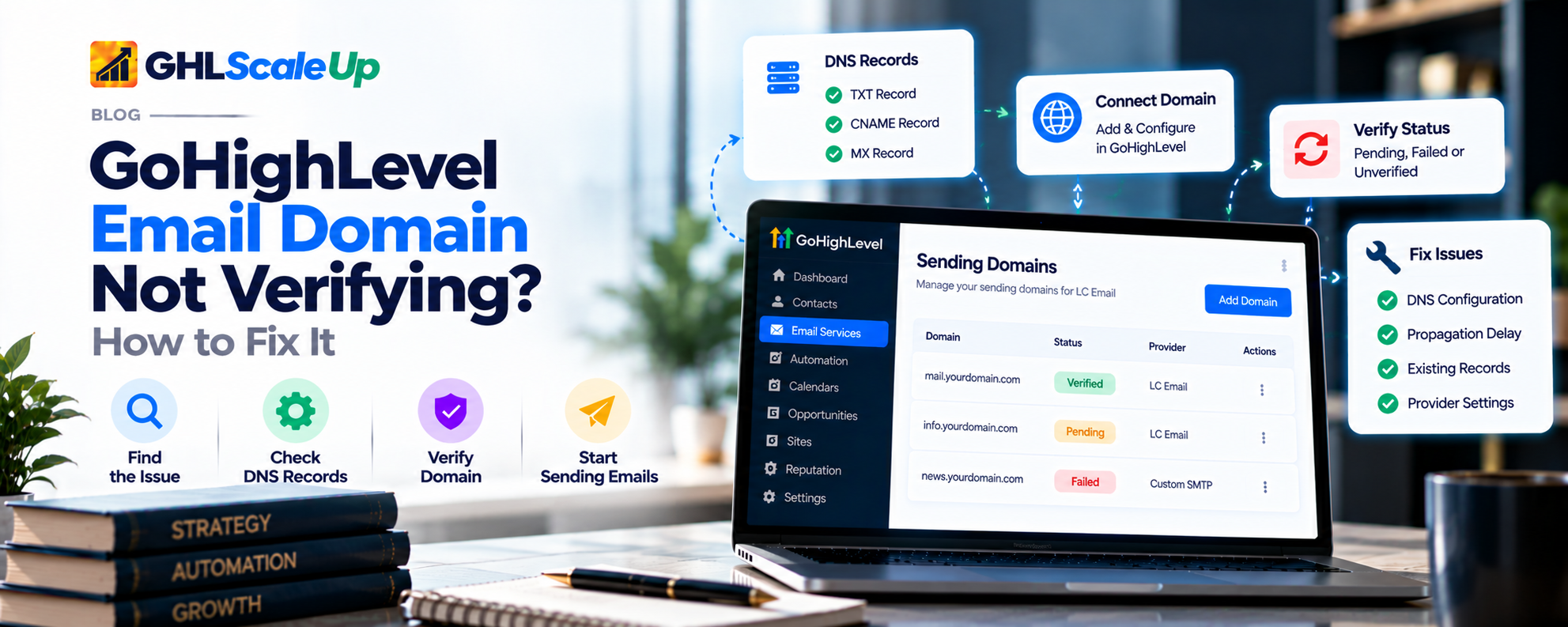
Why is my GoHighLevel email domain not verifying?
HighLevel marks a domain verified once the DNS records it gave you can be found, at the right names, with the right values. When it does not verify, the cause is almost always one of two things: the records have not become visible yet, or what is published does not match what HighLevel expects. Here are the documented and common causes, with where each is handled below.
| What you may be seeing | Likely cause | Where to look |
|---|---|---|
| Saved the records minutes or a few hours ago | DNS changes not visible yet | How long does verification take? |
| One record shows as not verified, the rest are fine | Wrong host, type or value on that record | How do I fix missing or incorrect DNS records? |
| Lookup tools show nothing at the name | Record added in the wrong DNS zone, or did not save | Right DNS zone; Did the change save? |
| Error says the domain is already pointing to an email server | Existing records for another mail service on that name | Duplicate or conflicting records |
| Error mentions a pre-existing record | A wildcard record | Wildcards |
| Only the CNAME fails and you use Cloudflare | CNAME is proxied (orange cloud) | Does Cloudflare stop verification? |
| Everything looks right and it is still unverified | Caching, stale status, or something only support can see | Still says unverified |
The diagram follows the order this guide uses. The core idea: look at what is actually published before you change anything.
Which sending setup am I verifying: LC Email, Mailgun or SMTP?
The three ways of sending do not verify the same way, so check which one you are on first.
| Setup | Where verification happens | What this article does for it |
|---|---|---|
| LC Email with a dedicated domain | In HighLevel, under Settings, Email Services, Dedicated Domain & IP. HighLevel's Add and Verify page describes the flow, and each record shows its own verification status. | Everything in this guide applies. |
| Your own Mailgun in the agency | Domain verified through the Mailgun service. HighLevel's error page tells you to click Verify DNS Settings and check that all 5 records have a green checkmark, and to click again if the page may be showing a stale status. That page is undated. | The DNS checks apply. The record values come from Mailgun and HighLevel's Mailgun screen. |
| Custom SMTP | HighLevel says dedicated domains apply to LC Email only. With SMTP, your provider decides which records to publish. | The DNS checks apply, but you troubleshoot against the provider's list, not HighLevel's. |
If you are not sure which you use, check how email is configured in your account before changing anything. Switching between services can affect outgoing email for the whole agency in some setups, so confirm before you change anything there.
What does unverified, pending or failed mean in GoHighLevel?
'Pending' and 'failed' are the words people search with, but HighLevel's email documentation does not define them. What the pages I read do say:
- Each record has its own verification status, and the domain is marked verified once all records check out. A fully verified domain shows as Verified / Active (Add and Verify, 30 June 2026).
- The overview names two errors: 'Domain already pointing to email server!', meaning the domain already has DNS records connected to a different service, and a 'pre-existing record' error that a wildcard record can trigger (Dedicated Email Sending Domains Overview, 17 April 2026).
- A sending error can read 'Domain is not allowed to send: The domain is unverified and requires DNS configuration' (common unsuccessful email errors, undated). That means the domain is not yet verified, not that anything is wrong with your message.
- The SSL certificate is generated automatically once the domain is verified, so a missing certificate on an unverified domain is expected.
Two cautions. First, a 'Pending' status appears in HighLevel's separate website-domain guide, which says to double-check DNS values or reach out to support if it stays pending for over 24 hours. That is a different feature, so do not assume the same rule applies to your sending domain. Second, one troubleshooting page I found lists 'SSL Pending' and 'SSL Unknown' statuses, but it shows no publisher or date, so I have not treated them as HighLevel's wording.
What a status does not tell you:'unverified' does not say whether the record is missing, wrong or just not visible yet. That is what the next sections are for.
How do I find out which DNS record is failing?
Check before you change. Deleting and re-adding records in a panic can reproduce the same mistake, removes the evidence of what was there, and may leave a not-found answer cached longer than necessary (more on that below).
In HighLevel, open Settings, Email Services, Dedicated Domain & IP, and open your domain. Note which records are not verified.
For each failing record, copy the record type, the host or name, and the value exactly as HighLevel shows them. Use HighLevel's Copy buttons instead of retyping.
If you have just changed DNS, wait a few minutes before using Verify domain again, as HighLevel advises. Then use it once.
Open your DNS provider and find the matching row. Compare type, host and value character by character.
Look the record up with a public tool, using the exact name (see the checking section below). This tells you whether the problem is in DNS or in HighLevel.
Run this checklist before editing: Is it the right domain or subdomain? Is it the right sending setup? Did the change save? Is the record in the zone your domain actually uses? Is the host correct? Is the value complete? Is another record in the way? Has enough time passed?
Before you edit anything, copy the current records into a note. Some providers let you export the zone. If something later breaks, you will know what to restore.
How long does GoHighLevel domain verification take?
There is no single documented number, and the sources disagree. Here is what each says.
| Source | What it says | Note |
|---|---|---|
| HighLevel: Add and Verify (30 Jun 2026) | Verification typically completes within 1 to 10 minutes. Propagation can take up to 24 to 48 hours depending on your provider. Recommended TTL: 300 seconds. | The most specific official statement |
| HighLevel: Dedicated Domains Overview (17 Apr 2026) | Propagation can take up to 24 hours. If it has been longer, double-check your DNS settings. | Gives a point at which to start doubting |
| HighLevel: Email Authentication Errors (1 Jul 2026) | DNS propagation: 2 to 48 hours. | Written about authentication, not the Verify step |
| Postbox Services (third party, updated 23 Oct 2025) | 5 to 30 minutes | Unsourced |
| Consultevo (third party, 28 Jun 2026) | Wait at least 30 to 60 minutes before verifying again | Unsourced |
A practical way to use that. This is my reading of the sources, not a HighLevel rule:
- Just saved, and a lookup does not show the record yet: wait. Recheck the lookup, not HighLevel, until the record appears.
- Lookup shows the correct record, HighLevel still unverified: wait a few minutes, click Verify domain once, and look for conflicts (below).
- Lookup shows nothing, or the wrong value, hours later: waiting will not fix this. It is a configuration problem.
- HighLevel's overview says to double-check DNS after 24 hours. Past 24 to 48 hours with everything checked: escalate (last section).
Why do DNS tools show different results?
DNS does not push updates. Resolvers keep a copy of each answer for its TTL and ask again when it expires, so a change is visible once the copies you are asking have expired (Julia Evans explains this well). Three things follow:
- A brand-new name that nobody has looked up before can show up immediately.
- A name that was looked up before the record existed can be remembered as not found. That negative answer is cached for a time set by the zone's SOA record (RFC 2308). The RFC suggests one to three hours as a sensible default and warns that more than a day has caused problems.
- Different resolvers behave differently. A lower TTL helps future changes. It does not shorten the time for copies already cached under the old TTL.
I do not know which resolver HighLevel uses for its check, so a public lookup showing the record is encouraging but not a guarantee.
How do I fix missing or incorrect DNS records in GoHighLevel?
Compare three things for each failing record: the type (TXT, CNAME or MX), the host or name, and the value. HighLevel's guide is blunt about it: records must match exactly, because a single character difference can cause failure. Then work through these causes, most common first.
Is the record in the right DNS zone?
DNS records only count at the provider whose nameservers your domain points to. A typical trap: the domain was bought at one company, the nameservers were later moved to Cloudflare (or another host), and the records were added in the original company's panel. They save without error, but nothing outside that panel can see them.
How to check: look up the domain's NS records with a DNS lookup tool (most let you choose the record type). Whichever provider the nameservers belong to is where the records must live. Fix: add the record there. Do not delete the copy in the other panel until you have confirmed what else uses it.
Is the host or name field wrong?
HighLevel's guide says a root domain uses @ and, for a subdomain, you enter only the subdomain part. It warns against extra @ symbols and against leaving out the subdomain. Many DNS panels add your domain automatically, so typing the full name can create a doubled hostname. The names below are illustrative only, not HighLevel values:
| Panel behavior | What you type | What may actually be stored |
|---|---|---|
| Appends the domain automatically | abc.example.com | abc.example.com.example.com (wrong) |
| Appends the domain automatically | abc | abc.example.com (right) |
Providers differ. Google's own TXT troubleshooting page, for example, tells you to enter your full domain name in its hostname field, so do not assume one rule fits everywhere. How to check: look up the exact name HighLevel expects. If the result is empty, look at how your panel displays the stored name and compare it with what you intended. Fix:edit that one record's host and save.
Is the record type or value wrong?
Confirm the type matches HighLevel's (TXT, CNAME or MX). A value pasted into the wrong type will not verify. Look for a truncated value, a missing character at the start or end, or stray spaces or line breaks (a common copy-and-paste issue reported by third-party guides). Long values such as DKIM keys can be displayed in several pieces by lookup tools. Compare the start, the end and the overall length, not just whether it looks similar. If your panel asks for extra fields, such as an MX priority, follow what HighLevel shows. If it shows none, check the provider's guide before guessing. If you removed and re-added the domain in HighLevel, use the values it shows now. I could not confirm whether earlier values stay valid.
Did the change actually save?
Reload your DNS panel and confirm the record is listed. Some providers need a separate save or publish step. A record that is not listed cannot verify.
Fixing safely: edit only the row that is wrong. Leave website records (A, AAAA, and CNAMEs unrelated to this domain) and existing mail records alone. Note the time of your change.
Can duplicate or conflicting DNS records stop verification?
Sometimes, but not every duplicate is a problem. Many records of the same type are normal. The trouble is with specific record types that must be unique, or with records that point the name at a different service.
Two SPF, DMARC or DKIM records
HighLevel says a domain should have only one SPF TXT record and one DMARC record, and that multiple DKIM records for the same domain are not supported. If you already had an SPF record before adding HighLevel's, do not add a second one and do not simply delete the old one: it may authorize your other senders. Merge the values into one record. (Planned link, not yet published: how to set up and check SPF, DKIM and DMARC) covers how.
'Domain already pointing to email server'
HighLevel's overview says this error means the domain already has DNS records connected to a different service. Its fix is to remove existing MX or SPF records, and it says that applies even to HighLevel ones. Read that carefully before acting, because removing MX records on a domain that runs live mailboxes stops your incoming mail.
A safer order, which is my judgment and not HighLevel's wording:
Look up the MX and SPF records on the exact name you are connecting, and identify what uses them.
If real mailboxes or another sender depend on them, do not remove them. Connect a subdomain instead. HighLevel's Add & Verify page accepts a domain or a subdomain, and a subdomain keeps your main domain's mail untouched.
If the records are leftovers from something you no longer use, follow HighLevel's fix: remove only those records, after copying them to a note.
Add HighLevel's records and verify again.
The 'pre-existing record' error and wildcard records
HighLevel says a wildcard record (for example one that applies to every subdomain) can trigger this error. Its two options are to remove the wildcard temporarily, verify, then add it back, or to add the DNS records for each subdomain manually. Removing a wildcard even briefly can change how other names resolve, so write down exactly what it points to first and consider the manual route if anything depends on it.
A CNAME and another record at the same name
Under the DNS standard, a name that has a CNAME may have no other data (apart from DNSSEC records) (RFC 2181, section 10.1). If HighLevel wants a CNAME at a name where a TXT, A or MX record already exists, the panel may refuse, or one of the two will not work. Look at what is at that exact name before adding the CNAME.
Does Cloudflare stop GoHighLevel domain verification?
It can. HighLevel's Add and Verify page says to set the records to DNS only (the grey cloud) rather than Proxied (orange cloud), and that proxying the CNAME records used for email authentication is not supported and will cause verification to fail.
What Cloudflare's documentation adds (this is Cloudflare's general guidance for CNAME-based verification, not something HighLevel has confirmed for sending domains):
- Only A, AAAA and CNAME records can be proxied. MX and TXT records are always DNS only (Cloudflare: proxy status). So if just the CNAME fails, check its cloud icon.
- CNAME flattening can also change how a CNAME resolves, even when it is DNS only. Cloudflare's remedy is to ensure the record has Flatten turned off. Its page also mentions turning flattening off for all CNAMEs in the zone, which affects every CNAME, so prefer the per-record setting if your plan offers it.
- If an NS record delegates the subdomain to another provider, the record you need to edit may live there (Cloudflare: CNAME domain verification).
Change only the cloud icon and flattening on the HighLevel CNAME records. Leave your website records alone: an orange cloud on them is usually intentional. I did not find provider-specific behavior documented for other DNS hosts, so I make no claims about them.
How do I check whether my GoHighLevel DNS records are live?
Use the exact full name from HighLevel (host plus domain), not the bare domain, except for records that really live at the domain itself such as MX.
| Tool | What to look up | What you should see | If missing or different | What it cannot tell you |
|---|---|---|---|---|
| Google Admin. Toolbox Dig | Type txt: before the name for TXT (Google documents this prefix). | The record with your value, in full | Record absent or unexpected: DNS-side problem (zone, host, saved) or not visible yet | Whether HighLevel accepts it |
| MXToolbox | DNS Lookup for CNAME and TXT; MX Lookup for MX (as one third-party guide describes) | Same | Same | Whether HighLevel accepts it, or whether mail authenticates |
| nslookup or dig on your computer | For example nslookup -q=txt name 8.8.8.8 (Google documents the nslookup form) | The same, from one resolver | A different resolver may disagree during caching | Same |
Check from two tools or two resolvers. If one shows the record and the other does not, you are likely seeing caching, not a mistake.
Three different things to confirm
| What | Question | How you know |
|---|---|---|
| DNS visibility | Can a resolver find the record? | A lookup shows it with the right value |
| HighLevel verification | Does HighLevel recognize the setup? | The record or domain shows verified in HighLevel |
| Email authentication | Does a real email pass SPF, DKIM and DMARC? | A test message's headers show passes. See (Planned link, not yet published: how to set up and check SPF, DKIM and DMARC) |
These are related but not interchangeable. A record can be visible and still not verified, and a verified domain can still send mail that fails authentication.
GoHighLevel still says unverified but my DNS records look right: what now?
Confirm the exact record shows in lookups from two sources, with the right type, name and full value.
Check there is no second SPF, DMARC or DKIM, no existing mail records on that name, and no wildcard (previous sections).
For CNAMEs on Cloudflare: DNS only and no flattening.
Allow for caching. If the name was looked up before the record existed, a not-found answer may linger for up to a few hours (roughly the range RFC 2308 suggests).
Click Verify domain once more. For the Mailgun path, HighLevel notes the page may show green checkmarks that are not current and that you should click Verify DNS Settings again to refresh.
Compare against the values HighLevel shows now, not an earlier copy.
If all of that holds and the longest documented window (24 to 48 hours) has passed, escalate.
A public lookup showing the record does not guarantee HighLevel recognizes it right away. That is why the last step is escalation, not more deleting.
Should I delete my existing DNS records to fix verification?
Usually not. DNS changes can affect your website, mailboxes and other services. Here is a quick guide to what is generally safe.
| Record | Guidance |
|---|---|
| The HighLevel records you added | Safe to edit. Copy the old value first. |
| A duplicate SPF, DMARC or DKIM | Merge or remove only after reading what each one allows |
| Existing MX or SPF on the same name | Identify what uses them first. Prefer a subdomain if anything is live |
| A wildcard record | Note what it points to. Consider adding records manually instead of removing it |
| Website A, AAAA and unrelated CNAME records | Do not touch unless one sits at the exact name HighLevel needs |
| Cloudflare proxy on website records | Leave as is. Only the HighLevel CNAME records need DNS only |
| Everything (delete all and start over) | Don't. This is never needed for a single failing record |
What causes each GoHighLevel domain verification error, and what fixes it?
| Problem or status | Possible cause | What to check | Recommended action |
|---|---|---|---|
| Unverified minutes after saving | Change not visible yet | Lookup of the exact name | Wait, recheck lookup, then Verify domain once |
| One record not verified | Wrong host, type or value | Compare against HighLevel character by character | Edit that row only |
| Lookup returns nothing for any record | Wrong DNS zone, or not saved | Domain's NS records; DNS panel list | Add records at the zone the nameservers point to |
| Records appear, domain still unverified | Caching, conflict, or stale status | Duplicates, wildcard, proxy; second resolver | Fix conflict, wait, Verify domain again |
| 'Domain already pointing to email server!' | Existing mail records on that name | MX and SPF at that exact name | Identify what uses them; use a subdomain if live |
| 'Pre-existing record' | Wildcard record | Wildcard at the zone | Add per-subdomain records, or remove wildcard with care |
How do I confirm the verification problem is fixed?
DNS: a lookup of each record shows the right type, name and value.
HighLevel: each record shows verified and the domain shows Verified / Active. The SSL certificate should follow automatically.
Real mail: send a test email from the domain and read the authentication results. (Planned link, not yet published: how to set up and check SPF, DKIM and DMARC) shows how.
Verified does not mean mail will reach the inbox. Authentication and verification only remove one set of obstacles.
When should I contact GoHighLevel support or my DNS provider?
HighLevel's pages I read name the hosting provider as the escalation route for DNS or SSL problems and say common issues can be fixed without contacting support. They list no support contact, so use whichever HighLevel support channel your plan offers.
| Contact | When | What to bring |
|---|---|---|
| Your DNS provider | Records will not save, do not appear in lookups, or you cannot tell which zone is live | Domain, record name, screenshot of the panel, nameservers |
| HighLevel support | Lookups show the right records from two sources, no conflicts, not proxied, and 24 to 48 hours have passed | Domain or subdomain, sending setup, screenshots of per-record status, lookup results with dates, list of changes and times |
Frequently Asked Questions
Why is my GoHighLevel email domain not verifying?
Usually the DNS changes are not visible yet, or a record's host, type or value does not match, or it is in the wrong DNS zone. Look up each record by its exact name before changing anything.
How long does GoHighLevel domain verification take?
HighLevel says typically 1 to 10 minutes, and propagation can take up to 24 to 48 hours depending on your provider. Other pages quote different numbers.
Why is my sending domain stuck on pending?
HighLevel's email pages do not define 'pending'. Treat it as not yet verified: check lookups and conflicts, and allow time.
Can incorrect MX records prevent verification?
Yes, if the value or host does not match, or if existing MX records point to another service (the already pointing error). Do not remove live MX records without a plan.
Can duplicate DNS records cause problems?
Yes for SPF, DMARC and DKIM, which must be unique per HighLevel's pages. Other duplicates are not automatically wrong.
Does Cloudflare affect verification?
Yes. HighLevel says proxied CNAME records cause verification to fail. Set them to DNS only.
My records are correct but it still says unverified. What now?
Confirm lookups from two sources, rule out conflicts and proxying, allow for caching, click Verify domain again, then contact support with evidence.
Should I delete my DNS records and start over?
No. Edit only the failing row and keep a copy of what was there.
When should I contact support?
After the checks above and the longest documented wait (24 to 48 hours).
What should I do next?
Start with a lookup of the one record that fails, using its exact name. If it is not there, fix the zone, host, type or value. If it is there, check for conflicts and a proxied CNAME, allow for caching, and verify again. Keep a copy of what you change. If you still cannot get it to verify, send support the evidence in the last section. Once it is verified, test a real message with (Planned link, not yet published: how to set up and check SPF, DKIM and DMARC).
Sources
- Dedicated Email Sending Domains Overview & Setup (HighLevel, modified 17 April 2026).
- Add and Verify Domain DNS Records (HighLevel, modified 30 June 2026).
- Common Unsuccessful Email Errors (HighLevel, undated).
- Email Authentication Errors (HighLevel, modified 1 July 2026).
- Connecting Your Domain on GHL (HighLevel, modified 25 March 2026).
- Proxy status and CNAME domain verification (Cloudflare).
- RFC 2308 and RFC 2181 (IETF).
- DNS does not propagate (Julia Evans).
- Troubleshoot TXT records and Dig tool (Google Workspace).
- MXToolbox.
Still stuck on a domain that will not verify?
Talk to our GHL experts directly. We're here to help.
Look at what is published before you change anything.
Find the failing record, fix it safely, and confirm the result. GHL Scale Up implements GoHighLevel for agencies and service businesses.
Book Your Free Call
Based on HighLevel's published documentation (read 28 to 30 October 2026), Cloudflare and Google documentation, and the DNS standards. This guide was not tested in a live HighLevel account, and menu names can change. Features, limits and usage rates change; confirm in your own account.
ghlscaleup.com