
Introduction and Scope
You connected a sending domain, or someone told you your emails "need SPF, DKIM and DMARC." Fair enough, but what are they, which values do you actually publish, and how do you know they work? This guide answers all three for GoHighLevel users. It does not walk through connecting the domain itself (see (Planned link, not yet published: step-by-step guide to connecting a sending domain)) or fix a verification status that won't turn green (see (Planned link, not yet published: how to troubleshoot a sending domain that will not verify)).
The short version: SPF, DKIM and DMARC are three different checks that receiving mail servers can run. SPF asks whether the sending server is authorized. DKIM asks whether the message carries a valid signature from a domain. DMARC asks whether at least one of those passing checks matches the visible From domain, and states what you want receivers to do when it doesn't. Your values come from your own sending service, not from a tutorial. There should be one SPF record and one DMARC record per name. And you check twice: once in DNS, and once in the headers of a real email.
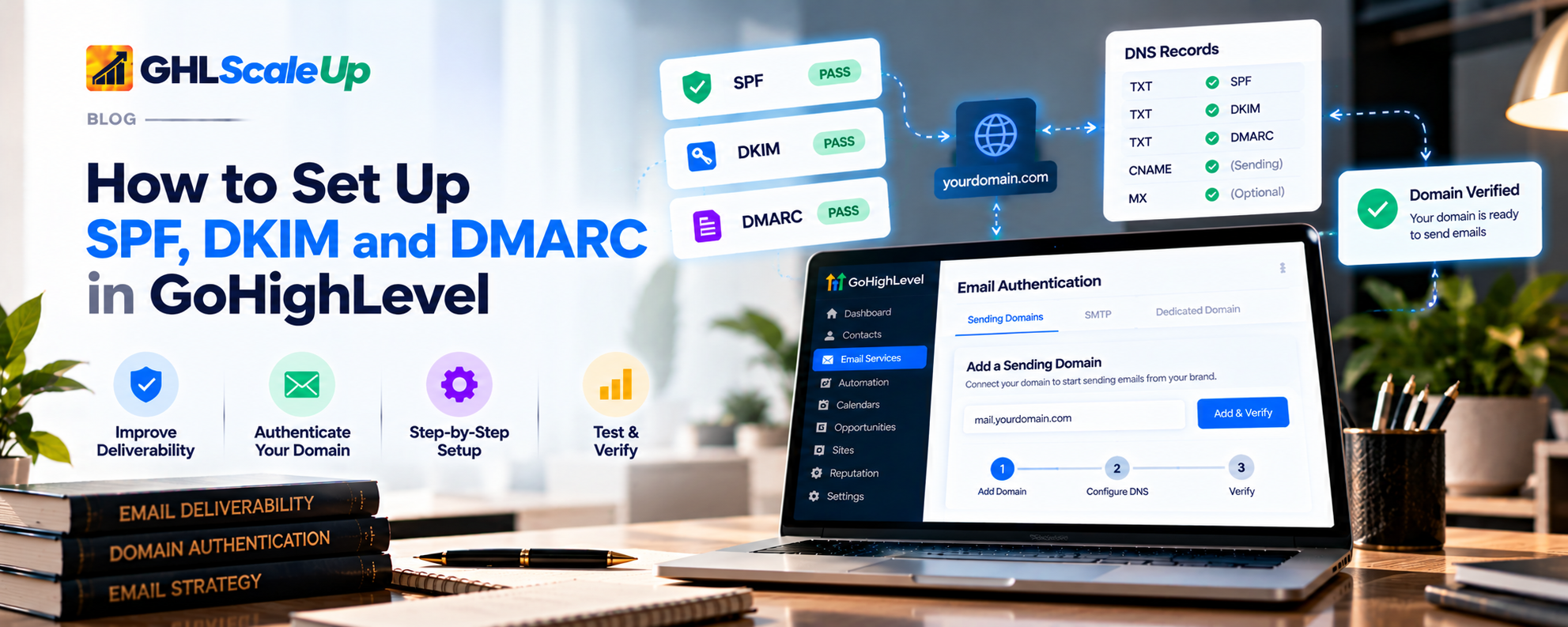
What is email authentication, and will it get my emails into the inbox?
When a message arrives, the receiving provider has to decide whether it really comes from the domain it claims, and whether to trust it. Authentication gives it evidence. It does not make the decision for the receiver, and it does not mean your email will reach the inbox. Google's sender guidance says authenticated messages are "less likely to be rejected or marked as spam," and also notes that "some legitimate messages may be marked as spam" (Google email sender guidelines).
It also doesn't stop every kind of spoofing or phishing. Think of it as a set of checks that make it harder for someone else to send as you, and easier for receivers to trust you.
What are SPF, DKIM and DMARC?
SPF: which servers may send for this domain
SPF (Sender Policy Framework) is a DNS TXT record listing the servers and services allowed to send mail for a domain. When a message arrives, the receiver looks at the envelope sender (the Return-Path address, which is separate from the From name people see) and checks whether the connecting server is on that list (RFC 7208).
Three things matter in practice:
- One SPF record per name. If a lookup returns more than one SPF record, the standard says the result is an error (permerror). If you use several services, they must be combined into a single record. Don't add a second one.
- A limit of 10 DNS lookups. The standard caps the number of lookup-causing terms (include, a, mx, ptr, exists and redirect) at 10. Go over and the check fails with a permerror. HighLevel's authentication page repeats the limit and suggests consolidating includes (Email Authentication Errors). Every extra service you add to the record uses some of that budget.
- The values come from the sending service. SPF doesn't verify the visible From name, and the correct record depends on who actually sends your mail. A value copied from another provider or an old tutorial will be wrong for you.
DKIM: a signature the receiver can check
DKIM (DomainKeys Identified Mail) attaches a cryptographic signature to each outgoing message. The sending system signs with a private key it keeps secret. The matching public key is published in your DNS, so any receiver can check the signature (RFC 6376).
The signature sits in a DKIM-Signature header that includes d= (the domain taking responsibility) and s=(the selector). The selector tells the receiver where to look. The public key is a TXT record at selector._domainkey.domain. A domain can hold several keys at once under different selectors. The standard requires the From header to be among the signed fields, so a valid signature covers the visible sender. A failure can mean the key isn't published, the selector or key is wrong or incomplete, or the message was changed after signing.
Selectors and keys are specific to your sending configuration. Nobody can give you one that works for everyone, and HighLevel's dedicated-domain overview says multiple DKIM records for the same domain aren't supported (overview).
DMARC: do the checks line up with the From address, and what should receivers do?
DMARC (Domain-based Message Authentication, Reporting and Conformance) builds on SPF and DKIM. It adds two things: alignment and a policy. The current standard is RFC 9989, published in May 2026, which replaced RFC 7489 (many older articles still cite the old one). The record format still begins v=DMARC1.
Alignmentmeans the domain that passed SPF or DKIM has to match the domain in the visible From address. Under relaxed alignment (the common mode) the two must share the same organizational domain, so mail.example.com aligns with example.com. Under strict alignment they must be identical. SPF and DKIM can each pass on their own and still fail DMARC if the domain they authenticated isn't the From domain.
The pass rule is simple: if at least one of SPF or DKIM passes and aligns, DMARC passes. You don't need both.
The policy (p=) is your request for how receivers should treat messages that fail:
- p=none: no preference stated. Often used in monitoring mode, where you collect reports to see who is sending as your domain.
- p=quarantine: you consider failing mail suspicious.
- p=reject: you consider failures a clear sign the domain is being used improperly.
Receivers are not required to follow your policy. The standard says so explicitly. The record lives at _dmarc in front of your domain, and the optional rua= tag asks receivers to send aggregate reports, which are summaries of who sent mail claiming to be your domain and whether it passed.
What is the difference between SPF, DKIM and DMARC, and how do they work together?
| Method | What it checks | Why it matters |
|---|---|---|
| SPF | Whether the sending server is authorized for the envelope-sender domain | Lets you declare who may send for the domain, but it doesn't look at the visible From name |
| DKIM | Whether the message carries a valid signature from the signing domain, and wasn't altered | Survives some forwarding better than SPF and ties the message to a domain |
| DMARC | Whether a passing SPF or DKIM domain aligns with the visible From domain, and what policy you published | Connects the technical checks to the address people see, and gives you reports |
Notice that the last box says "authentication does not guarantee the inbox." Authentication is one input among several.
Do I need SPF, DKIM and DMARC in GoHighLevel? Where do the values come from?
This matters because the records, and who is responsible for them, depend on how your email is sent. HighLevel's pages don't treat the setups as identical, and neither should you.
| Your setup | Whose authentication is it? | Where do the values come from? |
|---|---|---|
| LC Email, default shared sending | HighLevel's. The overview says shared domains rewrite the sender address to HighLevel's own domain. The pages I read describe no records for you to publish for this default | Nothing for you to publish. If you want authentication on your own domain, that points to a dedicated sending domain (What is LC Email?) |
| LC Email with a dedicated sending domain | Yours. The domain sends From exactly as configured | The records screen for your dedicated domain in the sub-account's Email Services settings. See (Planned link, not yet published: step-by-step guide to connecting a sending domain). The Sending Guide notes this option is LC Email only |
| Your own Mailgun account | Yours, set up at Mailgun | Mailgun. HighLevel's page says a verified Mailgun domain needs SPF, DKIM and MX records (Mailgun in Agency) |
| Custom SMTP provider | Your provider's. Each provider verifies senders differently | Your provider's own authentication instructions. HighLevel's SendGrid page only requires a verified single sender and doesn't mention domain authentication (SendGrid page; SMTP limitations) |
Interface labels vary between HighLevel's pages. The authentication page says to go to Settings > Email Services > Sending Domain and choose Verify Domain, while the dedicated-domain pages use Dedicated Domain and IP. Confirm the current names in your account.
What should I check before I change my DNS records?
- Know who controls DNS and have access, or have the person who does ready.
- Know which setup you have (table above).
- Write down what already sends mail from this domain: your mailbox provider, any newsletter tool, a CRM, a billing system. Each may appear in an existing SPF record.
- Save a copy of the existing records for SPF, DKIM and DMARC before you edit anything.
- Check which exact hostname you are working on. A root domain (yourdomain.com) and a sending subdomain (mail.yourdomain.com) have separate records. Authenticating one does not authenticate the other.
Safety rule for every section below:never delete an existing record unless you know what depends on it, and never replace an existing SPF record without knowing every service that sends mail for that domain. If you aren't sure, ask your DNS administrator or email provider.
DNS fields are usually called Type, Host or Name, Value or Content, and TTL. Providers label them differently, so match the meaning, not the exact label.
How do I set up SPF for GoHighLevel?
Identify the actual sending service (your setup table above).
Get its current SPF instructions from your HighLevel records screen or your provider. Use those, not an example from this or any other article. HighLevel's own pages show different SPF examples (the authentication page lists two includes, while the provider guides show one), which is exactly why your screen is the source of truth.
Check whether an SPF record already exists at the exact hostname. Look it up (see the checks below).
Decide whether to add or merge. If none exists, add the one you've been given. If one exists, you need a single combined record covering every service, not a second record. Ask whoever manages your email if you can't tell what the existing entries do.
Add or edit the TXT record at your DNS provider using the Type, Host and Value you've been given. Watch for stray spaces or added quotes, which HighLevel lists as common mistakes.
Save, then allow time for DNS to propagate. HighLevel's authentication page estimates 2 to 48 hours, and says mailbox providers can take 1 to 7 days to recognize changes. These are estimates.
Check the published record (below).
The structure to expect is: v=spf1, then one or more authorized sources, then an ending that says how to treat everything else. For example, a record shaped like v=spf1 include:(service one) include:(service two) -all. The parts in parentheses are placeholders, not real values.
How do I add a DKIM record in GoHighLevel?
Get the DKIM record from the sending service. For a dedicated LC Email domain, it is shown on your domain's records screen. For Mailgun or SMTP, get it from that provider.
Note the hostname or selector exactly as given. It will look like a name ending in _domainkey, with your selector in front.
Use the record type the service specifies (HighLevel's authentication page describes DKIM as a TXT record).
Enter the host and value accurately. Copy the whole public key. A truncated key is a common cause of DKIM failure. (As general DNS behavior, long TXT values may be shown split into several quoted pieces. Your DNS provider's tool usually joins them for you.)
Save and wait for propagation.
Check that the public key is visible at the expected hostname (below).
Confirm the sending service recognizes it. In HighLevel, that's the status shown when you verify the domain. Remember this confirms the platform sees the record, not that a message has been signed and passed. If you change sending providers or rotate keys, the DNS records need to change with them. Don't add a second DKIM record at the same hostname.
If you change sending providers or rotate keys, the DNS records need to change with them. Don't add a second DKIM record at the same hostname.
How do I set up DMARC for GoHighLevel, and which policy should I use?
Does GoHighLevel require a DMARC record?
| Page | What it says about DMARC |
|---|---|
| Email Authentication Errors (1 Jul 2026) | TXT at _dmarc; starting value begins v=DMARC1; p=none; optional rua; monitor reports for at least 2 to 4 weeks before quarantine or reject; reject too early can block your own legitimate mail; with p=none failing messages are still delivered |
| Email Sending Guide (30 Jun 2026) | Gives a DMARC example with p=reject, and says missing or misconfigured DMARC records can hurt domain reputation. It doesn't explain the trade-offs of reject |
| Add and Verify (30 Jun 2026) | Lists DMARC among the records; only one per domain; a root-domain record already applies to subdomains by default |
| Manual DNS page and the provider guides (30 Jun 2026) | List five records and no DMARC |
What that adds up to: HighLevel's pages don't establish that a DMARC record is a platform requirement for every sending-domain setup, and they disagree on policy. Where DMARC is concerned, the stronger requirement comes from mailbox providers. Google requires DMARC for senders of more than 5,000 messages a day and says the policy can be set to none; Yahoo asks bulk senders for a DMARC record with at least p=none and a pass (Google; Yahoo). Below those volumes DMARC is still widely recommended, but it is a decision, not a HighLevel setting.
Which DMARC policy should I choose: none, quarantine or reject?
There is no universal right policy. The standard says domain owners usually start with p=none, which it calls monitoring mode, and that problems found in reports must be addressed before enforcement (RFC 9989). Stricter policies tell receivers to junk or refuse failing mail. If a legitimate service you forgot about is not authenticating, a strict policy can cause your own mail to be blocked. Mail that is forwarded or sent through mailing lists can also break SPF and DKIM alignment.
Check whether a DMARC record already exists at _dmarc.yourdomain.com. If it does, edit that record; never publish a second one. The standard says that if multiple DMARC records are found, they are all discarded.
List every legitimate sender for the domain.
Decide on a starting policy based on that list. For most people who haven't monitored yet, that is monitoring, but it's your call.
Publish at the right hostname: a TXT record at _dmarc (for the root domain), with the record starting v=DMARC1. A structure to expect: v=DMARC1; p=(your policy); rua=mailto:(a reporting address you control), with placeholders for you to fill in.
Check the syntax and publication (below).
Read the aggregate reports for a few weeks. Receivers should send them at least daily, and they are XML files, so most people use a reporting tool (HighLevel's page names DMARC Analyzer and Postmark's DMARC Digests).
Fix any legitimate sender that is failing before even considering quarantine or reject.
Subdomains:a policy at the root applies to subdomains unless you add an sp= tag (and the newer standard adds np= for subdomains that don't exist). If your root domain already has a DMARC record, HighLevel says you needn't add one for the sending subdomain. Also note that the older pct tag was removed in RFC 9989, so tutorials that stage enforcement with it may be out of date.
Fix any legitimate sender that is failing before even considering quarantine or reject.
Which SPF, DKIM and DMARC values do I need, and where do I get them?
| Record | What you need | Where the value comes from | What to verify |
|---|---|---|---|
| SPF | One TXT record at the hostname your setup specifies; combined if several services send | Your records screen (dedicated LC Email), Mailgun, or your SMTP provider; never a generic example | Exactly one v=spf1 record at that name; within 10 lookups; includes every legitimate sender |
| DKIM | A TXT record at selector_domainkey for your domain, with the full public key | The same sources | Key found at the expected hostname; complete; only one at that hostname; messages actually show dkim=pass |
| DMARC | One TXT record at _dmarc beginning v=DMARC1, with a policy you chose, and ideally a reporting address | You decide the policy from your sending environment; HighLevel's pages offer examples | Exactly one record; valid syntax; reports arrive; legitimate senders pass before any stricter policy |
MX and CNAME records often appear alongside these on a HighLevel records screen, but they aren't SPF, DKIM or DMARC. HighLevel's authentication page says the CNAME supports tracking links. Don't confuse them when you check.
How do I check that my SPF, DKIM and DMARC records are published?
This confirms that DNS returns what you expect. It does not confirm that any email passes.
- Use a lookup tool. HighLevel's page names MXToolbox, DMARC Analyzer and Google Admin Toolbox. The Sending Guide names dmarcian's checker.
- Or use the command line. The generic commands are dig TXT yourdomain.com +short for SPF, dig TXT selector._domainkey.yourdomain.com +short for DKIM, and dig TXT _dmarc.yourdomain.com +short for DMARC (swap in your own domain and selector).
What to look for: exactly one record starting v=spf1 at the right name; the DKIM key present and complete at the right selector; exactly one record starting v=DMARC1 at _dmarc; and values that match what your sending service gave you. Look for stray spaces, quotes, duplicates and the wrong hostname.
How do I check that SPF, DKIM and DMARC are passing in a real email?
This is the check that matters most, and many guides skip it. Send a test email through the same route you intend to use: the same HighLevel sub-account, the same dedicated domain or provider, with a From address on the authenticated domain. HighLevel's Add and Verify page also suggests sending tests and checking SPF and DKIM in the headers.
Send to a Gmail address you control.
Open the message, click More next to Reply, and choose Show original (Gmail: trace an email with its full header).
Find the Authentication-Results line from the receiving server.
Read the three results and the domains beside them.
| What you see | What it means |
|---|---|
| spf=pass (with smtp.mailfrom=... | The sending server was authorized for that envelope-sender domain |
| dkim=pass (with header.i or d= and a selector) | A DKIM signature verified. Check the signing domain in the DKIM-Signature header |
| dmarc=pass (with header.from=... | At least one passing mechanism aligned with the From domain |
| spf=softfail or neutral | The SPF policy didn't clearly authorize the sender. That isn't a DMARC-passing SPF result |
| spf=pass but dmarc=fail, with DKIM missing or failing | This usually means SPF passed for a domain that doesn't align with the From domain, and DKIM isn't supplying an aligned pass. Check the DKIM result and the signing domain |
Three cautions. First, a DNS record being visible doesn't mean every message passes. Different routes (for example a one-to-one email versus a campaign) can behave differently, so test the route you use. Second, header formats differ between mailbox providers, so confirm the labels you see rather than assuming. Third, DMARC doesn't need all three to pass; one aligned pass is enough.
Common SPF, DKIM and DMARC mistakes and how to fix them
| Mistake | Why it causes trouble | What to check |
|---|---|---|
| Two or more SPF records at the same name | The standard treats multiple records as an error | Combine into one record |
| Replacing SPF without checking other senders | Services that relied on the old record start failing | List every sender first; keep a copy of the old record |
| Using an SPF value from another provider or an old tutorial | It authorizes the wrong servers | Use your own records screen or provider |
| Exceeding 10 DNS lookups | SPF returns a permerror | Count lookup-causing terms; consolidate |
| Wrong DKIM selector or hostname | The receiver can't find the key | Compare with the provider's exact name |
| Incomplete DKIM public key | Signatures fail to verify | Compare the whole key to the source |
| Records at the wrong hostname | They authenticate a domain you don't send from | Confirm root versus sending subdomain |
| Two DMARC records | All are discarded | Edit the existing record |
| A strict DMARC policy before checking senders | Legitimate mail may be rejected or junked | Monitor reports first |
| Mixing up root domain and sending subdomain | A record on one doesn't cover the other | Match the From domain to what you authenticated; HighLevel's page says to match exactly, including subdomains |
| Assuming a published record means passing | Records and messages are different checks | Run Check 2 |
| Assuming authentication guarantees the inbox | Reputation and content still matter | See below |
| Changing records another service depends on | That service's mail starts failing | Ask the DNS administrator or the provider first |
If the symptom is that HighLevel's own domain verification stays pending or fails, that is a different problem. See (Planned link, not yet published: how to troubleshoot a sending domain that will not verify).
Will SPF, DKIM and DMARC stop my GoHighLevel emails going to spam?
No. Authentication removes one common reason for rejection. HighLevel's authentication page says so directly: sender reputation, list quality and content still matter. Google's guidance says the same, and it also asks bulk senders to keep spam complaint rates low and to support one-click unsubscribe (Google). A basic DMARC record doesn't improve inbox placement by itself either. What it does is stop you failing a requirement and give you data about who is sending as you.
Frequently Asked Questions
Does GoHighLevel require SPF and DKIM?
For a dedicated LC Email sending domain, HighLevel's records screen includes SPF and DKIM records, and the domain is verified against them. For custom SMTP or your own Mailgun, the requirements are set by that provider. For default shared LC Email, the pages I read describe nothing for you to publish.
Does GoHighLevel require a DMARC record?
HighLevel's pages disagree. One lists DMARC among the domain records, while another set of pages lists five records and no DMARC. Google and Yahoo require DMARC from bulk senders. Check what your own records screen shows.
Can I have more than one SPF record?
No. Multiple SPF records at the same name are treated as an error. Combine them into one.
What happens if SPF or DKIM fails?
Receivers may treat the message with more suspicion, junk it or reject it. What happens depends on the receiver and, for DMARC, on your policy and alignment.
What is the difference between SPF and DKIM?
SPF checks whether the sending server is authorized for the envelope-sender domain. DKIM checks a cryptographic signature on the message.
If SPF and DKIM pass, will DMARC pass?
Not necessarily. DMARC also needs a passing result to align with the From domain.
Does DMARC improve deliverability?
Not by itself. It supports authentication and gives you reports. Bulk senders to Gmail and Yahoo are required to have it.
Which DMARC policy should I use?
That depends on your senders and your monitoring. The standard describes starting with p=none and fixing legitimate failures before enforcing.
How do I check whether my records work?
Look them up in DNS, and check the Authentication-Results line in a real test email.
What if my HighLevel domain won't verify?
That is a verification problem, not an authentication one. See (Planned link, not yet published: how to troubleshoot a sending domain that will not verify).
What should I do next?
Know which setup you have, get the values from the right source, change one thing at a time, and verify twice: in DNS, then in a real message's headers. Treat DMARC policy as a decision you make from evidence, not a setting to copy. If you haven't connected the sending domain yet, start with (Planned link, not yet published: step-by-step guide to connecting a sending domain), and for the overall journey see (Planned link, not yet published: the complete GoHighLevel email setup checklist).
Sources
- Email Authentication Errors (HighLevel, 1 Jul 2026); Email Sending Guide (30 Jun 2026); Add and Verify Domain DNS Records and Manually Adding DNS Records (30 Jun 2026); Dedicated Email Sending Domains Overview (17 Apr 2026).
- Setting Up SMTP Providers, SMTP limitations, SendGrid as the SMTP provider and Mailgun in Agency.
- RFC 7208 (SPF), RFC 6376 (DKIM) and RFC 9989 (DMARC, May 2026).
- Google email sender guidelines, Yahoo sender best practices and Gmail full header instructions.
Still not sure whether your SPF, DKIM and DMARC are working?
Talk to our GHL experts directly. We're here to help.
Get the values from the right source, change one thing at a time, and verify twice.
Treat DMARC policy as a decision you make from evidence, not a setting to copy. GHL Scale Up implements GoHighLevel for agencies and service businesses.
Book Your Free Call
Prepared from HighLevel's published documentation, the SPF, DKIM and DMARC standards, and Google and Yahoo's sender guidance, read 30 October 2026. Nothing here was tested in a live HighLevel account, and menu names can change. Features, limits and usage rates change; confirm in your own account.
ghlscaleup.com