
Why Is My GoHighLevel Workflow Not Triggering?
Start by confirming the workflow is active, verify the expected event actually happened, compare that event against every configured trigger filter, and test with a fresh contact. If the contact shows up in Enrollment History, the workflow triggered the problem has moved past the trigger and into execution. That last sentence is the single most useful thing in this article, so keep it in mind through everything below.
The reason this matters: "the workflow didn't trigger" and "the workflow triggered but something inside it failed" are different problems with different fixes. Rebuilding a trigger that was never the issue wastes time and risks breaking something that was working. Enrollment History is what tells you which one you're actually dealing with, and most of this article is about getting a clean answer from it.
If the contact shows up in Enrollment History, the workflow triggered.
The problem has moved past the trigger and into execution. "The workflow didn't trigger" and "the workflow triggered but something inside it failed" are different problems with different fixes.
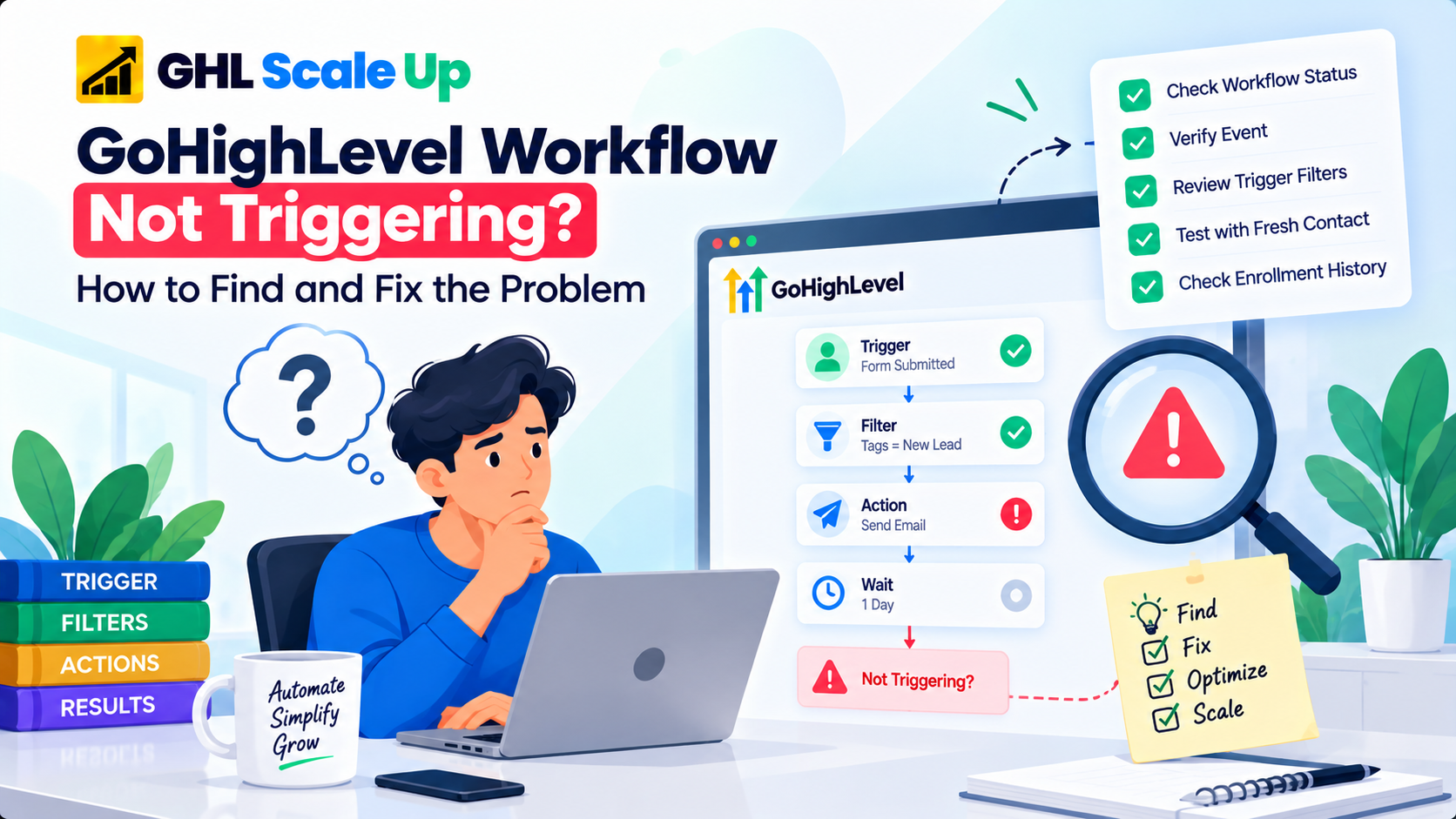
Start Here: Find Out Where the Workflow Is Failing
Work through these in order before changing anything:
- Is the workflow active?
- Did the exact triggering event happen?
- Does the event match every trigger filter?
- Are you testing with the right contact or record?
- Does Enrollment History show that the contact entered the workflow?
If there's no enrollment, keep working questions 1–4 the event, the trigger, or the filters are the likely cause, and the rest of this article walks through each one.
If Enrollment History shows the contact entered, the workflow triggered. The problem is now inside execution a skipped step, a failed action, a branch that went somewhere unexpected which is a different troubleshooting process than anything below.
That five-question sequence is the fastest way through this, and everything after it is detail on how to answer each question correctly.
Two Different Problems That Look the Same
Worth naming precisely, since the fix differs: Case A the workflow did not trigger (the contact never qualified; check status, event, trigger, filters, and the test contact's history the bulk of this article). Case B the workflow triggered, but something after that didn't happen (the contact is enrolled, so the trigger worked; what's left is execution actions, branches, waits, conditions a separate process built around Execution Logs, not covered in depth here).
Did the Trigger Event Actually Happen?
Before touching workflow settings, confirm the source event actually occurred the way you think it did. A form submission happening somewhere doesn't confirm it was that form. An opportunity changing doesn't confirm it moved to the specific pipeline and stage your trigger is watching for. An appointment happening doesn't confirm it matched the trigger's configured conditions.
This sounds obvious, but it's the step people skip most often they see evidence the general category of event happened and assume the trigger should have fired, when the actual configured event never occurred at all.
How Do Trigger Filters Prevent a Workflow From Triggering?
A trigger fires on a category of event "Form Submitted," "Opportunity Status Changed," "Tag Added." Filters narrow that down to the specific version of the event the workflow cares about. The event happening is not the same as the event qualifying, and filters are where that distinction actually lives.
Concrete example: a contact submits a form. You expect the workflow to fire. But the trigger is filtered to Form = Consultation Form, and the contact actually submitted Contact Us Form. The event happened. It didn't satisfy the filter. The workflow isn't broken the contact never qualified.
This applies across trigger types, though not every trigger exposes the same filters a Form Submitted trigger filters on form identity, an Opportunity trigger on pipeline and stage, a Tag Added trigger on the specific tag, an appointment trigger on calendar and appointment status. Verify what your specific trigger actually filters on rather than assuming.
A trigger with multiple conditions needs every one satisfied, not most. Compare the real event data against each configured condition individually rather than eyeballing the whole trigger at once.
How Do You Find Which Filter Is Blocking Enrollment?
When a trigger has several conditions and you don't know which one is failing, isolate it rather than guessing:
- Record the current trigger configuration so you can restore it exactly.
- Temporarily simplify the trigger to its smallest valid configuration.
- Use a fresh test contact or record.
- Perform the exact live event.
- Check Enrollment History.
- If enrollment occurs, reintroduce the removed conditions one at a time.
- Test again after each one you add back.
- The condition that stops enrollment from happening again is the one causing the problem.
- Restore the intended production configuration once you've identified it.
This is a diagnostic technique for finding the problem, not a recommendation to leave a production workflow running with weakened filters.
Why Does My Workflow Work in Test Mode but Not Live?
A successful test demonstrates that the workflow can execute under the conditions used in that test. It doesn't confirm that a real production event will reach the trigger with data that satisfies every filter, because test conditions are often cleaner and more controlled than what actually happens live. A test contact might have a field pre-filled that a real lead doesn't. A test submission might go through a form path a real visitor doesn't use.
When test mode works but a live event doesn't produce the same result, don't assume the workflow itself is fine or broken either way treat it as a qualification question like any other, and compare the actual live event's data against every condition configured in the trigger.
How Do You Test a GoHighLevel Workflow With a Fresh Contact?
A contact with history previously enrolled, already active, already completed the workflow can behave differently than a brand-new one, depending on the workflow's re-entry settings. Test clean whenever possible:
- Use or create a contact that has no prior history with this specific workflow.
- Trigger the real event submit the actual form, make the actual pipeline change, apply the actual tag.
- Check whether the contact qualifies against the trigger's filters.
- Check Enrollment History for that contact.
- Enrolled → the trigger worked; stop troubleshooting it.
- Not enrolled → return to the trigger and filter configuration.
How Can You Tell if a Contact Actually Entered the Workflow?
Open the workflow, go to Enrollment History, and look for the contact. For the purpose of trigger troubleshooting, the question it answers is simple: did this contact actually enter the workflow, yes or no?
No enrollment record: the problem is still upstream status, event, filters, or qualification. Keep working the trigger.
Enrollment record exists: the workflow triggered successfully. Whatever the remaining problem is, it lives in execution, not in the trigger a separate diagnostic process that uses Execution Logs rather than trigger filters. Treating it as a trigger problem from here just wastes time re-testing something that already works.
What If My Workflow Used to Work but Suddenly Stopped?
Don't guess compare. The question worth asking is specific: what changed between the last successful enrollment and the first one that failed? Check recently for edits to:
- Trigger filters or conditions
- Workflow published/active status
- The source form, pipeline, or stage names referenced by the trigger
- Custom fields or tags the trigger depends on
- Connected integrations
- The workflow's re-entry setting
- Any recent edit to the workflow itself
One important, easy-to-miss case: Allow Re-entry doesn't behave identically for every trigger type. Appointment-based and invoice-based triggers allow re-entry for each new appointment or invoice by design, regardless of how the Allow Re-entry setting is configured so if this is an appointment workflow specifically, that setting may not be your issue at all.
Common GoHighLevel Workflow Trigger Problems
| Problem | What to Check | What the Result Means |
|---|---|---|
| Workflow inactive | Workflow status | A draft never processes live events this alone explains a total lack of enrollment |
| Wrong event | The actual event that occurred vs. the event type the trigger is configured for | The category may match while the specific event doesn't confirm it's the exact one |
| Trigger filter mismatch | Real event data against every configured filter condition | One unmatched condition is enough to block qualification, even if everything else matches |
| Contact does not qualify | Contact/record fields referenced by the trigger's filters | The event and trigger type can be correct while the contact's data still fails a condition |
| Testing with an unsuitable contact | Whether the test contact has prior history with this workflow | Prior enrollment or completion can affect whether the same contact can enter again |
| Re-entry limitation | Allow Re-entry setting, and whether this trigger type has its own re-entry behavior | Some trigger types (appointment- and invoice-based) allow re-entry regardless of this setting |
| Test/live mismatch | Real live event data vs. the data used in a test run | A test can succeed under conditions a live event doesn't actually reproduce |
| Enrollment exists but nothing downstream happened | Execution Logs, not the trigger | The trigger worked this is an execution problem, not a trigger problem |
Worth knowing: HighLevel's Resolve Errors sidebar catches supported configuration problems missing required fields, disconnected integrations before you publish. It's useful, but it validates configuration, not live execution; passing it doesn't guarantee every real event will process cleanly, and it won't catch a filter that's simply narrower than you intended.
GoHighLevel Workflow Not Triggering: Quick Checklist
Before changing anything:
- Is the workflow published/active?
- Did the expected event actually happen specifically, not generally?
- Is it the correct event type for this trigger?
- Does it match every configured filter, not just most?
- Is your test contact appropriate, or does prior history complicate the result?
- Could re-entry settings affect this specific contact or trigger type?
- Does live behavior differ from a test-mode run?
- Does Enrollment History show the contact?
- If not simplify the trigger and isolate the failing filter.
- If yes stop troubleshooting the trigger; the problem is execution.
Workflow Not Triggering: The Decision Tree
Did the event actually happen?
→ No reproduce the event before doing anything else.
→ Yes continue.
Is the workflow published/active?
→ No publish or activate it.
→ Yes continue.
Does the event satisfy every trigger filter?
→ No correct the filter, or confirm you're reproducing the intended event.
→ Yes continue.
Is the contact eligible to enter no conflicting prior enrollment or re-entry limitation?
→ No investigate re-entry and enrollment conditions.
→ Yes continue.
Does Enrollment History show the contact?
→ No return to the trigger and qualification questions above.
→ Yes the workflow triggered. Move to execution troubleshooting.
When Is the Problem No Longer the Trigger?
The moment Enrollment History shows the contact, the trigger did its job. Continuing to rebuild triggers, filters, or the workflow itself at that point won't fix anything, because the trigger isn't what's broken. What's left to check is what happened after enrollment whether a step was skipped, a condition branched somewhere unexpected, or an action failed outright. That's a distinct diagnostic process from everything above it, built around Execution Logs rather than trigger filters.
If the workflow depends on data arriving from outside HighLevel a Zapier connection or another external integration and enrollment still isn't happening, confirm the external side is actually sending the event before assuming the HighLevel trigger itself is misconfigured. That's a different failure point than anything covered here.
The Bottom Line
Don't start rebuilding a workflow because it didn't fire. Work the sequence: did the event happen, did it match the trigger, did it match every filter, was the workflow active, was the contact eligible, did it actually enroll. Only once you have a real answer to each of those should you decide what to change. Once a workflow is reliably triggering, the next question worth asking is what else is worth automating GHL Scale Up's automation guide covers build order for that once this problem is solved.
Frequently Asked Questions
Why is my GoHighLevel workflow not triggering?
Most often because the event that occurred doesn't fully match the trigger's configured filters, the workflow isn't published, or the test contact's history is affecting the result. Enrollment History tells you definitively whether the trigger fired.
Why is my GHL workflow not firing?
Same diagnosis regardless of phrasing confirm the workflow is active, verify the real event occurred, check it against every trigger filter, and test with a fresh contact.
Why does my GoHighLevel workflow work in test mode but not live?
Test conditions are often cleaner than real-world data. A live event can fail a filter that a controlled test never exercises. Compare the actual live event's data against the trigger's filters directly.
How do I know if my GoHighLevel workflow triggered?
Check Enrollment History for the contact. If they appear there, the workflow triggered regardless of what happened afterward.
Why is my GoHighLevel workflow not enrolling a contact?
The event likely doesn't satisfy every configured trigger filter, or the contact isn't eligible to enter given the workflow's re-entry settings and their existing history with it.
How do trigger filters affect GoHighLevel workflows?
They narrow a general event category down to the specific version the workflow should respond to. An event can happen and still fail to qualify if it doesn't match every filter condition.
How do I test a GoHighLevel workflow?
Use a fresh contact with no history in the workflow, trigger the real event rather than a simulated one, and check Enrollment History for the result.
What should I check first when a GHL workflow stops triggering?
Compare what changed trigger filters, workflow status, referenced forms or pipeline stages, custom fields, tags, or integrations rather than assuming which one caused it.
Related Articles in This Series
Need Help Fixing a Workflow Trigger Issue?
We diagnose and fix GoHighLevel workflow trigger problems for agencies and businesses.
Book Your Free Troubleshooting Session
GHL Scale Up is a specialised GoHighLevel implementation and SaaS growth agency. Based in India, we serve agencies and businesses across 6 countries with 200+ GoHighLevel builds delivered. This guide reflects direct experience troubleshooting workflow trigger issues across hundreds of GHL accounts. All troubleshooting details verified against official documentation as of September 2026.
ghlscaleup.com