
Introduction and the Short Answer
Setting up email in GoHighLevel is not one switch. It is a short chain of decisions and tasks: which sending service you will use, whether you will send from your own sending domain, who controls that domain's DNS settings, how GoHighLevel confirms the domain is yours, and what name and address appear on your emails. Some of those pieces are optional depending on your setup, which is why two people following two "setup guides" can end up doing very different things.
The short answer: choose your sending approach first (LC Email, HighLevel's built-in service, or your own provider), then prepare access to your domain's DNS, then follow the sequence for that approach, and check readiness before your first real send. HighLevel says new accounts use LC Email by default and that it works with minimal setup. A dedicated sending domain adds steps and is not required to start.
What This Guide Covers, and What It Doesn't
This guide is about preparing GoHighLevel to send outbound email: the choices, prerequisites, order of work and readiness checks. It does not cover:
- Connecting a personal or business inbox so replies appear in GoHighLevel.
- Notification emails that GoHighLevel sends to your own team.
- Building email campaigns or workflows.
- Connecting a website or funnel domain, which uses different DNS records.
It also doesn't walk through DNS entry, explain email authentication in depth, or diagnose a failed verification. Those are separate tasks, and each has its own guide: (Planned link, not yet published: step-by-step guide to connecting a sending domain), (Planned link, not yet published: what SPF, DKIM and DMARC do and how to verify them) and (Planned link, not yet published: how to troubleshoot a sending domain that will not verify).
Before You Start: What to Have Ready
Not everything below applies to every setup. The right-hand column says when each item matters.
| Have this ready | Needed when | Why it matters |
|---|---|---|
| Access to the right account: agency or sub-account | Always | Some email settings live at the agency level and others on the sub-account. HighLevel says a dedicated sending domain must be added to the sub-account itself, and that a sub-account without its own dedicated domain is treated as shared even if the agency has one. |
| A decision on LC Email or your own provider | Always | The decision determines which of the remaining items you need. |
| Access to the domain's DNS settings, or the person who has it | Dedicated sending domain, or your own provider's domain | Records have to be published where the domain's DNS is managed. That is often your registrar, a hosting company or a separate DNS service. Owning a domain and being allowed to edit its DNS are not always the same thing, especially when a developer or an IT contractor set it up. |
| A subdomain you can dedicate to sending | Dedicated sending domain | HighLevel's overview recommends an unused subdomain, such as one starting with mg. or lc., not your main domain. |
| A list of what already sends email from the domain | Dedicated sending domain, or your own provider's domain | HighLevel says existing SPF or MX records can block setup, and that Mailgun MX records should not be added to a main domain that already uses Google Workspace. Know what exists before you change anything. |
| Your From Name and From Email | Always | Every email shows a sender. For a dedicated domain, HighLevel's sender-domain page says the From Email should match the sending domain. |
| Provider details: API key, SMTP credentials, a verified sender | Mailgun or SMTP | These come from the provider, not from GoHighLevel. |
| One named person who will make and check the changes | Always | DNS and settings changes often pass between an owner, an administrator and a contractor. Without a named owner, a half-finished setup is easy to miss. |
Choose Your Sending Approach: LC Email or Custom SMTP?
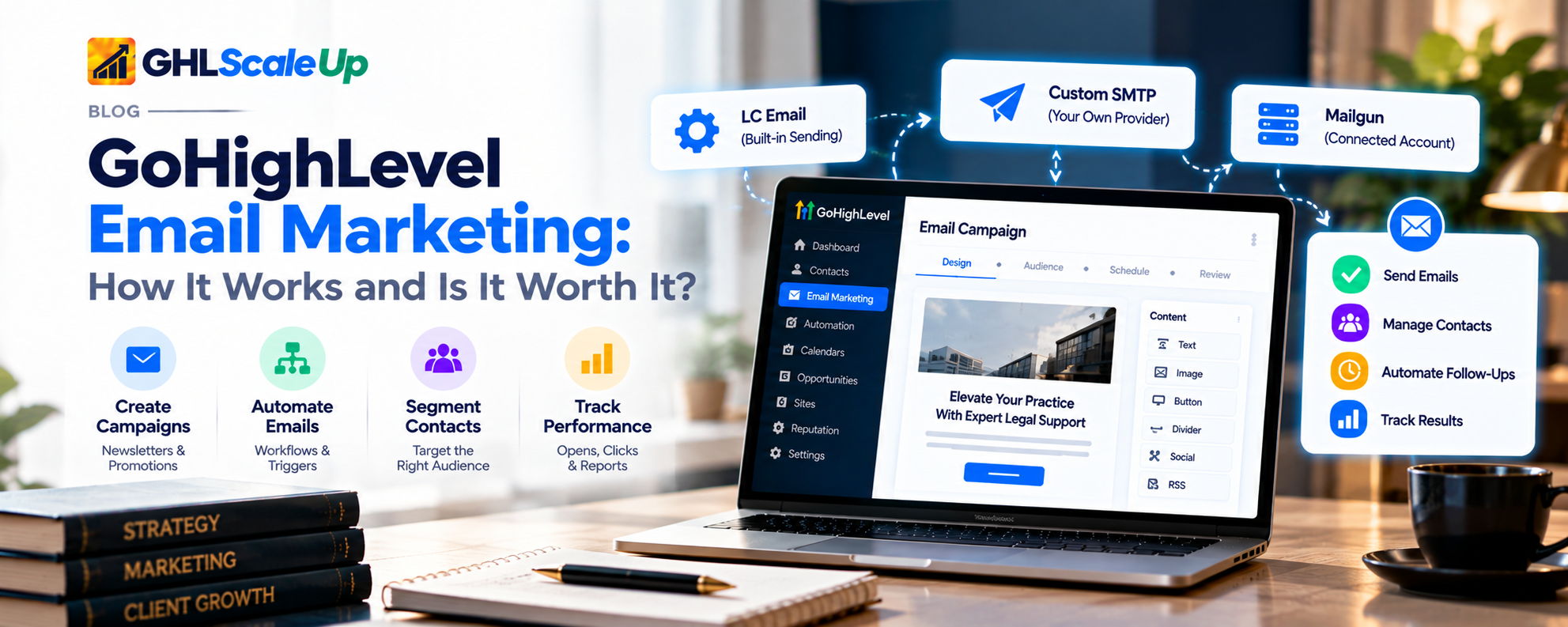
This is the decision everything else depends on, so make it before you touch DNS. In practice there are three setups, because HighLevel treats a connected Mailgun account and a generic SMTP provider differently.
- LC Email is HighLevel's built-in email service. HighLevel describes it as the provider that powers sending and receiving on every sub-account, and says new accounts use it by default (What is LC Email?).
- Your own Mailgun account is connected by an API key and a verified sending domain, usually at the agency level (Add your own email service (Mailgun)).
- A custom SMTP provider is connected on the SMTP services tab with credentials from a provider such as Google, SendGrid, Zoho, Amazon SES or Outlook (Setting up SMTP providers).
| Consideration | LC Email | Your own Mailgun account | Custom SMTP |
|---|---|---|---|
| What it is | Built-in service; default for new accounts | Your Mailgun account connected to HighLevel | Your own provider connected with SMTP credentials |
| What you set up | Default: HighLevel says minimal setup. Dedicated domain: a subdomain, DNS records, verification | A Mailgun account with a verified sending domain and an API key with sending permission | Credentials from your provider; sender address must match the SMTP address and be verified with the provider |
| Who bills for sending | HighLevel, per 1,000 emails, at the agency level (rates are on the LC Email article) | Mailgun bills by volume; HighLevel says the platform does not charge for a custom service | Your provider's own terms and daily limits apply |
| Reporting | Full stats; HighLevel's tracking article says email tracking works only with LC Email and a dedicated sending domain | HighLevel recommends Mailgun or LC Email for full sending statistics | Reports sent, open, click and bounce events only; no delivered event |
| Important caveats | Subject to a new-account ramp-up and daily limits | One email service is active at a time; switching affects all outbound email from the agency | HighLevel calls SMTP an advanced use case with best-effort support; sender mismatch is its most common failure |
Sources for the table: LC Email, Mailgun in Agency, SMTP providers, SMTP limitations and Email Tracking for LC Email. Pricing and limits change, so confirm them on the pages before you decide.
How to decide
- You are starting fresh and have no email provider contract: HighLevel's default path is LC Email, so you don't need an outside account to begin. Choose a dedicated sending domain later if you need it (next section).
- You already pay for Mailgun, or your organization requires a specific provider: use that provider, and plan for the provider-side setup HighLevel's pages describe. HighLevel recommends Mailgun or LC Email over generic SMTP if you want full sending statistics.
- You only want to send as an existing Google or Outlook mailbox: HighLevel's SMTP page recommends the direct Google and Outlook integrations where possible, which are inbox connections and outside this guide.
- You manage many client sub-accounts: an agency-level custom service becomes the default for sub-accounts that haven't set their own, and changing it affects all outbound email from the agency. HighLevel's Mailgun page suggests testing in a low-traffic period.
Choose based on your existing setup and requirements, not on which option sounds more advanced. HighLevel's pages do not show that any one approach is universally better, and neither does this guide.
Shared or Dedicated Sending: What Should You Consider?
Inside LC Email, the choice is between sending from HighLevel's shared setup or from a dedicated sending domain you add to the sub-account. HighLevel's own article uses "shared domain" and "shared IP" almost interchangeably, so be careful with the terms. Adding a dedicated sending domain is a different thing from buying a dedicated IP address. HighLevel's Email Sending Guide describes a dedicated IP as an optional extra with its own monthly charge.
| Shared (default) | Dedicated sending domain | |
|---|---|---|
| What it means for setup | Nothing to publish in DNS. HighLevel says email works with minimal setup | You add a subdomain, publish the DNS records HighLevel gives you, verify, then set sender details |
| Daily sending ceiling | Up to 25,000 per day from day 8, per HighLevel | Up to 550,000 per day, per the same article, which also says to contact support above 450,000 |
| Where it's configured | Default on every sub-account | On each sub-account that needs it; a sub-account without its own is treated as shared even if the agency has one |
| Control over reputation | Shared arrangements are not yours alone; HighLevel publishes no reputation metrics for them | HighLevel's guide presents a dedicated domain as giving you more control over your own sending reputation |
| Other documented dependencies | Standard new-account ramp-up | Email tracking features depend on it, according to HighLevel's tracking article |
Two cautions. First, a dedicated sending domain does not guarantee better inbox placement, and a shared setup does not mean poor results. HighLevel doesn't claim either. Second, both options start with a ramp-up. HighLevel's LC Email article lists 250 emails on day 1, rising to 10,000 by day 7, so a new sub-account cannot send a large first campaign. The exact schedule differs between HighLevel's pages, so read the current one before planning a launch.
Choose dedicated if you expect to pass the shared ceiling, want features that depend on it, or want sending reputation tied to your own subdomain. Otherwise it is reasonable to start shared and add a dedicated domain later.
The Main Parts of the Setup, in Plain English
Before the sequence, here is the cast. Each part gets a short definition here and its own guide where it's complicated.
- The sending service. LC Email, Mailgun or your SMTP provider. It determines what else you have to configure.
- The sending domain. The domain or subdomain your emails are sent from, for example a subdomain of your business domain. It is not the same as your website or funnel domain, which GoHighLevel connects with different records for a different purpose.
- DNS records. Entries published at whoever manages your domain's DNS. You, an administrator or a contractor may need to add them. HighLevel can configure some automatically for supported DNS providers and otherwise shows records to enter manually. The detail is in (Planned link, not yet published: step-by-step guide to connecting a sending domain).
- Email authentication. Records that help receiving systems check that mail claiming to come from your domain is legitimate. The exact records and values come from your own configuration screen, not from a generic tutorial. See (Planned link, not yet published: what SPF, DKIM and DMARC do and how to verify them). HighLevel's own pages do not agree on every detail of which records appear, so use what your account shows.
- Verification. GoHighLevel checks whether the records you published are visible. HighLevel's pages give timing ranges from a few minutes to 48 hours, so treat any time as an estimate. A verified domain means GoHighLevel recognizes your records. It does not mean your emails will reach the inbox.
- Sender details. The From Name and From Email shown on your emails. Decide these before sending, and make sure the address belongs to the domain and provider you set up.
The Order of Work
This sequence follows the setup HighLevel documents, and states which steps apply to which approach. Menu names are given as the cited pages show them and may differ in your account.
Confirm the account level. Work in the sub-account that will send, unless you are deliberately changing an agency-wide default. Before moving on, you should know whether the setting you are about to change affects one sub-account or all of them.
Choose the sending approach. LC Email, your own Mailgun account or a custom SMTP provider (see above). Before moving on, you should be able to say which one and why.
Gather access and decisions. Confirm who controls DNS, which subdomain you'll use, what already sends mail from the domain, and your From Name and From Email. Before moving on, you should have DNS access or a named person who does.
Add the sending domain (dedicated domain or provider-side domain). For a LC Email dedicated domain, HighLevel's Getting Started page describes Settings > Email Services > Dedicated Domain and IP, then Add Domain with a subdomain. For Mailgun, the domain is verified at Mailgun and then selected in HighLevel by its API key. Skip this for default shared LC Email. The step-by-step version is in (Planned link, not yet published: step-by-step guide to connecting a sending domain).
Publish the DNS records and any authentication records. Use the records your own screen or provider gives you, not examples from the internet. Leave unrelated existing records alone. Detail: (Planned link, not yet published: step-by-step guide to connecting a sending domain) and (Planned link, not yet published: what SPF, DKIM and DMARC do and how to verify them).
Verify. HighLevel's pages describe a verify action and per-record statuses. Allow time, as HighLevel's estimates vary widely. If the domain stays unverified, see (Planned link, not yet published: how to troubleshoot a sending domain that will not verify).
Set sender details. For a dedicated domain, HighLevel's Getting Started page describes the Set Headers option, where you enter a From Name and From Email, then save. For SMTP, the From address should match the SMTP account and be verified with the provider.
Run the readiness checks below before your first real send.
If you stay with default shared LC Email, steps 4 to 6 do not apply, but steps 1 to 3, 7 and 8 still do. If you use SMTP, steps 4 to 6 are replaced by the provider-side verification your provider requires.
How to Know You're Ready to Send
Opening a settings screen is not the same as finishing setup. Use this list. "Documented" means a HighLevel page says it. "Recommended" is good practice, not a stated requirement.
| Check | Status | Applies to |
|---|---|---|
| You know which provider is the default at the level you're sending from (sub-account and agency) | Required check (documented, though the page that lists the order dates from 2023) | All setups |
| The dedicated sending domain shows as verified in HighLevel | Conditional (documented: HighLevel's FAQ says campaigns cannot send from an unverified dedicated domain, though another section calls it a warning) | Dedicated sending domain |
| The provider-side domain is verified, and the Mailgun domain appears in HighLevel's dropdown | Conditional (documented: only verified domains appear) | Mailgun |
| From Name and From Email are set, and the From Email matches the sending domain | Required for a dedicated domain (documented, but see the mismatch note in Deliverable 1) | Dedicated sending domain |
| The SMTP sender address matches the SMTP account and is verified at the provider | Conditional (documented as the most common SMTP failure; free-mail addresses cannot be used as the SMTP sender) | Custom SMTP |
| Authentication records are published and have been checked | Conditional on your setup; follow your own screen and (Planned link, not yet published: SPF, DKIM and DMARC guide) | Dedicated or custom domain |
| Your contact list has been checked for invalid addresses | Recommended (LC Email Verification is a paid, optional tool, per HighLevel) | LC Email and Mailgun |
| You know your ramp-up and daily limits | Recommended | LC Email |
| You sent a small internal message and checked how it looked | Recommended | All setups |
Even with every box checked, setup readiness is not inbox placement. HighLevel's own authentication-errors page says authentication does not guarantee inbox placement, and its email verification tool notes that a "verified" address can still bounce. Reputation, content and list quality still matter, and they are beyond this guide.
Common Setup Oversights
| Oversight | What to do instead |
|---|---|
| Starting DNS work before choosing a sending service | Choose first. The records, credentials and verification steps differ by approach. |
| Working in the wrong account | Confirm agency or sub-account before changing anything. An agency-level change can affect every sub-account without its own setting. |
| Treating the website domain and the sending domain as the same | They use different records for different purposes. Plan a separate subdomain for sending. |
| Beginning without DNS access | Find out who manages DNS first, and ask for either access or a scheduled time with that person. |
| Changing DNS without knowing what already sends mail | Make a record of existing entries before changing anything, and don't delete records you don't recognize. HighLevel notes that existing SPF or MX entries can conflict. |
| Assuming published records mean verified | Publishing and verification are separate steps. Check the status in HighLevel. |
| Using a free-mail address as the SMTP sender | HighLevel states free email addresses cannot be used as the SMTP sender. Use an address on your own domain. |
| Switching the agency email service in the middle of live workflows | HighLevel notes queued and in-progress emails use whichever service is active when processed. Switch during a quiet period. |
| Assuming verification guarantees inbox placement | It doesn't. Treat it as a prerequisite, not an outcome. |
If You Can't Finish Setup
| Where you're stuck | Next step |
|---|---|
| You can't decide between LC Email and your own provider | Start from your current provider, budget and volume needs. If none exists, HighLevel's default LC Email is the documented starting point. You can revisit the decision. |
| You don't have DNS access | Identify who manages the domain's DNS, and ask them to add the records or give you access. Don't try to work around it. |
| You don't know which records your setup needs | Use the records shown in your own account or provider. Don't copy values from articles. See (Planned link, not yet published: SPF, DKIM and DMARC guide). |
| The domain won't verify | Check status and wait as the pages suggest, then see (Planned link, not yet published: how to troubleshoot a sending domain that will not verify). |
| A setting is missing or blocked, or something still looks wrong | Contact HighLevel support, or your SMTP or Mailgun provider's support for provider-side problems. HighLevel states it offers best-effort support for SMTP. |
Conclusion
Email setup goes more smoothly when you decide the sending approach first, line up DNS access and sender details, follow the order for your approach, and check readiness before the first real send. If you're on the default LC Email setup and don't need more than the shared limit, your task list may be shorter than any tutorial suggests. If you want a dedicated sending domain, your next step is the domain connection itself: (Planned link, not yet published: step-by-step guide to connecting a sending domain).
Frequently Asked Questions
What do I need before setting up email in GoHighLevel?
At minimum: access to the right account, a choice of sending approach, and your From Name and From Email. If you'll use a dedicated sending domain or your own provider's domain, you also need DNS access (or the person who has it) and a plan for a subdomain.
Do I need a sending domain to send email from GoHighLevel?
Not to start with the default LC Email setup. HighLevel's LC Email article says it works with minimal setup and that a dedicated sending domain is needed to go beyond the shared daily limit. HighLevel's tracking article also ties email tracking to a dedicated sending domain. If you connect your own provider, that provider's domain requirements apply.
What is the difference between LC Email and custom SMTP?
LC Email is HighLevel's built-in sending service and the default for new accounts. Custom SMTP connects a provider you already use, with credentials from that provider. HighLevel describes SMTP as an advanced use case with best-effort support and limited reporting. A connected Mailgun account is a separate, more fully documented option.
What is the difference between a sending domain and a website domain?
A sending domain (usually a subdomain) is what your emails are sent from and uses authentication records. A website or funnel domain points visitors to pages and uses different records. They are connected separately.
How do I know if my GoHighLevel email setup is complete?
Use the readiness checklist above. In short: your provider is the one you intended, any domain you added shows as verified, sender details are set and consistent, and you know your limits. Completion still doesn't guarantee inbox placement.
What should I do if my domain does not verify?
Check the status and allow time (HighLevel's estimates vary), then follow the troubleshooting guide. If it still fails, contact support.
Sources
- Getting Started: Setup Email, Phone and SMS (HighLevel, modified 23 Mar 2026).
- What is LC Email? (modified 20 Aug 2026).
- Dedicated Email Sending Domains Overview & Setup (modified 17 Apr 2026).
- Setting Up SMTP Providers (modified 14 Apr 2026) and Limitation of using SMTP when emails are not sending (modified 1 Jul 2026).
- How to Add Your Own Email Service (Mailgun) in Agency (modified 18 Jun 2026).
- How Sender Domains Work in LC Email Campaigns (modified 30 Jun 2026).
- Email Sending Guide: Email Best Practices & Email Warm Up (modified 30 Jun 2026).
- Email Tracking for LC Email.
- How to Enable and Rebill LC Email Validation (modified 4 Jun 2026).
Still have questions about setting up email in GoHighLevel?
Talk to our GHL experts directly. We're here to help.
Decide the sending approach first. Then follow the order of work.
If you want a dedicated sending domain, your next step is the domain connection itself. GHL Scale Up implements GoHighLevel for agencies and service businesses.
Book Your Free Call
Based on HighLevel's published documentation, read 28 October 2026. This guide was not tested in a live account, and menu names can change. Interface labels were checked against documentation only, and the article says so. Features, limits and usage rates change; confirm in your own account.
ghlscaleup.com