
Short Answer: Do You Need a Mac and iPhone for GoHighLevel iMessage?
| Setup | Own a Mac? | Own an iPhone? | Who Maintains It | Best Suited For |
|---|---|---|---|---|
| Owned hardware | Yes | Sometimes, depending on the provider's setup | You | Teams wanting direct infrastructure control |
| Cloud/hosted Mac | No physical unit you rent access to one | Usually not | Shared between you and the hosting provider | Avoiding a physical device without giving up hands-on access |
| Managed iMessage service | No | Usually no | The provider | Agencies that want a messaging channel, not infrastructure to run |
| API/webhook-oriented provider | No | No | The provider | Technical teams bridging iMessage into GHL alongside other tools |
Every row still depends on the specific provider. None of these categories guarantee identical behavior across every company offering them verify the actual architecture before assuming a "managed" or "cloud" label means what you think it means.
How Does iMessage Connect to GoHighLevel?
GoHighLevel's own developer documentation defines a mechanism called a conversation provider a Marketplace application that plugs a new channel (custom SMS, email, or call) into the Conversations inbox and workflow builder. There's no separate "iMessage channel type" built into HighLevel itself; every iMessage provider on the Marketplace works by registering itself as a conversation provider and routing messages through its own infrastructure behind that connection. The flow looks like this:
GoHighLevel workflow/conversation → Marketplace app (conversation provider) → provider's iMessage infrastructure → Apple's messaging environment → the contact's iMessage
Worth being precise about, because it trips people up constantly: there are two genuinely different things called "iMessage for business." Apple Messages for Business (Business Chat) is Apple's own official program a distinct, branded entry-point experience with its own developer documentation and approved platform partners. As of this writing, GoHighLevel does not natively support it; a feature request on HighLevel's own public roadmap board is still asking for it to be added. Ordinary consumer iMessage the blue-bubble Messages app tied to a phone number and Apple ID has no public Apple API for third parties at all. Every GHL-facing iMessage provider this article discusses delivers the second kind, by operating a genuine Apple device (or fleet of them) behind the scenes, not by calling an official Apple business endpoint.
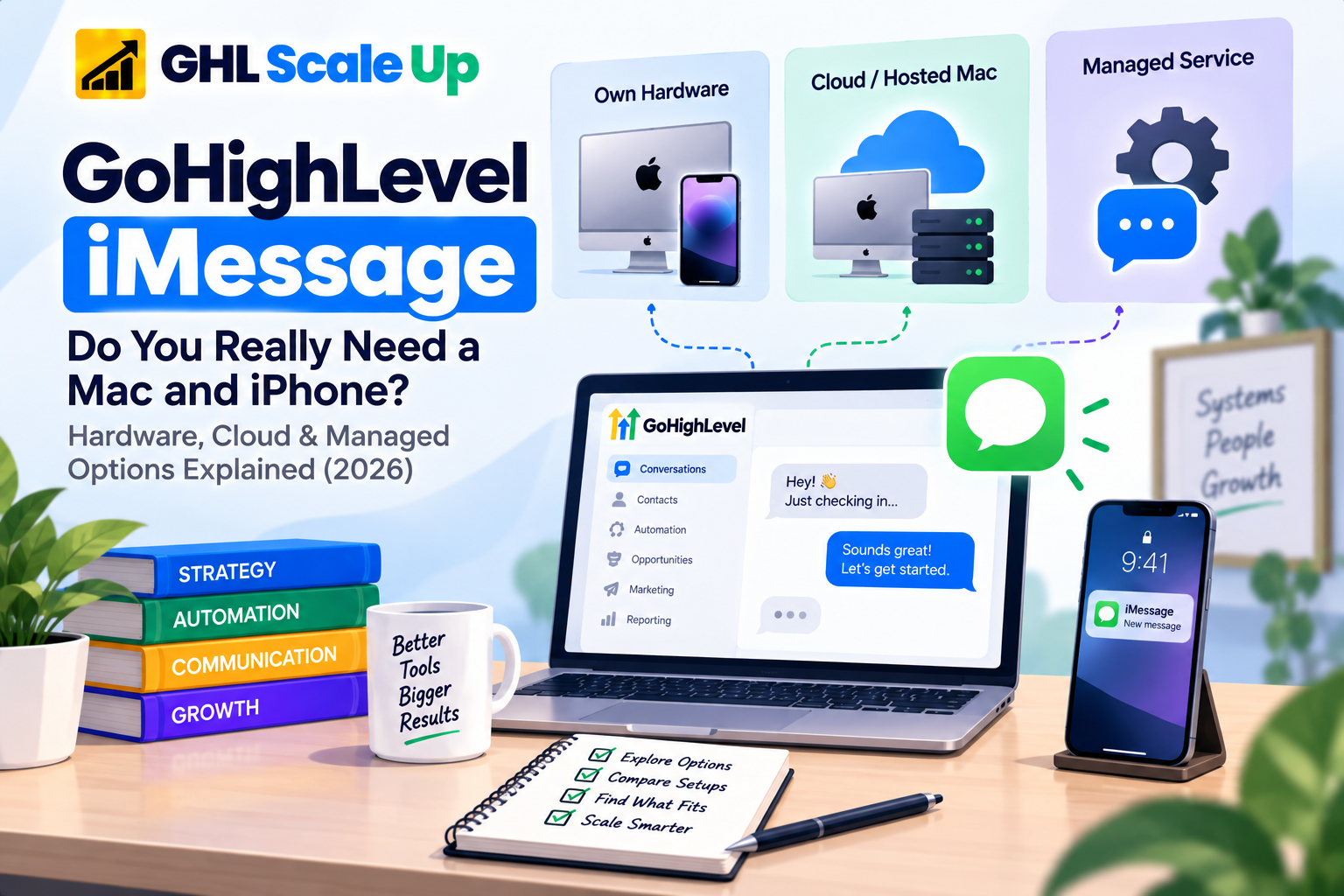
Why Do Some GoHighLevel iMessage Integrations Need a Mac?
Because there's no public API to call, sending a real iMessage requires something running Apple's own Messages software, signed into an Apple ID Apple recognizes as capable of iMessage. Practically, that means a Mac (or in some architectures, an iPhone) actually running the Messages app, with the provider's software layer automating it and relaying messages to and from GoHighLevel. This isn't one provider's quirky choice it's the direct consequence of Apple not exposing a conventional server-side API for consumer iMessage, a limitation multiple independent iMessage-API vendors state plainly on their own sites.
That said, exactly how a given provider implements this varies. Some have the customer run their own Mac. Some run the Mac themselves, physically or in a hosted environment, and never mention "Mac" to the customer at all. The underlying requirement a real, signed-in Apple environment somewhere in the chain doesn't disappear just because a provider's marketing doesn't say "Mac."
What Role Does the iPhone Play in a GHL iMessage Setup?
Not every architecture needs one, and this is where "no Mac required" claims can be misleading in the opposite direction. Some providers tie a sending number to a genuine iPhone rather than (or in addition to) a Mac; others run entirely on Mac-side infrastructure with no separate phone in the picture. What you actually need to own, versus what the provider owns and operates behind its service, is a question worth asking directly rather than assuming from the word "managed" or "cloud" see the provider questions later in this article.
What Happens If the Mac Goes Offline?
Depends entirely on whether that Mac is the live bridge your provider uses to actually send and receive, and whether the provider has built any redundancy around it. If it's a single, unmonitored device your own or a bare-bones hosted one an outage typically means outbound sends stop, inbound replies stop syncing, and any workflow step waiting on that channel doesn't complete until the device comes back. A managed provider with monitoring and failover may absorb a single device outage without you noticing; a self-run setup usually won't, unless you've built that resilience yourself.
What Happens If the iPhone Is Offline?
Same logic, scoped to whichever architectures actually depend on a phone. If a provider's flow runs primarily through Mac-side infrastructure, an offline phone may not affect anything. If the phone is part of the active send/receive path, its unavailability behaves the same way a Mac outage does: messages queue or fail, depending on what the provider has built, until connectivity returns. Don't assume every setup fails the same way ask the specific provider what "device offline" actually does to messages already in flight.
What Happens to GoHighLevel Workflows When iMessage Is Unavailable?
This is the distinction the rest of this article depends on: workflow execution and message delivery are not the same event, and treating them as one is how people misdiagnose the problem. A workflow can run its trigger, its conditions, and reach a "send iMessage" action completely correctly and the failure can still happen one layer downstream, at the provider's infrastructure, with nothing wrong in GoHighLevel at all.
Example: a lead submits a form at 10:00 AM. The workflow is supposed to send an iMessage at 10:01. The Mac or messaging bridge behind the provider is offline. The trigger fires, the workflow executes, the action runs and the message never leaves the provider's side. If you only look at the workflow and assume it "didn't work," you'll spend time rebuilding a trigger that was never broken. Confirming whether GoHighLevel actually enrolled the contact and executed the action is the first thing to check if it did, the failure is in the messaging layer, not the workflow, and a workflow that never triggered in the first place is a different problem entirely from one that ran but couldn't deliver.
Only assume retries or fallback exist if your specific provider documents them don't assume every integration silently recovers a failed send.
Option 1: Run the iMessage Infrastructure Yourself
Some providers GoGHL.ai is a current example are explicit that the customer runs their own Mac and Apple ID, with the integration layer connecting that device into GoHighLevel. This means you own the hardware, the network connection, the power and uptime, the macOS updates, and the account security, and you're the one who notices and fixes it when something breaks.
Advantages: direct control over the environment, no recurring infrastructure fee beyond the integration itself, full visibility into what's actually running.
Tradeoffs: hardware cost, your own uptime responsibility, your own monitoring, and your own troubleshooting when the device, network, or Apple account has a problem.
Option 2: Use a Cloud or Hosted Mac
A cloud Mac is still a real Mac you're outsourcing where it physically sits and who racks it, not replacing it with a plain API. GoGHL.ai, for instance, explicitly partners with a separate provider, HostMyApple, specifically so customers can run the required macOS environment without buying physical hardware. The integration still depends on that hosted Mac being available; you've changed who's responsible for the box, not eliminated the box.
Benefits: no physical device on your desk, generally easier remote access and centralized management, potentially simpler scaling than buying multiple physical Macs.
Tradeoffs: a recurring hosting cost, dependency on that hosting provider's own uptime, and a support relationship that now involves two companies (the iMessage integration and the Mac host) instead of one.
Option 3: Use a Managed iMessage Service
Providers like Sendara and Sendblue sell iMessage as a service outright: you get a number and a working channel, and the provider is responsible for whatever device infrastructure sits behind it Mac, phone, or otherwise without exposing that detail to you as a setup step. Sendara, for example, describes provisioning a dedicated line within 24 hours with no Mac purchase on the customer's side; Sendblue positions itself similarly at larger scale, citing SOC 2 compliance and real Apple devices operated on the customer's behalf.
You give up some visibility into exactly how the message gets sent. You gain a provider whose job is keeping that infrastructure running, which matters more as you add lines across multiple client sub-accounts than it does for a single number.
How Do Hardware, Cloud, and Managed Setups Compare?
| Factor | Own Hardware | Cloud Mac | Managed Service |
|---|---|---|---|
| Upfront hardware cost | Yes (a physical Mac) | No | No |
| Recurring cost | Low (just the integration fee) | Hosting fee + integration fee | Provider's monthly fee, typically per line |
| Physical maintenance | You | Shared with host | Provider |
| Uptime responsibility | You | Mostly the host | Provider |
| Monitoring | You build it | Depends on host | Usually included |
| Technical control | Highest | Moderate | Lowest |
| Provider dependency | Lowest | Moderate | Highest |
| Best suited for | Technical teams wanting full control | Avoiding physical hardware while keeping hands-on access | Agencies wanting a working channel without infrastructure work |
What Does GoHighLevel iMessage Actually Cost?
Treat published provider prices as a snapshot, not a permanent number verify current pricing directly before budgeting. As examples only, as published at the time of this research: Sendara lists $249/month for a first line and $149/month for each additional line, with no per-message fee; Blooio publishes volume pricing that drops to roughly $195/line at six or more lines. Neither figure should be read as representative of the category they're single data points, not averages.
Self-managed costs break down into hardware purchase, electricity and connectivity, your own labor for maintenance, and eventual replacement. Cloud adds a hosting subscription on top of whatever the integration itself charges. Managed consolidates everything into one recurring per-line fee, usually with setup or onboarding costs on top. Compare the total categories for your situation rather than a single headline number from any one provider.
What Changes When an Agency Has Multiple GHL Sub-Accounts?
Running iMessage for one business and running it across a dozen client sub-accounts are different operational problems. An agency needs to think about whether numbers and Apple identities are isolated per client or shared, who owns each line if a client leaves, how onboarding a new sub-account actually works, and who a client's contact actually reaches if something breaks. Some providers explicitly market that a single piece of their infrastructure can serve multiple sub-accounts treat that as a specific claim about that provider's architecture, not a general rule that applies to every iMessage integration.
GoHighLevel iMessage Reliability Checklist
Before going live, confirm: the device or hosted environment is actually online and monitored; the Apple ID and account security are in good standing; the correct sub-account has the conversation provider installed and set correctly; the relevant workflow triggers and send actions are configured and tested; inbound replies are confirmed to land back in the GHL conversation thread; and you know, specifically, what your provider does when the device goes offline because "it depends" isn't a plan.
12 Questions to Ask an iMessage Provider Before You Connect It to GHL
Do I need to own a Mac?
Do I need to own an iPhone?
Who owns the phone number if I leave?
Who owns the Apple ID and device behind the service?
Where does that device or environment physically or virtually live?
What happens if it goes offline?
What happens if your company goes offline?
How do inbound replies actually reach my GHL conversations?
Does it support native GHL workflow actions, or only a webhook bridge?
What happens to a message that fails to send?
Can I take my number with me if I switch providers?
What happens to my message history if I cancel?
Troubleshooting Matrix
| Symptom | Layer to Investigate | First Check |
|---|---|---|
| Workflow never ran | GHL workflow | Trigger and enrollment |
| Workflow ran, no iMessage sent | Integration/action | The provider's send-action configuration |
| Device or hosted Mac offline | Infrastructure | Device/host availability and monitoring |
| Message sent, reply never arrives in GHL | Reply sync | Provider's inbound webhook to GHL Conversations |
| Messages arriving late | Infrastructure/integration | Device or provider status |
| GHL shows the action completed, contact never got it | Messaging layer | Provider's own delivery status, not the workflow |
Compliance and Responsible Use
None of this changes because the channel is iMessage instead of SMS: get consent before messaging someone, honor opt-outs, and follow the provider's and Apple's own usage terms. iMessage's lack of carrier-level spam filtering is a genuine deliverability advantage some providers cite it is not a reason to skip the same consent and opt-out practices that apply to any other outbound channel.
The Takeaway
GoHighLevel doesn't send iMessages on its own a third-party conversation provider does, and that provider's architecture determines whether you're buying hardware, renting it, or handing the whole problem to someone else. None of the three models is universally right. The one that fits depends on how much infrastructure responsibility you actually want, how many client accounts you're running it across, and how well you understand what happens the moment the device behind your chosen provider goes offline. Ask the twelve questions above before you sign up for any of them and once the channel is working reliably, that's the point where it's worth thinking about the rest of the workflow architecture around it, not before.
Frequently Asked Questions
Does GoHighLevel support iMessage?
Not natively. It arrives through a third-party Marketplace app functioning as a conversation provider GoHighLevel provides the CRM and workflow layer the message routes through, not the iMessage sending capability itself.
Do I need a Mac for GoHighLevel iMessage?
Only if you choose a provider whose architecture puts that requirement on you. Others host or manage the required Apple environment themselves.
Do I need an iPhone for GoHighLevel iMessage?
Depends on the specific provider's architecture some rely primarily on Mac-side infrastructure, others tie the number to a phone. Ask directly rather than assuming.
Can I use GoHighLevel iMessage without owning a Mac?
Yes, through cloud-hosted or fully managed providers but a real Apple environment still exists somewhere behind the service; you're just not the one operating it.
Can I use GoHighLevel iMessage without owning an iPhone?
In most current architectures, yes the Mac (owned, hosted, or provider-run) is typically the operative piece, though this varies by provider.
What happens if the Mac goes offline?
Outbound sending and inbound sync for that channel typically stop until it's back, unless the specific provider has built monitoring or redundancy around it.
What is a cloud Mac for iMessage?
A real macOS environment hosted by a third party instead of sitting on your desk infrastructure you rent rather than own, not a plain API replacement for a physical device.
What is a managed iMessage service?
A model where the provider operates the underlying device infrastructure entirely, delivering a working number and channel without exposing the hardware layer to the customer.
Can GoHighLevel workflows automate iMessages?
Yes, once a conversation-provider integration is installed workflows can trigger sends the same way they trigger SMS, through that provider's workflow action.
What should I check before choosing a third-party iMessage provider?
Ownership of the number and Apple account, what happens during an outage, how replies sync back to GHL, and what happens if you cancel or switch covered in the questions list above.
Related Articles in This Series
Need Help Choosing Your iMessage Setup?
We help agencies evaluate iMessage providers and set up the right architecture for their GHL accounts.
Book Your Free Consultation
GHL Scale Up is a specialised GoHighLevel implementation and SaaS growth agency. Based in India, we serve agencies and businesses across 6 countries with 200+ GoHighLevel builds delivered. This guide reflects direct experience evaluating iMessage providers and setting up messaging infrastructure for GHL accounts. All integration details verified against official documentation and provider claims as of September 2026.
ghlscaleup.com