
Introduction: The Problem and the Short Answer
A prospective client calls your firm at 6:40 on a Thursday evening. Nobody answers. The caller leaves no voicemail and tries another firm. Or an inquiry arrives through your website, sits in a shared inbox, and the person who sees it assumes someone else replied. Neither is a legal failure. Both are follow-up failures, and they are common in firms where follow-up depends on memory instead of a process.
There is some evidence that the problem is not rare. A 2024 mystery-shopper study by the legal marketing agency Hennessey Digital, covering nearly 1,400 US law firms, found that 27% did not respond to an online lead-form inquiry, and that the median response time among those that did was 13 minutes. It is an agency study with its own commercial interests, and your firm's numbers may differ, so measure your own.
The short answer: a law firm can use GoHighLevel to acknowledge missed calls and new inquiries, alert the responsible team member, send a short follow-up sequence that stops when the prospect replies, a staff member steps in or a consultation is booked, and send confirmations and reminders for the appointment. This only works if you design the sequence, the stop conditions and the human handoffs first, and test them. It does not decide whether the firm accepts a matter, check conflicts, or give legal advice.
Disclosure: GHL Scale Up implements GoHighLevel. This guide relies on HighLevel's documentation and says where that documentation is silent. We have not tested the example workflows, so run the test matrix in your own account. For which automations to build first across a business, see our automation priorities guide.
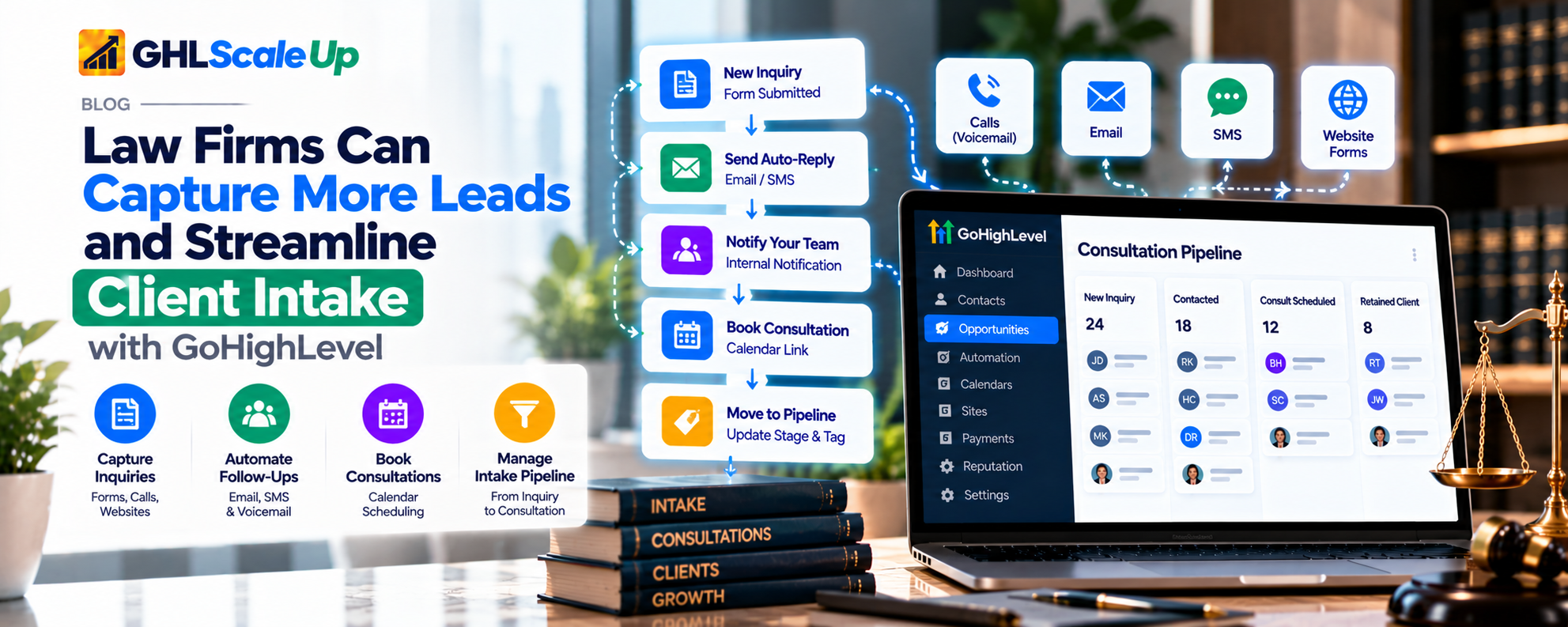
Why Law Firms Lose Potential Clients After an Inquiry
Follow-up breaks at predictable points. Knowing which one affects your firm tells you what to build first.
| Where it breaks | What happens | What addresses it |
|---|---|---|
| Missed calls | Nobody answers; the caller moves on | An acknowledgment text and an alert to staff |
| Slow responses | The inquiry waits for someone to notice | Internal notification with a named owner |
| Forgotten follow-ups | One reply, then silence | A short, finite sequence |
| Booking friction | The prospect has to call back or email to schedule | A booking link in the message |
| Missed consultations | The person books and does not attend | Reminders and a no-show path |
| Unclear responsibility | Two people reply, or neither does | An assigned owner and stop rules when a person engages |
What a Better Law Firm Follow-Up Process Looks Like
Start with the journey, not the software. The diagram shows an illustrative flow from inquiry to consultation. It is not a universal template: your stages, timing and escalation points should follow your intake policy.
The points to notice are the decision diamonds. Each one is a place where the automation must stop and a person must take over: when the prospect replies, when a staff member messages them, and when they book.
| Automation can | A person must |
|---|---|
| Acknowledge the inquiry | Review what the person wrote |
| Alert the intake owner | Decide whether the matter fits the firm |
| Offer a booking link | Run conflict checks and acceptance procedures |
| Send reminders | Answer substantive questions |
| Stop when someone engages | Take over any conversation that needs judgment |
Throughout this guide, an inquiry is any contact, a prospective client is someone whose inquiry the firm is reviewing, and an accepted client is someone the firm has formally accepted. Follow-up messages go to inquiries and prospective clients, and should not read as if a lawyer-client relationship exists.
How to Recover Missed Calls
A missed call is the earliest point of loss. HighLevel's Missed Call Text Back sends an SMS when a call goes unanswered past a timeout. It acknowledges the call; it does not alert your team, create an opportunity or book anything, so it needs a workflow around it.
Prerequisites (documented)
Enable it in Settings > Phone System > Voice > Voicemail & Missed Call Text Back > Missed Call Text Back, then Customize the message, send a test and Save (help article modified 7 September 2026). Set the incoming call timeout. HighLevel notes a very long timeout delays the text and a very short one may interrupt callers who would have answered. The sending number must be able to send SMS. Local numbers need A2P 10DLC registration; toll-free numbers need verification. See what A2P 10DLC is. Messages count toward your phone messaging usage. Charges vary by account.
Writing the message
Keep it administrative: who you are, that you saw the missed call, and what happens next. Example, to be reviewed by your counsel:
Hello, this is [Firm name]. We missed your call. A member of our team will contact you [at the time your process allows]. If you would like to book a consultation, use this link: [link].
Do not give legal information, do not describe their situation, and do not promise a response time unless your process can meet it.
Handling repeat calls
HighLevel says every missed call triggers a message, including repeats within a short window. If someone calls three times in ten minutes, they could receive three texts. The article suggests adding a wait of about 20 minutes or filtering by tags such as first call and second call in the related workflow. We could not confirm from the documentation which trigger starts a workflow from a missed call, so check the trigger list in your account and test it.
Escalation and limits
Build a workflow that creates or updates the contact and alerts the owner. Use an Internal Notification with 'Assigned User' only if the contact has an assigned user; HighLevel says otherwise the step is skipped. Add a fallback recipient. The text is SMS only, and merge fields such as the caller's name fill only for contacts the system already recognizes. HighLevel states DND and communication preferences are respected. Confirm this for your configuration. A text-back does not guarantee the caller becomes a lead or books. It only records that the firm acknowledged the call.
For the feature's full setup, see our missed-call text back guide.
How to Automate Follow-Up With Prospective Clients
A workflow in GoHighLevel is a sequence of actions that starts from a trigger. The purpose of a follow-up workflow is narrow: make sure an inquiry gets a prompt acknowledgment and a few well-timed prompts to book, then stop. The longer the sequence, the more likely it is to message someone inappropriately.
The workflow's design
| Element | Recommendation | Why |
|---|---|---|
| Objective | Move a suitable inquiry toward a consultation, or hand it to a person | A narrow objective keeps the sequence short |
| Trigger | New inquiry (form submission or missed-call contact). See Article 1 for capture | Defines who enters |
| Preconditions | A usable phone number or email; no existing booking; not tagged as handled by staff | Prevents messages to people already engaged |
| Actions | Acknowledge, notify the owner, wait, send a booking prompt, wait, send one more prompt, then stop | Short and finite |
| Conditions | Branch on tags, booking status and reply | Stops the right people |
| Exit conditions | Reply, staff message, booking, opt-out, or end of sequence | See below |
| Human handoff | Task or notification to the owner when someone replies | A person answers substantive replies |
Exit conditions: the part most firms miss
Every automated sequence needs an answer to the question 'when does this stop?' HighLevel provides several mechanisms, and they do different things:
| Mechanism | What it does (documented) | Limits |
|---|---|---|
| Stop on Response (workflow setting) | Ends the workflow for a contact who replies to a message sent from that workflow, on all channels it manages | Applies only to replies to that workflow's messages. A reply to a different message or a call does not count |
| User Replied trigger | Fires when a team member's message is delivered, so you can start a workflow that removes the contact from the follow-up or tags them as handled | Does not fire for workflow or Conversation AI messages. Fires per message unless re-enrollment is restricted |
| Customer Replied trigger with filters | Starts a workflow when a contact replies, optionally filtered by phrase, tag, channel or intent | Intent detection details are limited. Test with real replies |
| Tag or condition check before each message | Before sending, check whether the contact has a 'booked' or 'staff engaged' tag | Depends on the tag being applied reliably |
| Appointment Status trigger | Fires on appointment status changes, so a booking can stop follow-up and start the reminder workflow | Rescheduling is treated as a new appointment (see below) |
Use more than one. For example, turn on Stop on Response, and add a tag check before the second and third messages that skips anyone tagged 'staff engaged' or 'consultation booked'.
Re-entry and duplicate messages
The Allow Re-entry setting controls whether a contact can go through a workflow more than once. When it is off, a contact can enter once. When on, they can re-enter after finishing or being removed, but not while still active. HighLevel notes that appointment-based triggers always allow re-entry per appointment regardless of this setting. For follow-up of new inquiries, a repeat form submission can restart a sequence unless you guard it. See workflow re-entry. Also avoid two workflows that both message the same event.
Sending hours
The workflow's Specific Time setting (Start Time, End Time, Include Days) limits SMS, email and call actions to the window you set and holds them until the next slot. It does not affect internal actions such as tags and notifications. One window applies to all selected days. Set it to hours your firm considers appropriate and that comply with rules that apply to you.
Opt-outs
When a contact opts out of SMS, further messages should stop. HighLevel's missed-call documentation says DND and communication preferences are respected, and its bot-status documentation notes an opt-out keyword such as STOP can make Conversation AI inactive for the contact. Whether every workflow action honors every opt-out is not stated in the pages we read, so include opt-out contacts in your test matrix.
How to Move Prospective Clients Toward Booked Consultations
Booking friction costs inquiries: if scheduling requires a phone call back, some people will not complete it. A calendar and a booking link let a prospect choose a time without waiting for staff.
- Calendar: create a calendar for consultations with the availability and the people who will attend. Calendar-level settings, including notifications, are configured per calendar (Calendar > Calendar Settings, then the Notifications tab). For setup of calendars, see our calendar booking guide.
- Booking link in the message: include it in the acknowledgment or the first follow-up, not only the last.
- Assignment and availability: decide who attends which type of consultation. Do not let the calendar offer slots nobody can honor.
- Confirmation: HighLevel's calendar notifications include Booked (Unconfirmed), Booked (Confirmed), Cancellation, Reschedule, Reminder and Follow-Up types.
- Internal notification: alert the consultation owner when a booking is made. Staff can also enable an alert for bookings made without a meeting link or location (Settings > My Staff > Notification Settings > Calendar Notifications, per HighLevel).
- Stop the sequence: the booking must end the follow-up sequence. Use the Appointment Status trigger or a booked tag.
Rescheduling and cancellation
HighLevel's Appointment Status documentation says a rescheduled appointment is treated as a new appointment and the contact re-enters the workflow from the beginning. That can cause duplicate confirmations or a restarted reminder sequence if you do not plan for it. Calendar notifications are sent on cancellation (and also on no-show and invalid status) and on reschedule. Check that cancelled appointments do not still receive reminders.
How to Reduce Consultation No-Shows
A booked consultation that does not happen wastes the slot. The levers are reminders, easy rescheduling and a defined no-show path. We do not claim a percentage reduction; measure your own.
- Reminders: set Reminder notifications on the consultation calendar, choosing how far in advance each is sent. Keep them concise because SMS is billed per segment.
- Content: state the date, time, location or meeting link, and how to reschedule. Do not include case details in reminders.
- Rescheduling: include a reschedule link. HighLevel notes blank cancellation or reschedule links appear when a test lacks real appointment data, so test with a real booking.
- Calendar email and DND: HighLevel says calendar notification emails bypass Email DND while marketing emails honor it. Decide whether that is appropriate for your emails.
- No-show handling: when the status becomes No-show, send one message offering to rebook and create a task for staff. Do not chase repeatedly.
- Exit logic: cancelled or attended appointments must stop reminders.
Check the guest settings if you add guests: HighLevel notes that a separate guest confirmation email can duplicate a system email with a form link.
Where AI Can Help, and Where It Should Not Be Used
HighLevel documents Conversation AI (text) and Voice AI (inbound calls). Voice AI can answer calls including after hours, collect information and create or update contacts, book appointments, transfer to a human on conditions you define, and trigger workflows. It requires LC Phone or Twilio numbers. Conversation AI's Bot Goals include collecting contact details, triggering a workflow and handing over to a human. Availability varies by account and release status. See our AI Employee guide.
Appropriate administrative uses: acknowledging an inquiry, answering approved questions (hours, location, how to book), collecting contact details, offering the booking link and alerting staff. Not appropriate: legal advice, assessing the merits of a matter, conflict checks, promises about outcomes, or deciding whether to accept a matter. Sensitive, urgent or confused conversations should go to a person.
- Give the AI approved content and explicit limits, and test questions it should and should not answer.
- Define the handoff: when it alerts staff and what staff see. Whether the bot keeps replying after it triggers a workflow is not stated in the documentation we read, so test it.
- Avoid having the AI and a staff member answer the same person without a rule on who leads.
How to Keep the Follow-Up Process Organized
If statuses are inconsistent, follow-up and metrics will be unreliable. Use a small set of pipeline stages and tags, and let workflows update them. An illustrative set (not a universal legal workflow):
| Stage or tag | Meaning | Updated by |
|---|---|---|
| New Inquiry | Inquiry received | Capture workflow |
| Contact Attempted | Acknowledgment sent; follow-up running | Follow-up workflow |
| Staff Engaged (tag) | A team member is in contact; automation stops | User Replied workflow or staff |
| Consultation Booked | Appointment confirmed | Appointment Status workflow |
| Consultation Held / No-Show / Cancelled | Outcome of the appointment | Appointment Status workflow |
| Closed or Not Proceeding | No further follow-up | Workflow end or staff |
A pipeline for prospective clients tracks the inquiry. It is not a substitute for legal matter management, and 'Consultation Held' does not mean the firm has accepted the person as a client.
Step-by-Step Implementation Example
Scenario (illustrative): a prospective client calls when staff are unavailable. The firm needs to acknowledge the inquiry, notify the responsible team member, offer a booking path, follow up when appropriate, and stop the right sequence when the person responds or books. The timing below is a placeholder; set it to your own policy.
Workflow A: Missed-call intake
| Step | Action | Why |
|---|---|---|
| 1 | Missed Call Text Back sends the acknowledgment (feature setting, not a workflow action) | Immediate acknowledgment |
| 2 | Workflow, started by your account's missed-call trigger (verify the name), creates or updates the contact and tags it 'missed-call' | A record exists |
| 3 | Check for a tag such as 'missed-call-notified' within the last period; skip if present | Avoid repeated alerts for repeat calls |
| 4 | Create an opportunity at New Inquiry; assign an owner | Ownership |
| 5 | Internal Notification to the assigned user, with a fallback recipient | A person is told |
| 6 | Add the 'missed-call-notified' tag | Duplicate guard |
Workflow B: Follow-up sequence
| Step | Action | Why |
|---|---|---|
| 1 | Settings: Stop on Response on; Specific Time window on; Allow Re-entry off | Stops on reply, limits hours, prevents restarts |
| 2 | Wait a period you choose; if the contact is tagged 'staff-engaged' or 'consultation-booked', end | Gives staff time to act first |
| 3 | Send a message with the booking link | Offers a path |
| 4 | Wait; repeat the tag check; send one final prompt | Finite sequence |
| 5 | If no reply or booking, move the opportunity to Closed or Not Proceeding and create a task for staff to review | No endless chasing |
Workflow C: Staff replies
A workflow started by the User Replied trigger adds the 'staff-engaged' tag and moves the opportunity to Contact Attempted or beyond. Because the trigger fires per message, guard it with a tag check. Remember it does not fire for messages from workflows or Conversation AI.
Workflow D: Appointment lifecycle
| Trigger | Action |
|---|---|
| Appointment Status = Confirmed | Tag "consultation-booked"; notify the consultation owner; move the opportunity; remove the contact from follow-up |
| Appointment Status = Cancelled | Stop reminders; send one rebooking message; create a staff task |
| Appointment Status = No-show | Send one rebooking message; create a staff task |
| Appointment Status = Showed | Move the opportunity; staff continue the intake process outside this workflow |
| Rescheduled (new appointment) | Check that old reminders are cancelled and confirmations are not duplicated |
Expected outcome if configured correctly: the caller gets one acknowledgment, the owner gets one alert, the prospect receives at most the planned messages, and any reply, staff message or booking ends the sequence. None of this is guaranteed by default; each point is verified in the test matrix.
How to Test and Troubleshoot the Workflows
Use test contacts. Do not mark a workflow as working until you have seen the expected result in a live account.
| Test scenario | Expected behavior | What to inspect | Common failure |
|---|---|---|---|
| New inquiry | Contact, opportunity, one alert, acknowledgment | Contact; execution history | No trigger; missing owner |
| Missed call | Text-back sent once; contact and alert created | Conversation thread; execution history | Number not SMS-eligible; unregistered A2P |
| Repeat missed calls | No repeated alerts; text behavior understood | Messages; tag guard | Multiple texts and alerts |
| Prospect replies | Sequence stops; staff alerted | Workflow enrollment; Stop on Response | Sequence continues |
| Staff messages the contact | Staff-engaged tag; sequence ends | User Replied workflow; tag | Follow-up continues; trigger not fired for workflow messages |
| Prospect books | Sequence ends; confirmation; owner alerted | Appointment status; tags | Follow-up continues after booking |
| Rescheduling | New appointment handled; no duplicate confirmations | Execution history for both appointments | Re-entry from the beginning duplicates messages |
| Cancellation | Reminders stop; one rebooking message | Reminder queue; messages | Reminder sent after cancellation |
| No-show | One rebooking message; staff task | Status; task | Repeated chasing |
| Opt-out (STOP) | No further SMS | Contact DND; messages | Messages continue after opt-out |
| Duplicate trigger | No second sequence | Allow Re-entry; other workflows | Two sequences |
| Outside sending hours | SMS held until the window opens | Workflow Specific Time; timestamps | Message sent at night |
| Human handoff | Owner alerted with context | Internal Notification result | Skipped: no assigned user |
| AI cannot answer | Escalates to staff | Conversation; alert | AI guesses instead |
Troubleshooting
| Problem | Likely causes (ranked) | Inspect | Fix |
|---|---|---|---|
| Missed-call response does not fire | Feature disabled; number not SMS-eligible or unregistered; contact on DND; caller answered within the timeout | Phone System & Voicemail & Missed Call Text Back; conversation (failures are logged with a reason) | Enable; register A2P or verify toll-free; check DND |
| Duplicate messages | Allow Re-entry on; two workflows with the same event; repeat missed calls | Execution history; other workflows; settings | Add guards; restrict re-entry; use a tag or wait |
| Follow-up continues after booking | No exit condition; booking tag not applied; message sent before the check | Appointment Status workflow; tags | Add the tag check before each message; trigger on status |
| Reminder sent after cancellation | Reminders configured elsewhere; cancellation not mapped; calendar notification still scheduled | Calendar notification settings; appointment status | Review calendar Notifications tab; test with a real cancellation |
| Booking does not update the record or stage | Trigger filter excludes the calendar or status; Modified By filter | Appointment Status trigger filters | Adjust calendar and status filters |
| Appointment change does not trigger behavior | Rescheduling treated as a new appointment; filters | Execution history for both appointments | Handle re-entry; confirm filters |
| Team member does not get the notification | No assigned user; missing phone or email; DND; channel not configured | Internal Notification step result; user profile | Assign first; fix contact details; add a fallback recipient |
| AI does not escalate | Vague instructions; escalation conditions missing; availability varies | Transcript; bot goals; handover settings | Add explicit rules; test; consider a handover for legal topics |
| Follow-up still runs after a staff message | User Replied trigger not built; workflow/AI messages do not fire it | Workflow list | Build the trigger; use tag checks |
How to Measure Follow-Up and Consultation Performance
Measure the process, not just the outcome. These definitions are suggestions; define each precisely before you compare periods.
| Metric | Definition | Calculation | Interpretation and limits |
|---|---|---|---|
| First-response time | Time from inquiry creation to the first human message | Timestamp of first staff message minus inquiry creation | Automated acknowledgment should be tracked separately from a human reply |
| Contact rate | Share of inquiries that reply or are reached | Contacted / total inquiries | Depends on consistent tagging |
| Booking rate | Share of suitable inquiries that book a consultation | Booked / suitable inquiries | Define 'suitable' once; do not change it midstream |
| Show rate | Share of booked consultations attended | Showed / booked | Use the Appointment Status values |
| No-show rate | Share of booked consultations missed | No-shows / booked | Compare before and after changes; sample sizes can be small |
| Time to consultation | Days from inquiry to appointment | Appointment date minus inquiry date | Includes the prospect's own delays |
Limits: results depend on accurate statuses, tagging discipline and unique contacts. We did not confirm which built-in HighLevel reports provide each figure, so check your account or export records. A change in one metric after a workflow change does not prove the workflow caused it.
Common Implementation Mistakes
| Mistake | Correction |
|---|---|
| Long sequences that message people for weeks | A short, finite sequence with a defined end |
| No exit condition on booking | Check status or tag before each message |
| Treating Stop on Response as the only stop | Add the staff-engaged and booked checks |
| Alerts that go nowhere | Assign an owner and a fallback |
| Reminders unaffected by cancellations | Test cancellation and rescheduling with real bookings |
| AI answering substantive legal questions | Limit scope; hand over |
| Putting case details in messages | Keep messages administrative |
| Not testing opt-outs | Include STOP in the matrix |
Legal, Privacy, and Professional Safeguards
This is general information, not legal advice. Rules vary by jurisdiction, practice area and communication channel, and GoHighLevel does not guarantee compliance.
- Consent and channel rules. Automated texts, calls and emails are regulated differently in different places. Confirm what applies to you, and see the A2P guidance for US SMS.
- Opt-out and suppression. Honor opt-outs and keep a suppression list. Test that it works.
- Confidentiality. Keep texts and emails administrative. Do not put case facts in SMS, reminders or internal alerts.
- Limit what automated interactions collect, and avoid inviting detailed confidential facts before the firm has an intake process for them.
- Human review. A person reviews substantive questions and decides on acceptance.
- No promises. Do not suggest outcomes or that representation has been accepted.
- Inquiry, prospective client, client. Keep these distinct in your messages and records. A conflict check and formal acceptance are separate processes, and GoHighLevel is not a conflict-checking tool that we could find.
- Vendor data handling. Review access controls, retention and contractual terms with each vendor.
Frequently Asked Questions
How quickly should a law firm follow up with a new inquiry?
There is no universal rule. The Hennessey study found a median of 13 minutes among firms that responded, but that is a description, not a standard. Decide what your team can reliably achieve and automate an acknowledgment.
Can GoHighLevel text back a caller when nobody answers?
Yes, with Missed Call Text Back, subject to an SMS-eligible and registered number. It does not alert staff by itself.
How do I stop follow-up messages when someone replies?
Turn on Stop on Response for the workflow, and add checks for staff messages and bookings. Stop on Response covers replies to that workflow's messages.
What happens if a prospect reschedules?
HighLevel treats a rescheduled appointment as a new one and the contact re-enters from the beginning of an appointment-based workflow. Plan for that.
Will reminders stop if an appointment is cancelled?
Calendar notifications are sent on cancellation, but you should test that reminders stop. Do not assume.
Can AI follow up with leads for a law firm?
It can handle administrative steps in configured channels. It should not give legal advice or decide acceptance, and its behavior needs testing.
Does GoHighLevel guarantee compliance for text messages?
No. Compliance depends on your jurisdiction, consent practices and configuration.
Which metrics should a law firm track?
First-response time, contact rate, booking rate, show rate and no-show rate, defined consistently.
Does this replace my intake staff?
No. It handles acknowledgment and reminders. People review inquiries and make decisions.
Conclusion
Start small: one acknowledgment for missed calls, one short sequence with clear stop conditions, and one appointment lifecycle. Test every exit path before you rely on it, then measure response time, booking rate and show rate. Keep the automation administrative, and keep conflict checks, acceptance and legal judgment with the firm.
If you want help designing or building these workflows, GHL Scale Up builds GoHighLevel workflow automation (not specific to law firms) and can help you scope a project.
Official documentation: Missed Call Text Back, Workflow Settings, Appointment Status trigger, Calendar notifications, User Replied trigger and Customer Replied trigger.
Still have questions about law firm lead follow-up in GoHighLevel?
Talk to our GHL experts directly. We're here to help.
Related Articles in This Series
Start small: one acknowledgment, one short sequence, one appointment lifecycle.
GHL Scale Up builds GoHighLevel workflow automation (not specific to law firms) and can help you scope a project.
Scope a Project
Facts checked against HighLevel documentation, 23 October 2026. Interfaces, plans and usage charges change; confirm in your own account. No HighLevel account was available for testing; the test matrix in this article is a plan, and no workflow is marked as tested. This guide relies on HighLevel's documentation and says where that documentation is silent.
ghlscaleup.com