
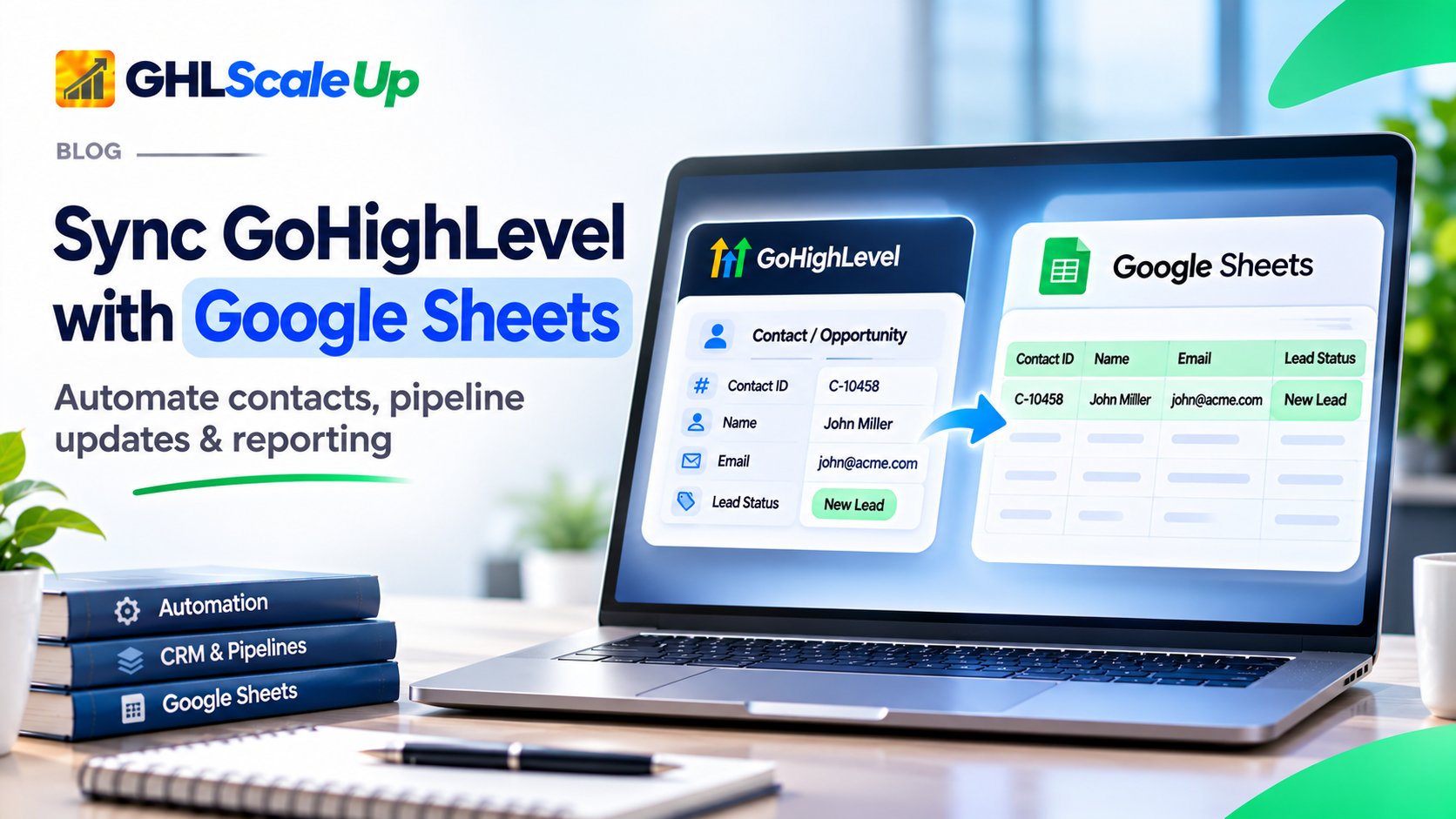
Yes, GoHighLevel can send data to Google Sheets automatically. The simplest route is the built-in Google Sheets workflow action, which can add a row, look up an existing row, and update it. When you need data to flow the other way, or logic a workflow cannot handle, Zapier, Make or a custom webhook fill the gap.
Most tutorials stop at "add a row". This guide goes further: what data you can actually send, which method fits which job, how to update a row instead of creating a duplicate, what the native action costs, and where Google Sheets stops being the right tool. For general workflow building, see the GoHighLevel workflow automation guide.
Quick answer
One-way logging (new lead goes to a sheet): native action. Keeping rows current: native lookup then update. Sheet to GoHighLevel: Zapier or Make. Scheduled reporting: a different job, usually an API script or a reporting connector. Real-time is not promised by any source; plan for small delays.
Why Would You Sync GoHighLevel Data with Google Sheets?
GoHighLevel is the system of record for contacts, opportunities and bookings. A spreadsheet is useful when someone needs a shared, filterable view outside the CRM, such as a finance contact, a client who only wants a lead list, or a manager who prefers pivot tables.
- Lead logs a team or client can read without a CRM login.
- Pipeline reviews with pivot tables and charts.
- Appointment and attendance lists for front desks.
- Handoff sheets between sales, onboarding and finance.
- Reconciling leads against ad platform exports.
Syncing replaces manual exports and copy-paste, which saves time and reduces typing errors. It does not by itself improve conversion or revenue; it improves visibility, and what you do with that visibility is up to you.
What GoHighLevel Data Can You Send to Google Sheets?
Availability depends on the method. A field existing in HighLevel's API does not guarantee that a workflow action, Zapier step or Make module exposes it. Check the field list in the tool you choose.
Which Contact Fields Can You Send to Google Sheets?
HighLevel's Get Contact API documents these fields: id, name, email, phone, companyName, source, tags, assignedTo, dateAdded, customFields and type. Two things to know: assignedTo is a user ID, not a name, and custom fields come as an ID plus a value, so a tool must translate the ID into a column.
Which Opportunity Fields Can You Send to Google Sheets?
The Search Opportunity API documents name, monetaryValue, status, source, pipelineId, pipelineStageId, assignedTo, a contact object (id, name, companyName, email, phone, tags), createdAt, lastStatusChangeAt and customFields. Pipeline and stage appear as IDs. A closing date field was not in the response read, so build a close-date column from a custom field or the status-change timestamp only after confirming what your tool returns.
Can You Send Appointments, Campaign Data and Payments to Google Sheets?
- Appointments: the workflow triggers Customer Booked Appointment and Appointment Status exist. Which appointment fields are available to the sheet action was not verified, so confirm them in your workflow.
- Form submissions: the Form Submitted trigger exists; the fields depend on your form.
- Payments and orders: the triggers Payment Received, Order Submitted and Invoice exist. Whether every amount and status field reaches a sheet was not verified. A sheet is a convenience view here, not an accounting record.
- Email and campaign engagement: not a record-level sync. Treat opens, clicks and similar figures as reporting, not row data.
Which Method Should You Use to Connect GoHighLevel to Google Sheets?
| Method | Use it when | Watch out for |
|---|---|---|
| Native Google Sheets action | You log or update rows from GoHighLevel events | Premium cost after 100 free lifetime executions; one-way only |
| Zapier | You already use Zapier or need Sheets to GoHighLevel | Only one HighLevel trigger listed on its integration page; confirm task limits and pricing |
| Make | You need branching, filters or data cleanup | No appointment modules listed; Update a Row needs a row number |
| Custom Webhook plus Apps Script | You want no third-party platform and can maintain code | Security of the web app; no documented webhook retry behavior |
| Reporting connector | You want scheduled client dashboards | A paid vendor product, not a record sync |
Simple rule: pick the least complex method that can do the job. Start native. Move up only when a documented limit stops you.
Contact Created, Opportunity Status Changed, Customer Booked Appointment, Scheduler …
How Do You Send New GoHighLevel Contacts to Google Sheets?
Goal: when a new contact is created, add a row to a lead log. These steps follow HighLevel's Google Sheets premium action article (modified 29 September 2026). Menu labels can change, so confirm them in your account.
Step 1: Build the sheet first
Create a spreadsheet and put your headers in row 1. Use unique names and keep the first column as Contact ID. A suggested start: Contact ID, Date Added, Name, Email, Phone, Source, Tags, Assigned To.
Step 2: Create the workflow
- Go to Automation > Workflows and create a workflow.
- Add the trigger Contact Created. (The triggers list also includes Contact Changed and Contact Tag.)
- Click + to add an action, search for Google Sheets, and choose Create Spreadsheet Row.
- Connect and authorize a Google account that can edit the sheet.
- Select the Drive, Spreadsheet and Worksheet.
- Click Refresh Headers, then set Starting Column and Ending Column and map each column to the matching contact value.
- Save the action and publish the workflow.
Step 3: Check it with a test contact
Create a test contact and confirm one row appears with the right values in the right columns. Then check the workflow's execution log. If you later add, rename or reorder a column, click Refresh Headers and review the mapping again.
Cost note
This action is billed as a premium workflow action. Eligible sub-accounts get 100 free lifetime executions, then standard premium pricing applies unless a Workflow Pro plan covers it. The page does not list rates, so check your rate card before enrolling large numbers of contacts. Workflows also do not batch contacts: each enrollment writes its own row.
How Do You Update an Existing Google Sheets Row Instead of Adding a Duplicate?
A duplicate happens when every change creates a new row. The fix is simple in concept: use a stable ID, look for a row with that ID, update it if found, and create a row only if not found.
Native approach
- Use the trigger Contact Changed (or a trigger matching the change you care about).
- Add a Google Sheets Lookup action. Set the Column to Contact ID, set the Lookup Value to the contact's ID, and choose a Search Order (from the top or the bottom).
- Add an update action that uses the Lookup result. Only one Lookup can feed an Update, and the Lookup must come earlier in the workflow.
- Optionally have the lookup create a row when nothing matches, or branch with If/Else on the Lookup result.
Documented behavior worth knowing: if a Lookup finds no row, dependent Update steps are skipped; a no-match create is charged as its own premium execution; and delete actions clear cell contents but do not remove the row. The article describes these capabilities and field labels but names only the create actions exactly, so confirm the dropdown labels.
Zapier approach
Zapier's Google Sheets app offers Lookup Spreadsheet Row, Find or Create Row and Update Spreadsheet Row. Use Find or Create Row keyed on Contact ID, then update the found row. Its integration page lists HighLevel actions such as Add/Update Contact and Add/Update Opportunity, and lists Pipeline Stage Changed as the HighLevel trigger. For other events, confirm whether to start from a GoHighLevel workflow webhook instead.
Make approach
Make's Google Sheets modules include Search Rows, Add a Row and Update a Row. Update a Row targets a row number, so the usual pattern is: search by ID, then use a router to add a row when nothing is found and update when something is. Make's documentation says the advanced Search Rows module does not return row IDs, so confirm in your scenario how you will obtain the row number.
Why not match on email?
Emails can be blank, shared, typed differently or changed. A Contact ID or Opportunity ID does not change, so use it as the key and keep email as an ordinary column.
How Do You Sync GoHighLevel Opportunities and Pipeline Changes to Google Sheets?
Use one row per opportunity, keyed on Opportunity ID. HighLevel offers the triggers Opportunity Created, Opportunity Status Changed and Pipeline Stage Changed. The row is created on the first event and updated on later ones, using the lookup pattern above.
Make example: opportunity created or updated to a sheet
- Create the sheet with Opportunity ID in column A, followed by Contact Name, Company, Pipeline, Stage, Value, Owner, Created Date and Status.
- In Make, start the scenario with the HighLevel Watch Events module. Make documents it as webhook-based and says the required scopes are selected in the GoHighLevel Marketplace. The older Watch Opportunities module is marked deprecated.
- Add Google Sheets Search Rows with a filter on the Opportunity ID column.
- Add a router with two routes: one when nothing is found (Add a Row) and one when a row is found (Update a Row, using the row number).
- Map the opportunity fields to the columns. Pipeline and stage arrive as IDs, so decide where the readable names come from.
- Add error handling, run the scenario on a few test cases (new, changed stage, changed value), and activate it.
This is an outline based on Make's documented modules, not a tested scenario. Confirm module names and the row-number method in your own scenario.
How Do You Send GoHighLevel Appointments to Google Sheets?
Use the Customer Booked Appointment trigger to create a row, and the Appointment Status trigger to update it. Key the row on an appointment identifier if your tool exposes one; otherwise use Contact ID plus appointment start time. Which appointment fields are available to the Google Sheets action was not verified here, and Make lists no appointment modules, so confirm the field list in the workflow picker before you design columns.
Pick one time zone for the sheet and note it in the header, so staff in other regions do not misread times. For calendar basics, see the GoHighLevel calendar and booking guide.
How Does a GoHighLevel Webhook Get Data into Google Sheets?
A webhook is an HTTP request. HighLevel's Custom Webhook action can send GET, POST, PUT or DELETE requests to a URL you choose, with custom headers, an authorization option and a JSON or form body. It does not write to Google Sheets. Something has to receive the request and write the row.
| Step | What GoHighLevel does | What the receiver must do |
|---|---|---|
| 1 | Workflow trigger fires (for example Contact Created) | Nothing yet |
| 2 | Custom Webhook action sends a POST with a JSON body you built, using fields from the contact | Be reachable at a URL and accept the request |
| 3 | HighLevel does not document a default payload or retry behavior | Read the body, check a shared secret, pick the ID |
| 4 | Execution Logs show whether the action fired and the status code | Look up the row, update or add it, return a response |
Receiver options:a Zapier catch hook, a Make webhook (Watch Events is webhook-based), or a Google Apps Script web app. Google documents that a web app runs doPost when it receives a POST, exposes the body as e.postData.contents, and must return a text or HTML output; you deploy it from Deploy > New deployment as a Web app.
This guide describes the Apps Script logic in words and does not include code, because code was not run for this research. In plain terms, the script parses the JSON, checks a secret you include in the body, finds a row by ID, updates or adds it, and returns a short confirmation.
Can Google Sheets Changes Sync Back to GoHighLevel?
Not as a standard feature. No Google Sheets trigger was documented for GoHighLevel workflows. Reverse sync means another tool watches the sheet:
- Zapier: its page lists a template "Update HighLevel contacts with new or updated Google Sheets rows" and actions Add/Update Contact and Add/Update Opportunity.
- Make: Watch New Rows triggers on new rows; Watch Changes triggers on cell edits made by a user in the Sheets app, not by scripts or API calls, and it does not detect new rows.
True two-way sync adds risk: conflicting edits, loops where each system keeps updating the other, and overwritten fields. Keep it safe by letting each field be editable in one place only, keying on Contact ID, and adding a marker so a change made by the sync does not trigger the sync again. If you only need to import a list into GoHighLevel, a one-time import is simpler than a permanent two-way sync.
Can You Schedule a GoHighLevel to Google Sheets Sync?
Scheduled and event-based sync solve different problems. Event-based sync writes a row when something happens. Scheduled sync pulls a batch on a timer, which suits daily totals or a weekly client report.
- HighLevel Scheduler trigger: offers daily, weekly, monthly, every N days, one-off and cron-style schedules, runs in the account timezone, and cannot run more than once per hour. It is contactless, so it does not enroll contacts or list them, and it does not backfill missed runs.
- Make or an API script: can read contacts or opportunities on a timer. HighLevel's API returns up to 100 records per page and has default limits of 100 requests per 10 seconds and 200,000 per day. Google allows 300 write requests per minute per project and 60 per user.
- Reporting connectors: vendors such as Two Minute Reports advertise scheduled refresh. Their metric claims were not verified.
Do not promise instant sync. Event triggers, platform polling, retries and rate limits all add delay.
What Should Your Google Sheet Look Like for Your Business?
Design the sheet before building the workflow. Put the ID in column A, keep GoHighLevel-owned columns separate from columns your team types into, and decide on date and time formats up front. The structures below are illustrative, not GoHighLevel templates.
Agency lead tracking sheet
Columns: Contact ID | Lead Date | Client Account | Contact Name | Email | Phone | Source | Campaign | Assigned User | Lead Status | Opportunity Value
One row per contact. Contact ID is the key used for updates. Client Account is not a default contact field: add a custom field, a tag convention, or a fixed value per client workflow. Campaign and Lead Status usually need a custom field or tag. Assigned User arrives as an ID unless the tool resolves the name.
Sales pipeline tracking sheet
Columns: Opportunity ID | Contact Name | Company | Pipeline | Stage | Opportunity Value | Assigned Salesperson | Created Date | Last Follow-Up | Status
One row per opportunity. Pipeline and Stage are IDs in the API, so map names where the tool provides them. Last Follow-Up is not an opportunity field in the response read; use a custom field or a workflow step that writes a date.
Appointment tracking sheet
Columns: Appointment ID | Contact Name | Appointment Date | Appointment Time | Calendar | Assigned Team Member | Appointment Status | Source
One row per appointment. Which of these fields the workflow picker exposes was not verified. Split date and time only if the tool gives one timestamp, and decide on one time zone first.
Client onboarding and operations sheet
Columns: Contact ID | Client Name | Onboarding Date | Assigned Manager | Service | Project Status | Payment Status | Next Action | Notes
Mostly custom fields plus data entered by the team. Decide which columns GoHighLevel owns and which the team edits by hand, and keep them in separate column groups so a sync never overwrites hand-typed notes.
Healthcare and clinics: keep appointment sheets to operational fields. Do not move protected health information or other sensitive personal data into a spreadsheet without assessing privacy, access-control, contractual and regulatory requirements. A standard Google Sheet is not automatically suitable for regulated records.
Ecommerce: the store platform remains the source of truth for orders. A sheet fed from GoHighLevel is a convenience view and should be reconciled against the store.
Why Are Rows Duplicated, Missing or Not Updating?
| Symptom | Likely cause | What to check |
|---|---|---|
| Duplicate rows | Create action runs on every event with no lookup; key is email or name | Add Contact ID, look up first, update when found |
| Data in the wrong column | Columns added, renamed or reordered after mapping | Click Refresh Headers and re-map; confirm correct worksheet tab |
| No new rows | Workflow not published, trigger conditions not met, or Google account disconnected | Execution Logs; reconnect the Google account |
| Update step did nothing | Lookup found no row, so dependent update steps are skipped | Check the lookup column and value; add a create-on-no-match branch |
| Several contacts written as one row | Multiple-rows action expects an array of row objects | Use the single-row action, or pass an array |
| Costs growing | Each lookup, create or update may be a premium execution | Review the premium rate card; reduce executions |
| Webhook arrives but nothing is written | Receiver rejected it or script failed | Check the status code in Execution Logs and the receiver logs |
| 429 errors | Google Sheets or HighLevel API rate limits | Slow down; Google recommends exponential backoff |
| Make Watch New Rows stops | A blank row in the sheet | Remove blank rows |
| Old values after a custom field rename | Mapping by label rather than ID | Re-check field mapping after renames |
Is It Safe to Put GoHighLevel Contact Data in Google Sheets?
- Share the sheet only with named people, never with an "anyone with the link" setting to make an integration work.
- Send only the columns you need. Avoid notes, health details and payment details.
- Keep API tokens and webhook secrets out of URLs and out of the sheet.
- Use a Private Integration token or OAuth token with only the scopes you need, such as contacts.readonly.
- Remember a sheet has no per-row permissions: anyone with access sees every row.
- Review who owns the connected Google account. If that person leaves, the integration can break.
When Is Google Sheets Not Enough for GoHighLevel Data?
Move to a database, a reporting platform or a business application when:
- Several people need to edit the same rows at the same time and conflicts matter.
- You need row-level permissions or an audit trail.
- Volume or refresh frequency pushes against Google API quotas.
- Reports must join data from several sources.
- The data is regulated or highly sensitive.
- The sheet has become the system of record, which was never its job.
Google documents file size ceilings in its tools (Zapier states 30 MB for triggers and 50 MB for actions) and per-minute API quotas, so a sheet that grows very large can slow or break automations.
Frequently Asked Questions About Syncing GoHighLevel with Google Sheets
Can GoHighLevel connect directly to Google Sheets?
Yes. GoHighLevel has a Google Sheets workflow action, documented as a Premium Workflow Action, that can create, look up, update and clear rows. It works from inside a workflow, so GoHighLevel sends data to the sheet. A Google Sheets trigger that starts a workflow was not documented.
Do I need Zapier to connect GoHighLevel to Google Sheets?
No for sending GoHighLevel data to a sheet, because the native action exists. Zapier or Make becomes useful when you need Sheets changes to flow back to GoHighLevel, or logic the workflow cannot do.
Can GoHighLevel update an existing Google Sheets row?
Yes, per the premium action article: look up the row by a column and value, then update that row. Use a stable ID as the lookup column. Confirm the exact action labels in your account.
Does the native Google Sheets action cost extra?
It is a premium workflow action. Eligible sub-accounts get 100 free lifetime executions, then standard premium pricing applies unless a Workflow Pro plan covers it. The page does not list the rates. A lookup that finds nothing and creates a row is charged as a separate premium execution.
Can I sync Google Sheets changes back to GoHighLevel?
Not with a documented native trigger. Zapier and Make can watch a sheet and then add or update contacts and opportunities. Make's Watch Changes trigger only detects edits made by a user in the Sheets app, not script or API changes.
How often can the sync run?
Event-based workflows run when the trigger fires. The Scheduler trigger cannot run more than once per hour and does not backfill missed runs. Google Sheets API write quotas also apply for custom setups. No source promises instant sync.
How do I stop duplicate rows?
Add a Contact ID or Opportunity ID column, look up that ID before writing, and update when found. Do not use email as the only key, because it can be blank, repeated or changed.
Can I connect several GoHighLevel accounts to one Google Sheet?
Each sub-account needs its own workflow or scenario writing to the shared sheet, and each needs its own connection. Cross-account sheets are a design choice and were not verified as a built-in feature.
Where Should You Start?
Start with one trigger, one sheet and one method. Add a Contact ID column, confirm it logs correctly, then add lookup and update. If you want help choosing a method or building a reliable integration, GHL Scale Up offers integration and workflow work and a free integration audit.
Facts reflect HighLevel, Google, Zapier and Make documentation as of 13 November 2026. These products change often, so confirm labels and pricing in your accounts.
Still have questions about syncing GoHighLevel with Google Sheets?
Talk to our GHL experts directly. We're here to help.
Related Articles in This Series
Start with one trigger, one sheet and one method.
GHL Scale Up offers integration and workflow work and a free integration audit. If you want help choosing a method or building a reliable integration, get in touch.
Book Your Free Call
Facts reflect HighLevel, Google, Zapier and Make documentation as of 13 November 2026. These products change often, so confirm labels and pricing in your accounts.
ghlscaleup.com