

Get quick guidance for your migration.
Why This Migration Is Different From Most
ActiveCampaign users typically have deeper, more mature email automation than users of other platforms sophisticated branching sequences, contact scoring models, and tightly segmented lists built up over years. That makes this less of a data move and more of an architecture rebuild. Still deciding whether ActiveCampaign or GoHighLevel is the right fit for your business? See our full ActiveCampaign vs. GoHighLevel comparison. Weighing several source platforms at once? Check which platform is easiest to migrate to GoHighLevel first. This guide assumes you've already settled on ActiveCampaign as your starting point and covers the technical migration itself.
What Transfers vs. What Breaks
The rule is simple: data transfers, logic does not. Contacts, tags, and custom field values export from AC as CSV and import cleanly into GHL. Every automation, scoring rule, and conditional trigger the logic that actually runs your business has to be rebuilt from scratch inside GHL's workflow builder.
| ActiveCampaign Asset | GHL Equivalent | Migration Method |
|---|---|---|
| Contacts (name, email, phone) | Direct (CSV) | Clean and deduplicate before importing |
| Tags | Direct (CSV mapping) | Create matching tags in GHL first |
| Custom fields | Direct, requires pre-mapping | Build matching fields before importing |
| Lists | Tags / Smart Lists | GHL has no separate "list" object |
| Automations | Manual rebuild | Trigger and branching logic rebuilt from scratch |
| Forms | Manual rebuild | Update embed codes on your website |
| One-off email campaigns | Manual rebuild | Recreate templates in GHL's builder |
| Segmentation logic | Tags + Smart List conditions | Underlying mechanism differs |
| Contact/lead scoring (Plus+) | Custom field + workflow logic | No native scoring module in GHL |
| Deals/Pipelines (add-on) | Partial (structure manual, data CSV) | Only relevant if using this add-on |
| Site/event tracking history | Not transferable | Tracking restarts fresh in GHL |
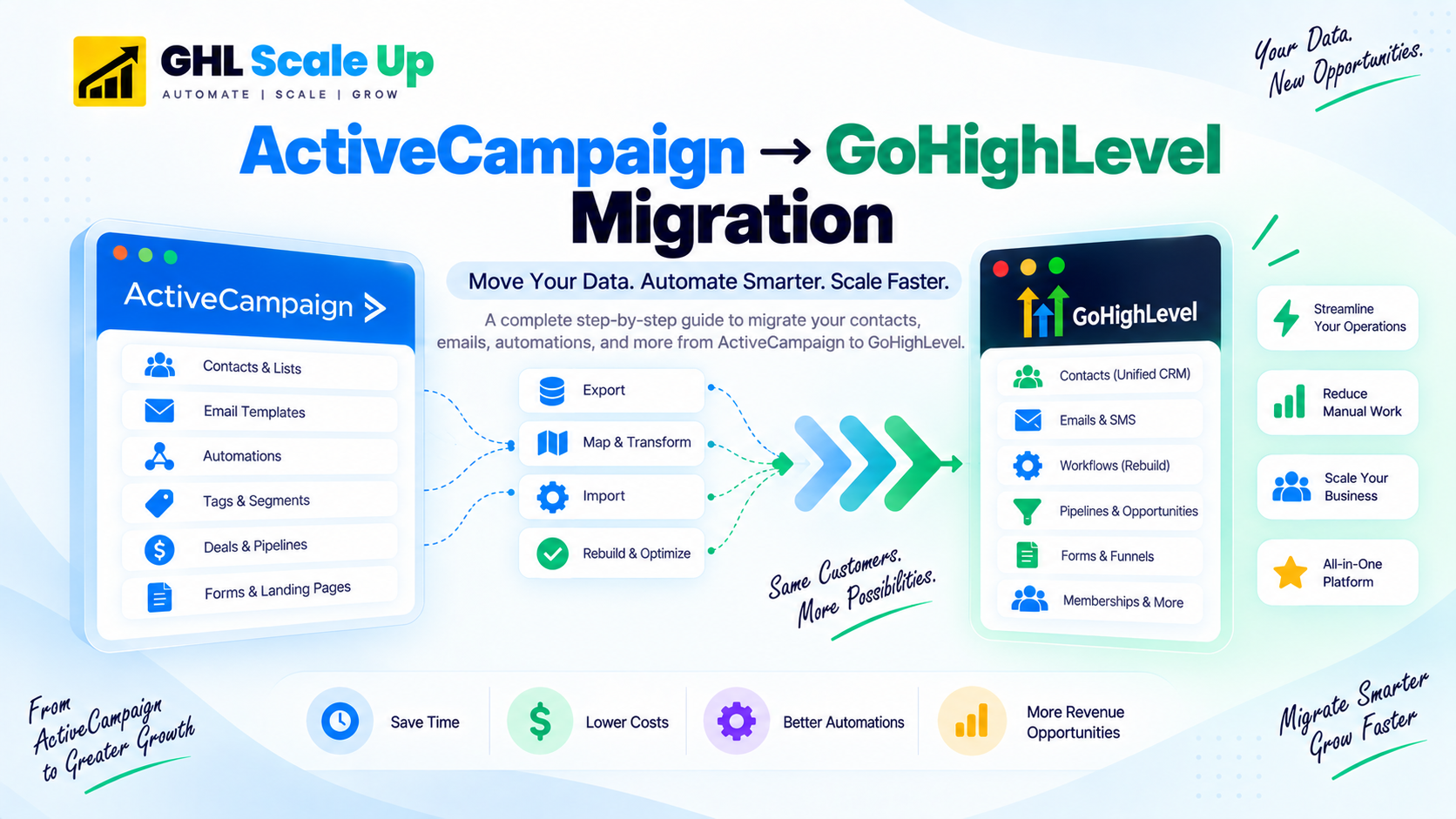
ActiveCampaign runs two segmentation systems at once contacts belong to lists and separately carry tags. GoHighLevel has one system: tags, plus Smart Lists built from tag conditions. If you map both AC systems onto GHL tags without a clear naming convention beforehand, you'll end up with duplicate or conflicting segments. Build your tag-mapping document which AC list becomes which GHL tag, and which AC tag stays a tag before importing a single contact, not after.
What you actually need to migrate depends on your ActiveCampaign setup. Contact/lead scoring requires the Plus plan or above if you're on Starter, there's no scoring data to migrate. Deals and Pipelines functionality is currently sold as a separate add-on (Sales Engagement/Pipelines) rather than bundled into any base plan if you haven't purchased that add-on, you likely have no deal or pipeline data to worry about. ActiveCampaign's plan packaging has changed more than once in recent years, so it's worth a quick check against your own account before assuming which of these apply to you.
Step-by-Step: How the Migration Works
Audit every automation before touching anything.
List each active automation with its trigger, purpose, and monthly volume. This step typically reveals that a meaningful share of AC automations are legacy and can be left behind entirely. For the full pre-migration process beyond just automations, work through the GoHighLevel migration checklist.
Export contacts, tags, and custom fields as CSV.
Include all custom field and tag columns in the export. Clean it first remove hard bounces, unsubscribes, and invalid addresses.
Build your GHL infrastructure before importing.
Create custom fields, pipeline stages (if applicable to your account), and configure your email domain with DKIM/SPF/DMARC this needs to be done before any contact is imported.
Import and validate immediately.
Map each CSV column to its GHL field, then spot-check 20–30 random contacts before building any automations on top of the import.
Rebuild automations as GHL workflows, highest-volume first.
Recreate each active AC automation's trigger and logic using GHL's If/Else conditions. Test with a real contact before activating.
Run parallel for 2–3 weeks, then cut over.
Keep AC active while GHL runs alongside it. Warm your sending domain (see below) during this window. Cancel AC only after two error-free weeks in GHL.
For AC-specific factors that stretch or shorten this timeline automation count, whether you're using the Pipelines add-on, list size these compound with the general framework covered in the GHL migration timeline guide.
The Email Deliverability Question Honest Answer
This is the most important concern for anyone migrating from ActiveCampaign, and it deserves a direct answer: ActiveCampaign has more mature email deliverability infrastructure than GoHighLevel. Switching means switching sending infrastructure, and there will be a short-term deliverability dip.
How to minimize it:
- Complete DKIM, SPF, and DMARC authentication in GHL before sending anything
- Warm your GHL sending domain over 2–3 weeks, starting with 50–100 emails/day to your most engaged contacts
- Clean your list before importing remove bounces and unengaged contacts
- Watch open rates, click rates, and bounce rates closely on your first 10–15 campaigns
Agencies that complete domain authentication and warmup correctly typically see deliverability stabilize within 4–6 weeks. Skipping warmup and sending to a full list on day one can take 3–6 months to recover from.
The Two Mistakes Unique to ActiveCampaign Migrations
General migration mistakes cancelling too early, skipping domain warmup, migrating without auditing first apply to any platform switch and are covered in 8 common GHL migration mistakes. Two mistakes are specific to what makes ActiveCampaign's structure different:
Assuming lead scoring carries over.
Fix: It doesn't, and there's no GHL equivalent module. You have to rebuild it manually a numeric custom field that increments or decrements based on workflow triggers (form submitted, email opened, page visited). Teams that don't plan for this go live with no scoring at all and only notice once sales asks where the "hot lead" flag went.
Collapsing lists and tags into a single mapping without a plan.
Fix: Covered in detail above get your tag-mapping document written before you import, not after.
Frequently Asked Questions
Can automations be migrated from ActiveCampaign to GoHighLevel?
No, not automatically. AC automations use a different trigger model than GHL workflows. Each one must be rebuilt manually matching the trigger, recreating the action sequence, and rebuilding conditional logic with GHL's If/Else conditions. Complex multi-branch automations take roughly 4–8 hours each to rebuild.
Will my email deliverability suffer during the switch?
Typically yes, short-term. ActiveCampaign's deliverability infrastructure is more mature than GHL's. Complete DKIM/SPF/DMARC setup and a 2–3 week domain warmup before full sending to minimize the impact.
How do ActiveCampaign tags and lists migrate?
Tags migrate directly via CSV column mapping. Lists don't have a direct GHL equivalent they're typically rebuilt as tags or Smart Lists. Map both systems onto a single, clearly documented tagging structure before importing to avoid duplicate segments.
Does GoHighLevel have lead scoring like ActiveCampaign?
Not natively. Recreate it with a numeric custom field incremented or decremented by workflow actions based on contact behavior.
How long does the migration take?
A typical account with 5,000–20,000 contacts and 5–15 automations takes 2–3 weeks. Complex accounts with 50+ automations and the Pipelines add-on in use take 4–6 weeks.
Can I do this myself, or should I hire help?
If your automation logic is simple and you're comfortable with CSV mapping, yes. For 50+ automations, active lead scoring, or deep third-party integrations, most teams find a managed migration faster than the learning curve.
Related Articles in This Series
Moving from ActiveCampaign to GoHighLevel?
Don't skip the email warmup. We'll make sure you don't. Automation audit, contact migration, tag mapping, domain warmup scheduling, and GHL workflow rebuild all handled. Book a free migration assessment.
Book Your Free Migration Assessment