

What the URL Import Tool Actually Does (and Doesn't Do)
This is the single most important thing to understand before you start, because it determines how much of this migration is fast versus how much is manual rebuilding.
In your GHL sub-account, under Sites → Funnels, you can add a new funnel step and paste a live ClickFunnels page URL. GHL fetches that page and clones the layout, copy, and images into a new GHL funnel step. Per GoHighLevel's own current support documentation, this importer works for both ClickFunnels 1.0 (Classic) and ClickFunnels 2.0 some older third-party guides claim 2.0 isn't supported, which is outdated.
- You must use the live, publishable page URL, not ClickFunnels' internal "shareable" link the shareable link won't work.
- Import happens one funnel step at a time, not the whole funnel in a single action, so a 5-step funnel means 5 separate imports.
- And per GHL's own documentation, Membership Areas are the one page type the importer explicitly does not bring over if any of your ClickFunnels funnels include a Members Area, that content has to be rebuilt manually using GHL's separate Memberships tool, not the funnel importer.
The import captures visual design only. Buttons that pointed to ClickFunnels order forms still point there until you rebuild them. Email sequences, SMS automations, payment integrations, and tracking codes behind the page do not come with it those all require separate, manual rebuilding, covered below.
What Transfers vs. What You Rebuild
| ClickFunnels Asset | What Happens in Migration | Action Required |
|---|---|---|
| Funnel page design (copy, images, layout) | URL import tool clones it automatically | Review each imported page before sending traffic |
| Funnel step sequence | Not automatic you recreate the order | Import each step individually, in the same order |
| Contacts and leads | Export as CSV from CF, import into GHL | Clean the CSV, map fields during import |
| Order bumps and one-click upsells/downsells | No direct import but GHL has a native equivalent | Rebuild using GHL's own order bump and one-click upsell/downsell tools |
| Email/SMS follow-up sequences | Does not transfer | Rebuild as GHL workflows, one sequence at a time |
| Stripe payment integration | Does not transfer | Reconnect Stripe directly inside GHL |
| Domain settings | Does not transfer | Point domain DNS to GHL, update all funnel links |
| Tracking (Facebook Pixel, GTM, etc.) | Does not transfer | Re-add tracking codes to each imported page |
| Membership areas / course content | Explicitly excluded from the URL importer | Rebuild structure using GHL's Memberships tool, then re-upload content |
| Affiliate program (Backpack) | Does not transfer | Set up GHL's own affiliate manager separately |
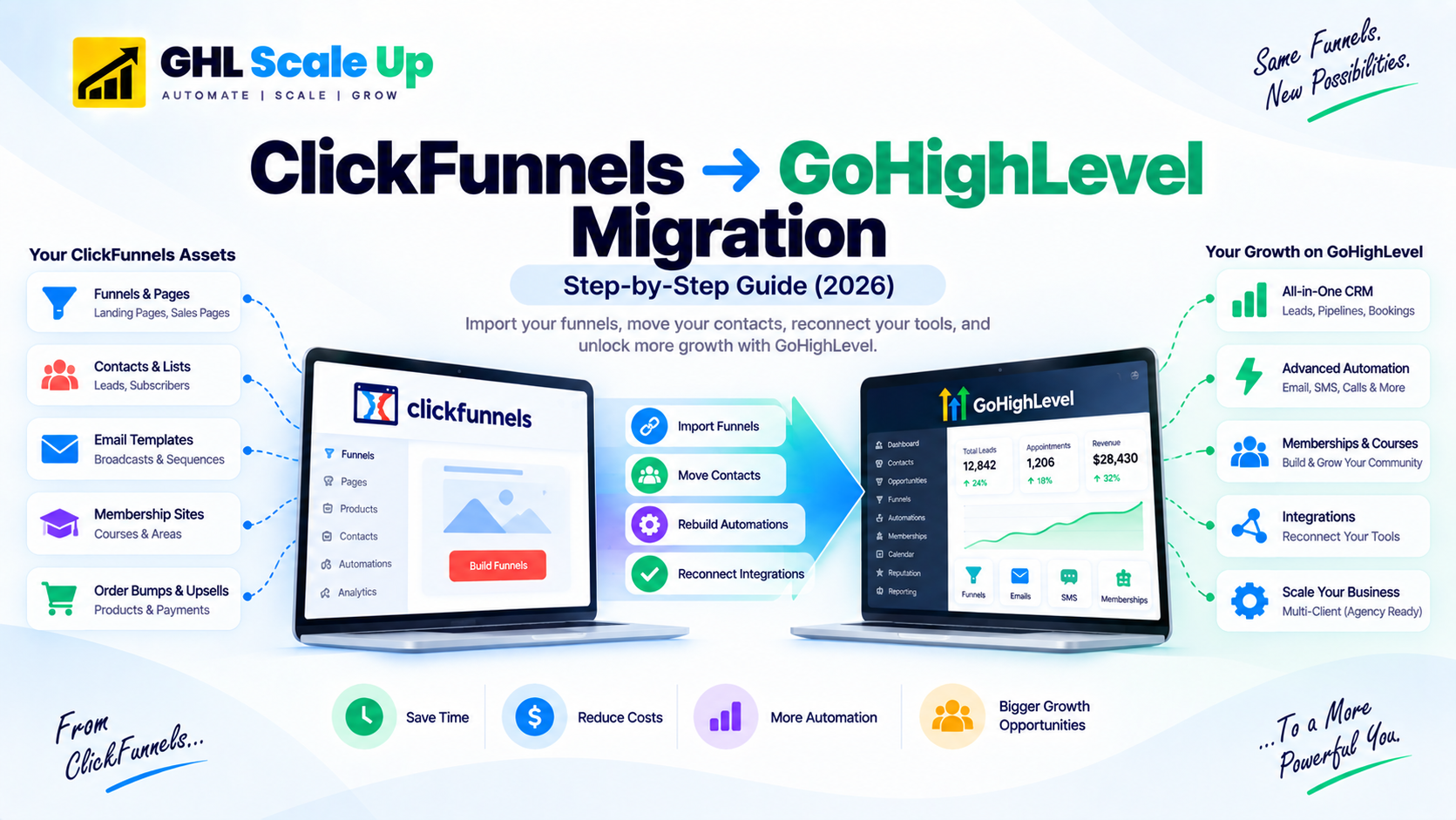
Step-by-Step: How to Migrate from ClickFunnels to GoHighLevel
Audit your ClickFunnels account before exporting anything.
List every active funnel with its purpose and traffic, and document every email sequence and which funnels feed into it. This becomes your migration blueprint.
Export your contacts.
In ClickFunnels, go to Contacts → Export and download a CSV. Clean it remove duplicates, standardize phone formats before importing into GHL's Contacts → Import.
Import your funnels with the URL import tool.
In your GHL sub-account, go to Sites → Funnels → New Funnel, add a step, and paste the live ClickFunnels page URL (not the shareable link). Repeat for each step, in order. Remember: Membership Area pages need to be rebuilt separately in GHL's Memberships tool instead.
Rebuild order bumps, upsells, and downsells.
Recreate any ClickFunnels order bump or one-click upsell using GHL's native order bump and one-click upsell/downsell features on your order form and post-purchase steps.
Rebuild your email and SMS automations as GHL workflows.
For each active ClickFunnels sequence, recreate the trigger and timing in GHL, using If/Else conditions for any branching logic. Start with your highest-revenue sequences first. See GoHighLevel's workflow automation guide for the setup mechanics.
Reconnect payments and tracking.
Connect Stripe to GHL, rebuild order forms, and re-add Facebook Pixel and Google Analytics to each page. Test that conversion events fire correctly on the thank-you page.
Run in parallel, then cut over the domain.
Keep ClickFunnels active while testing GHL on a staging URL. Once confirmed, update DNS to point to GHL and set up 301 redirects from every old ClickFunnels URL to its new GHL equivalent. Do not cancel ClickFunnels before this is complete unlike HubSpot's 25-day data export window, ClickFunnels offers no grace period; cancelling takes your live funnels offline immediately.
How Long Does a ClickFunnels to GoHighLevel Migration Take?
| Setup Complexity | Active Funnels | Email Sequences | Estimated Timeline |
|---|---|---|---|
| Simple, basic funnel business | 1–3 funnels | 1–3 sequences | 1–2 weeks |
| Standard established business | 3–8 funnels | 3–10 sequences | 2–3 weeks |
| Complex course or membership site | 8–15+ funnels | 10+ sequences, membership content | 3–6 weeks |
| Agency migrating multiple clients | Multiple accounts | Per-client complexity | 4–8 weeks |
The URL import tool handles page design quickly regardless of funnel count. What actually drives the timeline is the automation rebuild budget roughly 2–4 hours per complex email/SMS sequence plus membership content re-upload if applicable.
What Breaks and How to Fix It
Problem: Assuming the URL import tool migrates everything.
Why it happens: the import looks complete because the page visually matches.
Fix: treat the import as the starting point, not the finish line buttons still link to ClickFunnels order forms, Stripe isn't connected, and no email sequence fires until you rebuild each of those separately.
Problem: Redesigning funnels during the migration.
Why it happens: it's tempting to "improve while you're in there."
Fix: migrate exactly as-is first, then optimize afterward changing design and migrating at the same time makes it impossible to tell whether a performance change came from the platform switch or the redesign.
Problem: Skipping 301 redirects from old ClickFunnels URLs.
Why it happens: it's an easy step to forget once the new funnel looks done.
Fix: set up a 301 redirect from every old ClickFunnels URL to its GHL equivalent before cancelling ClickFunnels this preserves link equity and prevents dead links from ads, emails, or bookmarks.
Problem: Going live without testing the full purchase flow.
Why it happens: individual pieces (page, Stripe, tracking) get tested separately, but not the full sequence together.
Fix: run one real end-to-end test with a $1 product confirm the thank-you page loads, the tracking pixel fires, the follow-up email triggers, and the contact appears correctly in your CRM.
Should You Switch to GoHighLevel First?
This guide assumes you've already decided, or are close to it. If you're still weighing whether GoHighLevel is the right move for your business including cost comparisons and what GHL replaces that ClickFunnels doesn't cover natively see our GoHighLevel vs ClickFunnels comparison.
Frequently Asked Questions
Can GoHighLevel import ClickFunnels funnels automatically?
Partially. GHL's URL import tool clones a ClickFunnels page's visual design copy, images, layout by entering its live URL, one funnel step at a time, and it works for both ClickFunnels 1.0 and 2.0. It does not import automations, payment integrations, domain settings, tracking, or Membership Areas those require manual rebuilding.
How long does a ClickFunnels to GoHighLevel migration take?
A simple setup with 1–3 funnels takes 1–2 weeks. A standard business with 3–8 funnels takes 2–3 weeks. A complex setup with membership content and 10+ funnels takes 3–6 weeks. The automation rebuild, not the page import, is what drives the timeline.
What breaks when migrating from ClickFunnels to GoHighLevel?
Email and SMS sequences, Stripe payment connections, domain DNS settings, tracking pixels, membership area content, and the ClickFunnels affiliate system (Backpack) all need manual rebuilding none of these transfer through the URL import tool.
Does GoHighLevel have order bumps and upsells like ClickFunnels?
Yes. GoHighLevel supports native order bumps on the order form and one-click upsells/downsells using the same Stripe-token mechanic ClickFunnels uses the customer doesn't re-enter payment details. These have to be rebuilt manually; they don't come through the page importer.
Should I cancel ClickFunnels before finishing the migration?
No. Keep ClickFunnels active until every funnel is rebuilt and tested in GHL, sequences are live, domain DNS is updated, and you've run GHL in parallel for at least 1–2 weeks. ClickFunnels offers no post-cancellation grace period cancelling early takes your live funnels offline immediately.
Related Articles in This Series
Moving from ClickFunnels to GoHighLevel?
Do it once. Do it right. Funnel step mapping, follow-up sequence rebuild, Stripe reconnection, domain cutover, and conversion tracking all handled. Book a free migration assessment.
Book Your Free Migration Assessment