
A business owner is on a job site, a patient is in the chair, a coach is on a client call. The phone rings, nobody picks up, and the caller moves on to the next name in the search results. Most of us know this problem. What's harder to know is whether an AI voice answering the phone is a sensible fix or an expensive experiment.
What Is GoHighLevel Voice AI?
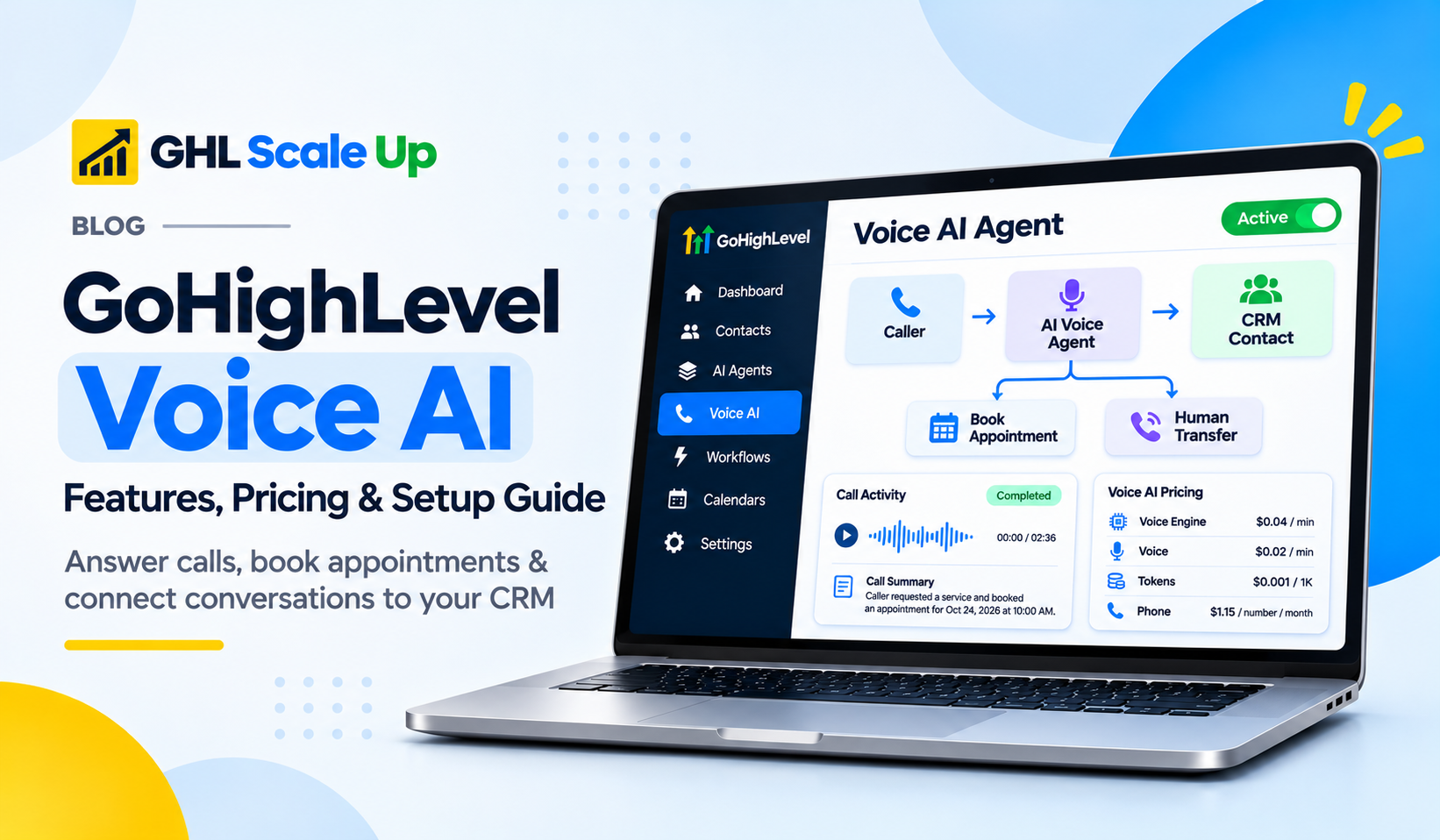
GoHighLevel Voice AI is HighLevel's built-in AI phone agent. It talks to callers in a natural voice, follows instructions you write for it, and can pass what it learns into your GoHighLevel account. It's the part of HighLevel's AI tooling that handles phone calls, much as Conversation AI handles text and chat. You may also see it called an AI receptionist or an AI voice agent.
Two comparisons help.
- It's not an old-style phone menu (IVR). A menu says "press 1 for sales" and can only follow fixed paths. Voice AI listens to what the caller says and responds in conversation, within the limits of its instructions.
- It's not a text chatbot with a voice added. A call has pauses, interruptions and people talking over each other, so it needs its own settings and its own testing.
It sits inside the same account as your contacts, calendars, workflows and phone numbers. That's the main reason to use it over a separate AI phone tool: what happens on the call can land in the CRM that your team already works in.
If you want the wider picture of HighLevel's AI features, our guide to the GoHighLevel AI Employee covers Voice AI, Conversation AI and Workflow AI side by side. This article stays on the phone side.
What Can GoHighLevel Voice AI Do?
These are the things HighLevel's current help article describes. We've split them into what you switch on and what you have to build.
Built into the Voice AI agent
- Answer inbound calls on a HighLevel number. You choose whether the agent answers every call or only acts as a backup when the main path doesn't pick up, and you can set working hours.
- Use your instructions and a knowledge base. You write what the agent should do, and you can attach a knowledge base with things like hours, services, policies and FAQs.
- Take actions during the call. HighLevel lists these action types: transfer the call to a human phone number, trigger a workflow, send a text message, update a contact field, book an appointment, send data to another system through a custom webhook, and hand off to another Voice AI agent where that's available.
- Keep a record. Call logs hold the transcript, recording, a summary and the results of actions. You can optionally add the summary to the contact's notes.
- Be built visually. A Flow Based Builder lets you lay out structured calls as connected steps, and HighLevel offers ready-made templates as a starting point.
Things that depend on your setup
- Booking appointments only works once a HighLevel calendar is connected and the agent is told when to use it.
- Transferring to a person only works if you've entered a destination number and written when to transfer.
- Outbound calling needs the applicable approval and compliance setup first. HighLevel says outbound testing can stay unavailable until that's done, and the outbound settings it describes (including an AI disclosure and a verbal opt-out) sit with its speech-to-speech agents.
- Languages and voices. You choose a voice, model and language when you create the agent. We couldn't confirm the full list of languages from the help article, so check the options in your own account before promising a client a particular one.
Everything above comes from the HighLevel help center article on creating Voice AI agents. Features change, so treat it as the reference if anything here looks different in your account.
How Does GoHighLevel Voice AI Work on a Real Call?
Here's one call, step by step, using a made-up plumbing company as the example.
- The caller dials the business number. The number is a HighLevel number that's been assigned to the agent.
- The call is routed. Working hours, routing mode, forwarding, timeouts and voicemail settings on that number all decide whether the call reaches the agent. Assigning a number doesn't guarantee every call gets there.
- The agent answers with the greeting you wrote.
- It listens and works out what the caller wants. A boiler has stopped working, say, and the caller wants someone out today.
- It answers using only what it's been given. That means your instructions and your knowledge base. If the answer isn't there, a well-written agent says it doesn't know rather than guessing.
- It collects details and runs actions. Name, address, the problem, a preferred time. It can book a slot if a calendar is connected, or update fields on the contact.
- It records the outcome. The transcript, recording and summary are stored in call history. Workflows you've attached can fire after the call, such as a task for the office or a follow-up text.
- It finishes or hands off. If the caller asks for a person, or the agent reaches a point you've told it to escalate, it can transfer the call to a human number.
Behind the scenes, the agent converts speech to text, a language model works out what to say, and a voice engine turns the reply back into speech. That's also why the bill has several parts, which we'll get to next.
GoHighLevel Voice AI Pricing: What Does It Actually Cost?
GoHighLevel Voice AI has no single price. You pay for AI usage (per minute, or through an AI Employee plan), and you pay separately for the phone system. The AI charges depend on which voice and model you pick. Phone charges apply either way.
The figures below come from HighLevel's AI product pricing article (page last modified 10 November 2026) and its phone system pricing guide (modified 12 October 2026). HighLevel changes rates from time to time. A lot of older articles still quote earlier numbers, so check the dates on anything you read, including this.
1. The platform subscription
This is your normal HighLevel plan. It isn't a Voice AI price and we don't repeat the plan prices here. For those, see our GoHighLevel pricing guide.
2. Voice AI usage: pay per use or an AI Employee plan
HighLevel offers three AI Employee plans, priced per sub-account:
| Plan | Monthly price | Voice AI |
|---|---|---|
| Starter | $20 | No Voice AI minutes included, so Voice AI is pay-per-use. HighLevel says Starter is only available to agencies on the $497 Founder plan. |
| Growth | $50 | 100 AI agent minutes a month, covering inbound, outbound and widget use combined. |
| Unlimited | $97 | Unlimited, subject to fair use. |
If you're on pay-per-use, or you use more than a plan includes, HighLevel gives this formula:
Estimated cost = minutes × (Voice Engine rate + voice rate) + language model (token) cost + phone system charges
- Voice Engine: $0.045 per minute for usage from 20 May 2026. Older usage may show an earlier, bundled rate.
- Voice rate: depends on the voice you choose. OpenAI and Cartesia voices are $0.015 per minute. ElevenLabs voices range from $0.035 (Flash) and $0.05 (Multilingual V2) up to $0.07 (V4 Turbo) and $0.17 (V3 and V4).
- Speech-to-speech models use one all-in rate instead: $0.10 per minute for the Google Gemini options, $0.12 for OpenAI GPT Live 1 and $0.20 for GPT Realtime 2 and 2.1.
- Language model tokens: charged at the model's API price. HighLevel doesn't give a flat per-minute figure because longer calls, bigger knowledge bases and longer replies use more tokens.
HighLevel's own example: a 10-minute call with an OpenAI TTS-1 voice costs $0.45 for the Voice Engine plus $0.15 for the voice, which is $0.60 before tokens and phone charges.
3. Phone and telephony charges
HighLevel says phone system charges still apply to all phone calls, whatever AI plan you're on. Its US and Canada guide lists a local number at $1.15 a month, inbound calls to a local number at $0.01165 a minute, and outbound calls at $0.0166 a minute. Call recording ($0.0025 a minute) and transcription ($0.024 a minute) are listed separately. The guide doesn't say what rate applies when Voice AI answers, so the examples below use the inbound local rate as an assumption.
4. What we couldn't confirm
- Whether Unlimited covers outbound and widget usage. An earlier version of HighLevel's article said it didn't. The current one doesn't spell it out. Check in your account before you quote a client.
- The extra-usage rate once a plan's minutes run out. HighLevel says usage pauses at the limit unless Extra Usage is turned on in AI Suite.
- Pricing outside the US and Canada. We only checked US and Canada rates.
What It Might Cost: Three Illustrative Examples
These are our own calculations, not HighLevel quotes. They use the rates above, a $0.015 voice, and assume the local inbound phone rate. They leave out language model token charges, so real bills will be somewhat higher.
| Scenario | Minutes a month | Pay-per-use (before tokens) | Unlimited plan | Notes |
|---|---|---|---|---|
| Small: 100 calls x 3 min | 300 | About $22.65 | About $101.65 | Pay-per-use wins by a long way |
| Growing: 400 calls x 4 min | 1,600 | About $115.79 | About $116.79 | Roughly break-even |
| Busy: 300 calls x 8 min | 2,400 | About $173.11 | About $126.11 | Unlimited wins, subject to fair use |
Each figure is the Voice AI charge plus inbound phone minutes at $0.01165 and one local number at $1.15 a month. For Unlimited, add $97 instead of the per-minute AI charge. Your own break-even depends on tokens and phone use. Without them, the Voice Engine plus a $0.015 voice reaches $97 at about 1,617 minutes a month.
Voice choice matters a lot. The same 2,400 minutes with an ElevenLabs V3 voice at $0.17 (so $0.215 a minute with the Voice Engine) would be about $516 for the AI part alone, against $144 with a $0.015 voice.
To work out your own number: estimate calls a month, multiply by average minutes, multiply by your agent's per-minute AI rate, add phone minutes and numbers, then add a cushion for tokens. After a few weeks of real calls, replace the guesses with what AI Suite shows.
If you run an agency
- Know where usage shows up. HighLevel says agency admins review AI usage in AI Suite at agency level, with a breakdown by location, product and model.
- Check rebilling before you price. HighLevel says AI Employee rebilling is turned on in agency settings and requires the $497 plan. Don't assume every cost can be rebilled automatically. Look at how each product behaves.
- Remember the wallet. AI and phone usage are paid from the agency wallet, so a busy client can use up funds quickly.
- Say it in the agreement. Tell clients plainly that call costs vary with call length and voice choice, and agree how overages are handled.
For the platform-wide cost picture, our GoHighLevel pricing and usage costs guide is the place to go.
How to Set Up GoHighLevel Voice AI
The steps below follow HighLevel's current help article (modified 17 November 2026). We haven't included screenshots because we couldn't capture the live interface. If your screen differs, trust your screen.
Step 1: Decide what the agent is for
Pick one job before you open the builder: answer questions, take messages, qualify enquiries, book appointments, or route calls. One agent with one clear purpose usually behaves better than one trying to do everything. HighLevel's own guidance starts the same way, with the agent's purpose and conversation instructions.
Step 2: Gather the business information
The agent can only be as good as what it's told. Collect the services you offer, opening hours, locations, common questions and their answers, prices you're happy to share, how appointments work, who to transfer to, and topics the agent must not discuss. If your notes contradict each other (two different opening times, say), the agent will too.
Step 3: Open Voice AI
Log in to the right sub-account, go to AI Agents, then Voice AI, and open the Agent List tab. You'll need the View & Manage Voice AI Agents permission. Click + Create Agent and choose one of three methods: Browse Marketplace (a prebuilt agent), Create Custom Agent, or Flow Based Builder. If you install from the marketplace, review every prompt, action, workflow, calendar and field before using it, and replace anything specific to someone else's business.
Step 4: Create the agent
In a custom agent, you enter an agent name, choose a voice, a model and a language, and set the time zone. You then write the prompt and a welcome message (inbound and outbound have separate ones), and you can choose who speaks first and how long the agent waits before speaking. HighLevel has a Prompt Optimizer for a first draft. Test whatever it gives you, and tell the agent not to guess when information is missing.
Step 5: Write the instructions
HighLevel suggests covering the agent's role and goal, what information to collect, what it can and can't discuss, when each action should run, when to transfer, and how the call ends. Here's an invented example. It isn't an official HighLevel template, and "Brightside Plumbing" doesn't exist.
Illustrative example only, not an official HighLevel template:
"You are the phone assistant for Brightside Plumbing. Greet the caller, say the company name, and ask how you can help. Your goal is to understand the problem and collect the caller's name, phone number, address and a short description. If it's a burst pipe or a gas smell, say you'll connect them to the on-call team and transfer the call. For all other jobs, offer to book a visit using the calendar. Answer questions about services and hours using only the knowledge base. If you don't know something, say so and offer to have the office call back. Never quote a final price or promise a time not shown in the calendar. If the caller asks for a person at any point, transfer the call. End by repeating the booking details and thanking them."
Step 6: Add the knowledge base and actions
Open Knowledge Base, pick one, add hours, services, policies and FAQs, and say when the agent should search it. Then open Actions and click + New Action. Choose the type, name it, write the trigger condition, and complete its settings: the transfer number, workflow, field, calendar or webhook. For call transfers you can write a short message the agent says before it transfers.
Step 7: Check the call behaviour settings
Turn on Show advanced settings and you'll find call duration, idle reminders and silence handling, response speed, interruption sensitivity, speech recognition and pronunciation keywords, voice speed and volume, and post-call options such as notifications, workflows and summaries. HighLevel doesn't publish default values for silence timeouts or maximum call length in this article, so look at what your account shows and set them deliberately.
Step 8: Connect calendar, phone and CRM
- Calendar: the appointment booking action needs a connected HighLevel calendar.
- CRM: use the update contact field action to save details, and workflows to take the next step after the call. If you want data in structured fields rather than just a transcript, you have to ask for it and map it. Our guide on how Conversation AI saves data to your CRM covers the same idea for text conversations.
- Phone: you assign a number in the next step.
Step 9: Assign a number and go live
Open the agent's Deploy tab. In the phone section, choose an eligible number or number pool (you can buy a new number from there). Under call routing, choose Answer Calls Directly or Use as Backup, then set working hours to all hours or a custom schedule. Before you save, look at the number's existing forwarding, timeout, voicemail and fallback settings, because they affect which calls reach the agent. If the number already rings your team, decide whether the agent replaces that or catches what's missed.
Step 10: Test before real customers call
HighLevel's test panel offers a Web Call (in the browser, no number needed) or a Phone Call (full telephony). One catch: call transfer doesn't run in Web Call tests. Test it with a phone call or by dialling the live number. Change one thing at a time between tests. These are the calls worth making:
- A simple question about hours or location.
- A question about services.
- A request to book an appointment.
- A caller who gives incomplete details.
- A question outside what the agent knows.
- A caller who asks for a person.
- A caller who changes their mind halfway.
- An unclear or rambling answer, plus some silence and interruptions.
After each, check it against the call history: was the answer correct, did the pauses feel acceptable, was the voice clear, were the details captured, did the booking land on the right slot and time zone, did the transfer connect, and did the contact record update?
Step 11: Watch real calls and improve
HighLevel gives you the transcript, recording, summary and action results for each call. Read a sample of real calls every week at first, note where it went wrong, and fix the instructions or knowledge base. Costs sit in AI Suite at agency level. Figures like how many callers asked for a human or how many bookings came from the agent aren't something we confirmed as ready-made reports, so you may need to count those from call history or your own reporting.
Practical Ways Businesses Can Use GoHighLevel Voice AI
These are examples of how the features above could be used. They're illustrations, not case studies, and not work we're claiming to have done.
A home services business
The problem: calls come in while the crew is on site. The caller: wants to know if someone can come out, and roughly when. The agent: collects name, address and the issue, offers an open slot from the calendar, and texts a confirmation. In the CRM: a contact with the job details and a booked appointment, plus a workflow task for the office. Human needed: emergencies, anything needing a price quote, and anyone who asks for a person.
A dental or clinic reception
The problem: front-desk staff are tied up with patients, so calls ring out. The caller: wants an appointment or asks about opening hours and services. The agent: answers from the knowledge base and books a slot. In the CRM: a new or updated contact with the appointment time. Human needed: anything clinical, any request for medical advice, urgent symptoms, and billing disputes. A health-related business should also check privacy rules before recording calls or storing details.
An agency setting it up for a client
The problem: the agency wants to offer AI call handling but doesn't want surprise bills. The approach: build one agent for one job, test it with the client's own calls, set the pricing and overage terms in the agreement, and check AI Suite regularly. Human needed: reviewing transcripts, updating the knowledge base when the client's offers change, and handling complaints.
What Are the Limitations of GoHighLevel Voice AI?
Voice AI is useful for routine calls. It isn't a replacement for a person. Here's where it can go wrong, grouped by cause.
Product and technology limits
- Delays. Users on HighLevel's own ideas board have reported pauses of several seconds before the agent speaks or replies. HighLevel marked one such request as fixed, but pauses can still vary with the model and voice you choose, so measure it on your own number.
- Misheard speech. Accents, background noise and poor phone lines can all cause errors. Test with realistic callers, not just clear voices in a quiet room.
- Transfers only work if configured and tested on a real call.
- Community-reported gaps. Some agencies describe issues such as robotic-sounding voices, no automatic recognition of repeat callers, and spam calls creating contacts. These are third-party and community reports we couldn't verify, so treat them as things to test for.
Setup mistakes
- Vague instructions, missing information, or a knowledge base that disagrees with itself.
- An agent trying to do too many things.
- Number routing that sends calls somewhere else.
Business risks
- The agent answering something it shouldn't, such as a price or a medical comment.
- Costs rising unexpectedly because of long calls or an expensive voice.
- Sensitive calls that need empathy and judgement.
Legal and privacy
Rules differ by country and state, and this isn't legal advice. Three points are worth knowing in the US:
- In 2024 the FCC ruled that AI-generated voices count as "artificial" voices under the Telephone Consumer Protection Act. That means outbound calls using an AI voice generally need the called person's prior consent. Read the FCC announcement.
- Call recording consent varies. Most US states need only one party to agree, but some, including California and Florida, require everyone on the call to agree. Different sources count the all-party states differently, so check your own states.
- HighLevel's outbound setup includes an AI disclosure and a verbal opt-out, which suggests the platform expects you to tell people they're speaking to an AI. We haven't researched rules in the UK, Canada or Australia for this article.
Common GoHighLevel Voice AI Setup Mistakes
| Mistake | What to do instead |
|---|---|
| Copying a marketplace agent without editing it | Review every prompt, action, workflow, calendar and field, and replace anything that belongs to another business. |
| Testing only in Web Call | Make a real phone call to test transfers. |
| Writing a long prompt with no boundaries | State what the agent can and can't discuss and when to transfer. |
| Forgetting how the number is routed | Check forwarding, timeout, voicemail and working hours on the number. |
| Choosing a voice without checking its cost | Compare per-minute voice rates before you choose one. |
| Not reading real calls after launch | Review a sample of transcripts weekly and update the agent. |
Is GoHighLevel Voice AI Right for Your Business?
It can be a good fit if most of your calls are routine, you miss calls because you're busy, you already use HighLevel for contacts and calendars, and you're willing to test and adjust. It's a weaker fit if most calls are complicated, emotional or regulated, if you need to be sure a human handles every call, or if you haven't decided what a good call outcome looks like.
Ask yourself four questions. What's the one job I want the agent to do? What happens when it can't answer? What would it cost at my call volume? Who will read the transcripts? If you can answer all four, you're ready to try it.
Some businesses build it themselves. Others bring in help when they want a custom call flow, calendar and CRM connections, tested transfers, or a tested agent before launch, or when an agency is planning to offer it to clients. If that's you, our GoHighLevel Voice AI agent setup service covers it, and you can book a call to talk it through.
Frequently Asked Questions About GoHighLevel Voice AI
What is GoHighLevel Voice AI?
It's HighLevel's AI phone agent. It answers calls using instructions you write, and can book appointments, update contacts and trigger workflows.
How much does GoHighLevel Voice AI cost?
It depends. Pay-per-use is a $0.045 per minute Voice Engine charge plus a voice rate (from $0.015) plus language model tokens, and phone charges are separate. AI Employee plans are $20, $50 or $97 per sub-account a month. Rates were checked in November 2026.
Is Voice AI included in the GoHighLevel subscription?
Not as a flat inclusion. It's billed through usage or an AI Employee plan. Growth includes 100 AI agent minutes and Unlimited is unlimited subject to fair use. Phone charges still apply.
Can GoHighLevel Voice AI answer calls automatically?
Yes. Assign the agent to a HighLevel number, then choose whether it answers directly or only as a backup.
Can it book appointments?
Yes, if you connect a HighLevel calendar and add the appointment booking action. Test it with real slots.
Can it transfer a call to a human?
Yes, through the call transfer action, which needs a destination number and conditions. It doesn't run in Web Call tests, so test it by phone.
Can it make outbound calls?
HighLevel supports it, but it requires approval and compliance setup first. Consent rules for AI-voice calls apply.
Does it work with workflows?
Yes. There's an action that triggers a workflow, and post-call options that can start workflows.
How do you create an AI voice agent in GoHighLevel?
Go to AI Agents, then Voice AI, then the Agent List, click + Create Agent and choose marketplace, custom agent or flow builder. Then write instructions, add knowledge, set actions, test and deploy.
Can you customise the agent's voice and instructions?
Yes. You pick a voice, model and language and write your own prompt and welcome message.
What happens if it can't answer a question?
It depends on your instructions. You can tell it to say it doesn't know, take a message, or transfer the call.
Is it suitable for small businesses?
It can be, especially at low call volumes where pay-per-use is cheap. It works best for routine calls with someone checking transcripts.
Conclusion
GoHighLevel Voice AI gives businesses a way to answer calls, capture details and book appointments inside the system they already use. It works best when it has one clear job, good information and proper testing. The cost is made of several parts, so work it out for your own call volume before you commit. And it doesn't replace people on calls that need judgement.
If you'd like a hand with the call flow, calendar and CRM connections, transfers or testing, take a look at our GoHighLevel Voice AI agent setup service.
Still have questions about GoHighLevel Voice AI?
Talk to our GHL experts directly. We're here to help.
Related Articles in This Series
One clear job. Good information. Proper testing.
If you'd like a hand with the call flow, calendar and CRM connections, transfers or testing, GHL Scale Up can help.
Book Your Free Call
Features and prices were checked in November 2026. HighLevel changes features, rates and default settings from time to time, so confirm current details in your account before committing.
ghlscaleup.com