
Imagine you run a marketing agency. You already build websites, run lead generation, set up CRMs and manage campaigns for clients. Then you hear that GoHighLevel lets agencies sell their own branded software through something called SaaS Mode.
It sounds like a great idea. Clients pay you every month. They log in to a platform with your name on it. You stop relying only on one-off projects.
So you get the right plan, open SaaS Mode, and start looking around. And that's when it hits you. Picking a monthly price is the easy part. You also need billing that works, plans that make sense, your own branding, a way for new customers to get an account, a ready-made setup for them to start with, a welcome process, working email and texting, and a way to test it all.
If any of those pieces is off, the customer notices straight away. They pay, and then they can't log in. Or they log in and find an empty account. Or they cancel and keep their access.
So what does it really take to set up GoHighLevel SaaS Mode properly, and when does it make sense to have a Done-For-You team do it for you? In short: SaaS Mode is a set of tools, not a finished business. A done-for-you (DFY) team can build the technical side. You still need an offer people want, a price that works, and a way to find customers. This article walks through the setup piece by piece so you can decide how much of it you want to do yourself.
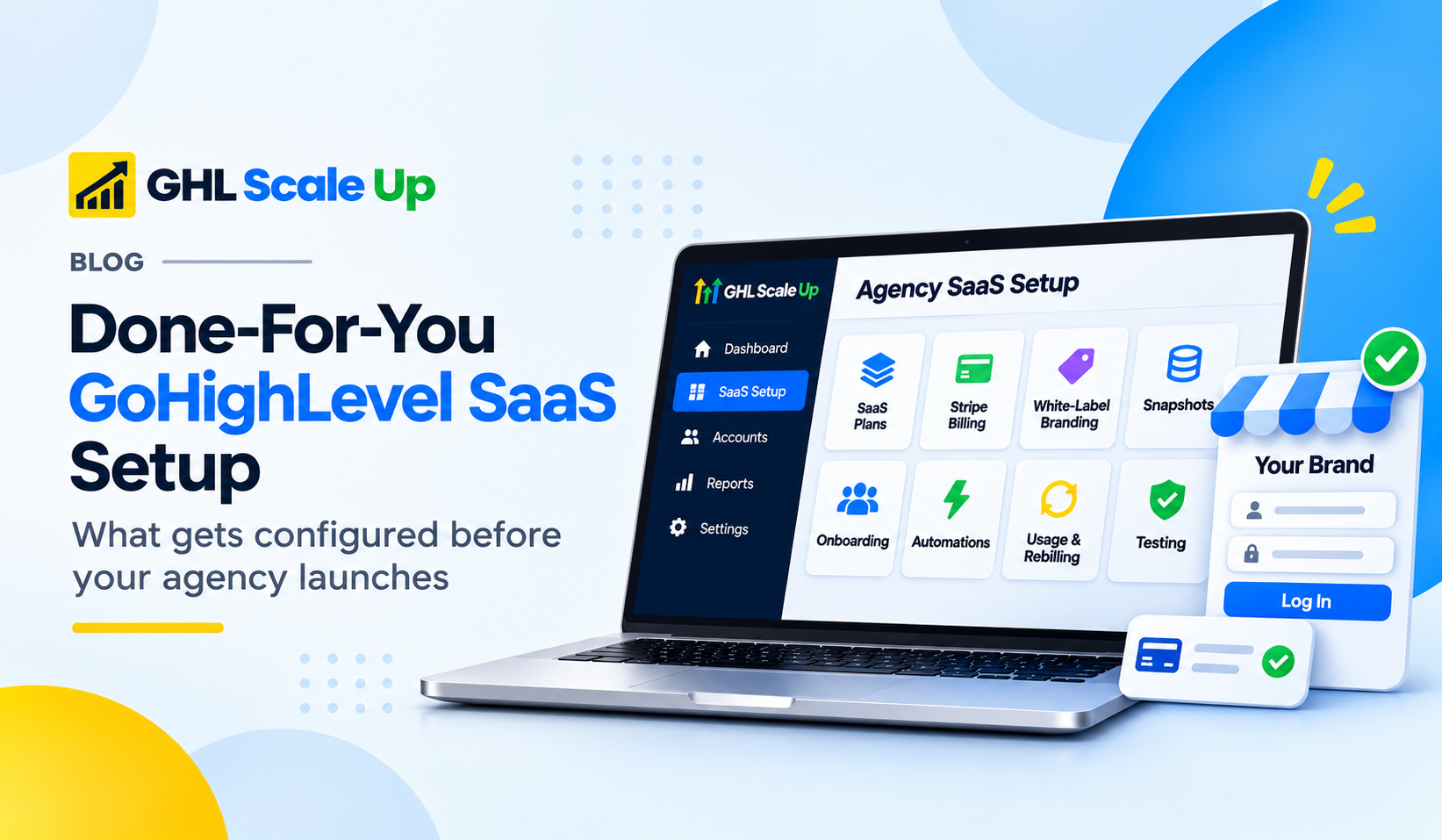
What Does a Done-For-You GoHighLevel SaaS Setup Actually Mean?
There are two ways to get SaaS Mode ready.
Doing it yourself (DIY). You read the documentation, connect the payment system, build the plans, make the snapshot, set up the emails, test it, fix what breaks, and test again. It can be done. It just takes time and patience, and it takes someone who is comfortable with settings, domains and automations.
Done-for-you (DFY). A specialist team does the technical work in your account, based on what you agree with them. You decide what you're selling and to whom. They configure how it all runs.
| DIY setup | Done-for-you setup | |
|---|---|---|
| Who does the work | You | A specialist team, in your account |
| What you spend | Your time, plus trial and error | Their fee, plus your time on decisions and review |
| Good fit when | You have the time and the technical comfort | You'd rather spend your time on customers and selling |
| Main risk | Missing a step you didn't know existed | Unclear scope, or not knowing how it was built |
One honest note: a DFY team sets up the system. It doesn't find you customers, and it can't promise recurring income. What exactly is included depends on what you agree on at the start, which is why we'll finish this article with questions to ask any provider.
What Does a DFY Team Configure in GoHighLevel SaaS Mode?
Think of it as building a small shop. The doors, the till, the shelves and the welcome sign all need to work before the first customer walks in. Here are the nine areas, in the order they usually get built.
SaaS Mode and Agency Account Configuration
What it is. The foundation. SaaS Mode is a feature of your agency account that lets you sell the platform as your own software.
What gets configured. First, someone checks the account you already have: which plan you're on, how things are set up, and what kind of software business you want to run. As of November 2026, SaaS Mode sits on HighLevel's top agency plan, listed in help material as Agency Pro at about $497 a month (some current listings call it Founder). The $297 Unlimited plan allows white-labelling but not the full SaaS Configurator or automatic account creation, so check your plan before you plan anything else.
Why it matters. Everything else depends on this. If you don't understand how your agency account, your plans and your customers' accounts (called sub-accounts) fit together, you'll end up selling something you can't deliver.
What can go wrong. Selling subscriptions before the setup is finished, or planning around a feature your plan doesn't include.
SaaS Plans and Pricing
What it is. The packages your customers choose from.
What gets configured. Plan names, monthly and yearly prices, what each plan includes, and any limits. For example, an agency might offer a starter plan for small businesses, a growth plan with more marketing and automation tools, and a premium plan for customers who need advanced features. HighLevel lets you add usage charges on top, which brings us to a point many people miss: your price needs to cover your costs.
We won't suggest fixed prices here, because the right number depends on your costs, your market, how much support you'll give, and the profit you want. But the plan design is worth getting right early. Plans that are confusing lead people to buy the wrong package. Plans that ignore usage costs can leave you paying for a customer's texts and emails out of your own pocket.
Stripe and Subscription Billing
What it is. How you get paid. Customers pay you through your own Stripe account, so Stripe has to be connected properly. Stripe charges its own processing fees, and HighLevel has more than one billing setup, so which one you're using matters. The HighLevel help centre describes two, usually called V1 (Stripe-based) and V2.
What gets configured. The Stripe connection, the link between each plan and its price, how trials work, and how checkout behaves.
A simple way to picture it. A customer visits your pricing page, picks a plan, enters their card and clicks pay. Behind the scenes, the payment has to go through, the right subscription has to start, and the right account has to be created for that customer. If one of those steps doesn't connect to the next, you have a customer who has paid and has nothing to log in to.
What to watch. Failed payments, cancellations and refunds each need a decision about what happens next. Don't assume every billing situation handles itself. Test them.
White-Label Branding and Custom Domains
What it is. Making the platform look like yours. Without it, your customers log in to a page that clearly belongs to someone else.
What gets configured. A custom domain (for example, a login address on your own website), your logo and colours, the login page, and the way the platform presents itself to customers.
Why it needs care. Using a domain involves DNS settings, which are the records that tell the internet where your address points. A small mistake can mean the page doesn't load, or shows a security warning. Brand settings also vary by plan, so check what your plan allows before promising a fully branded experience.
Snapshots and Customer Account Provisioning
This is the part that turns a good idea into a repeatable product, so it's worth slowing down.
What a snapshot is. A snapshot is a saved copy of how an account is set up: its pipelines, forms, calendars, automations, email templates, pages and similar items. It copies the setup, not a customer's data.
What provisioning means. When someone buys a plan, GoHighLevel can create a new account for them and load your snapshot into it. The new customer starts with a working system, not a blank screen.
An example. An agency that serves dentists could build a snapshot with a patient-enquiry pipeline, a lead form, a booking calendar, reminder automations, email templates and a landing page. A dentist who subscribes gets an account that already has all of it.
What can go wrong. If the snapshot is poorly built, every new customer gets a poorly built account. It's also not a substitute for custom work: if a customer's business needs something different, someone still has to do that setup. And snapshots should be tested before you connect them to a paid plan, so you find the mistakes first.
Automated Customer Onboarding
What it is. What a customer experiences in the hours and days after they pay.
Picture a local business that subscribes to your branded CRM. They should quickly know where to log in, what to do first, how to get help and what their plan includes. A good onboarding process might include a confirmation message, login details, a welcome email, a short getting-started guide, a note to your team that someone has joined, and a follow-up a few days later.
What gets configured. The welcome messages and the automations that send them, internal alerts for your team, and the hand-over to your support process.
What to be clear about. Not all of this happens on its own. Some of it is built into HighLevel, and some of it needs workflows that someone has to build. Don't assume a full onboarding journey exists just because SaaS Mode is on.
Email, Phone and Usage-Based Services
What it is. The sending side of the platform: emails, texts and phone numbers.
Why it needs attention before you sign anyone up. Emails, texts, calls and AI features are charged by use. HighLevel charges your agency wallet for what your customers' accounts use. If you turn on rebilling, the customer's card is charged to fill their own wallet, and you can add a markup on some services. Carrier fees and US text registration (A2P 10DLC) charges are passed on without markup, according to HighLevel's help material. Plan details change, so check the current rules.
What gets configured. The sending domain and email authentication so your emails reach the inbox, phone number settings, text registration where it's needed, and the rebilling rules. See our guides on A2P 10DLC fees and email deliverability.
What can go wrong. Your plan doesn't automatically include unlimited emails, texts, calls or AI use. If you sell a plan without working out what those cost, a busy customer can quietly eat your margin. A customer account that is still waiting to be verified can also hold up rebilling, so it's worth knowing how verification works.
Workflow Automation and Account Management
What it is. The automations that save you from doing the same admin again and again.
Examples. A new-subscription alert to your team, a welcome sequence, a check-in message after a week, a reminder when something needs attention, and a process for failed payments or cancellations.
Be careful here. Some of these run natively inside HighLevel. Some need extra workflow building. Some need an outside tool to connect to. Cancellation is a good example: you need to decide what happens to a customer's access when they cancel, then set it up deliberately, then test it. Not every part of a subscription's life can be automated in the same way.
Testing, Quality Assurance and Handover
Why a finished setup isn't a working setup. A list of correct settings doesn't prove the whole journey works. The only way to know is to go through it like a customer would.
A good test follows one path from start to finish:
- Choose a plan and check out.
- Pay, and confirm the subscription is created.
- Check the new account appears with the right snapshot.
- Log in through your branded address.
- Check the branding, welcome emails and texts.
- Check onboarding messages and your team's alerts.
- Where it's in scope, try a failed payment and a cancellation.
What a proper handover includes. You should end up with access to everything, and ownership of your Stripe, domain and account. You should also get notes on how it's configured, an explanation of each plan and workflow, a list of known limitations, a list of third-party tools and their costs, and simple guidance for running it day to day.
How GHL Scale Up Helps Agencies Launch Their SaaS Infrastructure
At GHL Scale Up, we help agencies with this implementation work. Based on our SaaS setup service, the work can cover connecting Stripe, building the plans in the SaaS Configurator, preparing a snapshot for a specific niche, setting up your domain and branding, configuring rebilling, text registration, and onboarding and cancellation flows, plus guidance on pricing and margins. The exact scope for your agency is agreed up front, because every agency starts from a different place.
Here's how a project usually runs:
- Understand your business. What are you selling, who to, and how do you want to package it?
- Plan the setup. Choose the account setup, plans, billing, branding, onboarding and what depends on what.
- Configure it. Build the agreed plans, settings, snapshot, workflows and connections.
- Test the customer journey. Go through it from purchase to login to onboarding.
- Hand it over. Give you access, documentation and an explanation, so you can run and grow it.
We should be clear about what we don't do. We configure the infrastructure. We don't promise customers, revenue or a launch date. Those depend on your offer and your marketing.
If you'd like to see how this looks in practice, our SaaS setup service page lays it out, and our step-by-step SaaS Mode guide shows the DIY route.
Supporting Agencies Like Major Marketing in Canada
We work with agencies, not just individual businesses. One of them is Major Marketing, an agency based in Canada, which has worked with us and shared feedback on our Google Business Profile. You can read their review there, and you can find more on our case studies page.
How a Proper SaaS Setup Can Help Your Agency Grow
A well-built setup can give you some real advantages. None of them is automatic.
- A quicker route to launch. You skip a lot of research and trial and error. We won't promise a fixed timeline, because it depends on your scope and how ready your account is.
- More time for customers. Time spent on settings can go into selling, partnerships and relationships.
- A repeatable onboarding. Good plans, snapshots and workflows mean each new customer starts the same way.
- Your own brand. White-labelling lets you present the platform as yours, within what your plan allows.
- A recurring revenue option. You can package software and services into a subscription. SaaS Mode doesn't guarantee recurring revenue, though. You still need an offer, a price, customers and good support.
- Less repetitive admin. Automation takes care of some of the routine work.
- Room to add services. Software can sit alongside CRM setup, automation, funnels, email and text marketing, and ongoing improvement.
One more thing to know. SaaS Mode suits customers who buy and use software themselves. If your customers expect a fully done-for-you retainer, a different model may fit better.
DIY Setup vs Hiring a Done-For-You GoHighLevel Team
DIY isn't wrong. If you have the time, technical comfort and patience, it can be a good way to learn your own system. These are the common places people get stuck:
- Not knowing where to start.
- Plans that don't match the people you're selling to.
- Billing set up in a way that doesn't connect to account creation.
- Domain and branding problems.
- Snapshots that are half-finished or untested.
- Onboarding that stops after the first email.
- Usage costs that nobody worked out.
- Never testing the whole purchase from start to finish.
The real question isn't whether you could do it. It's whether you want to spend your own hours on it, or hand the technical part to a specialist and spend that time on your customers.
What Should You Look for in a GoHighLevel SaaS Implementation Partner?
Whoever you hire, a good provider should be able to show real SaaS Mode experience, an understanding of how agencies make money, and knowledge of billing, white-labelling, snapshots, automation and usage costs. They should have a testing process, a clear handover, and clear terms for support after launch.
Ask them these questions:
| Question to ask | Why it matters |
|---|---|
| What exactly is included? | So you know what you're paying for. |
| What is built in our own account? | You should keep everything if you part ways. |
| Who owns the Stripe connection and the domain? | They should be yours. |
| How will you test the purchase journey? | A real test, not a settings checklist. |
| What happens if a problem shows up after handover? | So support isn't a surprise. |
| Are third-party subscriptions and usage costs included? | Platform fees and usage are often separate. |
| What is not included? | The gaps are where surprises live. |
Also, be honest with yourself about whether you need a DFY service at all. Not every agency does.
Frequently Asked Questions
What is GoHighLevel SaaS Mode?
It's a HighLevel feature that lets an agency sell the platform as its own branded software, with subscription billing and automatic account creation. As of November 2026 it needs HighLevel's top agency plan.
What does a Done-For-You GoHighLevel SaaS setup include?
It depends on the agreement. Typically it covers the plans, Stripe connection, branding and domain, a snapshot, onboarding, usage billing and testing. Always ask for the scope in writing.
Can an agency sell GoHighLevel under its own brand?
Yes. White-labelling lets you present the platform under your own name and domain. What your plan includes decides how far the branding goes.
Do I need Stripe for GoHighLevel SaaS Mode?
Yes, for the standard setup. Customers pay through your Stripe account. HighLevel has more than one billing setup, so check which you're using.
Can GoHighLevel create customer accounts automatically after payment?
Yes, SaaS Mode can create a customer's account and load your snapshot when they subscribe. It still needs to be set up properly and tested.
What are GoHighLevel SaaS snapshots?
A snapshot is a saved copy of an account's setup, such as pipelines, forms, automations and templates. It copies the setup, not a customer's data.
Can I create multiple SaaS pricing plans?
Yes. You can build different plans with their own prices, features and snapshots.
Do I need technical knowledge to launch SaaS Mode?
Some, if you set it up yourself, since it involves billing, domains, DNS and automation. A done-for-you team can handle much of that for you.
How long does a GoHighLevel SaaS setup take?
It varies with the scope, integrations, how ready your account is, and how much testing is needed. Anyone who gives you a fixed number before seeing your account is guessing.
Can GHL Scale Up configure SaaS Mode for my agency?
We help agencies with this, and our SaaS setup service page lists what's usually covered. Contact us and we'll talk through what you need and agree the scope.
Ready to Launch Your GoHighLevel SaaS Offering?
If you're planning your own branded software offering, or you've bought GoHighLevel and got stuck partway through SaaS Mode, a short conversation can help. You keep your focus on building your agency and finding customers. We can help with the technical setup behind it.
You can book a call or get in touch to talk through what you need. We won't promise a launch date or a revenue figure, but we can tell you what the setup involves.
Still have questions about GoHighLevel SaaS Mode setup?
Talk to our GHL experts directly. We're here to help.
Related Articles in This Series
We won't promise a launch date or a revenue figure, but we can tell you what the setup involves.
If you'd like a second opinion on your GoHighLevel SaaS setup, GHL Scale Up can go through it with you.
Book Your Free Call
Plan details and pricing were checked in November 2026. HighLevel changes plans and prices often, so confirm current details in your account before planning.
ghlscaleup.com