
Get help fixing your form trigger issue.
What Does "GoHighLevel Form Submitted Workflow Not Triggering" Actually Mean?
This phrase covers several distinct failure points, and confusing them is the main reason people spend hours fixing the wrong thing. A form submission that doesn't produce the expected workflow could mean:
- The submission itself didn't actually go through, despite appearing to.
- The workflow's Form Submitted trigger is pointed at a different form than the one that was submitted.
- The workflow exists and is correctly configured, but it's still in Draft rather than Published.
- The submission happened and matched the right form, but additional trigger filters excluded it.
- The contact's existing state already enrolled, already completed, re-entry disabled prevented a new enrollment.
- The workflow actually did enroll the contact, and the real problem is something that happened (or didn't) after that.
Each of these needs a different check. Treating all of them as "the form trigger is broken" is what turns a two-minute fix into an afternoon of rebuilding a workflow that was never the problem.
Why a GoHighLevel Form Submission and a Workflow Enrollment Are Two Different Events
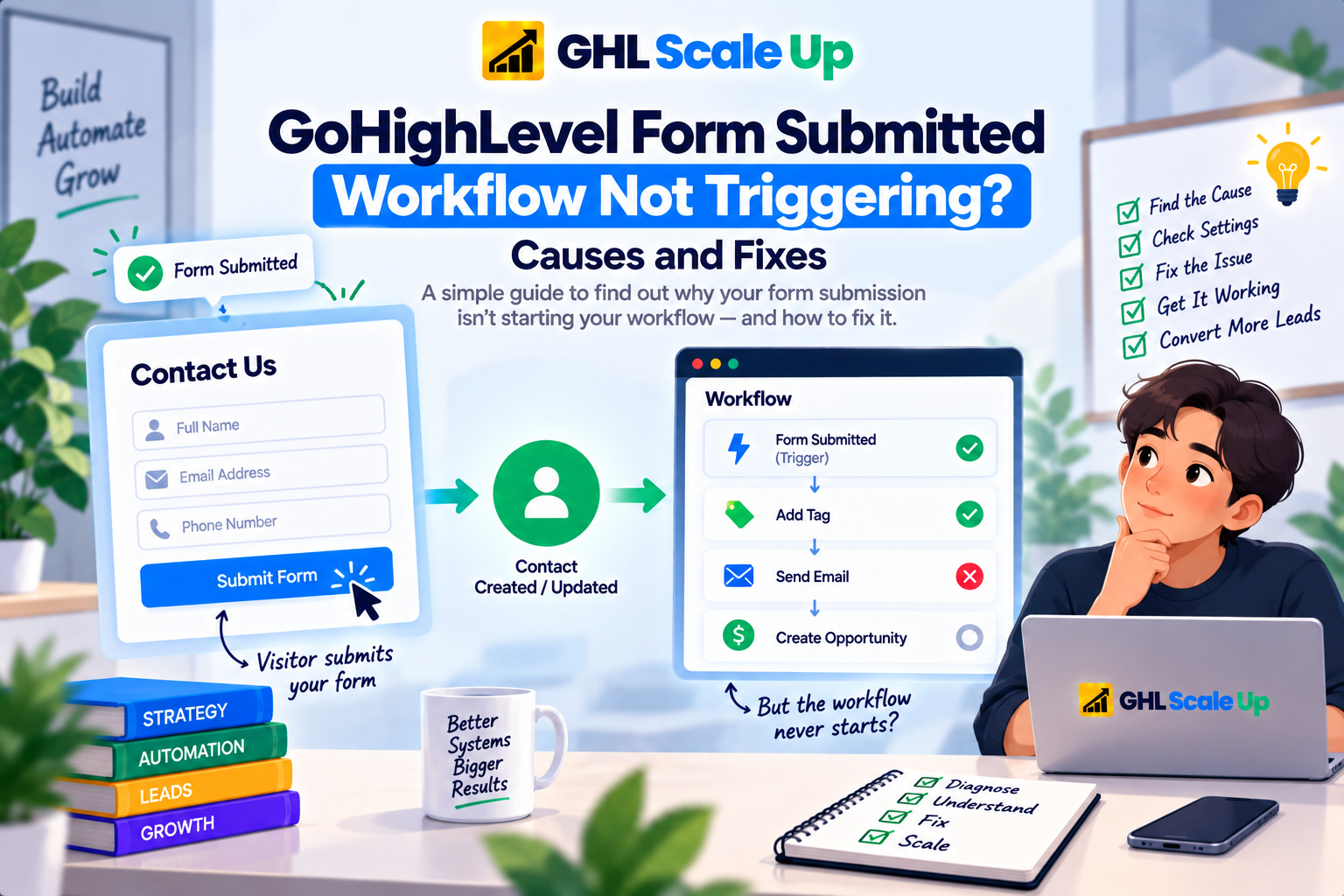
A visitor submitting a form is one event. A contact enrolling in a workflow is a separate, later event that depends on the first one but isn't guaranteed by it. The chain runs: form displayed → form submitted → submission recorded → contact identified, created, or updated → the Form Submitted trigger evaluates → the trigger's filters check whether this specific submission qualifies → enrollment occurs → workflow execution begins.
The submission can succeed at every step up through "contact identified or updated" and still fail to produce an enrollment, because the trigger evaluation and filter-matching steps are where GoHighLevel decides whether this workflow cares about this event. A successful submission is necessary for enrollment it's not sufficient. Keeping that distinction explicit is the single most useful mental model for this entire troubleshooting process.
How the Form Selected in a GoHighLevel Workflow Trigger Affects Enrollment
The Form Submitted trigger doesn't listen for "a form was submitted" in general it listens for whichever specific form is set in its Form filter, and if no form is selected at all, it fires for every form submission across the entire sub-account. Both extremes cause real problems: no form selected means unrelated submissions trigger the workflow, and the wrong form selected means the intended submission never does.
The wrong-form case is more common than it sounds, especially on accounts that have existed for a while. It's easy to end up with two or three forms carrying nearly identical names "Contact Form," "Website Contact Form," "Contact Form (2)" after a page redesign or a rebuilt funnel, and the trigger's dropdown doesn't visually distinguish which one is actually embedded on the live page. If the trigger is pointed at the retired version, submissions on the live version will never match, no matter how correctly the rest of the workflow is built.
There's a second, less obvious version of this problem: forms and surveys fire different triggers entirely. A form fires the Form Submitted trigger; a survey a multi-step, page-branching submission experience fires a separate Survey Submitted trigger, even though both look like "someone filled something out and hit submit" from the outside. A workflow built with a Form Submitted trigger will never fire for a survey, regardless of filters, because it's listening for the wrong event type from the start.
How GoHighLevel Form Submitted Trigger Filters Can Block a Valid Submission
Beyond the Form filter itself, the trigger's Form Type filter narrows which category of submission qualifies typically Normal (standard embedded forms), Chat Widget Form, Survey, or All. If this filter is set to a category that doesn't match how the actual form was deployed, a submission that clearly happened on the correct form can still fail to qualify.
Any additional filters layered on top of the trigger a required tag, a pipeline condition, a specific field value apply on top of the form match, not instead of it. A submission has to satisfy every configured filter, not just the form selection, to result in enrollment. This is where "form submitted ≠ automatically qualified" becomes concrete: the submission can be exactly the one the workflow is listening for and still fail to qualify if one additional condition doesn't hold for that particular contact.
How to Confirm a GoHighLevel Workflow Is Active for a Form Submitted Trigger
Before investigating anything about the form itself, confirm the workflow is actually live. A workflow sitting in Draft doesn't evaluate incoming events at all, regardless of how correctly its trigger and filters are configured this applies to Form Submitted the same as any other trigger type, and it's covered in full in initial trigger troubleshooting if you need the broader status-check process. For this article's purposes, the check is simple: confirm Published status first, because every other check in this article assumes it, and skipping it is the single fastest way to misdiagnose a form-selection problem that doesn't actually exist.
How to Verify a GoHighLevel Form Submission Actually Occurred
Don't assume that because someone clicked Submit, GoHighLevel actually recorded the submission a validation error, a network interruption, or a misconfigured required field can all stop a submission before it's recorded, while still showing the visitor something that looks like success on a slow connection. Check the form's own submission records for that contact, confirm the specific fields that came through, and confirm this is the actual live form rather than a preview or an older duplicate. If there's no record of the submission at all, the investigation belongs on the form and the page it's embedded on not on the workflow trigger, which never had anything to evaluate.
How Existing GoHighLevel Contacts Can Behave Differently From New Contacts on Form Submitted Workflows
A brand-new contact submitting a form for the first time and an existing contact submitting the same form again are not guaranteed to produce the same result. If the contact already has a completed or active enrollment in that workflow, whether the new submission produces a second enrollment depends entirely on the workflow's re-entry configuration this is a genuinely different diagnostic path than trigger or filter troubleshooting, and it's covered in full in GoHighLevel Workflow Re-Entry Explained. If a workflow behaves correctly for new leads but silently does nothing for returning contacts who resubmit, that's the article to open next rather than continuing to inspect the Form Submitted trigger itself.
How GoHighLevel Form Fields and Contact Data Can Prevent Workflow Qualification
When a workflow's trigger filters reference specific submitted data a dropdown value, a required custom field, a particular answer the submission has to actually carry that data in the expected format to qualify. A field left blank because it wasn't marked required, a value that doesn't exactly match what a filter is checking for, or data landing in a different custom field than the one the filter references, can all produce a technically successful submission that still doesn't satisfy the trigger. This is a genuinely separate cause from form selection: the correct form fired the correct trigger, and the specific data-based condition is what didn't hold.
How to Test a GoHighLevel Form Submitted Workflow With a Real Submission
A meaningful test isn't just resubmitting the form and watching to see if anything happens it needs to isolate each condition in the chain so a negative result tells you something specific.
- Confirm the workflow is Published, not Draft.
- Confirm the Form filter points at the exact form embedded on the live page, not a similarly named duplicate.
- Confirm the Form Type filter and any additional trigger filters match how the submission will actually be deployed and what data it will carry.
- Use a contact you can control ideally one with no prior history in this workflow, so re-entry state doesn't complicate the result.
- Submit the actual live form, not a builder preview.
- Verify the submission was recorded, with the fields you expected.
- Check whether the contact enrolled in the workflow.
- If enrolled, stop investigating the trigger move to confirming what happened during execution.
- If not enrolled, the problem is somewhere upstream of enrollment work back through form selection, trigger filters, and contact state.
Be clear about what each result proves. A successful submission proves the submission process works nothing more. A confirmed enrollment proves the trigger and its filters are correctly configured for that specific test it doesn't prove every downstream action will behave as expected.
How to Confirm Whether a GoHighLevel Form Submission Actually Enrolled the Contact
This is the boundary the entire article is built around. Open the workflow's Enrollment History for the contact who submitted the form. If there's no enrollment record, the problem is still upstream the form selection, the trigger's filters, or the contact's current state. If there is an enrollment record, the Form Submitted trigger did its job, and continuing to adjust form selection or trigger filters won't fix anything, because they already worked. From that point, any remaining problem belongs to workflow execution, not the trigger the full method for reading that evidence is in Enrollment History and Execution Logs, and diagnosing what happened after enrollment is covered in GoHighLevel Workflow Triggered but Not Working.
Common Reasons a GoHighLevel Form Submission Does Not Enroll a Contact in a Workflow
| Symptom | Likely Cause | What to Check |
|---|---|---|
| Form submits, workflow never enrolls anyone | Workflow still in Draft | Publish status |
| Works on one form, not a similarly named one | Wrong form selected in the trigger's Form filter | Which exact form is embedded on the live page vs. selected in the trigger |
| Submission happened on a multi-step survey | Form Submitted trigger used instead of Survey Submitted | Whether the live element is a form or a survey |
| Submission recorded, but specific field-based filter fails | Required data missing, misformatted, or mapped to the wrong field | The actual submitted value against the exact filter condition |
| New leads enroll, returning contacts don't | Re-entry disabled or contact still active in the workflow | Allow Re-entry setting and the contact's current enrollment state |
| No submission record exists at all | Submission never completed (validation error, wrong page, preview vs. live) | The form's own submission records for that contact |
| Enrollment confirmed, but the expected email/action never happened | This is no longer a trigger problem | Execution evidence for that specific run |
Common Mistakes When Diagnosing a GoHighLevel Form Submitted Workflow That Isn't Triggering
- Testing with the wrong form and assuming the workflow is broken. If a near-duplicate form exists, confirm which one is actually live before touching the workflow.
- Assuming a successful submission proves qualification. It proves the form worked nothing about the trigger's filters or the contact's eligibility.
- Only testing with an existing contact. Re-entry state can mask a perfectly functional trigger, making it look broken for a reason that has nothing to do with the trigger itself.
- Changing multiple trigger filters at once while troubleshooting. This destroys the ability to tell which specific condition was actually blocking enrollment.
- Assuming the workflow is inactive when the real issue is qualification, or the reverse chasing filter configuration when the workflow was simply never published.
- Treating a confirmed enrollment as proof the whole automation worked. The trigger's job ends at enrollment; whether the intended email, tag, or notification actually happened is a separate question.
- Rebuilding the trigger from scratch instead of isolating which single condition failed. A rebuild that happens to work doesn't tell you what was actually wrong, which makes the same failure likely to resurface on the next form.
When a GoHighLevel Workflow Problem Isn't Actually About the Form Submitted Trigger
- The workflow doesn't trigger for anything, not just forms → GoHighLevel Workflow Not Triggering? Find the Fix
- The workflow worked before, but a returning contact who resubmits won't go through it again → GoHighLevel Workflow Re-Entry Explained
- Enrollment History confirms the contact entered, and you need to inspect exactly what happened during that run → Enrollment History and Execution Logs
- The contact enrolled, but a later step an email, a webhook, an opportunity action didn't behave as expected → GoHighLevel Workflow Triggered but Not Working
The Core Diagnostic Principle for a GoHighLevel Form Submitted Workflow That Isn't Enrolling Contacts
A form submitting successfully and a workflow enrolling a contact are related but separate events, connected by the trigger's form selection, its filters, and the contact's current state. Confirm the submission happened, confirm the trigger is listening for that exact form and submission type, confirm the filters match the submitted data, and check Enrollment History as the evidence that tells you whether it actually worked. Once enrollment is confirmed, the Form Submitted trigger has done its job anything left to diagnose belongs to execution, not the trigger.
Frequently Asked Questions About GoHighLevel Form Submitted Workflows That Don't Trigger
Why isn't my GoHighLevel workflow triggering after a form submission?
Most often because the trigger's Form filter points at a different form than the one submitted, the workflow is still in Draft, or additional trigger filters aren't satisfied by that specific submission's data.
How do I trigger a GoHighLevel workflow when someone submits a form?
Add a Form Submitted trigger, set its Form filter to the exact form you want to listen for, add any additional qualifying filters, and publish the workflow a form with no Form filter selected will trigger the workflow from any form submission in the sub-account.
Why does my GoHighLevel form submit successfully but the workflow doesn't start?
A successful submission confirms the form itself worked. It doesn't confirm the trigger is listening for that exact form, that its filters are satisfied, or that the contact's current state allows enrollment those are separate, later steps in the chain.
Why is my Form Submitted trigger not working in GoHighLevel?
Check, in order: whether the workflow is Published, whether the correct form is selected in the trigger's Form filter, whether the Form Type filter matches how the form is deployed, and whether any additional filters are satisfied by the submitted data.
Can an existing GoHighLevel contact trigger a workflow after submitting a form again?
Only if the workflow's Allow Re-entry setting permits it and the contact isn't currently active in that same workflow this is governed by re-entry behavior, not the Form Submitted trigger itself.
How do I test a GoHighLevel Form Submitted workflow?
Confirm the workflow is Published and the correct form is selected, submit the actual live form with a contact you control, then check Enrollment History to confirm whether the contact enrolled a submission alone doesn't confirm enrollment.
How do I know whether my form submission enrolled the contact in a workflow?
Open the workflow's Enrollment History for that contact. A recorded enrollment confirms the trigger worked; its absence means the problem is still upstream, in form selection, trigger filters, or contact state.
Why does the workflow work with one form but not another?
Almost always because the trigger's Form filter is set to one specific form, and the second form was never selected each Form Submitted trigger listens for the form(s) explicitly configured in its filter, not "forms" as a category.
Related Articles in This Series
Need Help Fixing a Form Trigger Issue?
We diagnose and fix GoHighLevel form trigger issues for agencies and businesses.
Book Your Free Troubleshooting Session
GHL Scale Up is a specialised GoHighLevel implementation and SaaS growth agency. Based in India, we serve agencies and businesses across 6 countries with 200+ GoHighLevel builds delivered. This guide reflects direct experience troubleshooting form trigger issues across hundreds of GHL accounts. All troubleshooting details verified against official documentation as of September 2026.
ghlscaleup.com