
A prospective client fills in your website form on a Friday evening. Another calls while the office is closed. A third messages through a social page. Each lands in a different place: an email inbox, a voicemail box, a direct message. By Monday, someone has retyped two of them into a spreadsheet, one has been answered twice, and nobody can say who is handling the third. None of this is a legal problem. It is an intake process problem, and it is common in firms that grew without designing one.
What Is Lead Capture and Client Intake for a Law Firm?
They are two stages, and mixing them up causes most of the confusion.
- Lead capture is getting the inquiry into your system: the form submission, the missed call, the message. The output is a contact record with a name, a way to reach the person, and the source.
- Client intake is the firm's process after that: reviewing what was submitted, asking for missing information, running conflict checks, deciding whether to proceed, and, if so, moving to an engagement. GoHighLevel can organize the early part of this. The decisions belong to the firm.
This guide uses four terms consistently:
| Term | Meaning | Where it lives |
|---|---|---|
| Inquiry | Someone has contacted the firm | GoHighLevel contact record |
| Prospective client | An inquiry the firm is reviewing | GoHighLevel opportunity in an intake pipeline |
| Accepted client | The firm has completed its acceptance procedures | Your legal system, with the GoHighLevel record updated |
| Legal matter | The work for an engaged client | Your legal practice management system, not GoHighLevel |
Why Law Firms Need an Organized Lead Capture Process
Without a defined process, firms tend to see the same issues: inquiries scattered across channels; contact details recorded inconsistently; staff copying details between systems; missing information; no consistent way to see where a lead came from; duplicate contacts; and no clear view of which inquiries have been reviewed. Not every firm has all of these, and software does not fix them by itself. It helps only when someone decides what information to collect, who reviews it, and what happens next.
Write those decisions down first. The rest of this guide assumes you have.
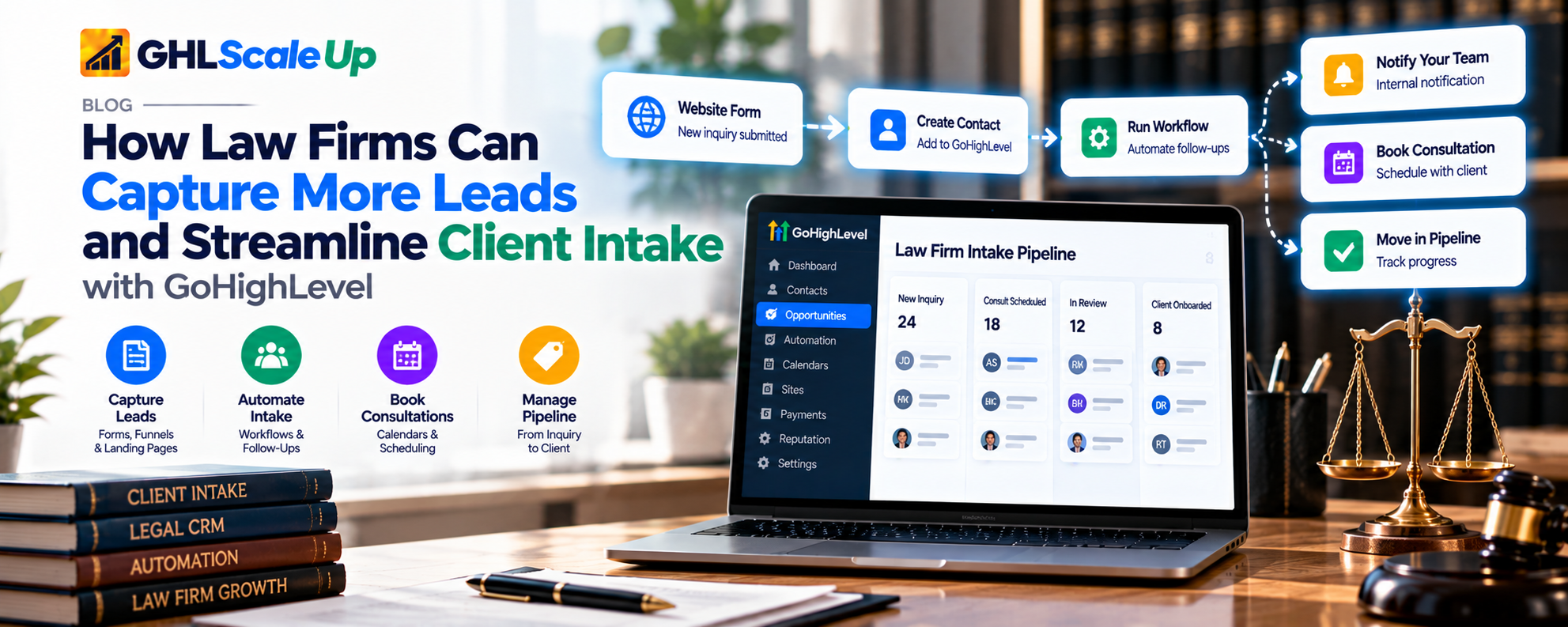
How GoHighLevel Can Support Law Firm Lead Capture
GoHighLevel (also called HighLevel) is a general-purpose CRM and marketing automation platform, not a legal product. Here are the pieces this guide uses, in plain terms:
| Piece | What it is | Role in intake |
|---|---|---|
| Contact | A record of one person: name, phone, email, notes, history | Every inquiry becomes or updates a contact |
| Custom field | An extra data field you define (for example 'Practice area of interest') | Stores the details your intake form collects |
| Tag | A label on a contact (for example 'family-law-inquiry') | Quick filtering and routing conditions |
| Opportunity and pipeline | An opportunity represents a potential engagement; a pipeline is a set of stages it moves through | Shows where each prospective client is in review |
| Form | A web form you build and embed | The main capture point |
| Workflow | An automation: a trigger (what starts it) plus actions (what it does) | Creates records, assigns staff, notifies the team |
| Internal notification | A message to your own staff, not to the contact | Alerts the intake team |
| Missed Call Text Back, Conversation AI, Voice AI | Phone and messaging features | Handle after-hours and unanswered contact |
A pipeline for prospective clients is not a legal matter management system. It tracks the inquiry's review status. It does not hold deadlines, time entries, trust accounting or court dates. Detailed comparison of legal software and costs sits in a separate guide.
How to Capture Law-Firm Leads From Websites, Forms, and Other Channels
Each source enters the system differently. Do not assume a channel connects automatically.
| Source | How it enters | Contact created or updated | Source recorded | If information is missing | Test before launch |
|---|---|---|---|---|---|
| GoHighLevel form on your site | Embedded form | Yes, per your deduplication setting | Set a hidden field or tag on the form | Required fields block submission; optional fields stay blank | Submit on desktop and mobile; check the contact |
| Landing page or funnel | GoHighLevel pages with a form | Same | Same | Same | Same |
| Advertising lead forms | Depends on the platform's connection to GoHighLevel | Only if connected | Platform-dependent | Fields may arrive empty | Run a test lead; check mapping |
| Missed phone call | Missed Call Text Back needs the contact and number recognized | Created if the caller is new, based on the call | Source = phone | No name or email | Call from a number not in the system |
| Messaging channels (supported ones) | Conversation inbox, if the channel is connected | Varies by channel | Channel is the source | Often only a name | Message from a test account |
| Staff manual entry | Add contact | Yes | Staff must set the source | Depends on staff | Provide a short entry checklist |
| External form tools or Zapier | Integration or webhook | Depends on mapping | Mapped field | Fields may fail to map | Submit a test; inspect fields |
HighLevel's Form Submitted trigger documentation covers forms built in the CRM. If you use a form from another tool, it says you may need an integration or webhook to capture submissions. Before relying on any integration, test it with a real submission and check which fields arrive.
How to Build an Effective Law Firm Intake Form
An intake form's job is to start the process, not to take a complete statement of the case. Collect what you need to contact the person and decide who should review the inquiry. Ask for more only after your own procedures say it is appropriate.
| Possible field | Why | Required? |
|---|---|---|
| Name | To address and identify the inquiry | Usually |
| Phone or email | To respond | At least one |
| Preferred contact method | To follow their preference | Optional |
| Broad practice area of interest | For routing | Usually, as a dropdown |
| General inquiry category | For routing and screening out services you do not offer | Optional |
| Best time to reach you | To plan a response | Optional |
| Short description | Context for review, kept brief | Optional |
| Consent checkbox | Where your jurisdiction or practice requires it | As your counsel advises |
These are examples, not a required list. Your fields should follow your practice and intake policy.
Design rules
- Use clear labels and a dropdown where a category is enough.
- Show follow-up questions only where the form supports conditional logic. Confirm in your form builder.
- Make it work on a phone; test it on one.
- Write a confirmation message that says the inquiry was received, that submitting it does not create an attorney-client relationship, and what happens next. Have your counsel approve that wording.
- Tell visitors not to include confidential details in the description field unless the firm has decided it needs them at this stage.
- Do not ask for sensitive facts (medical information, criminal allegations, identification numbers) on a general marketing form without a deliberate decision and safeguards. A long case history in a web form also exposes the person to risk before the firm has a confidentiality process in place.
The NYSBA article on intake recommends having clients complete paperwork before a consultation but not email sensitive items such as Social Security numbers. That is a useful principle: collect more detail later, in a controlled step.
How to Organize Law-Firm Leads in GoHighLevel
Contact, custom fields and tags
Create custom fields for the few details you collect, such as 'Practice area' and 'Preferred contact method', and link them to the form so submissions fill them (the Form Submitted documentation notes that custom fields must be linked to the form). Use tags sparingly: one for the practice area, one for the source if you do not have a source field, one for status flags such as 'needs-review'. Tags are good for filtering and workflow conditions. Anything staff must analyze belongs in a field.
Opportunities and pipeline
An opportunity represents a potential engagement. Create one when an inquiry needs review, so the team can see it on a board. An illustrative pipeline, not a universal legal workflow:
New Inquiry → Intake Review → Awaiting Information → Consultation Requested → Accepted for Further Review → Closed or Not Proceeding
'Accepted for Further Review' means the intake team is done and a lawyer or the conflict process takes over. It does not mean the firm has accepted the person as a client. Rename the stages to fit your procedure.
| Information | Where it belongs |
|---|---|
| Name, phone, email, preferred contact | Contact record |
| Practice area of interest, inquiry category | Custom fields on the contact; tag for routing |
| Lead source | Source field or tag on the contact |
| Where the inquiry is in review | Pipeline stage on the opportunity |
| Who is responsible | Assigned user on the contact and opportunity |
| Case facts, conflict results, engagement | Your legal system, not GoHighLevel |
Avoiding duplicates
In HighLevel, Settings > Business Profile Settings > Contact Deduplication Preferences controls whether new submissions create a new contact or update an existing one. 'Allow Duplicate Contact' set to off means matching details update the existing contact; you choose whether to match on email (the default) or phone, and optionally a second field. This applies to forms, Zapier and Facebook and Instagram Messenger, and the documentation does not address workflows. CSV imports always merge by email or phone. If duplicates already exist, an admin can use Manage Duplicates from the Contacts three-dot menu; merging is permanent and limited to 10 records per batch, so review before confirming.
A repeat submission can also create a second opportunity. Check your workflow's opportunity action for a way to update an existing opportunity instead (the action page was not read for this guide).
How to Route New Inquiries and Notify the Intake Team
In plain English first:
New inquiry arrives → check the practice area and completeness → assign it to the right person or rotation → notify only that person → record the status.
Building it with workflows
Create a workflow under Automations > Workflows. Name it clearly, for example 'Intake: new website inquiry'.
Add the trigger Form Submitted and set the Form Is filter to your intake form. Note that this fires on every submission, including repeats.
Add conditions for routing (for example, practice area equals Family Law). Add a branch for inquiries that do not match any rule, so they reach a default person and do not sit unassigned.
Add the Assign to User action. For rotation, HighLevel's round-robin article describes selecting users and setting split traffic to equally. That article is from February 2024, so check the current action's options.
Add an Internal Notification after the assignment, addressed to the Assigned User. HighLevel notes that 'Assigned User' only sends when the contact has an assigned user; otherwise the step is skipped and the workflow continues, which is how leads end up unassigned and unnoticed. Test the no-assignment case.
Add a tag (for example 'intake-new') and, if you use the pipeline, a Create/Update Opportunity action to place the inquiry in New Inquiry.
Add a guard against repeats: a condition that skips the workflow if the tag already exists, or the workflow's re-entry setting. See workflow re-entry.
Publish. Then run the tests in the matrix below.
A notification that contains only what staff need
Staff alerts travel by email, SMS or in-app messages, which are not always secure. Include the minimum:
New inquiry: Jordan P., family law category, prefers phone. Source: website form. Open in GoHighLevel to review.
Leave the free-text description out of the message and let staff open the record. Email, In-App, SMS and WhatsApp are the channels HighLevel documents for internal notifications; each user can receive up to 500 notifications per five minutes, and a user listed in more than one recipient category receives only one. To avoid alert fatigue, notify the assigned user only and send an escalation (for example, to a supervisor) only if the inquiry remains in New Inquiry after your response window.
How to Handle Missed Calls and Initial AI Inquiries
Missed Call Text Back
When someone calls and nobody answers, they may call the next firm. Missed Call Text Back sends an automatic text so the caller knows the firm received the call. In HighLevel it is under Settings > Phone System > Voice > Voicemail & Missed Call Text Back > Missed Call Text Back. Tick Enable Missed Call Text Back, choose Customize, write the message, send a test and save (help article modified 7 September 2026).
- Wording: name the firm, say you received the missed call, and say a team member will respond. Do not give legal information, and do not promise a response time you cannot meet.
- Requirements: the sending number must be able to send SMS; local US numbers need A2P 10DLC registration and toll-free numbers need verification. See what A2P 10DLC is.
- Repeat calls: the documentation says every missed call sends a message, including repeats. To reduce repeats it suggests a workflow wait of about 20 minutes or tag filters.
- After hours: the text is sent whenever a call is missed. Say in the message when staff will reply.
- Routing: the text alone does not alert staff. Build a workflow that creates or updates the contact, assigns it and notifies the intake team, the same way as for a form.
- Limits: SMS only; merge fields such as the contact's name fill only for recognized contacts; respect the contact's do-not-disturb and consent status.
A text-back does not guarantee the caller will become a lead or book anything. Longer follow-up sequences and consultation reminders are covered in a separate guide.
AI-assisted initial intake
Two features apply. Conversation AI answers text-based conversations; Voice AI answers inbound calls. HighLevel documents that Voice AI can answer after hours, collect information and create or update contacts, transfer to a human on conditions you set, trigger workflows, and answer from a knowledge base; it works only with LC Phone or Twilio numbers (help article modified 17 September 2026). Conversation AI's Bot Goals can collect missing contact details into chosen fields, though that action is meant for empty fields and not to overwrite existing values, and can trigger a published workflow or hand over to a human. Availability varies by account and release status.
What AI can reasonably do at intake: answer approved administrative questions (hours, office location, which areas you handle), collect basic contact details, ask a few predefined screening questions, note the inquiry type, and tell the person what happens next. What it must not do: give legal advice, assess whether someone has a viable case, check conflicts, or decide whether the firm accepts the matter. Those are decisions for a lawyer and the firm's procedures.
Give the AI approved content only, tell it in plain terms what it may not say, test it with questions it should and should not answer, and define when it should alert a person. Whether the bot keeps replying after it triggers a workflow is not stated in HighLevel's documentation, so test it. See our AI Employee guide and how Conversation AI data is stored.
Step-by-Step: Build a Complete Lead Capture and Intake Workflow
The scenario: a small firm receives inquiries through its website. It wants every inquiry in one system with basic contact information and a general service category, an alert to the intake team, and a clear record for review. It also wants to handle missed calls and use AI for administrative questions, without letting AI make legal decisions.
Phase 1: Map the current intake process
- List every way inquiries reach you.
- List what you collect now and what you actually use.
- Name who reviews inquiries and who covers when they are away.
- List the categories you use to route inquiries.
- Mark the steps that must stay human: screening, conflict checks, acceptance.
- Write down the problems you want to solve.
Phase 2: Create the lead-capture mechanism
Build or choose the form (or use the one on your website, if you have one and it connects), select the fields from the table above, mark required and optional ones, write the confirmation message, and connect the form to a workflow trigger. If the firm has no website, a GoHighLevel landing page can host the form; website building is a separate topic. Capture the source with a hidden field or tag. Submit a test on desktop and mobile, then open the contact in the live account to confirm it exists with the right fields.
Phase 3: Organize contact and intake data
Create the custom fields and tags in the table earlier. Create an intake pipeline with the stages you chose. Confirm deduplication preferences.
Phase 4: Configure routing and internal notification
Build the workflow described above: trigger, routing conditions, default branch, assignment, notification, tag, opportunity, repeat guard. Exact options vary by account; use the labels in your own interface.
Phase 5: Handle phone inquiries and initial AI interactions
| Situation | What should happen | Separate configuration needed |
|---|---|---|
| Prospect calls and the firm answers | Staff enter or confirm the contact; no automatic message | Manual entry process |
| Prospect calls and nobody answers | A text-back is sent; a workflow creates the contact and notifies staff | Missed Call Text Back plus an intake workflow |
| Prospect submits the website form | Contact, opportunity, assignment and notification | Form Submitted workflow |
| Prospect asks a general administrative question | AI answers from approved content | Conversation AI or Voice AI with a knowledge base |
| Prospect asks for a person | A staff member is alerted; the AI follows your escalation rule | Human Handover or a workflow alert (separate settings; test) |
| AI cannot answer | The AI says it will pass the question on and alerts staff | Bot Goals email notification or workflow |
| Incomplete information | The inquiry is tagged 'awaiting-information' and staff are told | Workflow condition |
Phase 6: Test the complete process
Run every test with test contacts, not real prospects, and write down the result. Do not mark the system as working until each row has been checked in a live account.
| # | Test | Expected behavior | Inspect | Failure signs and fixes |
|---|---|---|---|---|
| 1 | Valid form submission | Contact, fields, source, opportunity, assignment, one notification | Contact record; workflow execution history; the assignee's alerts | Missing record: check the form's trigger and publish state. Missing fields: check field linking |
| 2 | Optional fields blank | Record is still created; no routing errors | Contact; workflow path taken | Wrong branch: add a default path |
| 3 | Duplicate submission | Existing contact updated, not duplicated; no second notification unless intended | Contact list; deduplication setting; execution history | Two contacts: check match field. Two alerts: add a tag guard |
| 4 | Missing required field | Form refuses to submit | Form behavior | Submission accepted: set the field required |
| 5 | Needs assignment | Assigned to a user, who is notified | Contact's assigned user; notification | Unassigned: Assigned User notifications skip when no user is assigned |
| 6 | Does not fit routing rules | Goes to a default owner | Execution history path | Sits unassigned: add a default branch |
| 7 | Unanswered call | Text-back sent; contact created; staff alerted | Conversation thread; execution history | No text: check enablement, number eligibility and registration |
| 8 | After-hours inquiry | Same as above; message says when staff reply | Message content | Message promises hours you do not keep: fix wording |
| 9 | AI question within knowledge | Accurate answer | Conversation | Wrong answer: fix the knowledge base |
| 10 | AI question it cannot answer | Says it cannot, alerts staff | Conversation; alert | Invents an answer: tighten instructions and re-test |
| 11 | Request for a person | Staff alerted; behavior matches your rule | Alert; bot status | Bot stops unexpectedly: see the handover note |
| 12 | Workflow failure or repeat run | Failure visible; no duplicates | Execution history | Repeated runs: add re-entry guard; failures: fix the failing action |
Common Lead Capture and Intake Mistakes
- Asking for the whole story on the first form.
- Not setting a default owner, so unmatched inquiries are never seen.
- Using many tags where fields would do.
- Letting the bot and staff both answer without a rule on who leads.
- Notifying everyone, so alerts are ignored.
- Putting case details into SMS or email notifications.
- Going live without testing duplicates, blank fields and failed sends.
- Treating a pipeline stage as acceptance of a client.
Troubleshooting GoHighLevel Lead Capture and Intake
Causes are listed from most to least likely where the documentation supports a ranking. Use the diagnostic column to tell them apart.
| Problem | Likely causes | Inspect | Diagnostic and fix |
|---|---|---|---|
| Form submissions not appearing | Form not the one your page embeds; external form without an integration; browser blocker | The form's submissions list; contact search by email | Submit a test; if nothing appears, check the embed code and whether an integration or webhook is required for non-CRM forms |
| Contacts duplicated | Allow Duplicate Contact on; match field blank in submissions; CSV not the cause (CSV merges) | Settings > Business Profile Settings > Contact Deduplication Preferences | Set to off, match on email or phone, merge existing duplicates carefully (permanent, 10 per batch) |
| Wrong routing | Practice area field blank or differently labeled; no default branch | Execution history path | Fix the field value or condition; add a default branch |
| Notifications do not arrive | Assigned User not set (step skipped); user's phone or email missing; user's DND; notification placed before assignment | Workflow history; user profile | Assign first, then notify; check the user's contact details and DND (documented troubleshooting) |
| Workflow does not trigger | Unpublished; wrong 'Form Is' filter; submission from a different form | Workflow status; trigger filter; form name | Publish; correct filter. See Form Submitted workflow not triggering |
| Workflow triggers more than once | Form Submitted fires on every submission; same trigger in two workflows; re-entry allowed | Execution history; other workflows with the same trigger | Add tag guard or condition; remove duplicates. See workflow re-entry |
| Custom fields not populated | Field not linked to the form; field names differ | Form field mapping; contact record | Link the field; resubmit a test |
| Lead source missing | No hidden field or tag; staff entry skipped it | Contact record | Add a hidden source field to the form; set a required field for manual entry |
| Missed-call response not sent | Feature not enabled; sending number not SMS-eligible or unregistered; contact on DND | Phone System settings; contact conversation (failures are logged with a reason) | Enable; register A2P or verify toll-free; check DND |
| AI collects incomplete or inaccurate data | Contact Info fills only empty fields; unclear questions; no confirmation | Conversation transcript; mapped fields | Rewrite questions; map fields; test; do not rely on AI-collected data without review |
| AI answers what it should escalate | Instructions vague; knowledge base overbroad | Conversation transcript | Add explicit exclusions and escalation rules; re-test; consider a handover for legal topics |
| Staff cannot tell what needs review | No status stage or tag; filters not saved | Pipeline board; smart lists | Create a New Inquiry stage and a saved view; notify on creation |
| Integration data inconsistent | Mapping differences; missing fields from source; delays | Integration logs; sample submissions | Compare each source field with the CRM field; fix mapping; add an alert for failed deliveries |
Privacy, Confidentiality, and Legal Intake Safeguards
Intake for a law firm differs from ordinary lead capture because the information may be confidential even before an engagement. These points apply in general. Your own jurisdiction's rules govern, and this is not legal advice.
- Intake is not legal advice. The system collects information and sends administrative messages. It does not analyze a person's legal position.
- Intake is not conflict checking. Collecting a name and a brief inquiry does not show the firm can act. Run your own conflict procedures before proceeding. We found no GoHighLevel function that checks conflicts.
- A lead is not a client. Keep the four terms above distinct in your fields, stage names and messages, and avoid wording that implies a lawyer-client relationship exists.
- Collect only what you need, at the stage you need it. Avoid sensitive facts on general forms.
- Limit access. Give staff only the access their role needs, and consider whether SMS and email alerts expose details.
- Check retention and integrations. Know where inquiry data is stored and what each connected tool receives.
- Consent and communications. Where forms, SMS, email and automated messages are used, consider consent, privacy, marketing and professional rules in your jurisdiction, and the carrier rules for SMS.
- Human oversight. Staff must review inquiries and make decisions. AI must not accept matters, give legal advice or decide viability.
Is GoHighLevel Right for Your Law Firm's Intake Process?
| GoHighLevel is a reasonable fit when | Another approach may fit better when |
|---|---|
| You want one place for inquiries from forms, calls and messages | You want legal-specific intake with built-in conflict checks and engagement documents |
| You have someone who can configure and maintain workflows | Nobody will own the configuration |
| You need custom routing, tags and automation | Your intake is low volume and simple |
| You already use a separate legal practice management system | You expect GoHighLevel to hold matters, deadlines, billing or trust accounting |
Dedicated legal intake software offers legal-specific structure; a general CRM offers flexibility and takes more building. A full comparison of platforms and costs belongs in a separate evaluation.
Frequently Asked Questions
What is the difference between lead capture and client intake for a law firm?
Lead capture gets the inquiry into your system. Client intake is the firm's review process afterward, including screening, conflict checks and acceptance.
Can GoHighLevel be used as a CRM for law firms?
Yes, for managing inquiries and communications. It is a general CRM and is not a legal practice management system.
How can a law firm capture website inquiries in GoHighLevel?
With a GoHighLevel form on the site, or an external form connected through an integration or webhook. Test with a real submission.
Can GoHighLevel automate law-firm intake forms?
It can create or update the contact and start a workflow when a CRM form is submitted. You design the form, fields and rules.
Can GoHighLevel route leads to different intake staff?
Yes, with workflow conditions and an Assign to User action, including a round-robin option described in HighLevel's documentation. Confirm current options in your account.
Can GoHighLevel notify a team member when a new inquiry arrives?
Yes, through the Internal Notification action by email, in-app, SMS or WhatsApp. 'Assigned User' only sends if a user is assigned.
Can GoHighLevel handle missed calls from prospective clients?
Yes, Missed Call Text Back sends an SMS after a missed call, subject to number eligibility and A2P or toll-free registration. It does not alert staff by itself.
Can AI collect initial information for a law firm?
It can collect basic contact details and answer approved administrative questions where Conversation AI or Voice AI is available and configured. It must not give legal advice or decide whether to accept a matter.
Can GoHighLevel perform legal conflict checks?
We found no such function. Conflict checks belong in the firm's own procedures and legal systems.
Can GoHighLevel replace a legal practice management system?
No. It does not provide matter management, trust accounting, time tracking or court deadlines that we could find.
How should a law firm protect sensitive information collected through an intake form?
Collect the minimum, avoid sensitive facts on general forms, restrict access, keep sensitive details out of notifications, and review where data is stored and sent.
What should a law firm test before launching an automated intake workflow?
Valid and invalid submissions, duplicates, blank fields, assignment and notification, missed calls, after-hours behavior, AI answers and escalations, and failed or repeated runs.
Conclusion
Build the intake process on paper first: sources, fields, owners, stages and the points where a person must decide. Then configure one form, one workflow and one pipeline, test them with the matrix above, and expand only when they work. Keep the system's job narrow: capture, organize, route and alert. Keep conflict checks, acceptance and legal judgment with the firm.
If you want help designing or building this, GHL Scale Up works on CRM setup and workflow automation. You can read about our CRM setup service or get in touch.
Official documentation: Form Submitted trigger, Contact Deduplication Preferences, Internal Notification action, Missed Call Text Back and Voice AI Agents Overview.
Still have questions about law firm lead capture and client intake in GoHighLevel?
Talk to our GHL experts directly. We're here to help.
Related Articles in This Series
Build the intake process on paper first. Then configure it with help.
GHL Scale Up works on CRM setup and workflow automation. If you want help designing or building a law firm intake workflow in GoHighLevel, get in touch.
Book Your Free Call
Facts checked against HighLevel documentation, 23 October 2026. Interfaces and plans change; confirm labels in your own account. No HighLevel account was available for testing; the test matrix in this article is a plan, and no workflow is marked as tested. This article relies on HighLevel's help articles, notes where they are dated or incomplete, and says where GoHighLevel is not the right tool.
ghlscaleup.com