
Introduction: The Problem and the Short Answer
A firm finishes a matter well. A few weeks later a former client mentions it to a friend, and that friend calls. Nobody recorded who referred them. At the same time, the firm has eleven public reviews, most from two years ago, because asking for a review depends on whether someone remembers and feels comfortable. Neither the reviews nor the referrals are a process. They are things that happen.
This guide explains how a law firm can use GoHighLevel to build a consistent process for three things: asking clients for honest reviews, recording where inquiries come from, and keeping professional referral relationships organized. It also explains where automation should stop, what HighLevel does not do, and which professional and platform rules need a lawyer's review before you start.
The short answer: GoHighLevel can send review requests from a workflow, notify staff when a Google or Facebook review arrives, store a referral source on a contact or opportunity, report on opportunities by source, and create tasks for relationship follow-up. It cannot decide which clients should be asked, make a review positive, prove that a source caused a client to hire the firm, or make the process compliant with your jurisdiction's rules. The process has to be designed by the firm first.
Disclosure: GHL Scale Up implements GoHighLevel. This guide relies on HighLevel's documentation and says where it is silent or thin. We have not tested the example workflows, so run the test matrix in your own account. This is general information, not legal advice.
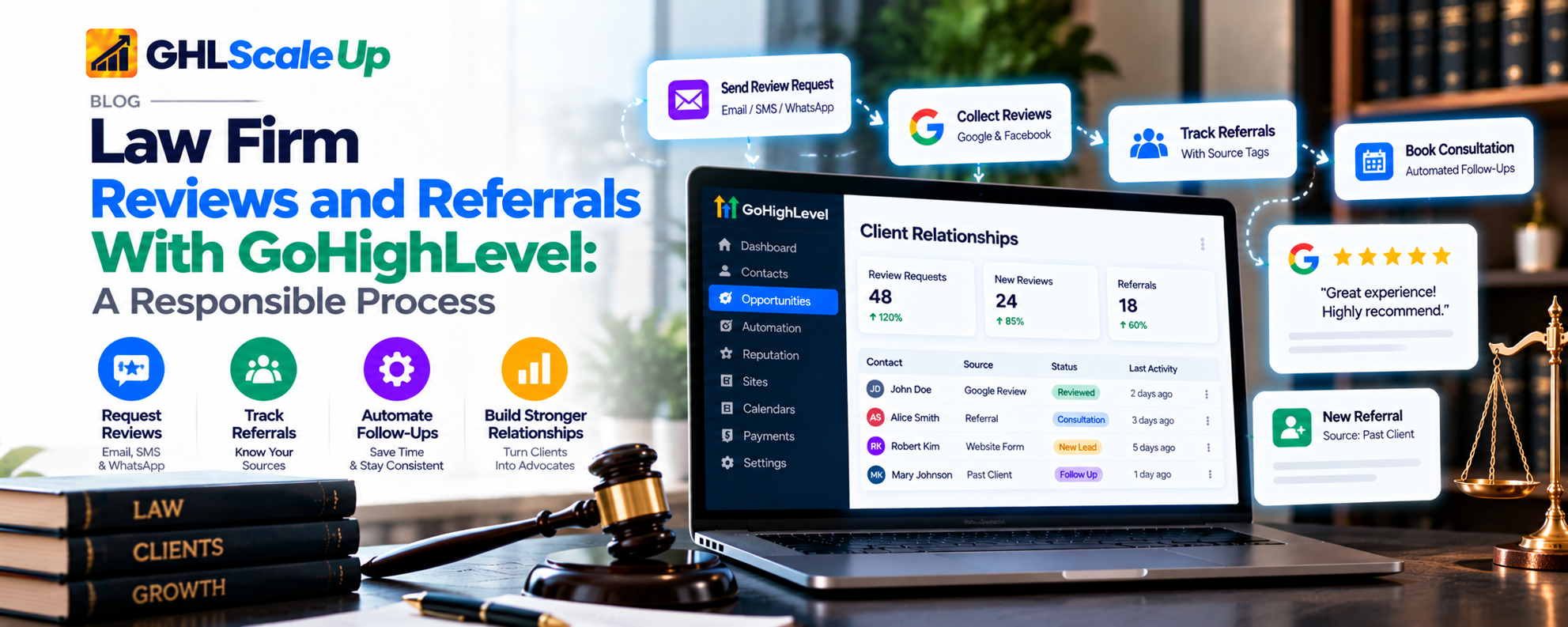
Why Reviews and Referrals Need a Consistent Process
When these activities depend on memory, the failures are predictable: reviews are requested only from people the team feels good about, referrers are thanked inconsistently, the source of a new inquiry is guessed later, and nobody owns the relationship. Five things get confused, and the process works only if you separate them:
| Activity | What it is | Who decides |
|---|---|---|
| Receiving a referral | Someone recommends the firm | The referrer |
| Converting an inquiry | An inquiry becomes a consultation and, if accepted, a client | The firm, through its intake and acceptance process |
| Building a relationship | Ongoing professional contact with referrers and past clients | The responsible lawyer or staff member |
| Requesting a review | Asking a client for honest feedback on a public platform | The firm, within its professional rules |
| Tracking the source | Recording where an inquiry came from | The team, using a defined list |
Illustrative scenario (not a real firm): a three-lawyer consumer practice receives about half its inquiries from past clients and from two local accountants. It has no record of which inquiry came from whom, sends review requests when a lawyer remembers, and has never reviewed whether the referral relationships are active. The goal of the process below is not more of everything. It is a recorded, repeatable way to do three modest things.
What GoHighLevel Can and Cannot Do for Law Firm Growth
| Need | What GoHighLevel provides | What it does not do |
|---|---|---|
| Review requests | A Send Review Request workflow action and Reputation tools for SMS, email and WhatsApp, with templates, a review link and retries | Decide who is eligible; judge whether a request is appropriate for a client; guarantee a review or a rating |
| Review monitoring | A Review Received trigger for Google and Facebook, and an Overview of requests sent and reviews received | Link a review to a contact (the trigger is contactless); measure how many reviews a request produced |
| Referral relationships | Contact records, tags, custom fields, tasks and notes you structure yourself | Identify a person-to-person referral automatically |
| Source tracking | Attribution fields, a Source field on opportunities, and a Lead Source Report | Prove which source caused a client to hire the firm |
| Third-party review platforms | Google and Facebook integrations; manual entry for offline reviews (Labs) | Support every platform natively |
A point that surprises many teams: in HighLevel's attribution reporting, 'Referrals' means traffic from another website, not a client or professional referring someone. A client who tells a friend to call the firm will appear as 'Others' or 'Direct Traffic', or as 'CRM UI' if staff create the record by hand. Person-to-person referrals need a field you create.
How to Design a Responsible Review-Request Process
Design before you build. A review process is a set of decisions the firm makes, and automation only carries them out.
1. Choose a defensible trigger
Use a milestone the firm defines and records, for example that a matter has concluded and the closing letter has been sent. HighLevel does not know when a legal matter is finished. The milestone has to be recorded by a person, for example by applying a tag or moving an opportunity to a stage. Timing is a judgment: avoid moments that are likely to be sensitive, and decide whether any matter types (for instance where there is an open dispute) should be excluded by a written rule, not by someone's mood about a particular client.
2. Ask everyone who meets the written criteria
This is the central safeguard. If staff ask only the clients they expect to be happy, or route clients by sentiment so that only positive responders see the public review link, the process becomes selective solicitation. Google's contributor policy says merchants may not discourage or prohibit negative reviews, or selectively solicit positive reviews from customers, and the FTC's 2024 reviews rule is summarized as prohibiting suppression of negative reviews. Competing pages that present positive-to-public, negative-to-private routing as a feature do not address either. HighLevel's documentation for review requests describes one Review Link and does not describe star-based routing, so there is no native feature you need to turn off, but you can build one with conditions, so do not.
The corrective for a dissatisfied client is a private, human conversation that is offered to everyone, not a filter that decides who may leave a public review.
3. Pick a channel the client has agreed to
A review request sent by SMS is a text message and needs the consent and registration your SMS setup requires; see our guide to A2P opt-in language, which covers consent wording generally and does not address review requests specifically. HighLevel's multi-channel request page says that if a contact lacks the detail for a selected channel the system reportedly uses another available method, which means a request could go out on a channel you did not intend. Decide the channel per client and check what your configuration does.
4. Keep the message neutral and confidential
Ask for honest feedback, include one review link, say how to opt out, and nothing else. Do not mention the matter, the outcome or the client's legal status. The fact that a person is a client can itself be confidential information in many jurisdictions, so a message sent to a wrong or shared number can disclose it. Confirm numbers, keep wording generic, and have counsel review the template.
Illustrative sample (to be reviewed by counsel): Hello [first name], this is [Firm name]. If you are willing, we welcome your honest feedback about your experience with our office: [review link]. Reply STOP to opt out.
5. No incentives
Do not offer a discount, a gift or a prize for a review. Google's policy says reviews posted because of an incentive are removed and merchants may not offer rewards for a review, a revision or the removal of a negative review. The FTC rule is summarized as prohibiting incentives conditioned on the review's sentiment. North Carolina's State Bar opinion says a lawyer may not offer anything of value in exchange for a revised or withdrawn review. Whether any incentive is permissible for a lawyer is a professional-rules question for your jurisdiction, and it still has to satisfy the platform's policy.
6. Plan for replies, opt-outs and failures
- Replies and complaints: a person reads them. A complaint is handled privately and promptly.
- Opt-outs: stop all review requests to that contact and keep them suppressed.
- Failures: HighLevel reports request status as Queued, Sent, Delivered or Failed. 'Delivered' is confirmed for SMS only and only through Twilio, so do not read the absence of 'Delivered' on email as a failure.
- Responding to a public review: never reveal client information. ABA Formal Opinion 496 treats confidentiality as the central concern, and often the best response is none or a generic invitation to discuss concerns offline. Have a written policy.
How to Build the Review-Request Workflow in GoHighLevel
Objective: send one neutral request to each eligible client, then stop. The workflow carries out the decision a person has already recorded.
| Step | Setting | Purpose | Failure to watch |
|---|---|---|---|
| Trigger | A tag such as review-eligible, added by staff when the firm's milestone is reached. (A stage change or a status trigger can serve instead.) | Starts only on a human decision | Tag applied by mistake; trigger name differs by account |
| Workflow settings | Allow Re-entry off; Specific Time sending window on | Prevents a second pass and limits hours | Re-entry left on after a tag is re-applied |
| Condition | Continue only if the contact does not have review-requested or do-not-contact tags and has the needed contact detail | Avoids repeats, opted-out contacts and missing data | Condition checks the wrong tag name |
| Action: Send Review Request | Choose the channel (Email or SMS) you intend | Sends the message configured in Reputation > Settings | Message template or Live template not assigned |
| Action: Add tag review-requested | Immediately after sending | Duplicate guard | Tag added before a failed send |
| Action: Internal Notification or task | On failure or opt-out, tell a named person (Add Task: Assign To a user) | A human sees problems | Task assigned to nobody useful |
Retries need a decision. Reputation > Settings lets you set first-send timing, repeat interval and maximum retries. HighLevel's documentation says the repeat schedule for a channel stops once a click is detected, and suggests many teams start with two to three retries. It does not say that retries stop when the client posts a review. Because the Review Received trigger is not tied to a contact, assume a client who reviewed without clicking the tracked link may still receive a retry. Set retries low, or to zero, and apply the review-requested tag so staff can check.
The review trigger is contactless. A workflow starting from Review Received, filtered by source, rating or spam status, can notify a team member and pass review details to another action, but the review is 'not linked to any specific contact'. Use it to alert staff and to log the review. Do not design anything that depends on knowing which client wrote it. For workflow basics, see our workflow setup guide (a general guide), and for repeated entries, workflow re-entry.
Prerequisites and limits (documented): connect Google Business Profile for a Google review link, or use a custom link; request limits depend on the plan; SMS in the US needs the registration covered in our A2P guides. If you use Review Balancing, HighLevel splits requests between connected platforms by a percentage you set. That controls where the request goes, not which clients receive it.
For the same timing logic applied to a different context, see our ecommerce review-timing guide (written for online stores, not law firms).
How to Track Referral Sources
Recording a source and proving that the source caused a client to hire you are different things. A client may hear about the firm from an accountant, search for it, read your reviews and then call. The source field records one fact you choose to record. It is not evidence of cause.
Choose a controlled list
Use a dropdown, not free text, so 'Smith CPA' and 'smith cpa' are not two sources. Illustrative categories, to adapt: existing client, former client, professional contact, other attorney, business partner, community or professional organization, website or campaign, other, unknown. The list is the firm's; it is not a universal taxonomy.
Create the fields
In Settings > Custom Fields you create fields for contacts or opportunities. The object type cannot be changed after creation. Contact fields work in forms, contact workflows and Smart Lists; opportunity fields work in pipeline views and opportunity workflows. A practical split:
- Contact field 'Original Source' (dropdown): set once, when the person first contacts the firm. Never overwritten.
- Contact field 'Referred By' (short text or contact reference as you design it): the referrer's name, where the person agrees to give it.
- Opportunity Source field: the field the Lead Source Report reads. Fill it from the Original Source so the report works.
Record it at the right moment
Add the question to the intake form (see our law-firm intake article when it is published) or have the intake owner ask by phone and record the answer. Provide an 'Unknown' option, because a forced answer is worse than a missing one. A form field can capture the answer for web inquiries; for calls, a person has to record it.
What HighLevel's attribution does and does not do
HighLevel records first and latest attribution when a contact, in the same session, submits a form or survey, books an appointment, uses a chat widget or completes an order form. Calls and texts appear as 'Others', manually created contacts as 'CRM UI', and website visitors from another site as 'Referrals'. UTM values must match exactly, including case. It does not record that a client was referred by a person. Use your own field for that.
Reporting limits
The Lead Source Report groups opportunities by their Source field and shows total, open, won, lost, abandoned and value. It counts opportunities, not contacts, so one person with three opportunities counts three times. Opportunities with no source fall into 'N/A'. HighLevel's article does not state which plans include the widget.
How to Manage Referral Relationships Without Turning Them into Spam
A referral relationship is a human relationship between professionals. The system's job is to make sure it is not forgotten, not to talk to the referrer automatically.
| Can be organized with HighLevel | Needs human judgment |
|---|---|
| A contact record for the referrer, with context and origin recorded in a note | Whether the relationship is appropriate and active |
| A 'Relationship Owner' assigned to a named user, plus a task to check in at an interval you choose | What to say, and whether to say anything |
| A task when a referred inquiry arrives, for the owner to thank or update the referrer where the firm may do so | What can be shared: client confidentiality applies, so even confirming that a referred person became a client may not be permitted without consent |
| A periodic review list of referrers with no recorded activity | Whether to continue the relationship |
A workflow built on tags and the Add Task action can create the reminders. Add Task assigns to a specific user and takes a due interval; the documentation does not describe assigning to a contact owner, so set the user explicitly. HighLevel has a setting that allows different owners for contacts and opportunities, but the page we read is from 2024 and notes the workflow action as 'Coming Soon', so test before relying on it.
Do not automate: marketing sends to every professional contact, or any arrangement involving payment, fee sharing or reciprocal referrals. Rules on referral fees and reciprocal referral arrangements vary by jurisdiction and we did not verify them here. Have counsel review any such arrangement before anything is recorded or automated.
How to Maintain Appropriate Relationships With Past Clients
A former client has not necessarily agreed to ongoing marketing, and the duty of confidentiality continues. The default should be less contact, not more.
- Segment narrowly: use tags to separate those who consented to updates from those who did not, and suppress everyone else.
- Use generic content: do not personalize with matter details.
- One owner: a named person decides whether any contact is appropriate.
- New inquiries get a fresh review: a past client who writes again is treated as a new inquiry, and conflict checks and acceptance are separate processes this system does not perform.
- Respect opt-outs permanently.
Keep any administrative follow-up modest and permitted by the firm's own rules. This article does not recommend re-engagement campaigns.
How to Understand Which Activities Generate Inquiries
Define each measure before you compare periods. Numbers that are not tied to outcomes are activity counts, not results.
| Metric | Definition | Calculation | Limits |
|---|---|---|---|
| Requests sent | Review requests sent in a period | Reputation Overview: Requests sent | Counts SMS and email; says nothing about delivery for email |
| Delivery status | Share of SMS requests confirmed delivered | Delivered / SMS sent | Confirmed for SMS through Twilio only |
| Reviews received | Google and Facebook reviews in the period | Reputation Overview: Reviews received | Includes reviews not prompted by a request; offline reviews need Manual Reviews |
| Review-to-request ratio (rough) | Reviews received relative to requests sent | Reviews received / requests sent | Cannot be tied to the same clients, since reviews are not linked to contacts. Treat as a rough indicator only |
| Inquiries by source | Inquiries recorded for each source | Count of opportunities by Source | Depends on the field being filled; 'N/A' hides unknowns |
| Inquiry-to-consultation booking rate by source | Eligible inquiries from a source that book a consultation | Booked / total eligible inquiries from that source x 100 | Define 'eligible' once; state the period; small numbers swing wildly |
| Relationship follow-up completion | Relationship tasks completed on time | Completed on time / tasks due | Measures activity, not value |
Do not treat a rising review count as a growth result, and do not conclude that a source caused a client because it appears in the CRM. A source field records an answer; it does not prove influence. HighLevel's Overview also labels sentiment using a language model, so do not use those labels as a measure of client satisfaction.
Step-by-Step Implementation Example
Illustrative scenario: the three-lawyer firm above. Details are hypothetical and are not a template.
| Step | What the firm does |
|---|---|
| 1. Objective | A written, repeatable process: ask every eligible client for honest feedback; record the source of every inquiry; assign each referral relationship an owner |
| 2. Configuration | Reputation: connect Google Business Profile, set the Review Link, set request settings and templates. Custom fields: Original Source, Referred By, Relationship Owner. Tags: review-eligible, review-requested, do-not-contact. Workflow settings: Allow Re-entry off |
| 3. Information needed | Firm-defined eligibility criteria; a verified phone or email; consent for the channel; the source list |
| 4. Workflow logic | Staff applies review-eligible > condition checks tags > Send Review Request > add review-requested > failure or opt-out creates a task. A separate Review Received workflow notifies a named user and logs the review |
| 5. Human responsibilities | Confirm eligibility; handle replies and complaints; draft any public response without client information; thank referrers where permitted; review referral relationships on a schedule |
| 6. Safeguards | Same request to every eligible client; no incentive; counsel reviews the template; no matter details in any message |
| 7. Test cases | See the matrix below |
| 8. Success measure | The process runs as designed (checked in the matrix); the Source field is filled on most inquiries; relationship tasks are completed; the firm reviews inquiries and consultation booking by source each quarter |
How to Test and Troubleshoot the Workflows
Use test contacts with your own phone and email. Do not mark a workflow as working until you see the expected result in a live account, and do not assume every account behaves identically.
| Test scenario | Expected behavior | What to inspect | Common failure to investigate |
|---|---|---|---|
| Contact meets the criteria | One request sent; review-requested tag added | Reputation > Requests status; contact tags | Template not assigned; channel mismatch |
| Contact does not meet the criteria | No request; reason recorded | Workflow execution; condition branch | Condition checks the wrong tag |
| Tag applied twice | No second request | Allow Re-entry; review-requested tag | Re-entry on; two workflows |
| Contact opts out | No further request; suppressed | DND and opt-out status; retries | Retry still sent; WhatsApp or email fallback used |
| Contact detail missing | Request skipped or error task created | Execution log; request status | Failed: system falls back to another channel |
| Retry behavior | Retries stop at the maximum or on click | Request history | Retry sent after a review was posted without a click |
| Referral source unknown | 'Unknown' recorded; not blank | Contact and opportunity fields | Field optional and left empty; 'N/A' in report |
| Relationship task assigned to the wrong person | Task goes to the owner named | Add Task Assign To; owner field | Owner field not mapped; task assigned to a former user |
| Workflow does not run | Execution recorded | Enrollment history and execution logs | Trigger filter; contact not enrolled |
| Test scenario | Expected behavior | What to inspect | Common failure to investigate |
|---|---|---|---|
| Source field inconsistent | Only list values appear | Field type; imported data | Free-text field used; import with different spellings |
| Report does not show the record | Opportunity appears under its source | Lead Source Report filters; opportunity source | Source missing; wrong pipeline or date property |
| Review Received fires | Named user notified; review logged | Trigger filters; internal notification | Filters (rating, spam) exclude it; integration not connected |
To investigate a failure, open the workflow's enrollment history and execution log, find the last step that ran, correct the configuration and retest with a fresh contact. See our guide to enrollment history and execution logs for the diagnostic method; verify its interface details in your own account.
Common Mistakes and How to Correct Them
| Mistake | Correction |
|---|---|
| Asking only clients who seem happy | Write eligibility criteria and ask everyone who meets them |
| Routing by sentiment to public or private pages | One link for everyone; offer a private conversation to everyone |
| Offering incentives | No incentive; check rules and platform policy before any exception |
| Sending at a sensitive moment | Define timing and exclusions in writing |
| Mentioning the matter or outcome | Generic, confidential wording; counsel reviews it |
| Treating every referrer as a marketing contact | Tasks for a named owner; no bulk sends |
| Free-text source labels | A controlled dropdown with "Unknown" |
| Assuming source proves cause | Report it as a record, not a cause |
| Not stopping after an opt-out | Test opt-out in every channel |
| Counting reviews and messages as results | Measure inquiries, consultations and follow-up completion |
Legal, Ethical, Privacy, and Professional Safeguards
Rules differ by jurisdiction, practice area, platform and channel. GoHighLevel does not make a firm compliant. Have a qualified lawyer in your jurisdiction review the process before launch.
- Confidentiality. Do not put matter details in any message or public reply. ABA Formal Opinion 496 treats confidentiality as the central concern in responding to online reviews.
- Advertising, testimonials and solicitation. Professional rules on client testimonials, endorsements and solicitation differ across jurisdictions. We did not verify them here. Displaying reviews on your website through a widget, including offline reviews entered through Manual Reviews, may implicate them.
- Platform policy. Google prohibits incentivized reviews, selective solicitation of positive reviews and conflict-of-interest reviews, including by employees and relatives.
- Consumer-protection law. The FTC's 2024 rule on reviews and testimonials is summarized as covering fake reviews, sentiment-conditioned incentives, suppression and insider reviews. Whether and how it applies to your firm is a question for counsel.
- Consent and opt-out. Text, email and WhatsApp each have their own rules. Keep a suppression list and test it.
- Referral arrangements. Payments, fee sharing and reciprocal arrangements are regulated and vary. Do not automate them without review.
- Data minimization and access. Store only what you need. Limit who can see source and relationship data. Review vendor terms and integrations.
Frequently Asked Questions
Can GoHighLevel automate review requests for law firms?
Yes, it can send requests by SMS or email through a workflow action and Reputation settings. It does not decide who should be asked, and the firm must review professional rules and platform policies first.
How can a law firm track where referrals come from?
Create a controlled-list source field, fill it at intake, copy it to the opportunity's Source field, and report by source. HighLevel's own attribution does not capture person-to-person referrals.
Can GoHighLevel manage referral relationships?
It can organize records, owners and reminder tasks. The relationship itself, and any decision about what to share, stays with a person.
Can a law firm automate review requests without manipulating feedback?
Yes, if every client who meets written criteria receives the same neutral request, with no incentive and no routing by sentiment.
Does a review request guarantee a review?
No. Nothing can guarantee a review or its rating.
Can the workflow tell which client wrote a review?
No. HighLevel's Review Received trigger is not linked to a contact.
Does a source in the CRM prove it generated the client?
No. It records an answer or a first or latest touch; it does not show cause.
What should a firm check before automating review requests?
Professional rules on testimonials and solicitation, platform policies, SMS consent, confidentiality of the message wording, and the opt-out process.
Conclusion
Start with the written process: who is eligible, what the message says, who owns each referral relationship, and how sources are recorded. Then build only the parts HighLevel can carry out: a request workflow with a duplicate guard, a Review Received alert, a source field and a few tasks. Test every exit path, measure inquiries and consultations by source rather than counting messages, and keep client confidentiality, professional judgment and relationships with the firm.
If you want help building these workflows, GHL Scale Up can scope a project with you.
Still have questions about law firm reviews and referrals in GoHighLevel?
Talk to our GHL experts directly. We're here to help.
Related Articles in This Series
Start with the written process. Then build only what HighLevel can carry out.
If you want help building these workflows, GHL Scale Up can scope a project with you.
Scope a Project
Facts checked against HighLevel documentation, 23 October 2026. Interfaces, plans and usage charges change; confirm in your own account. No HighLevel account was available for testing; the test matrix in this article is a plan, and nothing is marked as tested. This guide relies on HighLevel's documentation and says where it is silent or thin. This is general information, not legal advice.
ghlscaleup.com