
What a "Review" Means in GoHighLevel: Three Requests Living in Two Systems
People say "review automation" as though it were one feature. In GoHighLevel it is two systems and a workaround, and choosing the wrong one is the most common reason a setup ends up doing something other than what the owner pictured.
| What You Want | Where It Lives | How the Request Is Made | What Tells You It Happened |
|---|---|---|---|
| A public review of your business on an outside platform | Reputation | The Review Request action in a workflow, or a manual send from a contact record or Reputation → Requests. Messages, timing and retries are set in Reputation settings. | The review appears on the outside platform and in Reputation. The documentation reviewed doesn't describe matching it to a specific order. |
| A review of one product on a HighLevel Ecommerce Store | The store's product pages, moderated under Payments → Products → Reviews | The customer clicks Write a Review on the product page. A request is an ordinary email or SMS that links there. | The Product Review Submitted trigger fires on submission, before anyone approves the review. |
| Private feedback | A form, a survey, or a reply to your message | An ordinary email or SMS that links to the form or survey. | Form Submitted or Survey Submitted triggers, or the Customer Replied trigger. |
Three consequences follow, and each one changes how you build.
- The Review Request action points at your business's Review Link, which is set once in Reputation settings. It isn't built to ask about a particular product, so a product-specific ask works better as a normal email or SMS carrying the product link. That is a reading of how the documentation fits together rather than a stated limitation, so test it in your own account.
- A store product review needs only a name and an email address. HighLevel's documentation describes no check that the reviewer bought the product. Don't present these as verified-buyer reviews unless you've added that check yourself.
- On a Shopify store, the product pages belong to Shopify. The product review feature and its trigger are documented for HighLevel stores. Reviews on Shopify product pages are usually collected by a review app installed in Shopify. GoHighLevel's job there is the timing and the follow-through, not the review form.
Where a Review Can Land: The Public Destination Problem for Online Stores
The Reputation route needs somewhere to send people. HighLevel's review link can balance traffic across connected platforms such as Google, or send everyone to one custom URL, and its help article notes that Google Business Profile only needs to be connected if you want Google routing. That flexibility matters for ecommerce, because the obvious destination may not be open to you.
Google's Business Profile help says profiles are for businesses that meet customers face to face, and that an online-only business with a virtual storefront and no in-person services isn't eligible. Some third-party guides say online stores can qualify, for instance as service-area businesses. Because the sources disagree and Google's eligibility rules change, check Google's current guidance for your own situation before building a flow around a Google review link. If it isn't available, a custom link to another public review site, or a product page, is the fallback. The workflow logic in the rest of this article is the same either way.
How to Decide a Customer Is Ready for a Review Request in GoHighLevel
The useful question isn't how many days to wait. It's what has to be true before the request makes sense, and which of those things the workflow can actually observe.
What the Workflow Can See and What It Can't
| Question | Visible to the Workflow? | How |
|---|---|---|
| Has the customer paid? | Yes | Payment Received for native store purchases; Shopify Order Placed for Shopify purchases. |
| Has the order been marked fulfilled? | Yes | Order Fulfilled covers the native store and Shopify. Its filters include shipping carrier and tracking number. |
| Has the parcel arrived? | Not as an event | None of the ecommerce triggers HighLevel documents is a delivery confirmation. |
| Has the customer used the product? | No | Estimate it with a wait that suits the product. |
| Is something wrong with the order? | Only if you record it | A support tag, a reply, a task, or a refund event (HighLevel lists a refund trigger under Payments). |
| Have they already been asked, or already reviewed? | Only if you record it | A tag or custom field. Store reviews can set a tag through Product Review Submitted. |
| May we use this channel? | Partly | Contact consent and unsubscribe status. The SMS section covers the catch. |
Order Fulfilled is the best signal in that list and it is still weaker than it looks. It fires when someone changes the order's status, often when a label is printed. It says the clock can start. It doesn't say the customer is holding the box.
Readiness Is a Set of Conditions, Not a Number of Days
Rather than "send seven days after purchase", treat readiness as a checklist the workflow evaluates when the wait ends. The request goes out only if all of these hold:
- The order is fulfilled, and hasn't been refunded or returned.
- The delivery-and-use window that suits this product has passed.
- There is no open support issue on the contact.
- This customer hasn't been asked about this order, or recently about another.
- They haven't already left the review.
- There is a channel you may use to reach them.
A wait gets you to roughly the right moment. The conditions check whether this particular customer should still receive the message when they get there. The wait is a guess about time; the conditions are facts about the customer. Several of those facts, such as when someone was last asked, aren't tracked for you. The custom-field and tag approach described in the retention and winback guide applies directly: a Last Review Request Date field, a Reviewed tag and an open-issue tag give the workflow something to check.
How Product Type Moves the Clock: Three Hypothetical Examples
Skincare. Results take weeks, so a request that lands days after delivery tends to collect opinions about the packaging and the shipping speed rather than the product. The better moment may be well after delivery, and later still for a product people use up slowly.
Apparel. Fit is obvious within days, which argues for an earlier ask. But some buyers are mid-decision about keeping the item, and a review request that arrives just as a return is being processed feels careless. A condition that checks for a return or refund matters more here than the exact number of days.
A digital product. It may be usable minutes after purchase, but fulfilment isn't the meaningful event, first access is. The request should be tied to whatever signals the customer started using it, not to a status change in a shipping workflow.
How a GoHighLevel Review Request Workflow Is Built, and Where Two Delays Quietly Stack
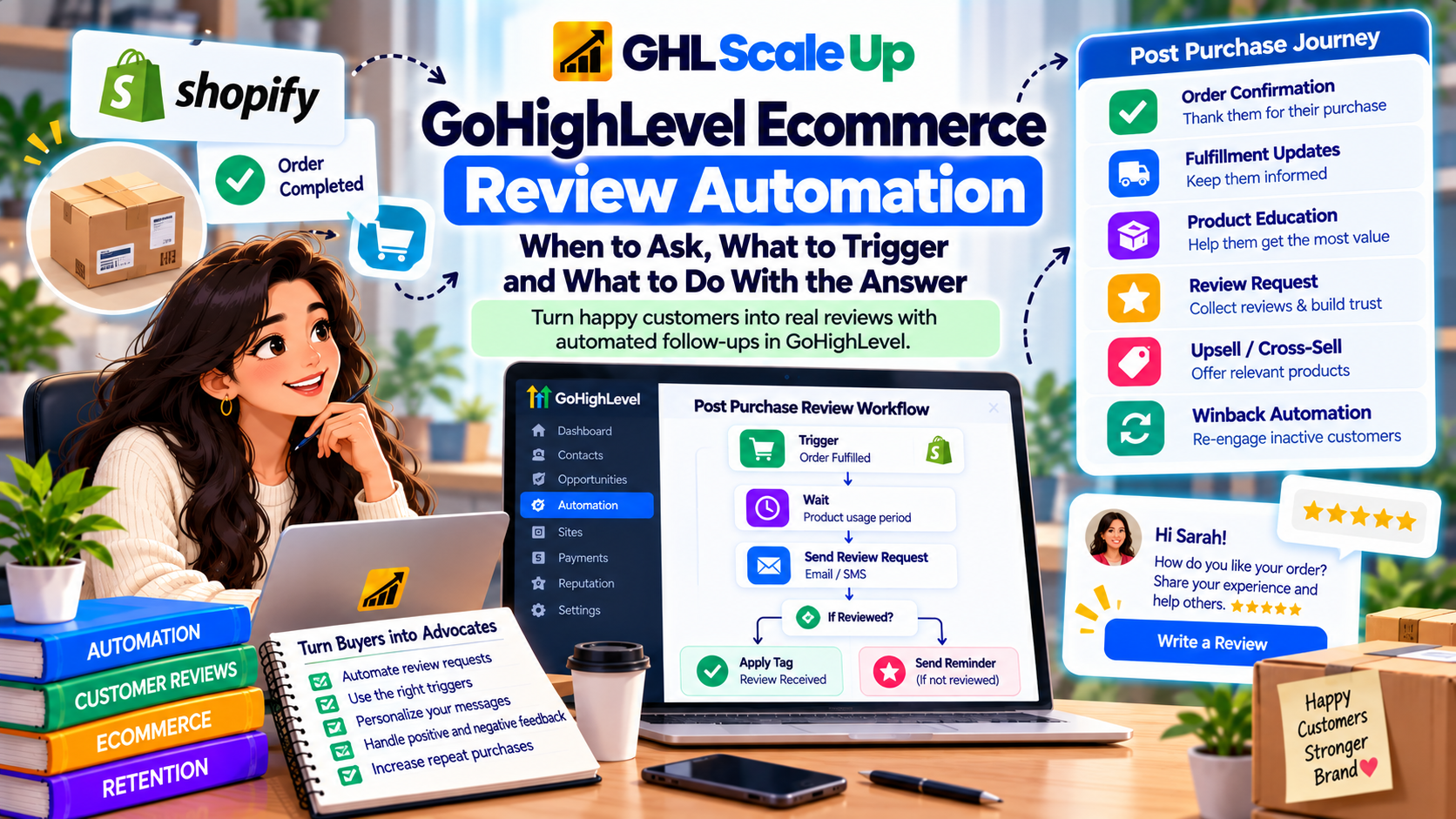
Whichever route you use, the workflow has the same shape:
- Start from the event that represents shipping. Order Fulfilled for native store and Shopify orders.
- Wait for the window that suits the product.
- Check readiness. An If/Else on the tags and fields described above.
- Send the request. The Review Request action for a public business review, or an ordinary email or SMS for a product page or a feedback form.
- Record that you asked. Update the Last Review Request Date and tag the contact.
- Decide how it stops. Review submitted, link clicked, problem reported, or a person replied.
The Reputation Route: the Review Request Action
In Reputation settings you choose a Review Link, either balancing across connected platforms or a single custom URL. You then switch on SMS and email requests, set the first-send delay, the repeat interval and the maximum number of retries, and assign the templates for the first send and each retry. HighLevel's help article is explicit that switching a channel on isn't enough; the templates have to be assigned too.
Two details from that same article shape ecommerce design. First, the first-send delay in settings is measured from the moment the Review Request action fires, so whatever wait your workflow used is added on top. A three-day wait plus a one-hour setting means three days and an hour. Second, retries live in settings rather than in the workflow. They run on the same schedule for every request sent from that account, until the contact clicks the review link. The documentation reviewed describes no per-workflow override, so if different products need different cadences, either keep the settings conservative or handle reminders with wait steps inside the workflow.
The retries stop when a click on the review link is detected, and a click is not a review. The customer may have opened the page and left. For a stop condition you control, a Goal Event can watch for the Review Request Clicked goal, which can match clicks on any channel, or for a tag such as Reviewed. HighLevel's help article allows one Goal Event action per workflow, so decide which stop reasons it needs to cover. One practical pattern is a shared "pause automation" tag that a support agent, a low-rating workflow or a reply workflow can all apply, with the Tag goal watching for it.
SMS requests send from the default number you choose in settings. Adding an image can turn the message into MMS, which may be priced differently by your provider.
The Product Review Route on a HighLevel Ecommerce Store
Here the review is written on the product details page. Submitted reviews wait in a Pending list until the store owner approves, unapproves or trashes them, and the owner can reply from the same dashboard. The Product Review Submitted trigger fires the moment a review is submitted, and the rating, headline, comment, reviewer details, store and product are all available as filters.
Three behaviours of that trigger matter. It fires whether or not the review has been approved. It can run without a contact record, so matching a review to the customer who placed an order isn't automatic. And editing a review later doesn't fire it again. The product filter takes one product per trigger, so product-specific handling means one trigger per product. Asking for the review is an ordinary email or SMS, sent after the wait, that links to the product page where the review form sits. The native store itself is covered in the GoHighLevel Ecommerce Store guide.
The Shopify Route
GoHighLevel receives the order and fulfilment events. The review is collected wherever the product page lives. In practice the workflow either asks for a public review of the business through Reputation, or sends the customer to the product page or the review app's own form. The Product Review Submitted trigger won't see reviews left on a Shopify product page. If you want GoHighLevel to react to those, you depend on what the review app can send out, which is a question for the app rather than for HighLevel.
Email or SMS for Review Requests: Consent Comes Before Channel Preference
A review request is rarely urgent, so the speed that makes SMS useful for something like an abandoned checkout isn't the deciding factor. Email has room for the product, a photo and a sentence of context. A text is short and personal, and it is also the channel where a badly timed request feels most intrusive. Neither channel has a documented performance edge here, and no claim is made for one. Sending the same ask on both channels doesn't double the reach; it doubles the nagging unless one channel's click stops the other, which is a good reason to use the cross-channel Goal Event described above.
The more consequential question is consent. HighLevel's A2P guidance separates marketing consent (offers, discounts) from non-marketing consent (appointment reminders, order updates), and says the consent wording should reference the message types named in your campaign. A review request isn't plainly named in either category, so if you plan to text review requests, make sure the message type appears in your campaign description and consent wording instead of assuming an order-update consent stretches to cover it. The mechanics are in the A2P opt-in language guide. Platform rules aren't law, and your own counsel decides what your practices require.
Handling the Answer: Routing Feedback Without Gating Reviews
Once a request goes out, three things can come back: a public review, a private message, or silence. Automation should help a person respond. It shouldn't decide who gets to review.
A popular pattern in GoHighLevel setup guides is a thumbs-up, thumbs-down page: happy customers are sent to Google, unhappy ones to a private form. It is usually described as protecting your reputation. Google's merchant policy for Maps says businesses may not discourage or prohibit negative reviews or "selectively solicit positive reviews from customers", and may not offer payment, discounts or free goods in exchange for reviews. It does allow asking for reviews of genuine experiences, without incentives and without trying to influence the rating or the content. A screen that only gives satisfied customers the public link reads as selective solicitation under that wording. That is an interpretation of Google's text, not legal advice, and enforcement is Google's call.
There is a second boundary. The FTC's rule on consumer reviews and testimonials, in effect since October 2024, targets fake reviews, paying for reviews that express a particular sentiment, undisclosed insider reviews and review suppression. Law-firm summaries of the rule add that a business may not misrepresent the reviews on its own site as all or most of those submitted when it has suppressed some because of low ratings, while the FTC accepted that hosts can still moderate spam, abusive content and similar. A store that approves reviews before publishing is moderating, which is fine. A store that approves only the flattering ones and presents the section as representative is in a different position. Read the rule or take advice for your own market before you decide where that line sits.
So design the routing for response, not for access:
- Send the same public request to every customer who is ready. Ready is decided by the conditions above, not by predicted mood.
- Offer a visible way to reach support next to the review link, not instead of it.
- Watch what comes back. Product Review Submitted, filtered by star rating, fires on submission and before approval, so support can reach out quickly. Customer Replied, with its Replied to Workflow filter, catches replies to the request itself. Form or survey submissions catch private feedback.
- When a problem report or low rating arrives, pause the rest. Apply the pause tag so no upsell or reminder goes out, and create a task for a person. A User Replied goal ends the automation once someone has answered.
- Reply publicly where the platform allows. Store owners can reply to product reviews from the Reviews dashboard.
A discount code in exchange for a review is a familiar ecommerce tactic, and it is the thing Google's merchant policy rules out for reviews on its platform. Check each platform's rules, and the FTC rule, before attaching any reward to reviews.
Edge Cases: Second Orders, Multi-Item Orders, Silent Customers and Parcels That Never Arrive
Most of the harm in review automation happens in situations the happy path never imagined. These are the ones worth deciding in advance.
| Situation | What Goes Wrong | What to Design | What GoHighLevel Gives You |
|---|---|---|---|
| The customer buys again before the request goes out | Two requests, or a request about an order that's already old news | One request per customer per window, based on the most recent fulfilled order | Re-entry settings decide whether they enter again; a custom field records the last request. |
| Several orders over time | Request fatigue | A cooldown after the last request | No built-in cooldown found; build it with a date field and an If/Else. |
| Several products in one order | Which product is the request about? | Choose deliberately, for example one request about the main item | Product filters work per trigger; no documented loop over an order's line items was found. |
| The parcel is late or never arrives | The request lands in the middle of a delivery problem | An open-issue tag pauses the request; a longer wait when no tracking number exists | No delivery event. The tracking number filter on Order Fulfilled shows that tracking exists, not that the parcel arrived. |
| The customer already reviewed | A duplicate ask | Tag from a Product Review Submitted workflow, checked before every send | That trigger covers HighLevel store reviews only. |
| The customer doesn't respond | One more nudge, or stop? | Fewer reminders rather than more | Reputation retries until the link is clicked, up to a maximum you set. HighLevel's help article says many teams start with two or three retries. |
| The customer responds with a problem | The next promotion goes out anyway | A pause tag and a task for a person | Rating filter, Customer Replied trigger, User Replied goal. |
| The customer has opted out of a channel | A request on a channel they refused | A consent check before each send | Unsubscribe and STOP handling. |
How to Test a GoHighLevel Review Request Workflow Without Fooling Yourself
A passing test proves the trigger fired, the wait ran and the message went out. It doesn't prove the experience is right. Tests run in minutes; customers run over weeks.
- Place a real test order through the real path, and confirm the right trigger caught it: Shopify Order Placed for Shopify, Payment Received for the native store.
- Mark it fulfilled and confirm the clock starts there rather than at purchase.
- Check the logic with shortened waits, then watch one real-time run. Workflow test mode shortens waits inside the workflow, but the first-send delay and retry interval live in Reputation settings, so measure those separately.
- Add an open-issue tag to a test contact and confirm the request is skipped.
- Submit a test product review and confirm the Reviewed tag is applied, the review sits in Pending, and no further requests go out.
- Place a second order as the same contact and confirm your cooldown works.
- Click the review link in the email and check what stops. Does the SMS retry stop too? The help article says retries stop for that channel, so verify the cross-channel behaviour in your account.
- Reply to the request and confirm someone is told.
What this still doesn't prove: whether your delivery-and-use window suits real customers, whether Order Fulfilled usually comes before real delivery for your carrier, and whether the wording reads well to a stranger. Read the first handful of real sends by hand. To confirm a contact actually enrolled and see where each run went, use the guide to Enrollment History and Execution Logs.
When a GoHighLevel Review Request Doesn't Fire, Fires Early or Fires Twice
| Problem | Likely Cause | What to Check | Fix |
|---|---|---|---|
| The request never sends | Reputation SMS or email requests are off, or no templates are assigned; or the contact never enrolled | Reputation settings toggles and the assigned first-send and retry templates; Enrollment History | Enable the channel and assign templates. If the contact didn't enrol, work through why a workflow isn't triggering. |
| The request arrives too early | The wait runs from payment rather than fulfilment, or the order was marked fulfilled at label creation | The workflow's start event and when your team changes order status | Start from Order Fulfilled and lengthen the window, or change when the status is set. |
| The request arrives later than expected | The workflow wait and the Reputation first-send delay stack | Both delays, added together | Shorten one of them. |
| The request goes twice | Two workflows listen for the same event, a manual send overlaps, or retries continue after the customer already acted | Which workflows share a trigger; whether a stop condition exists | Retire duplicates; add the Review Request Clicked or tag goal. |
| Shopify orders never start it | The workflow was built on Payment Received, whose documented sources don't include Shopify | The trigger the workflow uses | Use Shopify Order Placed or Order Fulfilled. |
| Product Review Submitted doesn't fire | Store reviews are switched off, the review was left on a Shopify product page, or a filter excludes it | Store review settings and the trigger's product, rating and store filters | Re-enable reviews or loosen filters; remember it takes one product per trigger. |
| SMS requests aren't delivered | A2P registration or consent isn't in place for this message type | Campaign registration and consent wording | See the A2P opt-in language guide. |
| The contact enrolled but a later step failed | A step after the wait errored or was skipped | The run in Execution Logs | Follow how to find the failed step. |
When GoHighLevel Is Enough for Ecommerce Reviews, and When a Dedicated Review Platform Fits Better
The honest dividing line is where the review lives, and whether the platform that holds the order is also the one that displays the review.
| If You Need | GoHighLevel | A Dedicated Review Tool May Fit Better When |
|---|---|---|
| Request timing driven by order status, tags and the rest of your CRM | Yes. Workflow conditions and the Review Request action or ordinary messages cover it. | The timing logic is simple and your review app already sends request emails. |
| Reviews on your own HighLevel store's product pages, with approval and replies | Documented: customers submit, you approve, reply and filter by time, rating, product and store. | You need capabilities the documentation reviewed doesn't describe, such as photo or video reviews at scale. |
| Reviews shown on Shopify product pages | Not where those reviews are collected or displayed. | Always. That is what Shopify review apps exist for. |
| Order-linked, verified-buyer reviews | Not described. The form asks for a name and an email. | Some Shopify review apps advertise order-linked verified reviews. Check what each actually does. |
| Public business reviews monitored in one place | Reputation monitors connected platforms and sends requests. | You need heavy moderation, aggregation or syndication across many sources. |
Many stores end up using both: GoHighLevel decides when someone is ready and what happens to the answer, while a review app or the store's own pages hold the reviews themselves. That split is a design choice, not a compromise.
Who Owns the Exception
The best review automation handles the routine quietly and hands the exceptions to a person at the right moment. Ready means fulfilled, plus a window that fits the product, plus no open problem. The instant a customer says something went wrong, the conversation stops being a review request and becomes a support case, and nothing automated should keep talking over it.
That is the real design decision behind everything above: which cases the workflow may decide for itself, and which it must stop and pass on. Where the answer spans Shopify events, several product windows and consent rules, it is less a single workflow than an architecture, and that is the point at which GoHighLevel workflow and automation setup is worth scoping deliberately rather than adding one condition at a time.
Frequently Asked Questions About GoHighLevel Ecommerce Review Automation
Can GoHighLevel send review requests automatically after an ecommerce order?
Yes. A workflow can start from Order Fulfilled, wait, check readiness and then use the Review Request action for a public business review, or an ordinary email or SMS for a product page or feedback form.
Does GoHighLevel have product reviews?
Yes, on HighLevel Ecommerce Stores. Customers write reviews on the product page, the owner approves them in the Reviews dashboard and can reply, and the Product Review Submitted trigger fires on submission.
Which trigger should start a review request workflow?
Order Fulfilled, followed by a wait suited to the product, rather than a purchase event. Payment Received or Shopify Order Placed tell you the order exists, not that it has shipped.
Does Product Review Submitted wait for approval?
No. It fires when the review is submitted, whether or not it has been approved, and editing a review later doesn't fire it again.
Can I send review requests only to customers who had a good experience?
Google's merchant policy for Maps says businesses may not selectively solicit positive reviews. Ask every customer who is ready, and use routing to help support respond, not to decide who sees the review link.
Can I offer a discount for a review?
Google's merchant policy rules out payment, discounts and free goods in exchange for reviews on its platform, and the FTC's consumer reviews rule addresses incentives tied to review sentiment. Check each platform's rules and take advice before offering a reward.
Do I need a Google Business Profile?
Not to send requests. A custom review link can point to another site or a product page. Google's own help says online-only businesses aren't eligible for a profile, so check current eligibility before planning around Google reviews.
How many reminders should I send?
There's no documented right number. Reputation lets you set retries until the link is clicked, and HighLevel's help article mentions that many teams start with two or three. For ecommerce, fewer is usually safer, and a reminder should never land after a customer has reported a problem.
Related Articles in This Series
Need Help Building Review Automation?
We help ecommerce businesses build review automation in GoHighLevel that actually works.
Book Your Free Assessment
GHL Scale Up is a specialised GoHighLevel implementation and SaaS growth agency. Based in India, we serve agencies and businesses across 6 countries with 200+ GoHighLevel builds delivered. This guide reflects direct experience building review automation for ecommerce businesses. All product details verified against HighLevel documentation as of October 2026.
ghlscaleup.com