
What Does A2P Brand Rejected Mean?
A2P Brand Registration answers one question: who is sending the messages? A rejected or failed Brand means the business details in that submission could not be verified or did not meet the Brand requirements. HighLevel submits your details to TCR, and the verification decision comes from TCR and its partners, not from HighLevel itself. The background on why this system exists is in our explainer on what A2P 10DLC is, and the original submission steps are in the A2P Brand Registration guide.
Status wording depends on where you look. HighLevel's documentation refers to messages such as a failed brand registration, an Unverified state for certain errors, and a "Maximum 3 tries exhausted" error. Twilio, which documents the underlying process, uses the statuses PENDING, IN_REVIEW, APPROVED, FAILED and SUSPENDED. Treat Twilio's list as background, not as a map of what HighLevel shows on screen, and go by the wording in your own Trust Center.
Brand Rejected vs Campaign Rejected
These are different stages with different fixes. Work out which one you have before you edit anything.
| What you see | What it usually means | Where to go |
|---|---|---|
| Brand failed, unverified or rejected | Your business identity could not be verified | This guide |
| Brand still pending or in review | The review has not finished. It may simply need time | Wait; do not resubmit |
| Brand approved, Campaign rejected | The messaging use case, description, samples, consent, website or policies failed review | A2P campaign rejection guide |
| Brand and Campaign approved, SMS still failing | The number may not be linked to the Campaign, or the failure has another cause | HighLevel's guide to linking a number to an approved Campaign |
| Numeric error code on a rejection | Depends on the code and the stage | A2P error codes |
One caution: some business identity problems only surface during Campaign review. HighLevel's Campaign rejection documentation includes codes for a Sole Proprietor Brand using a corporate name or a brand that does not meet Sole Proprietor criteria. Both are Brand type problems even though they appear on a Campaign. Detailed Campaign troubleshooting stays in the guide linked above, and registering the Campaign itself is covered in A2P Campaign Registration in GoHighLevel.
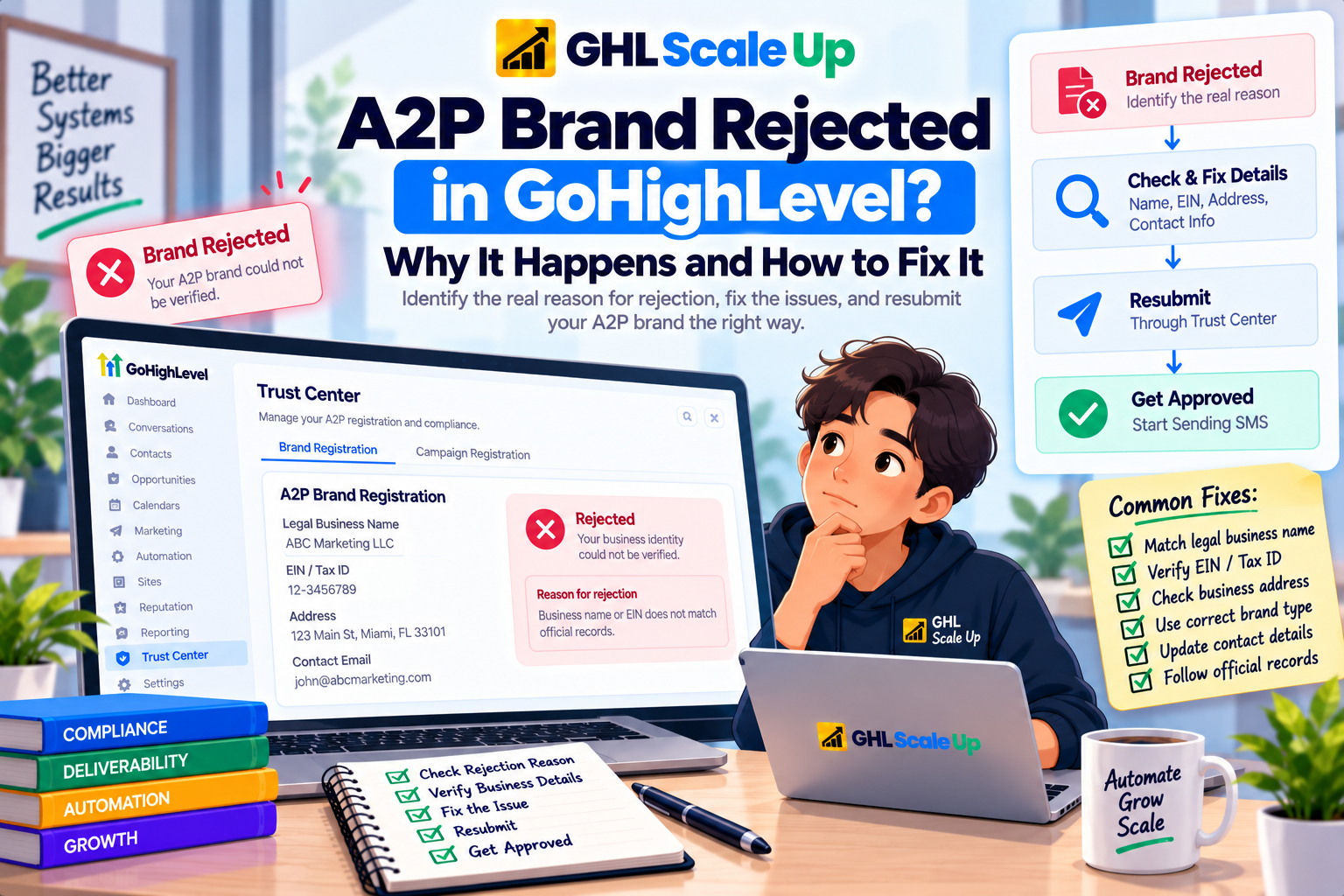
How to Check Your Brand Status and Rejection Reason
- In your GoHighLevel sub-account, open Settings, then Phone System, then the Trust Center, and open your A2P Brand and Campaign information.
- Find the Brand and read its status and any message shown with it. If the Brand is pending, stop here and wait.
- Note the exact wording of the failure. If there is an error message, keep the text or a screenshot.
- Decide whether the failure points to identity (name, registration number), address, entity type, contact and verification details, or Brand type.
- Compare the submitted details with your official record before touching the form.
HighLevel's documentation confirms this Trust Center path but does not describe a dedicated brand rejection screen, so this guide does not name any buttons. Go by what appears on your screen.
Why Was My A2P Brand Registration Rejected?
The table lists only causes documented by HighLevel or the underlying provider documentation. Your own rejection may fall outside it, and the message in Trust Center always takes priority.
| Problem | What it usually means | What to verify | Next step |
|---|---|---|---|
| Legal name and EIN do not match | The name submitted differs from the name tied to that EIN in official records | Your CP 575 or 147C letter | Correct the name, then resubmit |
| Wrong or invalid registration number | A typo, transposed digit or wrong ID type | The number against your letter or national registry | Correct it. US businesses use an EIN, not a DUNS number |
| Newly issued EIN | The record may not have reached verification systems yet | When the EIN was issued | See the EIN section below |
| Address does not match | The address differs from your registered record | The registered address on your official documents | Use the registered street address |
| Entity type cannot be verified | Nonprofit, government or public company details could not be confirmed | Registered status and, for public companies, ticker and exchange | Correct the entity type or provide documents through Support |
| Wrong Brand type | Sole Proprietor was used by a business with a Tax ID, or a corporate name was used as a Sole Proprietor | Whether you have an EIN or Tax ID | Register as a Standard Brand |
| Contact or verification problem | The contact details could not be verified | Email type, reachable phone, OTP completion | Correct the contact details and complete verification |
| Maximum 3 tries exhausted | Self service attempts have run out | Your complete CP 575 | Contact Support with your documents |
How to Fix an EIN and Legal Business Name Mismatch
This is the most common failure documented for Standard Brands. The name in your submission must match the name officially recorded against your registration number, and small differences count.
- Use the record, not memory. For a US business, HighLevel points to the CP 575 EIN Confirmation Letter. If you do not have it, a 147C letter from the IRS is the fallback. Do not take the name from a W-2 or W-9, because it may differ.
- Legal name, not trading name. A DBA, trade name or your messaging provider's name is not the legal name. Entity suffixes such as LLC or Inc should appear as the record shows them.
- Watch typos and digits. HighLevel lists a missing suffix, a shortened name and a transposed digit as typical mismatch sources.
- Multi line names. HighLevel advises entering every line of the name that appears above the address on the letter. Its Brand Approval guidance also warns against appending a person's name that appears after the business name. If unsure, ask Support.
- Lookup first. HighLevel suggests checking your EIN in the HIPAA Space lookup and using the listed business name.
Illustrative example, not an official rejection message: a submission of "Acme Plumbing" fails when the record reads "Acme Plumbing Services LLC". Correct the name to match the record exactly. Uploading a document does not guarantee approval, but HighLevel notes that uploading your CP 575 in the Business Details step can populate the name, EIN and registered address for you.
For non US businesses, use the number HighLevel accepts for your region. Canada uses the first 9 digits of the Business Number (BN-9). The full list is in the A2P Brand Registration guide.
What to Do If Your EIN Is New
HighLevel and Twilio both say newly issued tax IDs can fail because the record has not yet reached the databases used for verification. The sources give different numbers, so they should not be merged:
- HighLevel's brand registration guide notes that an EIN issued within the last 15 days may be rejected.
- HighLevel's Brand Approval Best Practices page says to wait at least 30 to 90 days from the EIN issue date before retrying, or to appeal the verification status for $10 regardless of the outcome, providing the complete PDF of your EIN letter rather than a screenshot or a single page.
- Twilio describes the same situation as an appeal based manual review, also with a $10 fee, in which support requests documents proving your tax registration.
HighLevel's newer "Maximum 3 tries exhausted" guidance does not mention a fee, so confirm the current process and cost with HighLevel Support before paying anything. No source promises a specific waiting period will lead to approval, and the same propagation issue can affect nonprofits.
How to Fix Address and Entity Type Problems
Address. HighLevel says a mismatch in street, city, state, postal code or country can produce a weaker Trust Score, and its brand registration guide tells you not to put a PO box in the street address field. Use the registered address on your official documents rather than a branch or mailing address.
Nonprofits and government entities. For nonprofits and political organizations, the EIN must match the legal name on the Tax Exempt Organizations or registered political organizations list. If the organization cannot be verified, correct the entity type or provide documents for manual verification through Support.
Public companies. The stock ticker and exchange must match public sources.
Business type and identifier. Keep the entity type consistent with how the business is legally registered. Do not enter a DUNS number or a Social Security number in place of an EIN. HighLevel says DUNS is not accepted for US A2P registration.
What not to change. Do not swap in a different name or ID hoping one will verify, and do not switch to Sole Proprietor to avoid an EIN problem. A business with a Tax ID is not eligible for that path.
How Sole Proprietor and Standard Brand Failures Differ
| Standard Brand | Sole Proprietor Brand | |
|---|---|---|
| Typical failure | Name, EIN or address does not match the record | Wrong eligibility, a corporate suffix in the name, or a contact detail that fails validation |
| Contact rules | Business domain email recommended; Gmail accepted but may slow approval | Public domain email required. Business domain emails are not eligible |
| Verification | Persona identity check or email OTP, depending on the account | A US or Canada mobile number that can receive an OTP. VoIP and CPaaS numbers are not accepted |
| First fix | Compare details to the tax record | Confirm you have no Tax ID and only one employee |
Twilio's documentation treats the two paths separately, and its Sole Proprietor troubleshooting guide notes that email and address details are validated, with addresses checked against USPS records. If you have a Tax ID, do not try to fix a Sole Proprietor failure. Register as a Standard Brand instead.
How to Resubmit a Failed A2P Brand
- Confirm the failure. Make sure it is a Brand failure and not a pending review or a Campaign rejection.
- Verify the source information. Check your CP 575, 147C or national registry record.
- Correct every mismatch. Fix all of the listed problems, not just the first.
- Update the Brand details and resubmit in the A2P registration area of your sub-account, following the prompts HighLevel shows.
- Monitor the new status and avoid duplicate submissions while a review is running.
- Escalate if the documented fix does not work. See the next section.
Some steps depend on your provider. In Twilio's own console, for example, you correct the profile, delete the failed Brand and submit again. That describes Twilio, not the HighLevel interface. HighLevel's documentation does not spell out an equivalent, so follow the prompts you see.
Resubmission Limits, Appeals and When to Contact Support
- Attempt limits. HighLevel documents a "Maximum 3 tries exhausted" error. Twilio documents up to three free self service resubmissions, with further help through support. Attempts are limited, so verify your details first.
- After 3 tries. HighLevel says to collect your CP 575 (or a 147C if you cannot get one) and use its support form. HighLevel then submits the documentation for Brand approval on your behalf. Details are in HighLevel's rejection guide.
- Documents. Provide the complete PDF, not a screenshot or first page. Documents used for manual verification must be federal, not state level, and articles of incorporation are not a substitute.
- Approved brands. HighLevel's guidance says an approved Brand cannot be edited from your account, so changes go through Support.
- Fees. Whether a resubmission or appeal costs anything can depend on the process, and HighLevel's pages are not fully consistent on this. See current A2P 10DLC fees and confirm with Support.
For a suspended Brand, which Twilio describes as a rules violation rather than a data mismatch, the fix is different and usually needs support involvement.
How Long Does Brand Review Take?
No fixed time applies. Twilio's documentation says most Brand registrations complete within minutes, some take more than seven days, and a manual third party review can take seven business days or more. That describes Twilio's process, so treat it as context. HighLevel also documents a message about being unable to retrieve a Trust Score, which relates to secondary vetting delays of up to seven business days. See how Trust Score and MPS work for that topic.
What Happens After Your Brand Is Approved
Campaign registration cannot proceed until the Brand is approved, and Brand approval does not approve your messaging. The next stage is A2P Campaign Registration in GoHighLevel. Opt in problems belong to Campaign review rather than Brand identity verification, and the wording lives in A2P opt in language and requirements. If the Brand belongs to a client, it must reflect the client's own legal business; multi client workflows are in A2P registration for GoHighLevel agencies.
Common A2P Brand Rejection Questions
Why was my A2P brand rejected?
Usually because the submitted legal name, registration number or address could not be matched to official records. Other documented causes are a new EIN, an entity type that could not be verified, the wrong Brand type and contact verification problems.
How do I fix an EIN mismatch?
Take the exact legal name from your CP 575 or 147C, correct the Brand details, and resubmit.
Can I resubmit a rejected A2P brand?
Generally yes, but attempts are limited. After the limit, contact HighLevel Support with your complete CP 575.
How long should I wait before resubmitting?
If the failure is a genuine mismatch, correct it and resubmit. If your EIN is new, HighLevel's sources differ, so confirm with Support. There is no guaranteed waiting period.
What if my legal name differs from my DBA?
Register the Brand under the legal name on the record. If you message under a DBA, HighLevel advises declaring it in the Campaign description and keeping your website and consent wording consistent.
When should I contact support or appeal?
When your details match the record and the Brand still fails, when self service attempts are used up, when the EIN is very new, or when the Brand is suspended.
Can I register another brand instead?
It rarely helps. A new Brand with the same details will fail the same way, and HighLevel discourages many Brands on one EIN. Fix the existing one or ask Support first.
Related Articles in This Series
Need your A2P brand rejection resolved fast?
GHL Scale Up handles A2P brand registration and rejection fixes. EIN verification, correct brand type, CP 575 documentation, resubmission management, and manual verification support handled end to end.
Book Your Free Strategy Call
This guide was checked against HighLevel's Brand Approval Best Practices, Registering Your A2P Brand and Campaign rejection documentation, and Twilio's Standard and Low Volume Standard troubleshooting guide, in September 2026. Requirements, fees and processes change, so confirm against your Trust Center. This is not legal advice.
ghlscaleup.com