
Get help fixing your appointment trigger issue.
What Does "GoHighLevel Appointment Workflow Not Triggering" Actually Mean?
This phrase covers several distinct points of failure, and they don't share a fix. An appointment event that doesn't produce the expected workflow enrollment could mean:
- The appointment wasn't actually created the way you think wrong calendar, wrong contact, or it never completed.
- The workflow is listening for a different appointment trigger than the one this event actually fires.
- The event happened, but its status doesn't match what the trigger is configured to catch.
- The calendar, tag, or other trigger filter excludes this specific appointment.
- The contact's existing state already enrolled, re-entry disabled blocks a new enrollment.
- The workflow actually enrolled the contact, and the real problem is what happened afterward.
Confirming which of these is actually happening is most of the diagnostic work. Assuming it's always "the trigger is broken" is how a five-minute filter check turns into rebuilding a workflow that was never the problem.
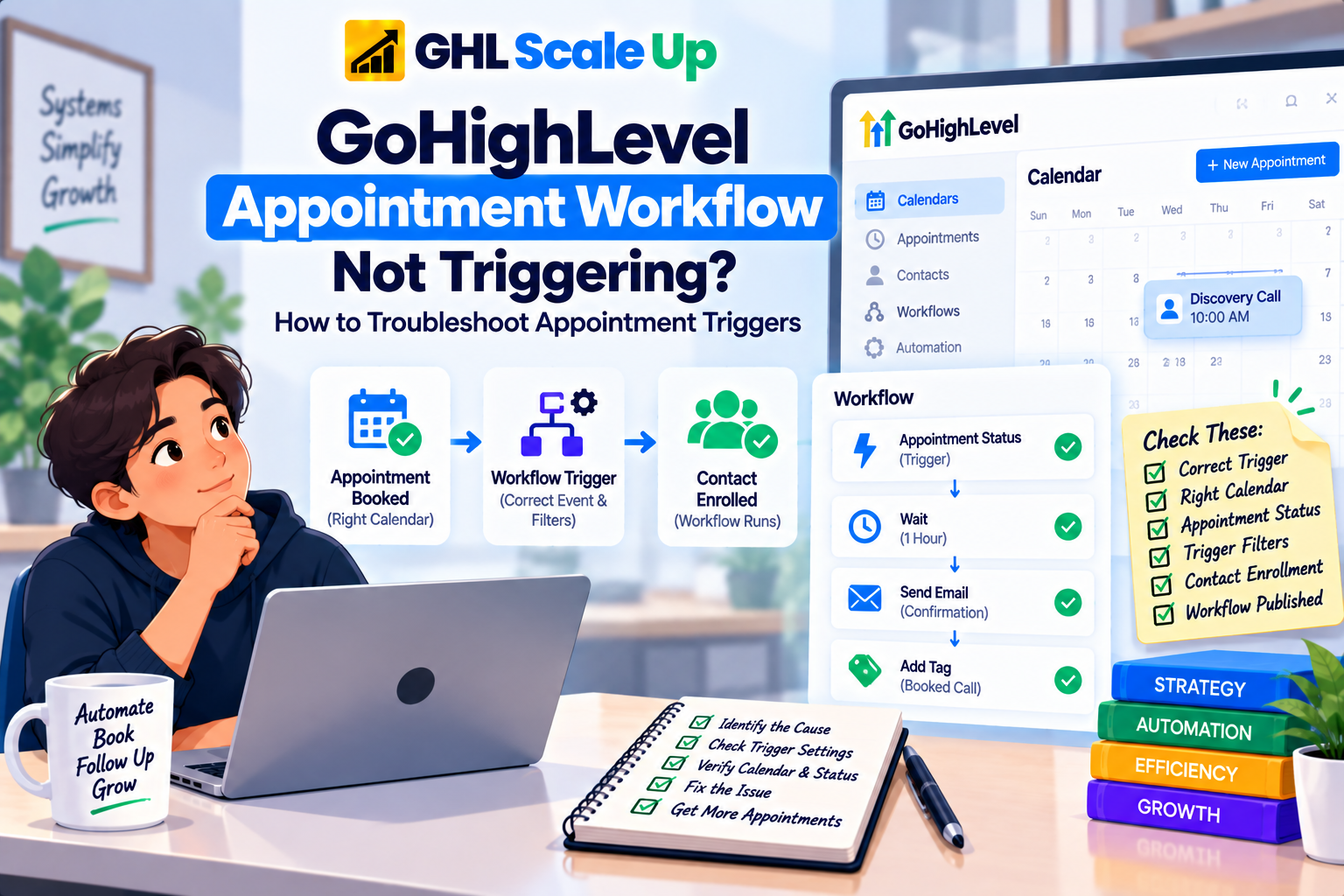
Why a GoHighLevel Appointment Event and Workflow Enrollment Are Two Different Things
An appointment being created, confirmed, rescheduled, or cancelled is one event. A contact enrolling in a workflow because of that event is a separate, dependent event not a guaranteed consequence of it. The chain runs: appointment event occurs → the relevant calendar and contact context is established → a workflow's appointment-based trigger evaluates the event → the trigger's filters check whether this specific event qualifies → enrollment occurs → execution begins.
The appointment can be created correctly, on the right calendar, for the right contact, and still produce no enrollment if the workflow's trigger isn't the one that actually listens for that kind of event, or if a filter excludes it. Appointment creation is necessary for enrollment. It isn't sufficient.
Which GoHighLevel Appointment Trigger Is Your Workflow Actually Using?
This is the step most troubleshooting skips, and it's often the actual answer. GoHighLevel currently has more than one appointment-related trigger, and they don't all behave the same way.
Appointment Status is the current primary trigger for calendar appointments it fires when an appointment is scheduled or its status changes, and it's the trigger HighLevel is actively directing workflow builders toward. Customer Booked Appointment is an older, separate trigger that HighLevel has been deprecating; its function has been folded into Appointment Status's own Modified By filter (Customer, User, or API), so a workflow still built on the legacy trigger may be running on a component that's being phased out. If you're troubleshooting a workflow built some time ago, check which of the two it's actually using before assuming a filter problem.
There's a third, easy-to-miss option: Service Booking (Services v2), which only appears if Services v2 is enabled on the sub-account. It works at the booking level rather than the individual-appointment level if a customer books three services in one checkout, Service Booking fires once for the whole booking, while Appointment Status would evaluate each appointment separately. A workflow built against the wrong one of these two will either fire multiple times when you expected once, or never fire at all for bookings made through the other system.
How the Selected GoHighLevel Calendar Affects Appointment Workflow Enrollment
Appointment triggers typically support a calendar-level filter scoped to one specific calendar or a calendar group so the workflow only responds to bookings made through the calendars you actually intend. If a business runs multiple calendars (per location, per service, per team member) and the trigger is scoped to one of them, an appointment booked on a different calendar won't qualify, even though it's a completely valid appointment in every other respect. This is a distinct failure from a status mismatch: the event type and status can be exactly right, and the appointment can still fail to qualify purely because of which calendar it came through.
How GoHighLevel Appointment Status Affects Workflow Triggering
Appointment status is not a single on/off state GoHighLevel tracks a set of distinct statuses (typically New/Unconfirmed, Confirmed, Showed, No Show, Cancelled, and Invalid), and a trigger configured to catch one status will not fire for a different one. A workflow built to respond to a new booking will not automatically also respond when that same appointment is later confirmed, cancelled, or marked as a no-show those are different status values, and unless the trigger is explicitly configured to catch more than one of them, only the configured status qualifies.
This is where "the appointment happened" stops being enough information. The specific status the workflow is listening for has to match the specific status the event actually produced, and it's worth checking that match explicitly rather than assuming any appointment-related activity should be enough.
How GoHighLevel Appointment Trigger Filters Can Block a Qualifying Appointment
Beyond calendar and status, the Appointment Status trigger carries additional filters that narrow qualification further. Event Type distinguishes Normal appointments from Recurring ones a workflow filtered to Normal won't fire for bookings made through a calendar with recurring appointments enabled, and recurring appointments don't qualify through the legacy Customer Booked Appointment trigger at all. Modified By distinguishes who made the change Customer (self-booked through a widget), User (booked or changed by staff), or API so a workflow filtered to Customer won't fire when a team member manually creates or updates the appointment, even though an appointment clearly exists.
Any additional filters a required tag, a specific assigned user stack on top of these, and the event has to satisfy every configured filter simultaneously, not just the obvious ones like calendar and status.
How GoHighLevel Appointment Rescheduling Affects Workflow Triggers
Rescheduling updates the appointment's status rather than creating an entirely separate event, which has a direct consequence for triggering: a workflow with a trigger set to fire on a Rescheduled status will only re-enter an existing contact if Allow Re-entry is enabled and the rescheduled appointment still matches every other configured filter calendar, event type, and any others. Rescheduling is not automatically treated the same as a brand-new booking. If the workflow behaves correctly for first-time bookings but silently does nothing when an existing contact reschedules, check Allow Re-entry and the trigger's status filter before assuming anything about the trigger itself is broken.
How GoHighLevel Appointment Cancellations Affect Workflow Triggers
A cancellation is its own status value, and a workflow needs a trigger explicitly configured to catch it a trigger built around New or Confirmed status will not also fire when an appointment is cancelled. Cancelling an appointment also has a separate effect worth knowing about: if the contact is currently mid-run in a different workflow tied to that same appointment (a reminder sequence, for example), cancelling pulls that contact out of the active run entirely. That's a distinct behavior from triggering a new workflow one is an exit from an existing run, the other is qualification for a new one and conflating them is a common source of confusion when a cancellation workflow doesn't seem to fire.
How No-Show Status Affects GoHighLevel Workflow Triggers
No-show is tracked as its own appointment status, separate from Cancelled, and typically has to be set explicitly either manually by a team member or through an automated no-show detection step before a workflow trigger watching for that status can fire. If the appointment's actual status never transitions to No Show (it simply sits at Confirmed with no automatic change), a workflow built to catch the No Show status has nothing to respond to yet, regardless of whether the customer genuinely missed the appointment. Confirm the status itself changed before troubleshooting the trigger.
How Existing Contacts and Workflow Re-Entry Affect Repeated GoHighLevel Appointment Events
New appointment bookings carry a documented exception: a fresh booking re-enters the contact regardless of the Allow Re-entry setting, and a contact can have more than one active run at once from separate appointments. That exception does not extend to status-change events like reschedules or cancellations on an existing appointment those still require Allow Re-entry to be enabled to produce a second enrollment. This means "the same contact booked again and nothing happened" and "the same contact's existing appointment changed status and nothing happened" are genuinely different diagnoses, even though both involve a returning contact. When repeat bookings specifically are involved, the deeper mechanics of re-entry and when it should or shouldn't be enabled are covered in GoHighLevel Workflow Re-Entry Explained.
How to Test a GoHighLevel Appointment Workflow Trigger With a Real Booking
- Confirm the workflow is Published.
- Confirm which appointment trigger it uses Appointment Status, the legacy Customer Booked Appointment, or Service Booking (Services v2).
- Confirm the calendar (or calendar group) filter matches where the test booking will actually be made.
- Confirm the status, Event Type, and Modified By filters match the exact scenario you're testing don't test a Customer-booked scenario if the filter is set to User.
- Use a contact you can control, ideally one without prior history in this workflow.
- Create the appointment through the actual booking path you're troubleshooting the live widget, not just an internal manual entry, if that's what real customers use.
- Verify the appointment event and its resulting status on the contact record.
- Check whether the contact enrolled in the workflow.
- If enrolled, stop diagnosing the trigger confirm what happened during execution instead.
- If not enrolled, work back through calendar, status, and filter matches before assuming anything is broken.
A successful booking proves the booking process worked nothing about which trigger caught it or whether its filters matched. Test each status and event type independently when troubleshooting a workflow meant to respond to more than one of them; confirming "new booking" works says nothing about whether "rescheduled" or "cancelled" will.
How to Confirm Whether a GoHighLevel Appointment Actually Enrolled the Contact
This is the boundary the whole article works toward. Open Enrollment History for the contact whose appointment event you're troubleshooting. No enrollment record means the problem is still upstream trigger selection, calendar, status, or filters. An enrollment record means the appointment trigger did its job, and continuing to adjust calendar or status filters won't change anything, because they already worked. The detailed method for reading that evidence is in Enrollment History and Execution Logs; if enrollment is confirmed and a later email, SMS, task, or webhook still didn't fire, that's a separate diagnosis covered in GoHighLevel Workflow Triggered but Not Working.
Common Reasons a GoHighLevel Appointment Does Not Enroll a Contact in a Workflow
| Symptom | Likely Cause | What to Check |
|---|---|---|
| Appointment booked, no enrollment at all | Workflow uses the wrong trigger, or is still in Draft | Which trigger is configured, and Publish status |
| Works on one calendar, not another | Calendar filter scoped to a different calendar | The trigger's calendar/calendar-group filter vs. where the booking was made |
| New booking works, reschedule doesn't | Rescheduling requires Allow Re-entry; new bookings don't | Allow Re-entry setting and the trigger's status filter |
| Cancellation doesn't trigger the cancellation workflow | Trigger isn't configured to catch the Cancelled status specifically | The trigger's appointment-status filter |
| Staff-booked appointments don't trigger, customer-booked ones do | Modified By filter set to Customer only | The trigger's Modified By filter |
| Multi-service checkout fires once when workflow built for individual appointments | Service Booking trigger used instead of Appointment Status, or vice versa | Which trigger the workflow is actually built on |
| Existing contact's new appointment doesn't re-enroll | Contact still active in the workflow from a prior run | Current enrollment state, separate from the always-allow new-booking exception |
| Enrollment confirmed, but expected action didn't happen | No longer a trigger problem | Execution evidence for that specific run |
Common Mistakes When Diagnosing a GoHighLevel Appointment Workflow That Isn't Triggering
- Assuming any appointment activity should satisfy any appointment-related trigger. Status, event type, and calendar all have to match specifically.
- Not checking which trigger the workflow actually uses. A workflow built on the deprecating Customer Booked Appointment trigger behaves differently from one built on Appointment Status.
- Testing only the "new booking" scenario for a workflow meant to also catch reschedules or cancellations. Each status needs its own independent test.
- Overlooking the Modified By filter and testing customer-facing behavior with a staff-created appointment, or the reverse.
- Treating every repeat appointment as a re-entry problem, when new bookings re-enter regardless of the setting and only status-change events actually depend on it.
- Changing multiple filters simultaneously while troubleshooting, which erases the ability to tell which condition was actually blocking enrollment.
- Concluding the workflow enrolled when it only confirms the appointment was created those are different pieces of evidence, and only Enrollment History confirms the second one.
When a GoHighLevel Workflow Problem Isn't Actually About the Appointment Trigger
- The workflow doesn't trigger for anything, appointments included → GoHighLevel Workflow Not Triggering? Find the Fix
- The workflow worked before, but a returning contact's new event won't re-enroll them → GoHighLevel Workflow Re-Entry Explained
- Enrollment History confirms the contact entered, and you need to inspect the run itself → Enrollment History and Execution Logs
- The contact enrolled, but a later step didn't behave as expected → GoHighLevel Workflow Triggered but Not Working
- The problem is actually a form submission, not an appointment → GoHighLevel Form Submitted Workflow Not Triggering
The Core Diagnostic Principle for a GoHighLevel Appointment Workflow That Isn't Enrolling Contacts
An appointment event and a workflow enrollment are related but separate outcomes, connected by which trigger the workflow actually uses, which calendar and status it's scoped to, and the contact's current state. Confirm the event happened, confirm the workflow is listening for that exact trigger, calendar, and status, and check Enrollment History as the evidence for whether it actually worked. Once enrollment is confirmed, the appointment trigger has done everything it's responsible for anything left to diagnose belongs to execution, not the trigger.
Frequently Asked Questions About GoHighLevel Appointment Workflows That Don't Trigger
Why isn't my GoHighLevel appointment workflow triggering?
Most often because the workflow's trigger isn't configured for the specific event that occurred wrong trigger type, wrong calendar, wrong status, or a Modified By filter that excludes how the appointment was actually created or changed.
Why doesn't a booked appointment trigger my GoHighLevel workflow?
Confirm which trigger the workflow uses (Appointment Status, the legacy Customer Booked Appointment, or Service Booking for Services v2), that it's Published, and that its calendar and status filters match the actual booking.
How do I trigger a workflow when an appointment is booked in GoHighLevel?
Add an Appointment Status trigger, set its status filter to the booking event you want (typically New or Unconfirmed), scope it to the correct calendar, and publish the workflow.
Why does my appointment workflow work on one calendar but not another?
The trigger's calendar (or calendar group) filter is scoped to specific calendars a booking on an unlisted calendar won't qualify even if every other condition matches.
Why doesn't my GoHighLevel workflow trigger after an appointment is rescheduled?
Rescheduling updates the appointment's status rather than creating a new booking event, so re-entry requires Allow Re-entry to be enabled and the rescheduled appointment to still match the trigger's filters it isn't covered by the same always-allow exception new bookings get.
Why doesn't a cancelled appointment trigger my workflow?
The trigger has to be explicitly configured to catch the Cancelled status a trigger built for New or Confirmed bookings won't also fire on cancellation.
Can the same contact trigger a GoHighLevel appointment workflow more than once?
Yes for new bookings, which re-enter regardless of Allow Re-entry. For status-change events on an existing appointment, it depends on Allow Re-entry being enabled and the contact not currently being active in that workflow.
How do I know whether my appointment actually enrolled the contact in the workflow?
Check Enrollment History for that contact. A recorded enrollment confirms the trigger worked; its absence means the problem is upstream, in trigger selection, calendar, status, or filters.
Related Articles in This Series
Need Help Fixing an Appointment Trigger Issue?
We diagnose and fix GoHighLevel appointment trigger issues for agencies and businesses.
Book Your Free Troubleshooting Session
GHL Scale Up is a specialised GoHighLevel implementation and SaaS growth agency. Based in India, we serve agencies and businesses across 6 countries with 200+ GoHighLevel builds delivered. This guide reflects direct experience troubleshooting appointment trigger issues across hundreds of GHL accounts. All troubleshooting details verified against official documentation as of September 2026.
ghlscaleup.com