

1. Why Do Businesses Migrate from Keap to GoHighLevel?
Businesses migrate from Keap to GoHighLevel primarily to consolidate a fragmented Keap + PlusThis + Zapier + landing-page-tool stack into one platform, reduce per-contact pricing pressure, and access native SMS, AI, and agency reseller features Keap doesn't offer.
- Per-contact pricing at scale: Keap pricing scales with contact count. GHL's flat-rate model ($97–$497/month) does not.
- Stack consolidation: a typical Keap user pairs it with PlusThis, Zapier, a landing page tool, and a scheduling tool. GHL consolidates these into one platform.
- Native SMS and WhatsApp: Keap requires third-party SMS integrations. GHL has native SMS, MMS, and WhatsApp built into every plan.
- Agency and SaaS Mode: agencies serving multiple Keap clients pay per instance. GHL's sub-account architecture and SaaS Mode manage multiple clients from one dashboard.
GHL is not a drop-in Keap replacement for every business. Keap remains meaningfully better for businesses that depend on Keap's e-commerce and order forms module for product sales, users with deep PlusThis-specific campaign investment, and merchants who rely on Keap Pay for card-present transactions. If your Keap use centers on Keap Pay or its shopping cart, verify GHL meets those specific needs before migrating.
2. What Data Transfers and What Does Not?
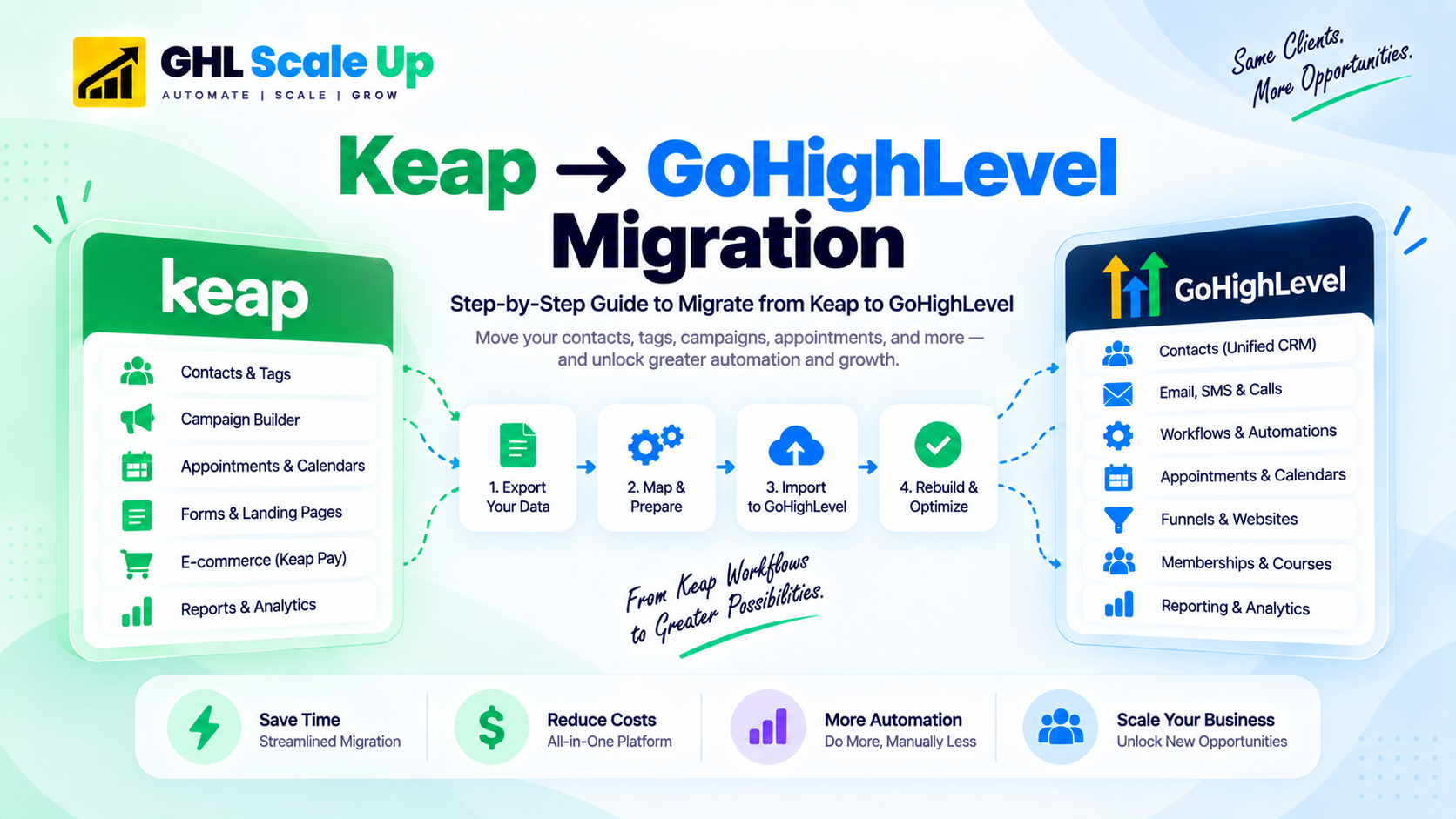
GoHighLevel's official Keap migration guide confirms which assets the standard migration process covers. Other assets require manual re-creation or stay in Keap as an archive.
| Keap Asset | Transfers? | How |
|---|---|---|
| Contacts | Yes | CSV export from Keap, CSV import to GHL |
| Custom fields | Manual recreation | Must be recreated in GHL before contact import |
| Tags | Yes | Export with contact record; recreate as GHL tags |
| Pipelines / deals | Manual rebuild | Stages recreated in GHL first, then deals manually re-entered the official guide confirms this is a manual transfer, not automatic |
| Campaign Builder sequences | No | Documented and rebuilt in GHL Workflow Builder |
| Appointment types and calendars | Manual rebuild | Recreated in GHL Calendars → Appointment Types, including duration, location, and availability settings |
| Landing pages and forms | Manual rebuild | Rebuilt in GHL's Funnel/Website Builder and Forms |
| Order records | No | Stay in Keap archive |
| Notes | No | Stay in Keap archive |
| PlusThis add-ons | No | Replace with GHL-native equivalents |
| Zapier integrations | Manual reconnect | Rebuild with GHL native integrations or webhooks |
order records, notes, and pipeline deals do not come over automatically in a standard Keap data export confirmed directly in GoHighLevel's own official guide, which describes deal recreation as a manual step. Keep your Keap subscription active as a read-only archive for 60–90 days minimum after migration, longer if you need to reference historical order data.
3. How Do You Export Contacts and Data from Keap?
1. Navigate to Contacts → People in Keap.
2. Select the contacts to export, or use Select All.
3. Click Export and choose CSV download.
4. For exports over 1,000 contacts, enter your email address Keap sends a download link rather than an instant file, per GoHighLevel's official guide.
5. Document (don't try to export) custom fields they need to be recreated manually in GHL. Screenshot the field list for reference.
6. Securely back up the exported CSVs before starting the transformation process.
First, contacts without an email address Keap allows this, GHL does not, and any contact imported without one is silently skipped. A common workaround is assigning a placeholder unique email (a pattern like noemail-[keap-id]@yourdomain.com) so the contact still imports, with a follow-up workflow to collect the real address later. Second, contacts with multiple email addresses (Email1, Email2, Email3 in Keap) can create duplicate GHL contacts unless normalized to one primary email before import pick the most recently active address as primary and move others to a custom field for reference.
4. How Do You Handle Keap Tags and Custom Fields?
Keap uses tags to encode segmentation, campaign entry conditions, and lifecycle state a single account might have hundreds or thousands of active tags. Not all of them should migrate as-is.
- Segmentation tags migrate directly: tags grouping contacts by demographic, interest, or behavior (Customer, Prospect, Product-A-Buyer) become GHL tags on the imported contact.
- Campaign state tags get rebuilt as workflow state: tags tracking campaign progress (Welcome-Series-Day-3, Onboarding-Complete) don't migrate as tags they get rebuilt as state within the corresponding GHL workflow.
- Legacy tags get archived: tags from campaigns no longer running don't need to migrate. Document them separately if needed for compliance, then drop them from the import.
- Utility tags convert to custom fields: tags used as pseudo-fields (Preferred-Contact-Method-Email, VIP-Client) convert into proper GHL custom fields for cleaner data structure.
For custom fields specifically: document every Keap custom field (name, data type, picklist values) from Admin → Settings → Custom Fields, recreate each one in GHL's Settings → Custom Fields with matching type, then map the CSV column headers to the GHL field names exactly any column without a matching field is silently dropped during import. Test with 100–200 contacts first to confirm every field appears correctly.
5. How Do You Rebuild Keap Campaign Builder Sequences in GHL?
Keap Campaign Builder uses a visual canvas with goals, decision nodes, sequences, and merge fields. GoHighLevel's Workflow Builder uses triggers, actions, wait steps, and if/else branches. The models are conceptually similar but there is no export/import path between them every actively-used campaign must be documented and rebuilt by hand.
- Business intent: what it achieves
- Entry goal: what starts it
- Sequence steps in order: what it does, step by step
- Decision nodes: conditional branches
- Exit goals: when it completes
Then rebuild in GHL: recreate the trigger matching the entry goal, rebuild each action and wait step in order, replace every Keap merge field token (~ContactFirstName~) with its GHL custom-value equivalent ({{contact.first_name}}), and test end-to-end with yourself as a test contact before enabling for live traffic.
a campaign rebuild is a natural chance to retire automations that no longer fire, target campaigns that have ended, or run on assumptions that no longer hold in our experience, a meaningful share of long-running Keap accounts carry exactly this kind of dead weight. Migrating only what's actively used reduces rebuild time and produces a cleaner GHL environment. For the full Workflow Builder mechanics, see GoHighLevel's workflow automation guide.
6. Appointments and Calendars
This step is easy to overlook but is treated as its own phase in GoHighLevel's official Keap migration guide. List every active Keap appointment type along with its duration, availability rules, reminder settings, and any calendar integrations (Zoom, Google, Outlook). In GHL, recreate each one under Calendars → Appointment Types, matching duration and location settings, then reconnect Google or Outlook calendar sync so bookings don't create double-booking conflicts during the transition.
7. How Do You Replace PlusThis and Other Keap Integrations?
PlusThis is the most common Keap add-on, extending Campaign Builder with appointment reminders, countdown timers, dynamic content, SMS integrations, and webinar sequences. None of it migrates each feature needs a GHL-native replacement or an alternative.
| PlusThis Feature | GHL Replacement |
|---|---|
| Appointment reminders | Native GHL workflow with Send SMS + Send Email actions |
| Countdown timers in emails | Third-party image service (not native in GHL either) |
| Dynamic content by tag | GHL Custom Values in email templates |
| Webinar registration sequences | GHL Workflows plus a Zoom/webinar platform webhook |
| SMS gateway integration | GHL native SMS |
| Card decline recovery | GHL payment failure workflow |
Every Zapier zap connected to Keap needs review some can be replaced with GHL's native integrations, others need rebuilding as GHL webhooks, and some can simply be reconnected using GHL as the new source system instead of Keap.
8. What Is the Phased Cutover Process?
- Week 1 route new leads to GHL. Update website forms and lead capture endpoints. Existing Keap contacts continue in their current Keap campaigns.
- Week 2 migrate active contacts. Export contacts currently in active nurture sequences or open pipelines, import to GHL, and rebuild the workflows they need.
- Week 3 validate deliverability and workflow accuracy. Confirm GHL is receiving leads, workflows fire correctly, email open rates are within range of the Keap baseline, and appointments book correctly. Warm up the new sending domain.
- Cutover once GHL performs consistently for 5–7 business days, route all inbound traffic to GHL. Keep Keap active as an archive for 60–90 days.
- Final export take one last full export from Keap (contacts, custom fields, tags) before eventual subscription cancellation, and store it securely.
9. How Does Keap Migration Compare to Zoho, HubSpot, or Salesforce?
Keap migrations are moderate complexity: easier than Salesforce, broadly similar to HubSpot, harder than Zoho primarily because of Campaign Builder's rebuild scope rather than data volume or object complexity.
See the equivalents: Zoho to GoHighLevel migration,
HubSpot to GoHighLevel migration,
Salesforce to GoHighLevel migration. For how Keap compares across the full platform list, see which platform is easiest to migrate to GoHighLevel.
10. Frequently Asked Questions
Can I migrate Keap Campaign Builder to GoHighLevel?
Not automatically. Campaign Builder sequences have no export path, confirmed in GoHighLevel's own official Keap migration guide. Each active campaign must be documented business intent, entry goal, sequence steps, decision nodes, exit conditions then manually rebuilt in GHL's Workflow Builder. This is typically the most time-consuming phase of a Keap migration.
What data transfers from Keap to GoHighLevel?
Contacts and tags transfer via CSV export. Custom fields must be recreated manually in GHL before import. Campaign Builder sequences, order records, notes, and pipeline deals do not transfer automatically the official guide confirms deals specifically require manual re-entry, not automated import.
How do Keap tags map to GoHighLevel?
Classify every tag into four categories: segmentation tags (migrate as GHL tags), campaign state tags (rebuild as workflow state, not tags), utility tags (convert to GHL custom fields), and legacy tags (archive, don't migrate). This classification is one of the most valuable side effects of a Keap migration most long-running accounts carry substantial tag debt worth cleaning up.
What happens to appointments and calendars when migrating from Keap?
They don't transfer automatically. Recreate each appointment type in GHL's Calendars → Appointment Types, matching duration, location, and availability settings, then reconnect Google or Outlook calendar sync.
What happens to PlusThis when I migrate from Keap to GHL?
PlusThis doesn't migrate it's a Keap-specific add-on. Each feature needs a GHL-native replacement (appointment reminders, dynamic content, SMS) or a third-party alternative (countdown timers have no native GHL equivalent).
How long does a Keap to GoHighLevel migration take?
Small migrations (under 5,000 contacts, minimal Campaign Builder activity) can complete in 1–2 weeks. Standard migrations (10,000–50,000 contacts, 10–20 active campaigns) typically take 3–5 weeks. Complex migrations (100,000+ contacts, 20+ active campaigns, deep PlusThis/Zapier use) can take 6–8 weeks.
Is Keap Ultimate different from Keap Pro for migration purposes?
The two editions do differ in feature depth Keap Ultimate carries the full Campaign Builder, which is where most long-tenured users have their largest automation investment. A specific difference sometimes claimed that Ultimate exports tags more completely than Pro isn't something we've been able to independently verify against official documentation, so treat it as unconfirmed and check your specific edition's current export options directly before finalizing your migration plan.
Related Articles in This Series
Ready to migrate from Keap without losing your campaigns?
GHL Scale Up handles Campaign Builder migrations end-to-end. Keap audit, tag classification, data cleaning, custom field recreation, Campaign Builder rebuild in GHL Workflow Builder, PlusThis replacement, and phased cutover.
Book Your Free Strategy Call