
What Is an Abandoned Checkout in GoHighLevel?
An abandoned checkout is a checkout session where a shopper reached the checkout process, provided at least their email address, and didn't complete payment. That last detail matters: cart and checkout aren't the same event. A shopper adding an item to a cart and leaving the site has not reached checkout there's no email captured, and GoHighLevel's Abandoned Checkout trigger has nothing to identify them by. The trigger fires when a shopper enters checkout, reaches the point of entering an email, and then doesn't finish paying within the abandonment window you configure.
Marketers often use "abandoned cart" loosely to mean any incomplete purchase, including someone who never got past browsing. GoHighLevel's trigger doesn't work at that level it's specifically tied to checkout, and specifically requires an identifiable shopper. If your product pages see a lot of traffic but few checkouts start, that's a different problem this automation can't see or fix.
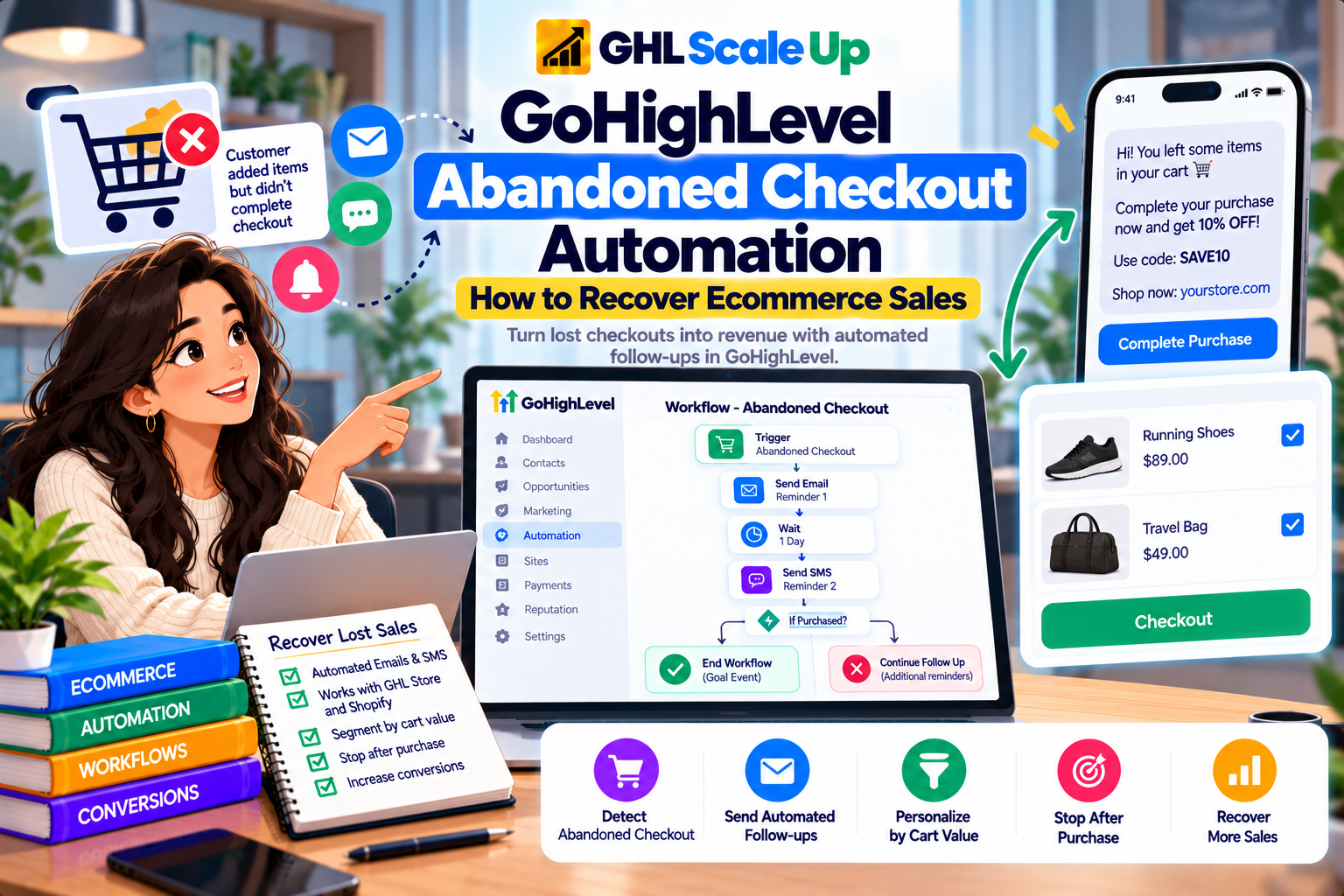
How Does the GoHighLevel Abandoned Checkout Trigger Detect an Abandoned Checkout?
The Abandoned Checkout trigger watches for a shopper who adds items, enters checkout, provides a valid email address, and doesn't complete payment within a duration you set in minutes. Once that window elapses without a completed payment, the trigger fires and the workflow enrolls the contact. HighLevel's own documentation frames this as a single, unified trigger it's built to work the same way whether the checkout happened in the native Ecommerce Store or came from a connected external source like Shopify, rather than needing separate triggers for each.
Without a captured email, there's no contact for the workflow to act on, so a shopper who abandons before entering any contact information simply isn't visible to this automation. That's a hard boundary of the trigger, not a configuration choice.
Which Ecommerce Sources Can Trigger a GoHighLevel Abandoned Checkout Workflow?
Two sources are currently documented for the Abandoned Checkout trigger: GoHighLevel's own native Ecommerce Store, and Shopify through the connected integration. The trigger's Order Source filter lets you choose Store (native) or External, and when External is selected, a Sub-Source filter narrows it to the specific external platform currently Shopify. HighLevel's documentation doesn't list other external ecommerce platforms as currently supported for this trigger, so don't assume a different platform will populate it without checking current documentation first.
What Data Does the GoHighLevel Abandoned Checkout Trigger Provide?
The trigger's filters double as a rough map of what it actually knows about the abandoned checkout, since a filter can only narrow on data the trigger has access to.
| Available Data | What It Tells the Workflow | Note |
|---|---|---|
| Contact email | Who to follow up with | Required for the trigger to fire at all |
| Duration since abandonment | How long the checkout has been idle | Set by you as the abandonment window, in minutes |
| Cart/order value | How much the abandoned checkout was worth | Filterable; usable for value-based routing |
| Country | Shopper's location | Filterable |
| Products | Which product(s) were in the checkout | Filterable via a Global Products selection |
| Order source and sub-source | Whether the checkout was native Store or external (Shopify) | Filterable; also useful in If/Else branching |
| Store name | Which store the checkout belongs to, for multi-store accounts | Filterable |
What's not confirmed in current documentation: individual line-item detail beyond the product filter, shipping method selected, or discount codes entered. If a message needs that level of detail, verify it's actually available in your workflow's custom values before building around it.
Triggering the Workflow Is Not the Same as Recovering the Sale
This distinction is worth stating plainly, because it's where a lot of abandoned checkout automation quietly underperforms. The trigger firing only means the workflow started. Whether the sale actually gets recovered depends on things the trigger has nothing to do with: how relevant the message is, whether it reaches a channel the customer actually checks, how much time passed before it arrived, whether a discount was necessary or counterproductive, and whether the customer had a real reason to abandon in the first place a shipping cost surprise, a payment failure, simple distraction. GoHighLevel gives you the event and the data to act on it. The workflow design and the message are what determine whether that turns into a recovered sale.
How to Build a GoHighLevel Abandoned Checkout Workflow Step by Step
- Confirm the ecommerce source. Is the checkout happening in the native Ecommerce Store, or in a connected Shopify store? This decides which Order Source/Sub-Source filter you'll use.
- Create a new workflow (or open an existing one) from Automation → Workflows.
- Add the Abandoned Checkout trigger. It's listed under the Ecommerce Stores trigger category.
- Set the abandonment duration in minutes how long to wait after the last checkout activity before treating it as abandoned.
- Add the filters relevant to your use case cart value, country, products, order source/sub-source, store name only the ones that actually change how you want to handle that checkout.
- Add a wait step before the first message, rather than firing immediately (covered in the timing section below).
- Send the first recovery message email, SMS, or both, depending on what's available and appropriate.
- Add a Goal Event checking for completed payment so the workflow stops or branches the moment the customer pays (covered in detail below).
- Branch or continue based on whether the goal was met end the workflow for a completed purchase, continue the sequence for one that's still unresolved.
- Publish the workflow and test it with a real abandoned checkout before relying on it for live customers.
How to Use GoHighLevel Abandoned Checkout Trigger Filters
Each filter exists to route different abandoned checkouts into different treatment, not just to narrow the list down. Here's what each one is actually for.
- Cart/order value A $30 cart and a $1,500 cart usually warrant different recovery logic. A store might send a simple reminder for the former and route the latter to a higher-touch sequence, or flag it for a team member. Set this too aggressively and you'll exclude smaller but still worthwhile recoveries.
- Country Useful when shipping cost, currency, or fulfillment differs by region and the message needs to reflect that. Overusing it can fragment a workflow into more branches than the actual difference in customer experience justifies.
- Products (Global Products) Lets a specific product's abandonment get product-specific messaging, rather than a generic "you left something in your cart" line. Only worth using when you actually have distinct messaging prepared for that product; otherwise it adds complexity with no payoff.
- Order source / sub-source Separates native Store checkouts from Shopify checkouts, which matters if the two experiences differ enough that one message doesn't fit both.
- Store name Relevant for accounts running multiple stores, so each store's abandoned checkouts can be handled under its own branding and logic.
How to Stop Abandoned Checkout Messages After a Customer Purchases
This is the section most abandoned checkout workflows get wrong. A customer abandons, enters the recovery sequence, then completes the purchase on their own maybe before your first message even sends. If the workflow keeps running, that customer gets a reminder to buy something they already bought, which is the fastest way to make an automation feel broken rather than helpful.
GoHighLevel's documented mechanism for this is the Goal Event workflow action. A Goal Event lets a contact jump out of a sequence the instant a condition is met, evaluated continuously rather than only at a single checkpoint the way an If/Else does. The documented Goal Event type relevant here is Payment Received, which can be filtered by success or failure status and by product. Add a Goal Event checking for Payment Received success right after your trigger (or after each wait step), and set its behavior to End this workflow once the goal is met the contact exits the recovery sequence the moment payment succeeds, instead of finishing out every remaining step.
An If/Else condition checking order or payment status is a secondary option, but it only evaluates once, at the moment the contact reaches that step it won't catch a payment that completes while the contact is sitting in a wait step. For a continuously-checked exit condition, the Goal Event is the documented tool built for that job.
How to Avoid Duplicate Abandoned Checkout Recovery Messages
A few realistic scenarios can produce more than one recovery message to the same person, and it's worth designing around them rather than assuming the platform prevents all of them automatically:
- The same shopper abandons more than once. If they abandon, don't purchase, and abandon again later, that's a second, legitimate trigger event not necessarily a bug, but worth knowing your workflow's re-entry behavior for repeat abandonments.
- Multiple devices or sessions. A shopper starting checkout on mobile, then finishing on desktop, can look like two separate abandonments if the first session's checkout technically timed out before the second completed.
- Overlapping workflows. If more than one workflow is built to catch abandoned checkouts one broad, one product-specific the same contact can land in both simultaneously unless your filters are mutually exclusive.
- Multiple stores or integrations. An account running both a native Store and a connected Shopify store needs source/sub-source filters set deliberately, or the same customer activity could be interpreted by more than one workflow.
HighLevel's documentation doesn't claim the platform automatically prevents every one of these scenarios it gives you the filters and Goal Event tools to design around them. Treat duplicate prevention as something you build, not something you get for free.
Four GoHighLevel Abandoned Checkout Workflow Examples
These are hypothetical architectures built only from the triggers, filters and actions confirmed above. Treat them as starting shapes to adapt, not settings to copy exactly.
Workflow A: Simple Recovery
Abandoned Checkout trigger → wait → one recovery email → Goal Event (Payment Received) to end the workflow. The minimum viable version, appropriate for a store with a small catalog and no strong reason to segment.
Workflow B: Multi-Step Email and SMS Recovery
Abandoned Checkout trigger → wait → email → wait → Goal Event check → SMS (if the contact has given SMS consent) → wait → final email → Goal Event (Payment Received) ends the workflow at any point payment is detected. Only include the SMS step if the business has a legitimate basis to message that channel covered in the SMS section below.
Workflow C: High-Value Checkout Recovery
Abandoned Checkout trigger → If/Else on cart value → high-value branch sends a more personalized message and can create an internal task for a team member to follow up directly → standard branch runs the normal email/SMS sequence. Both branches still need their own Goal Event check for Payment Received.
Workflow D: Product-Specific Recovery
Abandoned Checkout trigger filtered by Global Products → messaging written specifically for that product's objections or context, rather than generic cart-reminder language. This is the filter that makes the product-specific messaging possible in the first place without it, you'd need a condition inside the workflow to achieve the same routing.
Designing Recovery Timing for a GoHighLevel Abandoned Checkout Workflow
Timing is a design decision, not a fixed rule. Messaging immediately after abandonment can feel intrusive some shoppers step away mid-checkout for entirely ordinary reasons and return on their own within minutes. Waiting too long loses relevance; by the next day, the shopper may have forgotten the specifics or bought elsewhere. Neither extreme is universally correct.
What should actually inform the wait: how considered the purchase is (a $1,500 item usually tolerates a longer wait than a $20 impulse buy), how the business's traffic behaves (a high-intent paid-ad visitor may warrant faster follow-up than organic browsing traffic), and which channels are available (an SMS reminder sent too soon can feel more aggressive than the same message by email). Any specific timings in this article's examples are illustrative starting points for testing in your own store, not benchmarks with proven conversion results no external source in this research established a universal "best" abandonment delay, and none is claimed here.
Writing Abandoned Checkout Recovery Emails in GoHighLevel
The email's job inside this workflow is narrow: remind the shopper what they left, make it easy to get back to checkout, and address whatever might have stopped them the first time a shipping cost question, a payment concern, simple hesitation. Product context (what they were about to buy) and a direct link back to checkout do most of the work. Reassurance or support information matters more for higher-consideration purchases than low-cost ones.
A discount isn't a default ingredient. Offering one automatically on every abandoned checkout trains repeat customers to abandon on purpose and wait for the discount code, which erodes margin without necessarily changing behavior for shoppers who were never going to buy at full price anyway. Reserve a discount for situations where you've identified price sensitivity as an actual reason for abandonment, not as a blanket first move.
Using SMS for GoHighLevel Abandoned Checkout Recovery
SMS can work well in this sequence because of its immediacy, but it isn't a free second channel to duplicate the email into consent and message frequency both matter. A shopper needs to have actually consented to receive SMS messages from the business, and sending SMS to US numbers involves carrier registration requirements covered separately. Sending an SMS that just repeats the email's content, rather than adding something (urgency, a direct link, a shorter nudge), tends to feel like noise rather than help. This article isn't the source for consent or messaging-law specifics verify current requirements against authoritative regulatory sources and your own legal counsel before relying on SMS for recovery messaging, and don't treat any workflow setup as automatically compliant.
What Can Be Personalized in a GoHighLevel Abandoned Checkout Message
Personalization here should be built only from data the trigger and contact record actually expose: the customer's name, the specific product(s) left in the checkout, the cart or order value, which store the checkout belongs to (for multi-store accounts), and any segment or tag already on the contact from other CRM activity. Don't invent personalization fields that sound plausible if a variable isn't confirmed available in your workflow's custom values, test it with a real checkout before writing copy that depends on it.
How GoHighLevel Handles Shopify Abandoned Checkouts
The path for a Shopify abandonment is: Shopify checkout started → the connected integration's synced data → GoHighLevel's Abandoned Checkout trigger, filtered to Order Source: External and Sub-Source: Shopify → workflow → recovery action. The same unified trigger covers this, rather than a completely separate Shopify-only mechanism HighLevel also documents a legacy "Shopify Abandoned Cart" trigger that's deprecating, so new workflows should be built on the current unified trigger, not the older Shopify-specific one.
This section only covers the abandoned-checkout-specific piece of that connection. For the full picture of what data syncs between Shopify and GoHighLevel and how the connection itself is set up, see GoHighLevel Shopify Integration: What It Syncs, How It Works & What You Can Automate.
How Abandoned Checkout Works With the GoHighLevel Ecommerce Store
With the native Ecommerce Store, the same Abandoned Checkout trigger applies with Order Source set to Store rather than External, and HighLevel also runs a separate, automatic abandoned checkout email by default for native Store checkouts a single reminder email sent after a default delay, independent of any custom workflow you build. That automatic email and a custom Abandoned Checkout workflow can overlap if you're not deliberate about it, so decide whether to keep the automatic email on or rely entirely on your own workflow, rather than running both without checking how they interact. For the full detail on native Store products, checkout and orders, see GoHighLevel Ecommerce Store: How It Works & Who It Fits.
GoHighLevel Abandoned Checkout vs Other Ecommerce Workflow Triggers
Choosing the wrong trigger is a common reason an ecommerce workflow silently does nothing. Here's how Abandoned Checkout relates to the other documented ecommerce triggers.
| Trigger | What It Means | Typical Automation |
|---|---|---|
| Abandoned Checkout | Checkout started, not completed within the window | Recovery email/SMS sequence |
| Shopify Order Placed | A new Shopify order was placed | Order confirmation, onboarding |
| Order Fulfilled | An order's status changed to fulfilled (native Store or external, including Shopify) | Shipping notification, review request |
| Product Review Submitted | A product review was submitted | Thank-you, internal notification |
If a workflow is meant to catch new completed orders, Abandoned Checkout is the wrong trigger for that job it's specifically for checkouts that didn't complete.
Common GoHighLevel Abandoned Checkout Workflow Problems and Fixes
| Problem | Likely Cause | What to Check |
|---|---|---|
| Trigger isn't firing at all | No email captured before abandonment, source not connected, workflow unpublished, or filters too restrictive | Whether the test checkout reached the email step, integration connection status, workflow publish state, filter settings |
| Workflow starts but the customer gets no message | Missing or invalid contact channel, a misconfigured action, or a suppression/unsubscribe status | The contact's email/phone on file, the action's configuration, any suppression list |
| Customer purchased but still receives recovery messages | No Goal Event (or an If/Else instead of one) checking for completed payment | Whether a Goal Event with Payment Received success is actually present and placed early enough in the sequence |
| Shopify abandoned checkout isn't appearing in GoHighLevel | Integration not connected or not currently syncing, or the trigger's filters exclude it | Shopify integration connection status, Order Source/Sub-Source filter values |
| Same contact getting duplicate messages | Overlapping workflows, or repeat genuine abandonments being treated as unexpected duplicates | Whether more than one workflow can catch the same event, and whether this is actually a second legitimate abandonment |
For general enrollment problems beyond abandoned checkout specifically, see why a GoHighLevel workflow isn't triggering. To confirm whether a contact actually enrolled and what happened during the run, use the guide to Enrollment History and Execution Logs. If the workflow enrolled correctly but a later step failed, see how to find the failed step. If a returning customer's new abandonment isn't re-entering a workflow they've been in before, that's a re-entry question.
How to Test a GoHighLevel Abandoned Checkout Workflow
- Use a test contact you control, ideally with no prior history in this workflow.
- Confirm the contact is identifiable start a real checkout and enter their email.
- Deliberately don't complete the purchase.
- Wait for the actual configured duration to elapse don't assume it fired instantly.
- Check Enrollment History to confirm the contact actually enrolled, not just that time passed.
- Inspect the execution to see which step the contact is on and what data the trigger captured.
- Verify the message actually arrived on the channel you expect.
- Complete the purchase as the same test contact.
- Confirm the Goal Event fires and the sequence stops or branches correctly, rather than continuing to message a customer who just paid.
A manually created contact is not equivalent to a real abandoned checkout it doesn't prove the trigger's actual detection path works, only that a workflow can run once a contact exists. Test the genuine flow (real checkout, real abandonment, real wait) at least once before trusting the automation with real customers. GoHighLevel's workflow test mode compresses wait timers for quick checking, which is useful for verifying logic but isn't a substitute for testing the actual timed abandonment window live.
Limitations of GoHighLevel Abandoned Checkout Automation
- No captured email, no trigger. A shopper who leaves before entering an email is invisible to this automation entirely.
- Only two documented sources native Ecommerce Store and Shopify. Other ecommerce platforms aren't confirmed to populate this trigger.
- Field-level data beyond the documented filters isn't confirmed don't assume detail like discount codes or shipping method is available without testing it.
- Duplicate prevention across multiple workflows or sessions isn't automatic it has to be designed with filters and Goal Events.
- The automatic native-Store abandoned checkout email and a custom workflow can overlap if not deliberately coordinated.
- The trigger only starts automation it doesn't guarantee recovery. Message quality, timing and channel availability still determine whether the sale actually comes back.
When to Use GoHighLevel for Abandoned Checkout Recovery
This setup tends to make sense when abandoned checkout recovery needs to connect to broader CRM and workflow activity already happening in GoHighLevel when the same contact's checkout abandonment should also update a pipeline, trigger a sales follow-up, or feed into segmentation the business already relies on GoHighLevel for. It also fits well when Shopify or the native Store is already the ecommerce source and the business wants recovery, CRM and other automation in one platform rather than a separate dedicated tool.
When You Might Not Need GoHighLevel for Abandoned Checkout Recovery
If the existing ecommerce stack already has mature, purpose-built abandoned checkout recovery Shopify's own abandoned-checkout email, or a dedicated ecommerce marketing platform and there's no real need to connect that recovery to broader CRM workflows, adding GoHighLevel as another layer may just be extra maintenance for the same outcome. It's also worth reconsidering if the current integration genuinely can't expose the data a planned recovery strategy depends on better to confirm that before building than after.
The Core Principle to Remember
An abandoned checkout is a specific, identifiable event checkout started, email captured, payment not completed and GoHighLevel's Abandoned Checkout trigger exists to catch exactly that, whether it happened in the native Ecommerce Store or a connected Shopify store. The trigger starting a workflow is the easy part. Making that workflow actually recover sales, without pestering people who already paid or duplicating messages across overlapping automations, is where the real design work is and it depends on the Goal Event and filter tools covered here, not on the trigger doing that work for you.
Frequently Asked Questions About GoHighLevel Abandoned Checkout Automation
Does GoHighLevel have abandoned cart automation?
It has an Abandoned Checkout trigger, specifically tied to checkout being started and not completed after an identifiable shopper entered an email not a general "cart" trigger covering earlier browsing behavior.
Does GoHighLevel work with Shopify abandoned checkout?
Yes, through the unified Abandoned Checkout trigger, filtered to Order Source: External and Sub-Source: Shopify.
How does GoHighLevel detect an abandoned checkout?
A shopper enters checkout, provides an email, and doesn't complete payment within a duration you configure in minutes; once that window passes, the trigger fires.
Can GoHighLevel send abandoned checkout emails and SMS?
Yes, using standard workflow actions once the Abandoned Checkout trigger has fired email and SMS both work, subject to the contact having a valid address/number and, for SMS, proper consent.
How do I stop an abandoned checkout workflow after purchase?
Add a Goal Event with the Payment Received goal type, filtered to success, and set it to end the workflow once met this checks continuously rather than only at one point in the sequence.
Why is my GoHighLevel abandoned checkout workflow not triggering?
Most often because no email was captured before abandonment, the ecommerce source isn't connected or the workflow isn't published, or the filters are excluding the test scenario.
Does abandoned checkout work with the GoHighLevel Ecommerce Store?
Yes, using the same trigger with Order Source set to Store and the native Store also sends its own automatic abandoned checkout email by default, separate from any custom workflow.
Related Articles in This Series
Need Help Setting Up Abandoned Checkout Recovery?
We help ecommerce businesses set up abandoned checkout recovery workflows in GoHighLevel for both the native Store and Shopify.
Book Your Free Assessment
GHL Scale Up is a specialised GoHighLevel implementation and SaaS growth agency. Based in India, we serve agencies and businesses across 6 countries with 200+ GoHighLevel builds delivered. This guide reflects direct experience setting up abandoned checkout recovery workflows for ecommerce businesses. All product details verified against HighLevel documentation as of September 2026.
ghlscaleup.com