
How to Use This Guide
- In your GoHighLevel sub-account, go to Settings, then Phone System, then Trust Center.
- Open Brand & Campaigns, then find the rejected Brand or Campaign.
- Select View required fixes and note the exact error code shown.
- Find that code in the tables below. If it is not listed, use the section on unlisted codes near the end.
- Apply the correction, review your whole submission for consistency, then resubmit.
If your rejection came with no numeric code at all, that is normal. Not every rejection reason is a numbered code, and broader troubleshooting by symptom lives in the A2P Campaign Rejected guide.
Error Code vs Rejection Reason vs Status
These three terms are not interchangeable. Status is where a Brand or Campaign sits in the process: pending, approved, rejected. Rejection reason is the plain language explanation of what failed. Error code is the specific numbered identifier attached to that reason. A Campaign can be rejected with a documented reason and no visible number, or with both a reason and a code. This guide covers the numbered codes.
Where These Codes Come From
HighLevel provides the registration workflow, but the codes themselves come from The Campaign Registry (TCR) and the carriers that review Brand and Campaign submissions, surfaced to you inside Trust Center. So a code is not something HighLevel itself decided; it reflects what TCR or a carrier flagged. This guide explains what each code means for GoHighLevel users specifically. It does not cover the separate numbered errors for SMS delivery failures after approval (for example, a message that fails to send once your Campaign is already live), which HighLevel documents in its own SMS delivery error guide; those are a different stage from registration and are outside this page's scope.
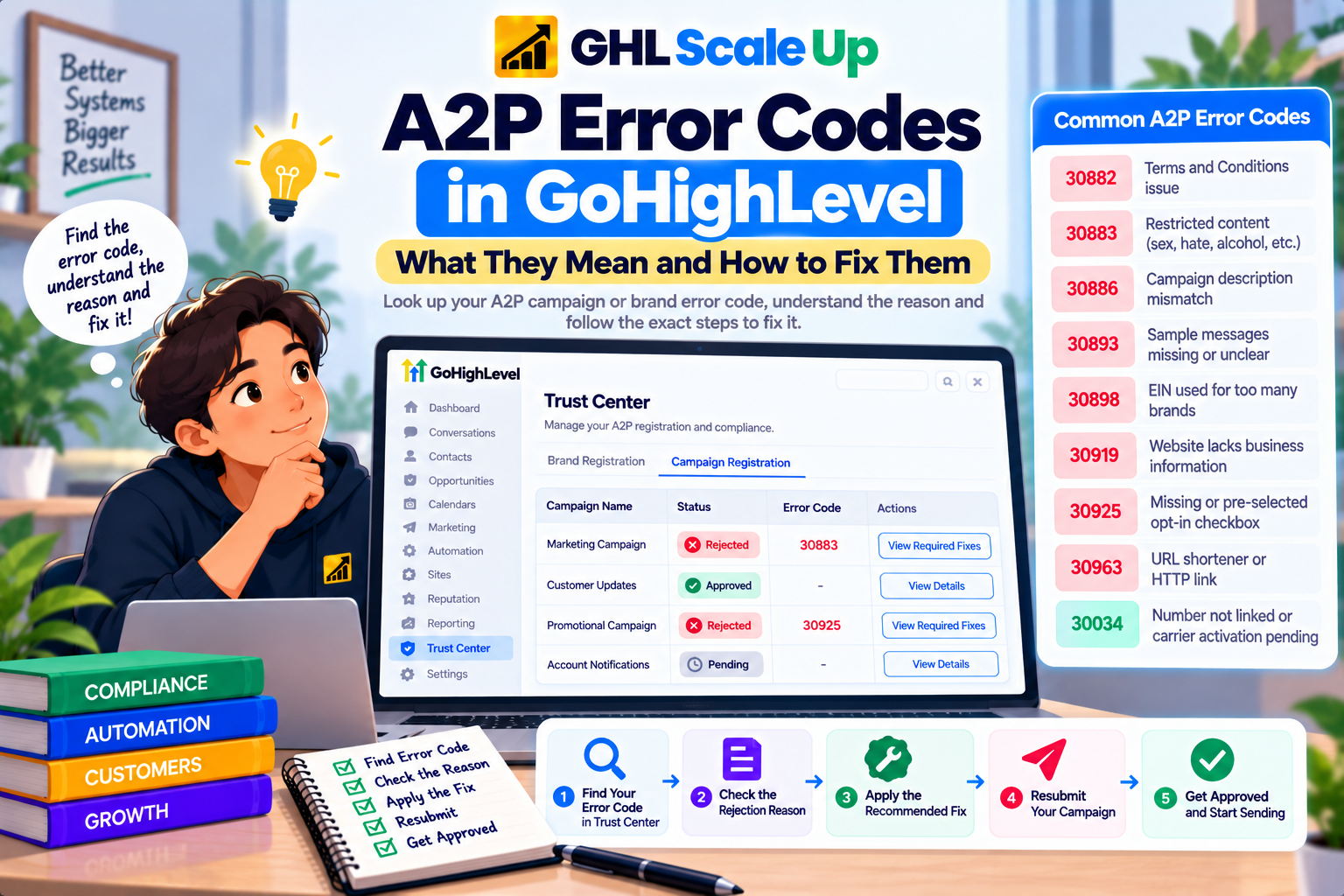
A2P Error Codes at a Glance
This table covers the codes with genuine search demand or practical relevance for GoHighLevel users. It is a starting reference, not the complete list of every code TCR can return.
| Code | What it means | Stage | Resubmit? |
|---|---|---|---|
| 30882 (legacy) | Campaign does not meet carrier Terms and Conditions | Campaign | Yes, once the T&C issue is fixed |
| 30883 (legacy) | Content restricted under SHAFT: sex, hate, alcohol, firearms or tobacco | Campaign | No, if genuinely restricted content |
| 30886 | Campaign description does not thoroughly explain the purpose, or does not match the use case | Campaign | Yes |
| 30893 | Sample messages are missing, unclear, or do not match the use case | Campaign | Yes |
| 30898 | The same EIN is being used to register more brands than allowed | Brand | Depends; reduce brands per EIN first |
| 30919 | Website lacks sufficient business information or messaging disclosure | Campaign | Yes |
| 30925 | Opt in form is missing a consent checkbox, or it is pre-selected | Campaign | Yes |
| 30963 / 30964 | Campaign uses a public URL shortener, or a link uses HTTP instead of HTTPS | Campaign | Yes |
| 30034 | Approved Campaign, but the number is not linked or carrier activation is still completing | Number | Not applicable; link the number, do not resubmit |
A2P Error 30882: Terms and Conditions
What it means: the Campaign did not meet carrier requirements for Terms and Conditions. Where it occurs: Campaign review. Current status: this is one of the general codes HighLevel replaced with more specific ones starting March 23, 2026, so a newer rejection is more likely to show a granular code instead, such as 30907 (website does not match the Campaign) or 30908 (privacy policy not accessible). Fix: make sure your Terms and Conditions page is live, publicly accessible, and linked from your consent flow, and that it covers the required elements described in HighLevel's opt in policy guidelines. Resubmit: yes, once the page is corrected and accessible.
A2P Error 30883: SHAFT Content Violation
What it means: the submission included restricted content under the SHAFT categories, sex, hate speech, alcohol, firearms or tobacco. Where it occurs: Campaign review, and it can apply to the Campaign description, sample messages, website content or any linked URL. Current status: also a legacy catch-all code. Since March 23, 2026, HighLevel issues a specific code per category instead, for example a distinct code for alcohol content without an age gate versus alcohol promotion generally. Fix: review your description, samples and website for the flagged category, add an age gate where the content genuinely requires one, or remove the content. Resubmit: only if the underlying content is not actually a SHAFT violation. Genuinely restricted content is not eligible for standard resubmission.
A2P Error 30886: Campaign Description Insufficient
What it means: your Campaign description does not thoroughly explain the Campaign's purpose, or does not match your selected use case. Where it occurs: Campaign review, and this code remains current under HighLevel's Campaign Use Case category. Fix: rewrite the description so it identifies who sends the messages, who receives them, what the messages contain, and how recipients opted in, and make sure it matches your declared use case. Resubmit: yes.
A2P Error 30898: Too Many Brands on One EIN
What it means: the same EIN is registered against more brands than TCR allows for that registration type. Where it occurs: Brand registration, listed under HighLevel's Registration & Brand category. Fix: only register the minimum number of brands your EIN actually needs; do not resubmit until the brand count is corrected. Resubmit: the correction has to happen at the account level (reducing brands per EIN) rather than by editing a single Campaign.
Other Current A2P Error Codes
These codes are current under HighLevel's post March 23, 2026 system and come up often enough to be worth a brief entry.
| Code | What it means | Fix |
|---|---|---|
| 30893 | Sample messages are missing, unclear, or do not match the use case | Add realistic, distinct samples that match your use case, include your business name and opt out language |
| 30907 | Website URL does not match the Campaign description or brand information | Confirm the website aligns with both your registered Brand and Campaign details |
| 30908 | A compliant privacy policy could not be located or was not linked in the message flow | Make the privacy policy publicly accessible and link it directly in the message flow |
| 30909 | Your call to action or message flow cannot be verified by reviewers | Provide complete CTA information and every consent method used; add hosted screenshots if consent happens behind a login |
| 30919 | Website lacks sufficient business information or messaging disclosure | Add your company name, a description of services, contact information and a mention of your SMS program |
| 30924 | Consent language is missing required disclosures, such as frequency or rates | Add message type, frequency, the message and data rates disclosure, and STOP instructions near the checkbox |
| 30925 | Opt in form has no checkbox, or the checkbox is pre-selected | Add an unchecked by default checkbox specifically for SMS consent |
| 30963 | Campaign uses a public URL shortener such as bit.ly | Replace shortened links with full, direct HTTPS URLs |
| 30964 | Campaign URLs use HTTP instead of HTTPS | Update links to HTTPS |
This list is not exhaustive. HighLevel's complete current reference, including the SHAFT, disallowed and high risk categories, is in the A2P Campaign Rejected guide, which groups codes by category rather than listing every one individually.
A2P Error 30034: Approved Campaign, Number Not Working
This one is different from the rest of this page. It does not mean your Campaign was rejected. It means the Campaign is approved but the specific phone number has not been linked to it, or carrier activation is still completing. Go to Settings, then Phone System, then Phone Numbers, and confirm the number shows the green A2P Verified label; if not, link it to the approved Campaign. HighLevel notes this can take up to 24 hours after approval. Do not resubmit the Campaign for this error.
What If Your Error Code Is Not Listed Here?
- Record the exact code and the full text shown in View required fixes.
- Check whether it appeared on a Brand or a Campaign; the fix is completely different for each.
- If it is a Brand, use the A2P Brand Rejected guide. If it is a Campaign, use the A2P Campaign Rejected guide, which covers rejection categories more broadly than this page's code list.
- Review your whole submission for consistency, not only the field the code names.
- If the documented remediation does not resolve it, or you believe the rejection was made in error, contact HighLevel Support with the code and your business details.
Error Code vs Campaign Rejection
Think of the A2P Campaign Rejected guide as the "why was my Campaign rejected" resource, organized by problem: use case, description, samples, consent, website, content. Think of this page as the "what does code X mean" lookup. Start with whichever one matches how you arrived: with a specific number, start here; with a general rejection and no clear cause, start there.
Error Code vs Brand Rejection
Some codes that appear during Campaign review actually point to a Brand identity problem, such as 30898 above, a Sole Proprietor Campaign using a corporate name, or a Brand that does not meet Sole Proprietor criteria. If your code traces back to your business identity rather than your messaging content, use the A2P Brand Rejected guide instead of trying to fix it as a Campaign issue.
What to Do After Fixing the Error
Correct the issue the code identifies, then review the entire Brand or Campaign for consistency before resubmitting, since fixing one field can expose a mismatch elsewhere. Most eligible codes can be corrected and resubmitted from the existing submission. A smaller set, for prohibited or high risk content, are not eligible for standard resubmission at all. Once resubmitted, watch the status in Trust Center rather than submitting again while it is pending.
A2P Error Code FAQs
What does A2P error 30882 mean?
It means the Campaign did not meet carrier Terms and Conditions requirements. It is a legacy code; newer rejections are more likely to show a more specific code for the same underlying problem.
What does A2P error 30883 mean?
It means the submission included restricted SHAFT content: sex, hate, alcohol, firearms or tobacco. It has been replaced by distinct codes per category since March 23, 2026.
What does A2P error 30886 mean?
The Campaign description does not thoroughly explain its purpose, or does not match the selected use case. This code is still current.
What does A2P error 30898 mean?
The same EIN is being used to register more Brands than TCR allows for that registration type.
Can I resubmit after fixing an error code?
Usually yes, once the underlying issue is corrected. Codes tied to prohibited or high risk content are not eligible for standard resubmission.
Is every A2P error code listed here?
No. This page covers the codes with the most practical relevance for GoHighLevel users. For the fuller category based breakdown, see the Campaign Rejected guide.
My error code has no explanation here. What should I do?
Note the exact code and text, determine whether it is a Brand or Campaign issue, use the relevant guide, and contact HighLevel Support if the documented fix does not resolve it.
Related Articles in This Series
Got an A2P error code you cannot resolve?
GHL Scale Up resolves A2P rejections for agencies and their clients. Error code diagnosis, campaign description rewrites, consent flow updates, EIN consolidation, and full resubmission management.
Book Your Free Strategy Call
This guide was checked against HighLevel's A2P Campaign Rejections, Required Fixes and Vetting Errors documentation, current as of September 2026, which introduced the granular codes referenced here on March 23, 2026. Codes and their meanings can change; confirm the exact wording shown in your own Trust Center before acting on it.
ghlscaleup.com