
What Is an Ecommerce VIP Program?
A VIP program recognizes and rewards a selected group of customers according to criteria you choose. The group is deliberately small. That separates it from related ideas that are often used as if they meant the same thing:
| Concept | What It Is | How It Differs From a VIP Program |
|---|---|---|
| Loyalty or rewards program | Open to all customers; usually points or perks for purchases | A VIP program narrows the best treatment to a smaller group. Many VIP programs sit on top of a loyalty program as its top tier, and some exist without points |
| Customer retention | The broader goal of keeping customers buying | A VIP program is one tactic for retention |
| Segmentation | Grouping customers by data | Segmentation is the mechanism; VIP is a defined segment with its own treatment |
| Repeat-purchase campaign | Messages timed to bring people back | Targets behavior, not status |
| Discount campaign | A temporary price offer | A discount to a recent buyer does not make them a VIP |
| Referral program | Rewards for bringing in customers | Can be one VIP criterion, but is a different mechanism |
A simple example: a store that sells a consumable product decides that anyone with several orders in the past year is a VIP. Those customers get early access to new flavors, a personal thank-you from the owner, and a faster response when they email support. No points, no tiers, and a clear reason it exists.
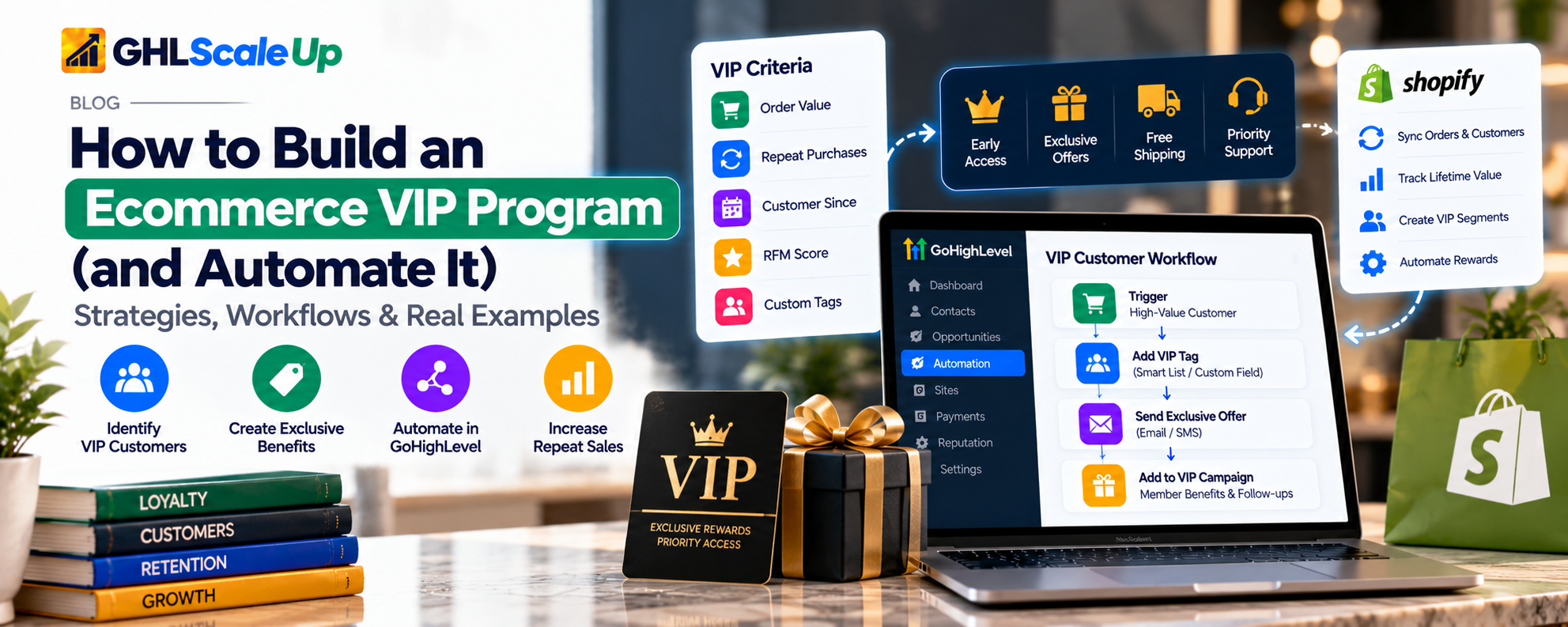
Why Identify Your Best Customers, and Why Not Just the Biggest Spenders
Customers differ in how often they buy, how much they spend, what they buy and how long they stay. Treating them identically means your most valuable relationships get the same attention as a one-time bargain hunter, and your messaging has to be generic enough for everyone.
But the biggest spender is not always the best customer. A single large purchase can be a gift or a one-off project. A customer who buys modestly every few weeks may be worth more over a year. A customer who spends heavily but returns half of it, or buys only at deep discount, may cost more than they bring in. Acquisition cost, margin and refund rates all matter. A program that rewards raw spend can reward the wrong behavior.
There is also a risk of rewarding people who would have bought anyway. If your best customers already reorder every month, a discount for doing so lowers your margin without changing what they do. That is why the next sections focus on rules and benefits before any software.
How to Identify VIP Customers for Your Store
There is no universal threshold. These are the common approaches and what each can and cannot tell you:
| Method | What It Measures | Useful When | Limitation |
|---|---|---|---|
| Total spend | Cumulative revenue from a customer | Prices are high and purchases rare | Ignores refunds, discounts and margin; favors old customers; one large order can mislead |
| Purchase frequency | Number of orders | Customers reorder often, order sizes are small | Many small orders may not be profitable |
| Recency | How recently they bought | You want an active relationship, not a historic one | Poor for products with long purchase cycles |
| Average order value | Typical basket size | Order values vary widely | Misleading for customers with only one or two orders |
| Product or category patterns | What they buy | You can tailor benefits to preferences | Needs clean product data |
| RFM | Recency, frequency and monetary value combined into scores | You have enough order history to score meaningfully | Needs benchmarks suited to your business; ignores margin and returns unless added |
| Engagement or referrals | Interaction with your brand | As a supporting signal | Email opens and clicks are weak evidence of loyalty |
Choosing a rule
- Match it to your purchase cycle. A store whose customers buy every month and one whose customers buy once every two years need different rules.
- Prefer a window to a lifetime total. A rolling period such as the last twelve months (an illustrative choice, not a benchmark) rewards current behavior. A lifetime total keeps old customers VIP forever.
- Combine two signals. For example, a minimum number of orders and a minimum spend, so neither a single big order nor many tiny ones qualify on their own.
- Consider net, not gross. If you can account for refunds or margin, use that. If you cannot, say so and expect the rule to be rough.
- Start with your existing best customers. Pull the people you already consider your best, look at what they have in common, and set the rule so it captures them. This is a practical approach many VIP guides suggest.
Any numbers in an example are placeholders. Pick yours from your own order data.
Design Benefits Customers Actually Want
Benefits are the program. If they are not valuable, no automation will rescue it. Think in three groups: access, service and recognition, and use discounts sparingly so the program does not become a permanent sale.
| Benefit | Business Requirement | Automate or Keep Personal? |
|---|---|---|
| Early access to launches | Inventory plan; a way to restrict or announce access | Announcement can be automated; access control depends on your store |
| Priority support | A support process that honors the promise | Alerting can be automated; the service is human |
| Free or upgraded shipping | Margin room; store shipping rules | Applied in the store, not in the CRM |
| Member-only offers or bundles | Margin-tested offers | Message can be automated; the offer lives in the store |
| Birthday or milestone recognition | You hold the date | Easy to automate once the date is stored |
| Exclusive content or education | Content to give | Automated delivery is straightforward |
| Personal thank-you or concierge help | Someone's time | Better handled by a person, with an automated nudge |
| Points and rewards | A points system and balance | Needs a loyalty platform |
Not everything should be automated. A handwritten note to a top customer does more than an automated email, and a system can simply remind you to write it.
What Is VIP Customer Automation?
In plain terms, it is a chain with five links:
- A customer meets your qualification rule.
- The system knows it, either because the data is there or because you calculated it.
- The customer is marked as a VIP (a tag, a field, or a segment membership).
- That mark starts the right actions: a welcome message, a task for your team, access to the right communications.
- The system keeps the status accurate, removing or updating it when the customer no longer qualifies, and routes exceptions to a person.
The weak point is link two. A tool can only act on what it can see. If your store records orders but your CRM cannot total them, the automation has nothing to evaluate. The rest of this guide deals with that honestly.
Where GoHighLevel Fits
GoHighLevel is a CRM and marketing automation platform. If you are new to it, this overview explains what it is. For a VIP program it offers contact records, tags, custom fields, Smart Lists (saved filters), workflows with triggers and conditions, email and SMS, internal notifications and tasks. Connected to Shopify, it also receives order and customer data. It is one way to implement the program, not the only one.
What the Shopify Connection Provides
HighLevel documents that its Shopify integration enriches contacts with lifetime value, order count, first and last order dates. Only completed, paid orders affect them, and lifetime value covers Shopify purchases only. A refund updates lifetime value but not order count, and a cancelled order does not reduce order count either. For details on what is available, see the Shopify integration guide and the segmentation guide.
What that means for qualification rules
| Rule you might want | Can the documented fields support it? |
|---|---|
| Lifetime spend above a threshold | Yes, using lifetime value, for Shopify purchases only |
| At least N orders | Yes, using order count, with the refund caveat above |
| Active in the last 12 months | Partly. Last order date can show recency, but a rolling twelve-month spend total is not a documented field, so it needs a calculation elsewhere |
| Average order value | Not documented as a field. Calculate from lifetime value and order count, or compute externally |
| Margin or net-of-returns value | No. Needs data from your store or accounting system, passed in by an integration |
| Product category preference | Possible through tags or order data, depending on setup |
| Purchases from several channels | Not covered if some sales happen outside the connected store |
If a rule needs data HighLevel does not hold, there are three options: simplify the rule to what the fields support, calculate the value elsewhere (a spreadsheet, a data tool or custom code) and send it in through a webhook or API, or use a different tool. All three are legitimate. The mistake is to build a workflow on a number that does not exist.
What the CRM Does Not Solve
- It does not issue or track loyalty points or maintain a rewards balance. No such action is documented.
- It does not by itself apply discounts, free shipping or member pricing in a store. Those live in the store.
- It does not calculate profitability.
- It does not guarantee loyalty, retention or revenue. It carries out the rules you design.
Eight VIP Workflows You Can Build
Each is described with its trigger, data, logic, what the platform does, what needs something else, why it helps and how to test it. Treat them as designs to adapt, not templates guaranteed to work unchanged.
1. Identify Customers Who Qualify
| Item | Detail |
|---|---|
| Goal | Mark customers as VIP when they meet your rule |
| Trigger | An order event from your store; or a periodic review of a Smart List |
| Required data | Lifetime value, order count, last order date (Shopify), or a value calculated elsewhere |
| How it works | After an order, wait briefly so the connection can update the fields, check them with If/Else against your thresholds, then add a VIP tag, set a status field and record the evaluation date. A periodic review catches customers who qualify without a new order trigger |
| What HighLevel does | Reads the fields, branches, tags and updates a field |
| What needs something else | Rolling-window, margin or net-of-return rules; any data outside the connected store |
| Why useful | One consistent rule instead of manual list pulls |
| Test | Use test contacts and test orders. Check a customer just below the threshold, one just above, one with missing data, and confirm timing, because the check may run before the fields update |
2. Welcome a Newly Qualified VIP
| Item | Detail |
|---|---|
| Goal | Tell the customer they are recognized and explain the benefits |
| Trigger | Contact Tag added (the VIP tag) |
| Required data | Contact details and email consent |
| How it works | The tag starts the workflow, which sends the welcome email. An If/Else checks for a 'welcomed' tag so it is sent once, then applies that tag |
| What HighLevel does | Sends the message and guards against repeats. The Contact Tag trigger fires only for tags added after the workflow is active, so existing VIPs need to be added separately |
| What needs something else | Nothing for the message itself |
| Why useful | A consistent first impression |
| Test | Add and remove the tag on a test contact twice and confirm a single welcome |
3. Notify Your Team
| Item | Detail |
|---|---|
| Goal | Let a person add a human touch when an important customer qualifies |
| Trigger | Contact Tag added |
| Required data | Contact and tag |
| How it works | Send an internal notification and create a task with a due date for one named person |
| What HighLevel does | Sends the notification; Add Task assigns to a single user |
| What needs something else | The personal outreach itself |
| Why useful | Turns a tag into an action someone owns |
| Test | Qualify a test contact and confirm one notification and one task |
4. Send VIP-Specific Communications
| Item | Detail |
|---|---|
| Goal | Give VIPs different, relevant messages |
| Trigger | A campaign or workflow aimed at a Smart List of VIP-tagged contacts |
| Required data | Tag, do-not-disturb status, consent |
| How it works | Build a Smart List (tag is VIP and not unsubscribed) and send VIP updates to it. Exclude VIPs from general promotions where the offers conflict |
| What HighLevel does | Filters and sends. Its documentation describes no setting that caps messages across workflows, so manage frequency yourself with tags and exit conditions |
| What needs something else | Nothing |
| Why useful | VIPs stop receiving mass discount emails that undercut their status |
| Test | Check the list membership against a manually verified sample. See A2P 10DLC before sending SMS |
5. Recognize Milestones
| Item | Detail |
|---|---|
| Goal | Acknowledge birthdays or purchase milestones |
| Trigger | Birthday Reminder; or an order check that tests order count |
| Required data | Date of birth (collected on a form, import or record); first order date for anniversaries |
| How it works | The Birthday Reminder trigger can run before, after or on the day. Anniversaries need the first order date stored on the contact |
| What HighLevel does | Triggers on a stored date and sends or assigns a task. A valid date in MM/DD/YYYY format is required |
| What needs something else | Collecting the birthday in the first place |
| Why useful | Low-effort recognition that does not involve discounts |
| Test | Use a contact whose birthday is today; check time zone and a missing-date case |
6. Remove or Update VIP Status
| Item | Detail |
|---|---|
| Goal | Keep the group accurate |
| Trigger | A periodic review of VIP-tagged contacts against your rule |
| Required data | Last order date and the fields your rule uses |
| How it works | A Smart List finds VIP contacts who no longer meet the rule, they enter a workflow that checks the fields are not empty, optionally waits through a grace period, then removes the tag and updates the status field |
| What HighLevel does | Remove Contact Tag and field updates. The Contact Changed trigger may not track removed values, so test any removal-based step |
| What needs something else | Fresh data. Never demote on an empty or stale field |
| Why useful | VIP status that means something |
| Test | A contact whose field is empty must keep status; one who clearly lapsed must lose it |
7. Send an Offer or Early-Access Message
| Item | Detail |
|---|---|
| Goal | Deliver a real benefit |
| Trigger | A campaign to the VIP list, or a workflow tied to a launch |
| Required data | VIP tag; the offer details |
| How it works | Email a link to an early-access page or a code |
| What HighLevel does | Sends the message. It can create coupon codes for its own store and has Coupon Code Applied and Redeemed triggers |
| What needs something else | Discounts and access on Shopify are managed there. Generating a unique code per customer by workflow was not verified |
| Why useful | Benefits arrive on time without manual sending |
| Test | Send only to internal test contacts and test the link or code in a non-live setting |
8. Route a VIP Issue to a Person
| Item | Detail |
|---|---|
| Goal | Make sure a VIP's problem is seen quickly |
| Trigger | A reply from the customer, followed by a tag check |
| Required data | VIP tag; the inbound message |
| How it works | If the contact has the VIP tag, send an internal notification and create a task |
| What HighLevel does | Alerts your team. VIP status guarantees nothing about fulfillment or other support tools |
| What needs something else | A separate helpdesk is not controlled from here |
| Why useful | Priority becomes visible |
| Test | Reply from a test contact with and without the tag |
How to Set Up a VIP Program in GoHighLevel
Step 1: Define VIP. Write the rule in one sentence and name the benefits. If you cannot, stop; the software will not help.
Step 2: Identify where purchase data lives. In HighLevel's own store, in Shopify, or elsewhere? The answer decides what you can calculate.
Step 3: Decide how eligibility is calculated. Use the Shopify fields if they fit your rule. Otherwise plan an external calculation and a way to send the result in.
Step 4: Organize the data. Create a dropdown field for VIP status and a date field for the last evaluation. Field types cannot be changed after creation, so confirm what you need first. Use a tag only as the signal that starts workflows. Do not store purchase history in a single field that each order overwrites.
Step 5: Build the qualification and update process. Create the order-triggered check, the periodic review and the removal path. Tags are case-sensitive, so keep one spelling.
Step 6: Build the experience. Add the welcome, team notification and VIP communications. Confirm every promised benefit can actually be delivered by the systems involved.
Step 7: Add safeguards.
- Duplicates and re-entry. A contact cannot re-enter a workflow while still active in it. Decide deliberately. See workflow re-entry.
- Conflicting workflows. Workflows on the same trigger run together. Check which others a VIP might also qualify for (post-purchase, winback, cross-sell). See the upsell and cross-sell guide.
- Missing data. Check fields are not empty before acting.
- Consent and frequency. SMS needs consent and registration. Time Window limits when messages go out but not internal actions.
- Manual review. Have a person glance at new VIPs for the first few weeks.
Step 8: Test. Use test contacts and test orders. Cover a qualifying customer, a non-qualifying one, one who qualifies twice, one whose status should change, one with missing data and a duplicate event. Do not issue real discounts, charge customers or message real people to test. Check results in the workflow history; see enrollment history and execution logs.
Step 9: Monitor and refine. Review who is VIP, who left, and whether the rule still fits your prices and margins at least each quarter. Rules go stale.
Can GoHighLevel Replace a Loyalty Platform?
For many stores, no, and for some, yes. It depends on which functions you need:
| Function | GoHighLevel | Dedicated Loyalty Tool or Store |
|---|---|---|
| Identify and segment customers | Yes, with the data it has | Yes |
| Send VIP-specific communications | Yes | Often yes |
| Manage customer records and workflows | Yes | Limited |
| Issue and track points | No documented capability | Yes |
| Maintain a rewards balance | No documented capability | Yes |
| Manage tier rules and automatic upgrades | Only by building them yourself with tags and workflows | Yes |
| Apply store discounts or free shipping | Not by itself; store coupons exist for its own store | Store or loyalty app |
| Member-only product access | Depends on the store; not a CRM function | Store or app |
| Loyalty transactions and redemption | No documented capability | Yes |
A CRM-driven VIP program is often enough when you want recognition, access and service for a defined group, and your rule can be calculated from available data. A loyalty platform is the better choice when customers earn and spend points, when you need visible tiers with automatic upgrades, or when redemption must happen at checkout. You can also use both, with the loyalty tool as the source of status and HighLevel handling communication, but we have not verified specific loyalty-app integrations, so check any app's own documentation.
Common Mistakes
| Mistake | Prevention |
|---|---|
| Setting an arbitrary threshold | Base it on your order data and your best existing customers |
| Rewarding gross spend | Account for refunds and margin where you can; otherwise acknowledge the rule is rough |
| Treating one large order as loyalty | Combine spend with frequency |
| Never updating status | Build the removal path with a grace period |
| Repetitive or irrelevant messages | Keep a VIP list separate from general promotions and set your own frequency limits |
| Discounts that erode margin | Lead with access, service and recognition |
| Benefits that are hard to understand or redeem | Explain them in one short message |
| Inaccurate data | Check for empty fields, duplicates and refund handling before acting |
| Building complexity before testing demand | Launch a simple version for a small group first |
| Automating everything | Keep a human step for your best customers |
How to Measure Whether It Is Working
Choose measures before launch, and decide where each will come from. HighLevel does not report all of these automatically; many come from your store or a spreadsheet.
- Repeat-purchase rate and purchase frequency among eligible customers.
- Average order value and revenue per eligible customer.
- Redemption rate for the benefits you offer.
- Engagement with VIP messages, and unsubscribes or complaints.
- Retention over a defined period.
- Margin after discounts and reward costs.
- The time you spend maintaining the program.
Correlation is not cause. VIPs are already your best customers, so they will often look good with or without the program. To judge the program, compare against a baseline from before launch, or against a similar group that did not receive the benefits (for example, a comparable set of customers held out for a period). Even then, treat the result as evidence and not proof. No benchmark is given here because none can be responsibly offered.
Is GoHighLevel the Right Tool?
- A good fit: you want CRM-based segmentation and VIP communications, your purchase data is reliable and connected, or you already use GoHighLevel for marketing.
- Proceed with care: your data is scattered across systems, or your rule needs margin or rolling-window calculations. Expect external work.
- Consider a loyalty platform: you need points, balances, redemption or visible tiers.
- Probably not worth it yet: you have few repeat customers. Start with a manual list and a thank-you email.
For the wider context, see GoHighLevel CRM for ecommerce and the store-side options in the Ecommerce Store guide.
Final Recommendations
- Define what valuable customer behavior means for you.
- Pick a rule that combines signals and that you can calculate.
- Design benefits that fit your margins and operations.
- Confirm the data supports the rule before building anything.
- Use a CRM such as GoHighLevel, with your store connected, for the communications and upkeep.
- Test with sample customers and watch the first weeks closely.
- Review the rule and results regularly.
If you have settled your VIP rules and want help turning them into a reliable CRM setup and workflows, GHL Scale Up works on GoHighLevel CRM and automation. You can read about our CRM setup service or book a free assessment. For longer-term customer strategy, see the retention guide and post purchase automation.
Frequently Asked Questions
What is a VIP customer program in ecommerce?
A program that recognizes and rewards a selected group of top customers using criteria you choose, with benefits such as early access, better service or recognition.
How do I identify VIP customers in my store?
Look at spend, order frequency and recency, ideally together, and set the rule from your own order data and best existing customers.
How many purchases should qualify someone?
There is no standard number. It depends on your purchase cycle and economics. Base it on how often your best customers actually buy.
How can I reward loyal customers?
Offer access, service and recognition first, and use discounts sparingly so margin is protected.
Can a VIP program work without points?
Yes. Many rely on recognition, access and service, with a clear rule for who qualifies.
How do I automate it?
Tag customers who meet the rule, then use workflows to welcome them, alert your team and send VIP communications. The automation depends on having reliable purchase data.
Can GoHighLevel identify high-value customers?
With Shopify connected, it receives lifetime value, order count and order dates, and can tag customers who meet thresholds you set. Rolling-window or margin-based rules need external calculation.
Can it segment customers by purchases?
Yes, using Smart Lists and tags built on the synced fields, subject to the data limits described above.
Can it manage loyalty points?
No points or rewards balance capability is documented. Use a loyalty platform for that.
What is the difference between a VIP program and a loyalty program?
A loyalty program is usually open to everyone and rewards purchases. A VIP program limits the best treatment to a selected group, and may sit on top of a loyalty program.
How do I measure success?
Compare repeat rate, order value, margin and retention against a baseline or a similar group, and watch costs and complaints.
Related Articles in This Series
Need Help Building Your VIP Program?
We help businesses build VIP programs and workflows in GoHighLevel that actually work.
Book Your Free Assessment
GHL Scale Up is a specialised GoHighLevel implementation and SaaS growth agency. Based in India, we serve agencies and businesses across 6 countries with 200+ GoHighLevel builds delivered. This guide reflects direct experience building VIP programs and customer segmentation for ecommerce businesses. All product details verified against HighLevel documentation as of October 2026.
ghlscaleup.com