
What Ecommerce Customer Segmentation Means in GoHighLevel: Data, Labels and Decisions
Segmentation is easier to reason about when you separate three things people often blur together: the facts about a customer, the labels you attach, and the decision a message depends on.
| Layer | What It Is in GoHighLevel | Example |
|---|---|---|
| Fact | A field that records something that happened | Order Count is 3; Last Order Date is 12 March |
| Label | A tag or custom field someone or something applied | Tag: vip-reviewed |
| Segment | A Smart List that selects contacts by facts and labels | Order Count more than 1 AND Last Order Date more than 90 days ago |
| Decision | A workflow condition that chooses a path | If/Else: has this contact already got the winback tag? |
The working principle: use the fact HighLevel already keeps current, add tags only for what cannot be derived, and never tag what a Smart List can tell you live. A "repeat customer" tag duplicates information the order count already holds, and it will go stale. A "purchased the serum" tag may be genuinely useful, because product-level history is not documented as a contact field.
For the wider role of the CRM in a store, see GoHighLevel CRM for ecommerce.
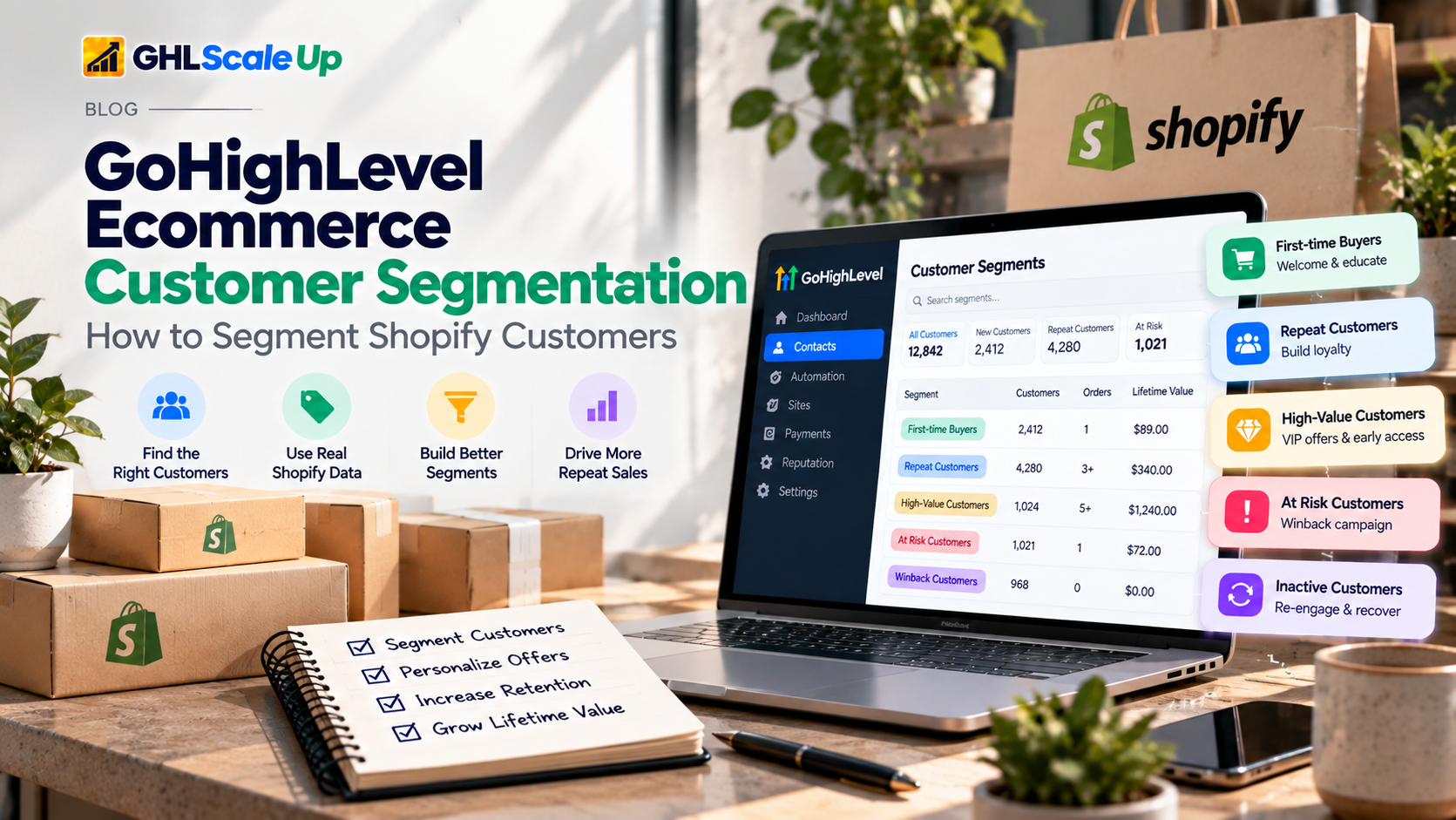
What Shopify Customer Data Is Actually Available in GoHighLevel
What the Shopify Integration Keeps Current for You
According to HighLevel's Shopify integration documentation, connected stores enrich contacts with the following. Field names below follow the documentation; confirm the exact labels in your own account.
| Field | Behavior Documented by HighLevel | Good For |
|---|---|---|
| Shopify Lifetime Value | Adjusts when refunds happen. Shopify-only value; it does not include revenue from other sources | High-value segment |
| Order Count | Refunds and cancellations do not reduce it. Draft orders are not counted | First-time vs repeat |
| First Order Date | Date of the first order | Customer age, cohort-style checks |
| Last Order Date | Date of the most recent order | Recency, winback, repeat windows |
| Last Order Value | Value of the most recent order | Follow-up context |
| Customer ID, Store Name | Identifies source customer and store | Multi-store checks |
| Tax Exempt | Mirrors the Shopify setting | Spotting wholesale-type buyers |
| Shopify tags | Merged into the contact's tags | Reusing labels set in Shopify |
Because Order Count ignores refunds and cancellations, a customer whose only order was cancelled can still show an order count of one. Keep that in mind before calling someone a "customer" for messaging purposes. Details of the sync are in the Shopify integration guide.
What Isn't There
- Product-level purchase history. Not documented as a contact field. Any "bought product X" segment needs a workflow (for example, from the Shopify order trigger) that applies a tag or sets a field. This is an absence in the documentation, not proof it can never be done another way.
- Collections as a customer filter. Collections sync as catalog data, not as something you can filter contacts on.
- Margin, average order value and cohort reporting. Not documented. Do this in Shopify or a reporting tool.
- Email and SMS consent from Shopify. Documented as "coming soon". Do not segment on it, and keep opt-in handling in HighLevel.
Four Conditions That Quietly Remove the Data
- Shopify plan. HighLevel's documentation notes that on the Basic plan, Shopify's updated API rules may block customer personal data (contacts, orders, transactions). If your fields are empty, check the plan before you check anything else.
- Who was imported. Contact import only includes customers who have placed an order. Subscribers who never bought will not appear through it, so a "never purchased" segment cannot be built from the import alone.
- Timing. Sync timing is not documented. If a workflow reads a field in the same second the field updates, it may read the old value. HighLevel's race-condition guidance is to add a one-minute Wait.
- Field types. Whether a given Shopify field behaves as a number or a date in filters should be confirmed in your account. Operators differ between number, date and text fields.
Which Ecommerce Customer Segments Are Worth Building First
Build a segment only when a different message would follow from it. Each segment below lists its purpose, data, exclusions, how fresh it stays, and what makes a contact leave it.
First-Time Customers
Purpose: onboarding and the first follow-up. Data: Order Count equals 1. Exclude: contacts whose only order was cancelled or refunded, which Order Count will not reveal. Freshness: live. Leaves when: Order Count goes above 1. Pair with the post-purchase automation workflow.
Repeat Customers
Purpose: a different tone, since they already trust the store. Data: Order Count more than 1. Exclude: wholesale buyers if they behave differently. Freshness: live. Leaves when: never, by design; combine with recency to separate active from lapsed.
High-Value Customers
Purpose: early access, a human follow-up, or exclusion from discounting. Data: Shopify Lifetime Value more than a threshold you choose. Exclude: refund-heavy accounts; Lifetime Value adjusts for refunds, but check a few by hand. Freshness: live. Note: pick the threshold from your own order data rather than a rule of thumb; this article does not supply one.
Product-Specific Customers
Purpose: refill reminders, care instructions, accessories. Data: not a documented contact field, so apply a tag or custom field from a workflow triggered by the order. Exclude: returns. Freshness: only as good as the workflow. Leaves when: you remove the tag, so decide when.
Customers Approaching a Repeat-Purchase Window
Purpose: a reminder before they would normally reorder. Data: Last Order Date plus a window you know from your own history. The Custom Date Reminder trigger can fire before, on or after a date field, and does not fire if the field is empty. Whether Shopify's Last Order Date is selectable there should be tested in your account.
Winback: Lapsed Customers
Purpose: re-engage buyers who stopped. Data: Order Count at least 1 AND Last Order Date more than N days ago. Exclude: anyone with an open checkout or recent order, and anyone on DND. Freshness: live. Leaves when: a new order moves Last Order Date. Campaign design belongs in the retention and winback guide.
Complementary-Product Offers
Purpose: relevant cross-sell. Data: needs product-level labels, so it depends on the product-specific tagging above. Exclude: anyone who already bought the complement. Keep the offer proportionate to what the data supports.
Wholesale and Other Distinct Buyers
Purpose: keep retail promotions away from trade accounts. Data: Tax Exempt, a Shopify tag you already use, or a manual tag. Caveat: Tax Exempt is a tax setting, not a wholesale definition. Use it as a hint and check.
Smart List, Tag or Custom Field: Choosing the Right Tool for Each Segment
| Question | Use a Smart List | Use a Tag | Use a Custom Field |
|---|---|---|---|
| Can it be derived from existing data? | Yes. Filter it live | No | Only if you need a calculated value |
| Does it change by itself? | Yes, automatically | Only if a workflow changes it | Only if a workflow updates it |
| Is it a one-time event? | Poor fit | Good fit ("received winback offer") | Possible (a date) |
| Is it a number or date for timing? | Filters on it | Poor fit | Good fit |
| Does a workflow need to react to it? | Not as a trigger by itself | Good fit (Tag Added) | Contact Changed |
Smart Lists are dynamic, so you cannot add a contact to one by hand. That is a feature: the list cannot drift from the rule. In filters, AND logic uses Add Nested Filter and OR logic uses Add Filter.
How to Build a Shopify Customer Segment in GoHighLevel, Step by Step
Menu labels change. Treat the names below as the documented ones and confirm them in your account.
- Confirm the connection. Connect the store using the current OAuth App method described in HighLevel's documentation, and check the sync settings you need are on.
- Check three contacts against three Shopify records. Compare Order Count, Last Order Date and Lifetime Value. Do this before building anything.
- Write the decision first. One sentence: "Customers who have ordered more than once and not in 90 days get X."
- Build the Smart List. Add each condition; use Add Nested Filter for AND and Add Filter for OR. Add a DND condition where needed, and an exclusion for contacts with a conflicting tag.
- Add labels only where needed. If a decision needs a product-level fact, build a small workflow from the Shopify order trigger that applies the tag, and test the trigger fires in your account.
- Use it in a workflow with re-entry set deliberately. See workflow re-entry, and set an exit condition so contacts leave when they stop qualifying.
A Worked Example: One Skincare Journey, and Which Parts Are Native
A skincare store sells a 60-day serum. The sequence below shows which parts rely on documented behavior and which are configured or custom. It is an illustration of structure, not a result.
| Step | What Happens | Type |
|---|---|---|
| 1 | Customer places first order; contact created with Order Count 1 | Native (integration) |
| 2 | Order trigger applies tag "serum-buyer" | Configured workflow |
| 3 | Post-purchase flow runs for First-Time Customers Smart List | Configured |
| 4 | Review request sent after delivery | Configured; see review automation |
| 5 | 50 days after Last Order Date, reminder is due | Configured; test date trigger |
| 6 | Second order arrives; Order Count 2, Last Order Date moves | Native |
| 7 | Contact leaves the reminder path via exit condition | Configured |
| 8 | Contact appears in Repeat Customers list | Native data, Smart List |
| 9 | If no order after 120 days, enters winback | Configured; see retention guide |
Three Edge Cases
- Refund after first order. Order Count stays at 1 though the customer was refunded. Lifetime Value adjusts. Exclude refunded customers from first-time celebrations if it matters.
- Cancelled order. Order Count does not fall. A contact may qualify as a customer when no goods shipped.
- Same customer, two emails. Matching is by email, so one person using two addresses is two contacts with split histories. Merge or accept it.
How to Combine Segments Without Sending Conflicting Messages
The most expensive segmentation error is not a wrong list. It is a right list that overlaps with another right list. A customer who is lapsed, has an open checkout and is due a review request can receive three messages in a day.
| Overlap | Risk | Handling |
|---|---|---|
| Winback and open checkout | Discount offer while they are mid-purchase | Exclude contacts with a recent abandoned checkout; see abandoned checkout |
| Post-purchase and review request | Two asks close together | Sequence them; see review automation |
| Winback and first-time | Mixed tone | Segments should not overlap by definition |
| Any SMS segment | Messaging without consent | Handle opt-in language; see A2P opt-in templates |
A simple rule helps: one lifecycle state at a time. A contact is first-time, active repeat, lapsed or high-value-hold, and a workflow's first step checks that state before it sends.
Common Ecommerce Segmentation Mistakes in GoHighLevel
| Problem | Why It Happens | Check | Correction |
|---|---|---|---|
| Fields empty | Basic plan limits or no sync | Plan and sync settings | Resolve at source |
| Subscribers missing | Import covers only customers with orders | Compare counts | Capture subscribers separately |
| Hand-built tag drifts | Duplicates a derivable fact | Compare tag vs Order Count | Replace with Smart List |
| Cancelled orders counted | Order Count ignores cancellations | Sample cancelled orders | Exclude by status label |
| Refund customers get thanks | Order Count unchanged | Check LTV vs count | Add LTV condition |
| Workflow reads old value | Same-second update | Execution log timing | Add one-minute Wait |
| Contacts never leave | No exit condition | Enrollment history | Add exit or Goal Event |
| Date trigger silent | Field is empty | Sample contact | Filter empty dates out |
| Duplicate contacts | Different emails | Search by name | Merge |
| Overlapping sends | No state check | List multiple memberships | One lifecycle state |
| Wrong threshold | Copied from a blog | Review own order distribution | Choose from data |
| Trusting consent field | Documented as coming soon | Read documentation | Keep opt-in in HighLevel |
How to Test Segments Before Any Campaign Goes Live
| Test Case | Expected Result |
|---|---|
| Brand-new first order | Appears in First-Time; not in Repeat |
| Second order | Moves to Repeat; leaves First-Time |
| Refunded order | LTV adjusts; Order Count unchanged |
| Cancelled order | Order Count unchanged; decide handling |
| Contact with empty Last Order Date | Date trigger does not fire |
| Contact on DND | Excluded from the send |
| Contact in two segments | Only one workflow acts |
Use enrollment history and execution logs to confirm who entered a workflow and why, and run tests with a handful of real contacts before pointing a list at a send.
How to Measure Whether a Segment Is Any Good
Two different questions get confused. Is the segment accurate? Check a sample of contacts against Shopify. Does it perform? Compare messages sent to it with a suitable comparison group over the same period. Accuracy comes first; performance of a wrong list tells you nothing. This article makes no claim about how much segmentation raises revenue, because that depends on your products, margins and message quality.
Where GoHighLevel Segmentation Stops, and When Another Tool Is Needed
| Need | In HighLevel? | Alternative |
|---|---|---|
| Purchase recency, count, lifetime value | Yes, via Shopify-connected fields | - |
| Product-level purchase filters | Not documented as a filter; workaround via tags | Shopify reporting |
| Margin or AOV segments | Not documented | Shopify or BI tool |
| Cohort analysis | Not documented | Analytics tool |
| Data from other systems | Needs integration work | See integration services |
HighLevel is a good place to act on segments. It is not Shopify's analytics. For how the CRM fits around a store, see GoHighLevel CRM for ecommerce.
When to Configure Segments Yourself and When an Audit Pays for Itself
Most stores can build the first-time, repeat and winback lists themselves in an afternoon, provided the data check passes. An outside review is worth considering when the account already has years of hand-applied tags, several overlapping workflows, or fields no one can explain. GHL Scale Up's CRM setup service covers tag architecture, custom fields, Smart Lists and auditing existing setups. We make no promise about outcomes; the audit tells you what you have.
Start With the Decision, Not the Filter
Before building anything, pick three contacts in HighLevel and find the same three customers in Shopify. If order count, last order date and lifetime value agree, the data is trustworthy enough to segment on. If they do not, fix that first. Every list built on bad data is a confident mistake.
Then write the decision each segment supports. If you cannot say what would be sent differently, you do not need the segment.
Frequently Asked Questions About GoHighLevel Ecommerce Segmentation
How do I segment Shopify customers in GoHighLevel?
Connect the store, confirm the purchase-history fields populate, and build Smart Lists on Order Count, Last Order Date and Lifetime Value. Add tags only for facts the data does not hold.
Can I segment by purchase history?
By count, recency and total value, yes. By specific product, HighLevel's documentation does not list a contact field for it, so you would apply a tag or field from a workflow.
How do I build a repeat-customer list?
A Smart List with Order Count more than 1. Remember cancelled orders still count.
How do I find inactive customers?
Order Count at least 1 and Last Order Date more than your chosen number of days ago, excluding DND contacts and anyone with a recent checkout.
Tags or custom fields?
Tags for events and labels, custom fields for values a workflow needs to compare, and neither for what a Smart List can read from existing fields.
Can I run upsell or cross-sell campaigns?
Yes, but the product-level history behind them needs your own tagging. Keep the offer relevant and tested.
Does this replace Shopify analytics?
No. Margin, AOV and cohort reporting are not documented in HighLevel.
What about multiple stores?
The integration records Store Name and Customer ID, but how one customer appears across two stores should be tested in your account.
Related Articles in This Series
Need Help Building Customer Segments?
We help ecommerce businesses build customer segments in GoHighLevel that actually work.
Book Your Free Assessment
GHL Scale Up is a specialised GoHighLevel implementation and SaaS growth agency. Based in India, we serve agencies and businesses across 6 countries with 200+ GoHighLevel builds delivered. This guide reflects direct experience building customer segmentation for ecommerce businesses. All product details verified against HighLevel documentation as of October 2026.
ghlscaleup.com