
Upselling vs Cross-Selling in GoHighLevel: Why the Difference Changes the Workflow
Upselling encourages a customer toward a higher-value or better-suited version of a product. A customer considering a basic coffee machine is shown a premium model with a feature that fits what they said they wanted. Cross-selling recommends something complementary to a product the customer bought or is about to buy: a camera, then a compatible memory card or case. The distinction is about the product relationship and the buying context, and it matters because the two need different data.
| Aspect | Upsell | Cross-Sell |
|---|---|---|
| Relationship | Same need, better version | Different product that works with the first |
| Data needed | What they own or are considering, and why the upgrade suits them | What they bought, and a compatibility or complement rule |
| Main risk | Pushing the most expensive item | Recommending something incompatible or already owned |
| Typical moment | At or before purchase, or later in the lifecycle | After the order, once the first product is in hand |
Two things people often file under these headings are different. A replenishment reminder for something consumed is a repeat purchase, timed by usage. A winback message to a lapsed customer is retention. Both are covered in the retention and winback guide and are only treated here where they collide with an offer.
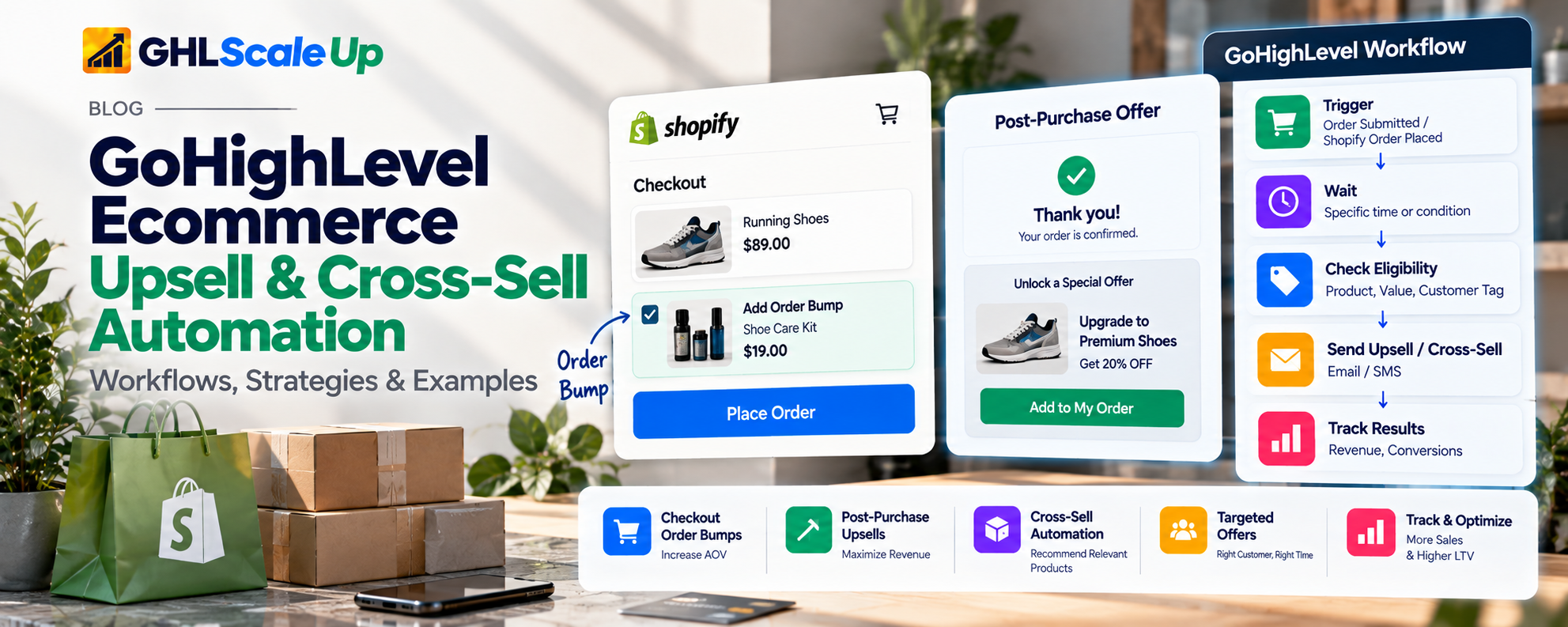
Can GoHighLevel Automate Ecommerce Upsells and Cross-Sells? Five Use Cases, Five Answers
The honest answer is "some of it, and the part you want depends on what you mean." Sorting use cases by how much each demands is more useful than a yes or no.
| Use Case | What It Means | How Feasible in HighLevel | What Decides It |
|---|---|---|---|
| A. Rule-based offer | Bought product A, so offer compatible product B | Careful workflow design. Documented building blocks exist; end-to-end behavior needs an account test | Whether the workflow can identify product A from the order |
| B. Segment-based offer | A defined group gets a suitable offer | Straightforward where the group is defined by Order Count, Last Order Date or Lifetime Value, which the Shopify integration populates; product-based groups need tags | Quality of the segment definition |
| C. Order-triggered offer | A qualifying order starts an evaluation | Careful design. Triggers exist; filters are limited and differ by trigger | Which trigger covers your store, and its filters |
| D. Catalog-based recommendation | Offer depends on compatibility, availability or attributes | Not documented as native. You maintain the product-to-offer map yourself, or use another tool | Where the compatibility rules live |
| E. Behavioral or predictive | Offer depends on browsing patterns or models | No native engine documented. Needs an external app, API work or custom development | Data volume and a recommendation model |
Rule of thumb: if you can write the rule in one sentence ("customers who bought the standard blender get the descaling kit 30 days after delivery"), HighLevel can probably carry it once the data is verified. If the rule is "show what they are most likely to want," you need something that computes that.
Where Does the Offer Appear? Checkout, Funnel or Message
An offer shown in checkout and an email sent after the order are different products solved by different systems. Deciding which you need comes before any workflow design.
| Where the Offer Appears | What Provides It | HighLevel's Role |
|---|---|---|
| Product page or cart on a Shopify store | Shopify theme or a Shopify app | None directly. HighLevel can message afterward |
| Shopify checkout, before payment | A Shopify app using checkout UI extensions; Shopify documents these steps as available only on Shopify Plus | None directly |
| Shopify post-purchase page, after payment | A Shopify app. Shopify documents limits: Online Store channel, minimum order, up to three accepted offers, one post-purchase page, one app at a time, and a fulfillment hold during the flow | None directly |
| HighLevel funnel checkout form (order bump) | HighLevel Forms order bump, documented as appearing on the original checkout form | Native, for sales made through HighLevel forms, not Shopify checkout |
| HighLevel funnel step after purchase (order upsell) | HighLevel Order Upsell in V2 Funnels with Native Form elements; one product per step, one unit | Native, for HighLevel funnel sales |
| Email or SMS after the order | A HighLevel workflow | Native messaging; product data depends on the trigger |
Checkout and Product-Page Offers on Shopify: If the offer must appear while the customer is on your Shopify store, it is Shopify functionality or a Shopify app. HighLevel's help documentation for order upsells covers HighLevel V2 Funnels and does not mention Shopify, so no Shopify checkout compatibility can be claimed from it. Shopify's developer documentation describes product offers as app-built, with the plan and channel constraints in the table. Confirm current terms with Shopify or the app you choose; they have changed before.
Funnel Bumps and Upsells Inside HighLevel: When the sale itself runs through a HighLevel funnel, the Order Upsell documentation lists real constraints worth knowing before you plan around it: V2 Funnels only, Native Form elements so payment tokens pass to the next step, same domain, one upsell product per step, and always one unit. Customers see two charges that appear in the same order record. The Order Submitted trigger can separate primary, bump and upsell purchases through its Submission Type filter. For a native Store funnel, see our native Store guide, which notes a Store Upsell element but is not a substitute for HighLevel's own configuration page.
Messages After the Order: Everything else in this guide is the third option: a workflow that decides, after an order, whether to send an offer. It is the one most store owners are asking about, because it works regardless of which checkout took the order, and it is where the data questions below matter most.
How Shopify and GoHighLevel Share Data for Upsell Automation
A workflow can only recommend what it can see. Four kinds of data get confused, and the HighLevel documentation treats them differently.
| Data Type | What It Is | What HighLevel Documents |
|---|---|---|
| Order-event data | Information present at the moment an order event fires | Line items (title, price, quantity, product_id and more) are documented for Order Submitted; a Shopify Order Placed example appears in the Array Formatter page |
| Contact-level data | Fields stored on the contact | Shopify Lifetime Value, Order Count, First and Last Order Date, Last Order Value, Store Name, Customer ID, Tax Exempt. No product list field is documented |
| Product catalog data | Products, variants, collections, prices, availability | Product Sync and Collection Sync exist in Sync Settings. Catalog relationships such as "goes with" are not documented |
| Purchase-history data | Which products this customer bought over time | Not documented as a persistent contact field. You build it (for example with tags added per order) |
The consequence: a rule like "customer has bought at least twice" uses data HighLevel keeps for you. A rule like "customer has never bought the descaling kit" needs a history you create. Details of the sync are in the Shopify integration guide.
The Documented Route to Product-Level Order Data
HighLevel's help documentation shows how a workflow can read line items from orders: expressions such as pluck and join, or the custom value picker, applied to the line-item list. Separately, its Array Formatter page includes a Find example that checks whether a specific product ID is among Shopify line items from a Shopify Order Placed trigger. Taken together, a workflow can plausibly branch on "this order contained product X." Three cautions apply. Find returns only the first matching item. Array functions handle flat, one-dimensional arrays. And the two documentation pages describe different triggers, so confirm in your own account that the line-item data you need is available from the trigger your store actually uses.
What Remains Undocumented
- A product-purchase history field on the contact.
- A native "customer has not bought product X" Smart List filter. A product-level filter request was still open on HighLevel's roadmap when last checked in early October.
- Compatibility or recommendation relationships between products.
- The Order Placed trigger's product-type filtering: its description mentions product type, its configuration table lists only Cart Value and an operator.
Which GoHighLevel Upsell and Cross-Sell Strategies Are Worth Automating
Each strategy below earns a place only if it needs different logic from the others. The reasoning sequence for all of them is the same: business objective, eligible customer, qualifying event, data required, offer selection, timing, exclusions, execution, measurement.
Complementary-Product Cross-Selling
Objective: A relevant add-on to something bought
Data: Which product was in the order; a rule mapping it to the complement
Exclude: Customers who already own the complement, which needs purchase history
Feasibility: Careful design. Start with products where the pairing is obvious and few in number.
Product Upgrades and Premium Offers
Objective: Move a customer to a better-suited version
Data: What they own and a reason
Exclude: No reason to upgrade
Feasibility: Needs product history and a trustworthy reason signal.
Bundle-Related Offers
Objective: A combination that makes sense given the first purchase
Data: Full purchase history
Exclude: A bundle containing something already owned
Feasibility: Harder than single-product cross-sell, because the exclusion applies to every item in the bundle.
Replenishment and Repeat-Purchase Offers
Objective: A reminder timed to use
Data: Product usage or your own order data
Exclude: Recently purchased
Feasibility: This is a repeat purchase, not a cross-sell. Timing should come from product usage or your own order data, not an arbitrary delay.
Repeat-Customer Offers
Objective: A relevant offer for people who have bought more than once
Data: Order Count (native) and product history
Exclude: Every repeat buyer should not get the same promotion
Feasibility: Order Count is kept by the Shopify integration, so eligibility is straightforward. Relevance is not: combine the count with product history.
High-Value Customer Offers
Objective: Premium or personalized offers for customers with high Shopify Lifetime Value
Data: Shopify Lifetime Value
Exclude: Refund-heavy accounts
Feasibility: Define the threshold from your own data. Revenue is not profit, so a high-spending customer who returns many orders may not be your best audience. Lifetime Value adjusts for refunds, but check a sample by hand.
How to Build an Upsell or Cross-Sell Workflow in GoHighLevel
Qualifying order → Identify product → Check eligibility → Select offer → Check exclusions → Send → Measure
This is a design sequence, not a single HighLevel feature. Each step relies on separate triggers, conditions or fields.
- Define the Objective and the Qualifying Order. Start by deciding what a qualifying order is. Not every order deserves an offer: a discounted clearance purchase, a gift, a wholesale order and a refunded order all behave differently. Write the qualifying condition in one sentence before opening the workflow builder.
- Verify the Data Before Designing. Place a test order and look at what the trigger actually gives the workflow. Confirm the line-item data, the product identifier you will match on, and whether it is a product ID or a variant ID. Design around what you saw, not what a tutorial shows.
- Define Eligibility and the Offer. Decide who is eligible (for example Order Count, recency, no existing tag for the target product), and which offer a product maps to. Keep the map small and written down. If the map needs to be dynamic, you are in use case D and the better tool may be outside HighLevel.
- Build the Workflow and the Exclusions Together. Use conditions to branch by product and to exclude. If/Else conditions can use dynamic values, and the Array Formatter Find action can test whether a product appears in an order. Add a Wait sized to your product's delivery and use time. Re-check eligibility after the Wait, because the customer may have bought again in the meantime.
- Add Exit Logic, Then Test. Decide when the contact leaves: on a new order, on purchase of the recommended product, or on a reply. Set re-entry deliberately; see workflow re-entry. Then test using the framework below.
Example 1: Product-Specific Cross-Sell Workflow in GoHighLevel
Illustrative example. The business is hypothetical. A camera store sells camera bodies. It wants to offer a compatible memory card to people who bought a particular body. The structure below shows what must be true for this to work, not a promise that it can be built exactly this way in every account.
| Element | Design |
|---|---|
| Business objective | A relevant add-on for first-time body buyers, without offering cards to people who already bought one |
| Trigger | Order event for the store's platform. For Shopify, the Shopify Order Placed trigger; confirm which one fires in your account |
| Required data | Product ID of the body in the order (from line items); history of whether this contact bought a card; Order Count; consent for the channel |
| Qualification | Order contains a qualifying body AND contact has no "bought-memory-card" tag AND channel permitted |
| Workflow logic | Trigger, Array Formatter Find for the body product ID, If/Else on result and tag, Wait until after expected delivery, re-check tag, send, add "cross-sell-card-sent" tag |
| Timing | After fulfillment plus a short use window, not at checkout. The Order Fulfilled trigger is an option; confirm it covers your store connection |
| Exclusions | Already owns a card (tag); bought again during the wait; refunded; opted out; in another active offer workflow |
| Testing plan | Orders with body only, body plus card, two bodies, refunded body, repeat order during the Wait, and a contact on DND |
| Failure scenarios | Line items not exposed by the trigger; variant ID differs from product ID; Find matches only the first item in a multi-item order; tag not applied before the check |
| Measurement | Orders of the recommended card from recipients vs a held-out comparison group over the same period; refund and unsubscribe rates |
What Must Be Verified Before Claiming This Works
- The trigger exposes line items for your store in a form Array Formatter can read.
- Product ID and variant ID behave the way your matching rule assumes.
- A card purchase made through another path (retail, marketplace) will not appear in the tag history. Decide whether that matters.
- Array Formatter billing, since the documentation page is inconsistent about whether it is a Premium action.
What Is Native, Configured or Custom
- Native HighLevel: Trigger, Wait, message actions
- Native data from the Shopify integration: Order Count, Last Order Date
- Configured (Array Formatter, If/Else), subject to the tests above: Matching the product in the order
- Configured by you (tags); incomplete if purchases occur elsewhere: "Already owns a card" history
- Your own mapping; custom if the catalog is large: Choosing the card by compatibility with the body
Example 2: Repeat-Customer Upsell Workflow in GoHighLevel
Illustrative example. The business is hypothetical. A fitness accessory store sells a standard resistance band set. A customer who has bought the standard set twice may be a good candidate for a heavier-resistance set, but only if the data supports the inference.
| Element | Design |
|---|---|
| Business objective | Offer a suitable upgrade to repeat buyers of the standard set, not to all buyers |
| Trigger | A qualifying order event (for example, the second order) or a scheduled check against a Smart List of repeat buyers |
| Required data | Order Count (native); which sets they bought (tags you apply per order); whether the premium set was already bought |
| Qualification | Order Count of at least 2 AND bought standard set at least twice (history tags) AND no premium-set tag |
| Workflow logic | If/Else on Order Count and tags, Wait, re-check, send the upgrade message with no discount by default, add "upgrade-offer-sent" tag, exit on any new order or premium purchase |
| Timing | A fixed number of days after the second order, chosen from your own repurchase data |
| Exclusions | Refunded second order, already holds premium tag, recently received any promotion, opted out |
| Testing plan | Contacts with one, two and three standard orders; one with a refunded second order; one who buys the premium set during the Wait |
| Failure scenarios | Order Count counts a cancelled order; tags missing for orders before the workflow existed; duplicate contact under a second email |
| Measurement | Premium-set orders and refunds from recipients vs comparison group; unsubscribe rate; margin of the premium set, not only revenue |
Native versus extra work. Everything except the product history is available natively: Order Count, Last Order Date and Lifetime Value are kept current by the Shopify integration. The history of which sets were bought is not documented as a contact field. Orders placed before the workflow existed will not have tags unless someone backfills them, which is custom work.
How to Time Upsell and Cross-Sell Offers in GoHighLevel
| Moment | Appropriate For | Tool |
|---|---|---|
| Before purchase | Upgrade comparisons, bundles | Storefront or app, not a CRM message |
| During checkout | Order bumps, add-ons | Shopify app or HighLevel funnel form, depending on where checkout runs |
| Immediately after the order | One-click add-ons while payment details are fresh | Shopify post-purchase app or HighLevel Order Upsell |
| After fulfillment | Accessories needed on arrival | Workflow with Order Fulfilled trigger, if it covers your store |
| After time to use the product | Complements and care products | Workflow with a Wait sized to product use |
| Likely replenishment point | Refills | Workflow on Last Order Date; see retention guide |
| Later lifecycle stage | Upgrades, premium offers | Smart List plus workflow |
A CRM workflow is not an on-site checkout upsell. Sending an email after the order is a different experience, with different strengths: it can be well timed and personal, but the customer has already left the store. Timing details for the post-order journey are in the post-purchase automation guide. Abandoned checkout recovery, which is about someone who did not finish buying, is a separate topic: abandoned checkout automation.
How to Prevent Irrelevant, Duplicate and Conflicting Offers in GoHighLevel
Good offer logic is mostly a list of who should not get the offer. Not every exclusion is equally easy.
| Exclusion | How It Can Be Done | Feasibility |
|---|---|---|
| Already bought the recommended product | Tag added when that product is ordered; check before send | Needs history you build; incomplete for other channels |
| Original purchase does not qualify | Condition on product or cart value | Documented building blocks; verify filters |
| Received this offer recently | Tag plus date check or Wait-based cooldown | Configured |
| Bought again during the workflow | Re-check or exit on new order | Configured; test timing |
| Required product data missing | If/Else path for empty values | Configured |
| Channel not permitted | DND and consent conditions | Native fields; keep opt-in handling in HighLevel |
| Offer incompatible with original purchase | Your mapping table | Custom if large |
| In another active workflow | Tag as state; check before entering | Configured; no universal priority feature verified |
Conflicts. A customer can qualify at once for a post-purchase message, a review request, a replenishment reminder, a cross-sell and a winback. HighLevel documentation does not describe a single setting that ranks competing workflows, so coordination is yours to design. The workable approach is to keep one lifecycle state per contact, represented by a tag or field, and have each workflow check it first and exit when it changes. Review timing is covered in the review automation guide. Allow Multiple matters on the Order Submitted trigger: HighLevel's documentation says an upsell made while the primary-purchase workflow is active will not start a new instance unless Allow Multiple is enabled.
Fragile inputs. Outdated tags, missing product history and duplicate contacts under different emails all weaken eligibility rules quietly. A contact with two emails has two partial histories, and each may qualify for an offer the other already bought.
A segmentation guide for eligibility groups will follow in this cluster; link to it here once it is published.
Common GoHighLevel Upsell and Cross-Sell Automation Mistakes
| Mistake | What Happens and Why | What to Check | Correction |
|---|---|---|---|
| Treating every post-purchase message as an upsell | Generic follow-ups get labelled as recommendations and train customers to ignore you | Does the message depend on what they bought? | Send an offer only when product relevance exists |
| Recommending without knowing the purchase | The trigger may not expose the product you assume | Test order and workflow data | Design from verified data |
| Assuming Shopify history persists in HighLevel | Order-event data is not a contact field | Contact record vs trigger payload | Build history with tags or an external store |
| Sending too early | Product not delivered or used | Delivery time and use window | Wait tied to fulfillment |
| Recommending owned products | No exclusion history | Tag coverage for past orders | Backfill or accept gaps |
| Too many offers | Overlapping workflows | Contact timeline | One lifecycle state |
| Discounting by default | Relevance may be the real problem | Does the offer need a discount? | Test without one first |
| Ignoring margin | Higher order value is not higher profit | Margin of recommended items | Evaluate contribution, not revenue |
| Not re-checking eligibility | Customer bought again mid-workflow | Wait steps without re-checks | Re-evaluate after waits |
| Measuring clicks only | Clicks do not prove value | Orders and returns | See measurement section |
How to Test Upsell and Cross-Sell Workflows Before Activation
| Test | What It Proves | What It Does Not Prove |
|---|---|---|
| Trigger accuracy: place a qualifying and a non-qualifying order | The right order starts the workflow | That other triggers do not also fire |
| Product identification: orders with different products and multiple items | The workflow reads the right product | Behavior for variants you did not test |
| Eligibility: contacts at each qualification boundary | Intended customers qualify | That your boundary is the right one commercially |
| Exclusions: owned, refunded, opted-out contacts | They are excluded | That the history is complete for real customers |
| Timing: check the execution log | Message went at the intended point | That the point is right for the product |
| Duplicates: run overlapping workflows on one contact | Conflicts are handled | Conflicts you did not combine |
| Subsequent purchase: order during the Wait | Eligibility re-check works | Orders placed in the same second |
| Missing data: empty product values | The fallback path runs | Other unexpected data shapes |
| Message accuracy: read the final message per branch | The offer matches the purchase | That customers want it |
One successful test on one contact does not validate the build. Use enrollment history and execution logs to confirm what happened and why, and pilot with a small group before turning the workflow on for everyone.
How to Measure Whether GoHighLevel Upsell Offers Work
| Stage | What It Tells You | What It Does Not |
|---|---|---|
| Message delivered | The message reached an inbox or phone | That anyone read it |
| Customer clicked | Some interest | That a purchase followed |
| Customer placed an order | A conversion | That the message caused it |
| Order added revenue | Incremental value, if you can see it | That revenue exceeded cost |
| Order added profit | A commercial outcome | Long-term effects such as returns or loss of trust |
Useful measures include offer conversion, revenue per recipient, additional items per order, repeat-purchase rate, refund and return patterns, margin where available, unsubscribe and complaint rates, and the share of offers sent to customers who were actually eligible. Do not credit every purchase after a message to that message: some customers would have bought anyway. A holdout group, a small set of eligible customers who do not receive the offer, is the cleanest way to see the difference. No benchmark conversion rate is given here, because none can be stated honestly without your data.
When Do You Need Shopify Apps or Custom Integration Work?
| Need | Better Approach |
|---|---|
| Offers shown on product pages or in cart | Shopify theme features or a Shopify app |
| Checkout upsells on Shopify | A Shopify checkout app (check Shopify plan and channel requirements) |
| Post-purchase page offers on Shopify | A Shopify post-purchase app, within Shopify's documented limits |
| Compatibility rules across a large catalog | External product data source plus API or webhook integration |
| Predictive or behavioral recommendations | A recommendation platform or custom development |
| Multi-store purchase history | External data store; test how HighLevel represents one customer across stores |
| Real-time inventory-aware offers | Shopify-side logic or custom integration |
| Advanced attribution | Analytics tooling outside HighLevel |
| Rule-based emails and SMS after an order | HighLevel workflows, after verifying the data |
The goal is the right architecture, not forcing every problem into one system. Often the answer is a combination: a Shopify app for what appears in the store, and HighLevel for what gets said afterward.
How GHL Scale Up Can Help With Ecommerce Automation
Straightforward rule-based offers are often manageable in-house once the data is verified. Help is worth considering when the offer depends on product data that is not reaching your workflows, when purchases arrive from more than one system, or when a Shopify store and HighLevel need to share purchase history that neither stores in the form you need. GHL Scale Up's integration work covers webhooks and API connections between GoHighLevel and other tools. If you want a second opinion on your data or eligibility rules before building, that is a reasonable first conversation.
Note for editors: the live /services/integrations page contains unsourced statistics and does not list Shopify in its service list, only in its FAQ. Fix or confirm those before publishing this link prominently.
Frequently Asked Questions
Can GoHighLevel automate ecommerce upsells?
Yes, in two ways. HighLevel funnels have documented order bumps and one-click order upsells for sales made through HighLevel forms. After an order, a workflow can send an offer by email or SMS. It does not place offers inside Shopify's checkout.
Can GoHighLevel automate cross-sells?
A cross-sell workflow can be built, provided the workflow can identify which product was bought and you maintain a history for exclusions. Test the data first.
How do I create an upsell workflow in GoHighLevel?
Define the qualifying order, verify what data the trigger exposes, set eligibility and exclusions, add a Wait sized to product use, re-check eligibility, send, and set exit logic. The build section above walks through it.
Can GoHighLevel recommend products based on Shopify purchases?
It can send a message based on a rule you define, such as product A leads to product B. No native recommendation engine is documented.
Can I send a cross-sell offer after a Shopify order?
Yes, as a workflow message. Confirm in your account that your Shopify trigger exposes the line-item data your rule needs.
Can GoHighLevel show upsell offers during Shopify checkout?
Not from HighLevel's documentation. Checkout and post-purchase offers on Shopify come from Shopify apps, and some require specific Shopify plans or channels.
Can I exclude customers who already bought the recommended product?
Only if you hold that history. Tags applied per order are the usual method, but they cover only orders processed after you started tagging, unless you backfill.
Do I need a Shopify app for upsell automation?
For offers shown in the store or checkout, yes. For emails or SMS after the order, no.
How do I prevent duplicate upsell messages?
Use one lifecycle state per contact, check it at the start of each workflow, set re-entry deliberately, and re-check eligibility after Waits. No universal priority setting is documented.
When should a post-purchase upsell be sent?
When the product has arrived and had a chance to be used, unless the offer is a one-click add-on to the order itself. Delay should come from your product and data, not a generic rule.
Does GoHighLevel support dynamic product recommendations?
No native dynamic recommendation engine is documented. Use a recommendation app, API integration or custom development for that.
Related Articles in This Series
Need Help Building Upsell and Cross-Sell Automation?
We help ecommerce businesses build upsell and cross-sell workflows in GoHighLevel that actually work.
Book Your Free Assessment
GHL Scale Up is a specialised GoHighLevel implementation and SaaS growth agency. Based in India, we serve agencies and businesses across 6 countries with 200+ GoHighLevel builds delivered. This guide reflects direct experience building upsell and cross-sell automation for ecommerce businesses. All product details verified against HighLevel and Shopify documentation as of October 2026.
ghlscaleup.com