

What Migration Actually Means: Data vs. System
It helps to separate migration into two distinct pieces, because they behave completely differently.
Data migration is moving information: contacts, custom field values, tags, notes, and relevant historical records. This part is largely mechanical export as CSV, clean it, import it into GHL with fields mapped correctly.
System migration is recreating the processes that act on that data: workflows, pipelines, forms, calendars, integrations, and the business logic behind all of them. This part is not mechanical it requires understanding what each automation was supposed to accomplish and rebuilding that logic inside GHL's own tools.
The reason this distinction matters: a migration can succeed completely at the data level every contact imported, every field mapped correctly and still fail operationally if the system side wasn't rebuilt properly. A missing follow-up automation or a broken pipeline stage doesn't show up in a contact count. It shows up weeks later as leads that stopped getting followed up with.
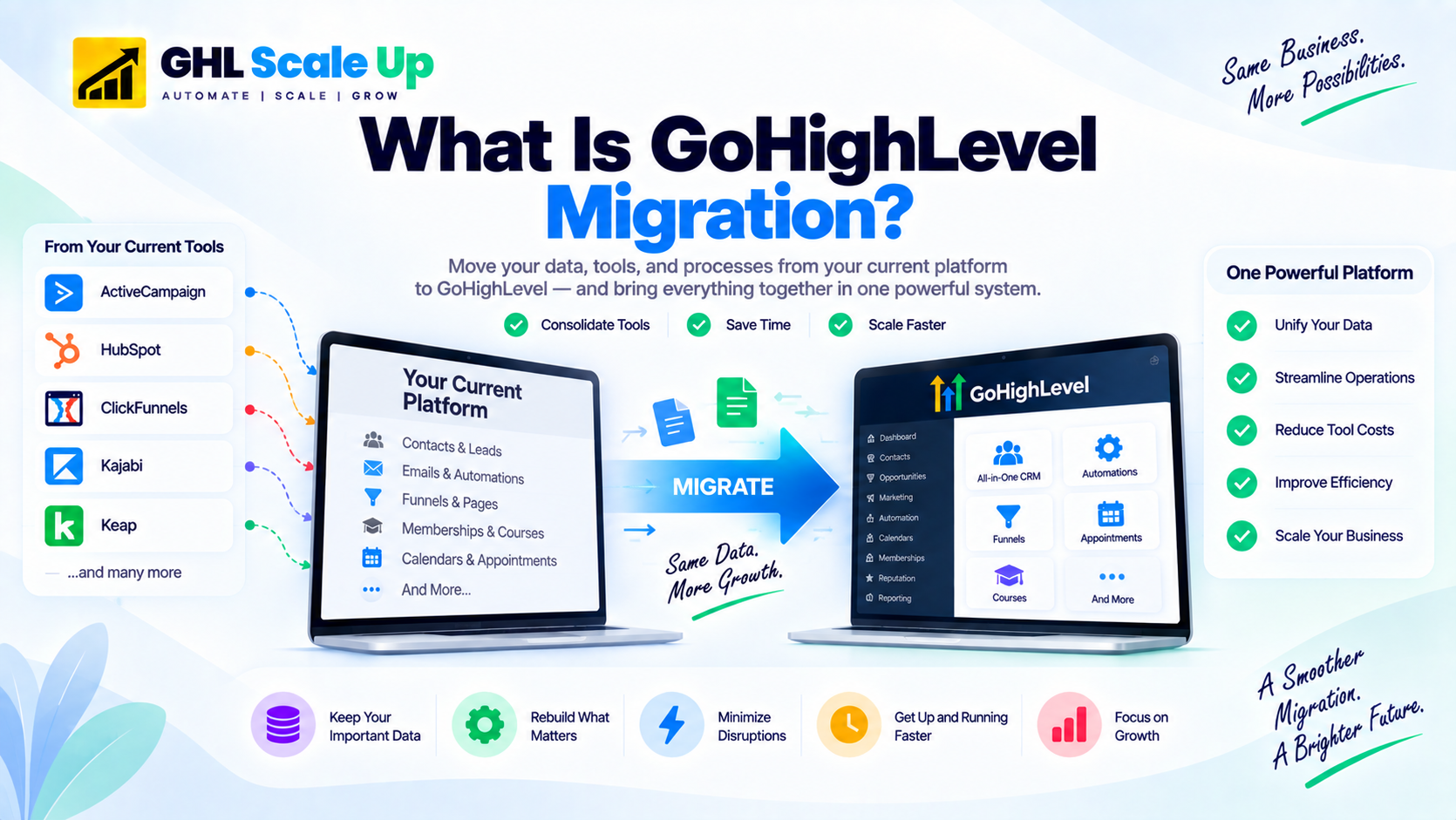
Why Do Businesses Migrate to GoHighLevel?
The reason is almost always cost, capability, or both.
- Cost consolidation: an agency paying separately for a CRM, a funnel tool, SMS, and a booking calendar is often spending well more per month than a single flat-rate GoHighLevel plan covering all of it.
- Capability: businesses needing native SMS, an AI Voice Agent, white-label branding, or a sub-account model for managing multiple clients often find no other single platform provides all of this at a comparable price.
- Operational simplification: consolidating several disconnected tools into one platform reduces the number of systems that can break or fall out of sync with each other.
For a full overview of the platform itself, see What Is GoHighLevel?.
What Can Be Migrated? (A High-Level View)
The exact scope depends heavily on your current platform and how it's set up, but most migrations involve some combination of the following areas.
| Migration Area | What It Means |
|---|---|
| Contacts | Your customer and lead data |
| CRM structure | Custom fields, tags, pipelines, and opportunities |
| Automation | Workflows and the business logic behind them |
| Communication | Email, SMS, and calling setup |
| Funnels and forms | Lead capture and conversion assets |
| Integrations | Connections to external tools (Stripe, Zapier, ad platforms) |
| Reporting | Business and pipeline analytics |
Within each area, some pieces transfer more directly than others, and some don't transfer at all and have to be rebuilt or reconfigured. The exact breakdown depends on your specific source platform see the platform-specific guides linked below for the full technical detail on your situation.
Why Migration Isn't a 1:1 Copy Across Platforms
Different platforms organize data and logic in fundamentally different ways, which is the real reason migration is a translation-and-rebuild project rather than a straightforward transfer.
- Fields map differently: a field that's a simple text box in one platform might be a structured picklist with dependencies in another.
- Pipeline structures differ: some platforms allow deeply customized, branching pipeline logic that doesn't have an equivalent structure elsewhere.
- Automation engines use different logic models: trigger-and-action systems, visual campaign builders, and rule-based workflow engines all express the same underlying idea differently, and converting between them is an interpretation exercise, not a file conversion.
- Tags can serve different purposes: a tag that represents active segmentation in one platform might represent workflow state in another, which changes how it should be handled during migration.
- Reporting models differ: a report built on one platform's specific data relationships often can't be recreated exactly and needs to be redesigned around the new platform's structure.
This is why platform-specific migration guides exist the practical detail of what maps to what depends entirely on which platform you're coming from.
Types of GoHighLevel Migration
Not every migration looks the same. Most fall into one or more of these categories.
- Platform-to-GHL migration: moving from a single named platform (HubSpot, Salesforce, Keap, ActiveCampaign, Zoho, ClickFunnels, Kajabi, Mailchimp) into GHL. This is the most common scenario.
- Agency or account migration: restructuring or moving multiple client environments, often using GHL's sub-account and Snapshot features to standardize setup across clients.
- Tool consolidation: moving from several disconnected tools (a CRM plus a separate funnel builder plus a separate SMS tool) into one GHL account.
- Partial migration: moving only specific functions for example, migrating CRM and automation while leaving an existing e-commerce or membership platform in place.
- Rebuild/replacement migration: using the migration as an opportunity to redesign processes rather than replicate them exactly common when the old system's logic had accumulated years of unused complexity.
What Determines Migration Complexity?
Complexity depends on several factors working together, not any single number like contact count.
- Simple: limited data, few workflows, minimal integrations
- Moderate: multiple pipelines, a meaningful number of workflows, several integrations
- Complex: large datasets, deep automation logic, multiple integrated systems, or business-critical dependencies
- Enterprise/multi-account: many stakeholders, multiple accounts, extensive integration and testing requirements
How long each of these actually takes varies by platform and specific setup for a full breakdown of realistic timelines and what drives them, see the GHL migration timeline guide.
What Does a Migration Project Generally Involve?
At a high level, most migrations move through the same broad phases, regardless of source platform: an audit of what currently exists, building the receiving environment in GHL, exporting and importing data, rebuilding automations and workflows, testing, running both systems in parallel briefly, and finally cutting over.
For the detailed, step-by-step operational framework, see the complete GoHighLevel migration checklist. For the risks specific to getting each phase wrong, see common GHL migration mistakes.
Should You Migrate to GoHighLevel?
Migration tends to make sense when:
- You're consolidating multiple disconnected tools into one system
- You need capabilities your current platform doesn't offer natively (SMS, AI voice, white-labeling, sub-accounts)
- Your current tool stack costs meaningfully more than a consolidated GHL setup would
- You're scaling and need more operational automation than your current platform supports
Migration may not be the right move when:
- Your current system is deeply integrated with other business-critical tools that have no clear GHL-compatible path
- A specific feature you depend on has no suitable equivalent in GHL
- The cost and disruption of migrating exceeds the realistic benefit for your specific situation
- Your current platform already meets your needs and you're only considering a switch because GoHighLevel is widely discussed, not because of an unmet need
- Your team doesn't have the time or resources to properly test and validate a new system right now
A genuinely useful migration decision is based on your specific requirements and constraints, not on the assumption that GoHighLevel is automatically the better choice for every business.
Where to Go Next
Once you understand the concept, the right next resource depends on where you are in the process:
If you want to estimate how long your specific migration will take, see the GHL migration timeline guide. If you're ready to plan the operational steps, use the GoHighLevel migration checklist. If you want to avoid the most common failure points, read common GHL migration mistakes. If you know which platform you're moving from, go straight to the dedicated guide: HubSpot, ActiveCampaign, ClickFunnels, Kajabi, Salesforce, or Keap. If you're not sure which platform's migration is hardest or easiest to plan around, see which platform is easiest to migrate to GoHighLevel.
Frequently Asked Questions
What is GoHighLevel migration?
GoHighLevel migration is the process of moving a business's CRM data, marketing assets, automation logic, and related systems from another platform into GoHighLevel. Some assets (contacts, basic data) transfer relatively directly; others (workflows, pipelines, integrations) generally need to be rebuilt or reconfigured rather than copied.
Is GHL migration just importing contacts?
No. Importing contacts is one relatively mechanical part of a migration. The larger and more time-consuming part is rebuilding the automations, pipelines, and business logic that acted on that data in your previous platform this is usually where the real migration effort goes.
Does everything transfer automatically when migrating to GoHighLevel?
No, and how much depends heavily on your source platform. As a general pattern, contact data and basic fields transfer via export/import; workflows and automation logic generally require manual rebuilding. Some platforms have partial native import tools for specific content types for example, GoHighLevel has a native Kajabi Course Importer that automatically brings over published-lesson video, image, and text content, though quizzes, assignments, and automation logic still require manual work. Always check the platform-specific guide for your exact situation rather than assuming a blanket answer.
What platforms can migrate to GoHighLevel?
GoHighLevel can receive migrations from most CRM, marketing automation, and funnel-building platforms. GHL Scale Up has dedicated guides for HubSpot, ActiveCampaign, ClickFunnels, Kajabi, Salesforce, Zoho, Keap, and Mailchimp specifically.
Is migrating to GoHighLevel difficult?
It depends on your current setup's complexity the number of active automations, integrations, and how customized your data structure is far more than on the platform name alone. A simple setup with few automations is straightforward; a highly customized enterprise system with deep integrations is genuinely complex. See the migration timeline guide for a fuller breakdown of what drives that difference.
What's the difference between data migration and CRM migration?
Data migration refers specifically to moving information contacts, fields, tags. CRM migration (or system migration) is the broader process that also includes rebuilding the workflows, pipelines, and automation logic that operate on that data. A complete GoHighLevel migration involves both, and the system side is typically the larger effort of the two.
Do I need a GoHighLevel migration service, or can I do it myself?
A simple migration with a small contact list and few or no automations is a reasonable DIY project. Once you have several hundred contacts and active automations, professional support becomes more valuable, primarily because a broken automation can fail silently for weeks before anyone notices something a structured, tested migration process is built to catch.
Related Articles in This Series
Not sure where your migration fits?
Book a free 30-minute migration assessment. We review your current setup, tell you exactly what the migration involves, and give you a realistic timeline and fixed-fee quote. No obligation.
Book Your Free Assessment