
Can You Migrate From Shopify to GoHighLevel?
Yes, for data. HighLevel's Shopify setup has two stages that are easy to mix up:
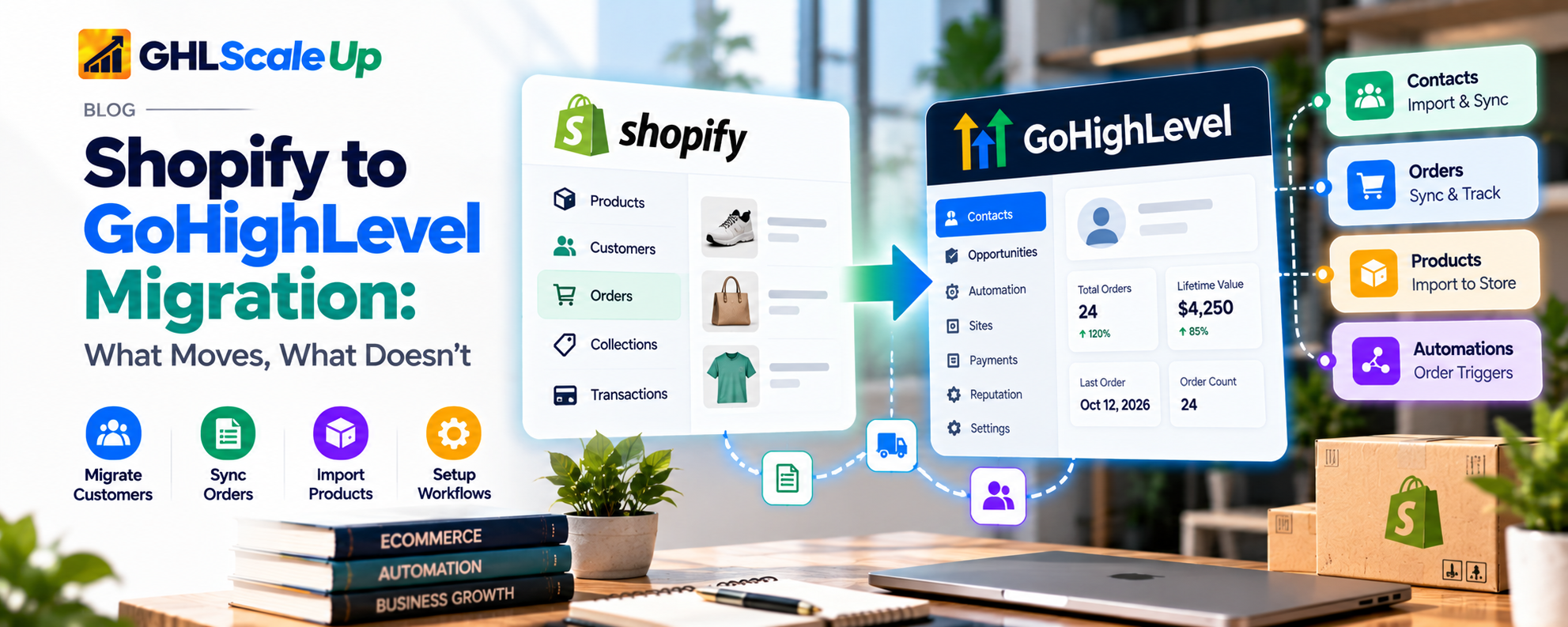
- Import Elements are a one-time historical import: contacts, orders, transactions, products and collections.
- Sync Settings control what keeps updating afterward: the same five data types, plus order and payment triggers that can start workflows.
A third thing is separate from both: workflows, which you build in HighLevel and which react to events. Import brings in history. Sync keeps selected records current. Workflows do things with them. None of the three recreates your storefront.
What this does not automatically do, according to HighLevel's migration guide: store pages and checkout, payment gateway settings, shipping and delivery settings, confirmation messages, abandoned checkout recovery, follow-up workflows, internal notifications, tags and segments, invoices and templates, and team procedures all need to be reviewed and rebuilt by hand.
Migrate, Partly Migrate, or Keep Shopify Connected?
Decide this before you touch any settings. There are three paths:
| A. Full Migration | B. Partial Migration | C. Keep Shopify, Connect It | |
|---|---|---|---|
| Goal | Run the store on HighLevel | Centralize chosen data and processes | Add CRM and automation to Shopify |
| What changes | Storefront, checkout, payments, orders, shipping, notifications | Customer data and selected workflows | Data flows into HighLevel; workflows move |
| What stays | Almost nothing in Shopify | Shopify for what you keep | Shopify as storefront and order system |
| Complexity | Highest | Medium | Lowest |
| Risk | Highest: every function re-verified | Medium: split ownership | Lowest for the storefront |
| Benefits | One platform, consolidated records | Gradual; lets you learn first | Keeps a proven checkout and app ecosystem |
| Limits | Native store must meet your needs | Two systems to maintain | Two subscriptions; one-way data flow as documented |
| Often suits | Simple catalogs, few apps | Teams testing HighLevel | Stores using Shopify apps, subscriptions, complex variants or inventory |
For many stores the real goal is better follow-up and customer records, and Path C delivers that with the least disruption. See the Shopify integration guide for how the connection works. Path A makes sense when the native store can genuinely meet your requirements; the Ecommerce Store guide explains what it covers. Path B is a sensible way to test: connect, import, rebuild a few workflows, and decide later.
What Shopify Data Can Move to GoHighLevel?
| Data | Import | Sync | What to Know |
|---|---|---|---|
| Contacts | Yes | Yes | Only customers who have placed an order are included. Name, phone and address fill only if empty; email is used for matching. Custom fields store Shopify ID, lifetime value, order count and dates. Customer tags go to the contact's tag field |
| Orders | Yes | Yes | Status arrives as Completed or Cancelled. Only completed, paid orders affect contact fields; draft orders do not |
| Transactions | Yes | Yes | One transaction per order. This is not a payment processor ledger |
| Products | Yes | Yes | Review names, descriptions, images, prices and inventory details. Taxes are not mapped. Default Shopify SEO values may arrive empty |
| Collections | Yes | Yes | Check that products sit in the right collections |
Three details change how much you can trust the numbers afterward. First, lifetime value covers only the connected Shopify store, so sales from other channels are missing. Second, a refund reduces lifetime value but not order count. Third, HighLevel does not document how it matches records on reimport or how it handles duplicates, so verify rather than assume.
A Conflict You Need to Resolve Before You Start
HighLevel's pages disagree about Shopify plans. The migration guide (version modified 26 May 2026) says Shopify Basic may not provide customer personal data through Shopify's updated API, and that contacts, orders and transactions 'may require' Grow, Advanced or Plus, with options possibly appearing unavailable during setup. The Shopify integration page (modified 15 October 2026) says a plan upgrade is not required and that Basic stores can access supported protected customer data through the OAuth connection. The newer page is more likely to be current, but do not rely on either. At the connection screen, see which import and sync options are available for your store, and if contacts, orders or transactions are missing, check your plan and data-access settings first.
Two more labels to check on screen. The sync screen lists an Order Received trigger and a Payment Received trigger. One version of HighLevel's guide also calls the order trigger Order Submitted, which is the name of a different HighLevel trigger used for order forms and funnels. Use whichever label your screen shows, and test it.
What Does Not Migrate Automatically?
Having a CSV export does not mean something can be migrated, and not being mentioned in a summary does not mean it cannot. This table classifies the common dependencies by what is documented. 'Not verified' means we found no documentation either way, so treat it as unsupported until you confirm.
| Item | Classification | Notes |
|---|---|---|
| Theme, layouts, custom code | Rebuild | HighLevel store pages are built separately |
| Checkout experience | Rebuild | Native checkout, or keep Shopify's |
| Payment provider settings | Rebuild | Connect a provider in HighLevel; stored cards and subscriptions are not documented as transferable |
| Inventory rules | Rebuild or keep in Shopify | Imported product inventory details should be checked against how the native store tracks stock |
| Shipping and fulfillment | Rebuild or keep in Shopify | Shipping setup is manual; fulfillment needs tracking details entered |
| Taxes | Rebuild | Not mapped in product import |
| Discount rules | Not verified | No import documented |
| Gift cards, store credit, loyalty | Keep in Shopify or an app | No import documented |
| Reviews and user content | Third-party or custom | Export from your review app; see review automation for the HighLevel side |
| Subscriptions | Not verified | Keep in Shopify until a replacement is proven |
| Customer accounts, passwords | Not verified | Plan for customers to re-register |
| Apps and integrations | Third-party or custom | List each one and decide whether it is replaced |
| SEO, URLs, redirects | Rebuild | Only if the storefront or domain changes |
| Blog and pages | Rebuild | Export content; recreate in HighLevel's builders |
| Analytics, pixels | Rebuild | Re-add and retest |
| Domain and DNS | Reconfigure | Manual, and the switch needs planning |
| Email and SMS consent | Verify | HighLevel lists Shopify email and SMS consent fields as 'coming soon'. Export consent from Shopify and handle it deliberately |
| Workflows and notifications | Rebuild | Not imported |
This is the difference between data portability (can I get the information out?) and functional equivalence (does the new system do the same job?). A product list can be portable; a subscription billing relationship or a loyalty balance may not be.
What to Prepare Before You Migrate
Audit the Shopify store
List products and variants, collections, customer records, orders, apps, automations, integrations and who does what. Include things customers see (emails, accounts) and things they do not (accounting sync, shipping labels).
Define the target setup
For each function, decide which system owns it: HighLevel, Shopify, the payment processor, a shipping tool or an app. Write it down. If two systems claim the same function, resolve that now.
Confirm access
You need admin access to the Shopify store and to the HighLevel sub-account. Use the OAuth connection for any new or reconnected store. Check which data options your Shopify plan exposes.
Review the data
Look for duplicates, missing emails, inactive customers, test orders and inconsistent tags. Clean before importing, because importing bad data into a CRM spreads it into workflows.
Document the customer journey
Record each step from product page to purchase, confirmation, fulfillment, support and follow-up, including every email and text a customer currently receives.
List workflows and integrations
Every automated process, notification, payment dependency and shipping connection goes on the list. This becomes your rebuild plan.
Define success
Decide what must be true before you switch: customer and order counts reconcile, sample records match, workflows fire correctly in tests, test purchases work in the chosen system, and customer messages are right. Set your own criteria; there is no universal threshold.
Step-by-Step Shopify to GoHighLevel Migration
Check that HighLevel meets your requirements
Write the capabilities you need (variants, inventory, shipping rules, taxes, payment methods, subscriptions, customer accounts, apps). Mark each as 'HighLevel does it', 'HighLevel can connect to it' or 'stays in Shopify'. If an essential item has no answer, choose Path B or C.
Back up and document
Export products, customers and orders from Shopify as CSV. A few limits matter: product exports do not include image files and leave SEO fields blank unless customized; large exports can fail and may need to be split; order exports list multi-item orders over several rows; and customer exports are limited to 15 MB. Never sort a CSV in a way that breaks variant and image links. A CSV backup is not your theme, app settings or automation logic, so screenshot and write those down separately.
Confirm plan and eligibility
Check which options your Shopify plan exposes (see the conflict above). Confirm your HighLevel plan and sub-account, and that you are not relying on the legacy custom-app route, which Shopify has stopped offering on some newer stores.
Connect Shopify
In the sub-account, go to Settings > Integrations > Shopify and select Connect. Enter the exact store URL or name. Choose import elements, then sync settings, then save; HighLevel sends you to Shopify's Install app screen, where you review permissions and install. If you have a legacy custom-app connection, do not disconnect it until you are ready to reconnect with OAuth. Connection depth is in the integration guide.
Choose import options
HighLevel's guide suggests selecting everything for a full migration. Do that only if your target setup needs every type. For Path C you may want contacts and orders but not products or collections, because your products live in Shopify.
Configure ongoing sync
Select the sync options and order and payment triggers you need. Remember that turning a sync off later mostly stops future syncing; it does not remove what has already come in.
Review imported data
An import that reports completion is not a verified import. See the reconciliation section below.
Rebuild workflows
Rebuild each documented workflow in HighLevel. Confirm trigger labels and test with sample orders.
Reconfigure external systems
Check payments, shipping, tax, analytics, support tools and accounting. Name the authoritative system for each. If Shopify still owns orders, HighLevel should not be treated as the record of truth for them.
Test before changing live operations
Test product and collection data, contact records, order history, transaction data, new order and payment events, each workflow, customer communications, a failed sync, a duplicate event and a record with missing data. Use test contacts and test orders. Shopify offers a Test payment gateway and a Shopify Payments test mode for store-side testing. Do not use real customers or real charges just to test.
Plan the cutover
If Shopify stays the storefront, cutover means turning on workflows and turning off any Shopify emails they replace, then watching closely. If you are replacing Shopify, every essential function needs a verified home first: checkout, payments, shipping, taxes, notifications and support. HighLevel's own decommissioning list says to run a final export, confirm critical data, test workflows, train the team, keep your procedures and cancel Shopify only when the team is confident. Define a rollback: what you will do if checkout fails or data is missing. Not every migration can be reversed automatically, so keep Shopify running until you have proof.
Monitor afterward
Review sync health, workflow history, payment-related events, message delivery and complaints, daily at first, then less often. Use enrollment history and execution logs. We give no universal timeline because it depends on your volume and complexity.
Data Safety: Mapping, Reconciliation, Duplicates and Source of Truth
- Mapping. HighLevel publishes only partial field mapping. Taxes are not mapped, default SEO values can arrive empty, and contact fields cannot be chosen individually. Compare a sample of records field by field.
- Reconciliation. Compare counts (customers with an order, orders, products, collections) between Shopify and HighLevel, then check a sample of records for names, totals, statuses, line items and relationships. Expect the contact count to be lower than your Shopify customer count, because only customers with an order are included.
- Duplicates. Duplicate handling is not documented. Check for repeat contacts and duplicate events after import, and consider that reimporting adds or updates records under rules HighLevel does not describe. See workflow re-entry to stop duplicate runs.
- Source of truth. For each process, name the authority. A synced order is a copy.
- Customer communication. During the transition, both systems may send confirmations. Decide which sends what, and switch the other off.
- Privacy and consent. Move marketing consent deliberately and follow the rules that apply to you. See A2P 10DLC for US SMS.
Common Migration Problems
| Symptom | Likely Cause | What to Check | Fix and Verify |
|---|---|---|---|
| Connects but some data does not import | Plan or data access; option not selected | Which options were available and selected | Check plan, reconnect, reselect; recount |
| Customers missing | Only customers with an order are included; plan or access | Customers without orders; plan or access | Accept or add them another way; recount |
| Orders or transactions missing | Plan or access; sync off | Sync settings; date ranges | Enable sync; reimport via disconnect and reconnect; compare counts |
| Data looks incomplete | Partial field mapping | Which fields are missing | Confirm in the record; fill manually if needed |
| Duplicates | Reimport, multiple sources | Matching on email; sources | Merge or remove; retest |
| Future changes do not sync | Sync setting off; API rules changed | Sync Settings; Shopify access | Turn on; reconnect through OAuth |
| Order event does not trigger | Wrong trigger label; workflow unpublished | Trigger and status | Correct and test with a sample order |
| Workflow runs but action fails | Missing data; consent; action error | Execution logs | Fix data; retest |
| Payment data inconsistent | Transactions are per order copies | Compare with processor | Trust the processor |
| A connected app breaks | App not replaced | App list | Replace or keep Shopify |
| URL or domain changed | Storefront moved | Redirects | Add redirects; retest |
| Tracking stops | Pixels not re-added | Tags and pixels | Re-add and test |
| A customer process fails | Function not rebuilt | Journey document | Rebuild or restore it |
SEO, Domain and Customer Experience
This applies only if the storefront or its URLs change. If Shopify remains the storefront, little of it does.
- Indexed pages and URLs. Record every product, collection and page URL and its traffic before you move.
- Redirects. Map each old URL to the most relevant new one.
- Metadata and canonicals. Recreate titles, descriptions and canonical tags. Product SEO fields may arrive empty.
- Sitemap and internal links. Update and resubmit; fix links in content and emails.
- Analytics and conversion tracking. Re-add and retest.
- Customer-facing links. Order confirmation links, account links and bookmarks can break.
Rankings can change after a platform move, so do not expect them to stay as they are. Plan to monitor.
Shopify to GoHighLevel Migration Checklist
Before migration
- Decide path A, B or C and record why.
- List every function and its owner.
- Export products, customers and orders; document apps and settings.
- Clean duplicates and test data.
Connection and import
- Connect with OAuth.
- Select only the import and sync options you need.
- Note which options were unavailable.
Data validation
- Compare counts.
- Sample-check records field by field.
- Check duplicates and consent.
Workflow reconstruction
- Rebuild each documented workflow.
- Confirm trigger labels.
- Switch off overlapping Shopify emails.
Integration testing
- Test orders, payments, failures, duplicates, missing data.
- Use test modes only.
Cutover readiness
- Every essential function has a verified home.
- Rollback plan written.
- Team trained.
Post-migration monitoring
- Review logs and sync daily at first.
- Keep Shopify active until confident.
- Review redirects and tracking if URLs changed.
Is Migrating From Shopify to GoHighLevel Worth It?
| Factor | Leans toward migrating | Leans toward keeping Shopify connected |
|---|---|---|
| Requirements | Simple: few product types, standard payments | Subscriptions, gift cards, loyalty, many apps |
| Catalog | Small, few variants | Large or complex variants |
| Inventory and fulfillment | Simple | Multi-location or integrated shipping |
| Data | Clean, accessible on your plan | Messy or restricted |
| Main need | Consolidate tools | Better CRM and follow-up |
| Costs | You pay for overlapping tools | A rebuild costs more than it saves |
| People | Team has time to rebuild and learn | No capacity |
| Search and customer risk | Low search dependence | Search or loyal customers matter |
No universal answer exists. Total cost includes the rebuild, training, maintenance and the risk of lost sales, not only subscription prices. We have not compared subscription prices here because plan prices change; check current pricing for both platforms and, for HighLevel, usage-based charges (see GoHighLevel pricing).
Final Verdict
The right outcome is not moving everything into one platform. It is a system in which your data, customer messages, orders and responsibilities work as intended. For most stores that means connecting Shopify to GoHighLevel first, importing what you need, rebuilding workflows and judging the result. Retire Shopify only when you have verified that everything it does for you has a reliable replacement, and keep it running until you have.
If you want help assessing your setup or building the workflows, GHL Scale Up works on GoHighLevel CRM setup, workflows and integrations. You can read about our CRM setup service or get in touch. For general migration planning, see the GoHighLevel migration checklist and common migration mistakes.
Frequently Asked Questions
Can you migrate Shopify to GoHighLevel?
You can import and sync Shopify contacts, orders, transactions, products and collections. You cannot import your theme, checkout, settings or workflows.
What Shopify data can be imported?
Contacts, orders, transactions, products and collections, subject to your plan and data access.
Can I migrate customers and order history?
Yes, with limits: only customers with an order are included, and statuses arrive as Completed or Cancelled. Verify the results.
Can GoHighLevel replace Shopify?
For some stores, yes, using its native Ecommerce Store. It needs products, store pages, a domain and a payment provider, and items such as subscriptions, loyalty and gift cards are not documented as importable.
Do I need to close my Shopify store?
No. Many businesses keep Shopify and connect it. Cancel only after everything is verified.
Does it include products and collections?
Yes. Taxes are not mapped and default SEO values may arrive empty.
Will orders keep syncing?
Only if you enable order sync in Sync Settings. Turning it off stops future syncing.
Can I migrate my Shopify workflows?
No. They must be rebuilt in HighLevel.
What happens to payments and shipping?
Payment and shipping settings are not imported; configure them separately or keep them in Shopify.
Will my SEO rankings be affected?
They can be if URLs change. If Shopify remains the storefront, much less so. Redirects and monitoring help; nothing guarantees them.
How do I test the migration?
Use test contacts and Shopify's test payment options, check counts and sample records, and test workflows without messaging real customers.
Is it better to migrate or keep Shopify connected?
It depends on your requirements. Keeping Shopify connected is usually lower risk when your main goal is CRM and automation.
Related Articles in This Series
Need Help With Your Shopify Migration?
We help businesses plan and execute Shopify to GoHighLevel migrations.
Book Your Free Assessment
GHL Scale Up is a specialised GoHighLevel implementation and SaaS growth agency. Based in India, we serve agencies and businesses across 6 countries with 200+ GoHighLevel builds delivered. This guide reflects direct experience migrating from Shopify and other platforms. All product details verified against HighLevel and Shopify documentation as of October 2026.
ghlscaleup.com